bdsams bdsams

Start11 v2 Is Ready, Now with Rounded Taskbars and a Lot More

Start11 v2 Is Ready, Now with Rounded Taskbars and a Lot More

Turn your taskbar into a modern experience with new style options

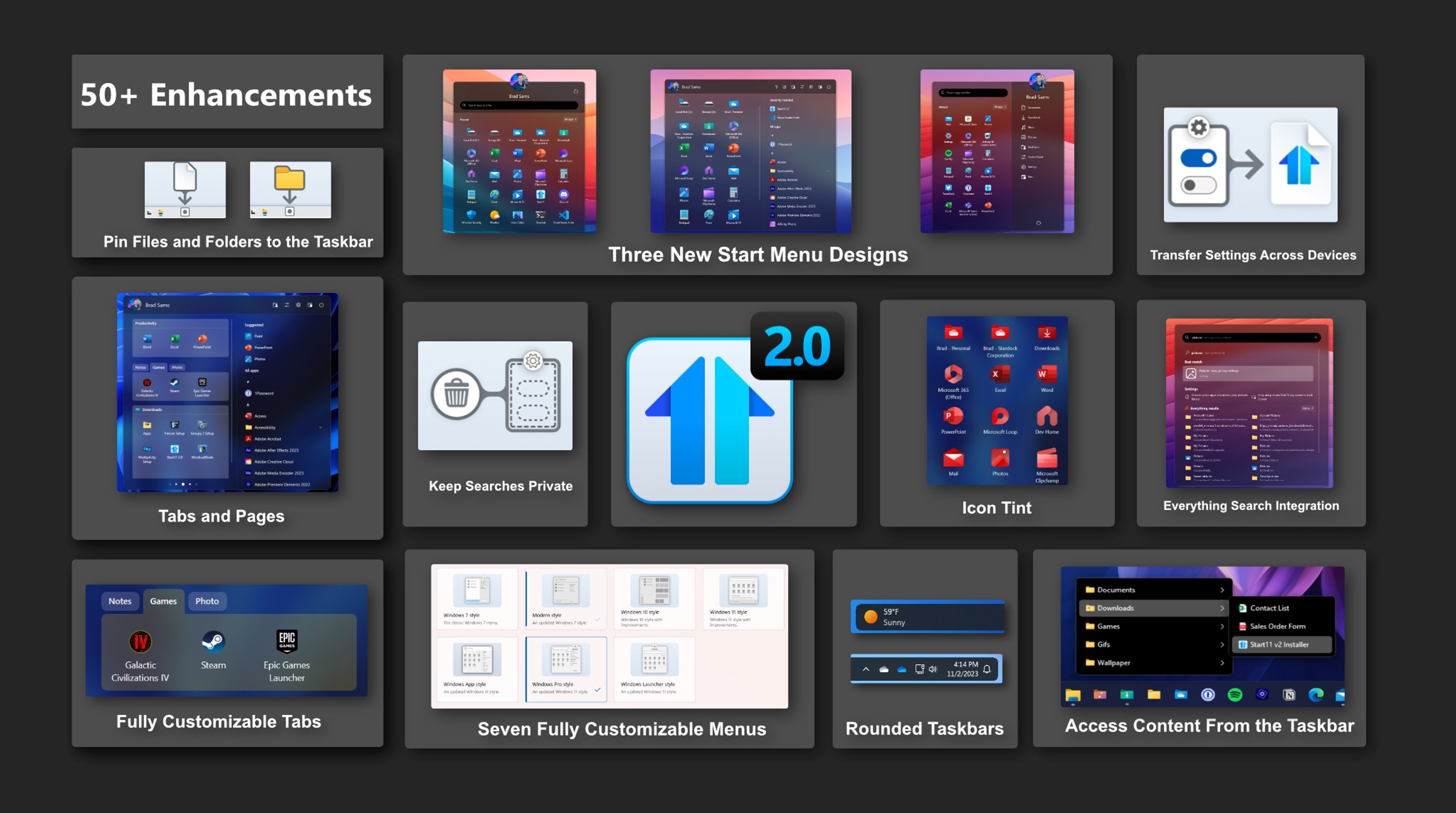
Today is the day, Start11 v2 is ready for prime time – we are taking the Release Preview tag off and adding new features. Rolling out now is the latest version of Start11 v2 with new features for the taskbar as well as a significant number of bugs being squashed.

If you want a deeper dive into many of the new features in Start11 v2, check out this earlier post from the release preview, but there have been a couple of additions since our initial release. Especially the updates for the taskbar - let's dive in.

Easily the biggest request we got after announcing Start11 v2 was the option to round the corners of the taskbar and we are happy to share that this feature is now included in the release today. And, not only can you round the corners, but in true Stardock fashion, you can fully customize the layout with various options to dial in the perfect taskbar for your desktop.

To begin building your modern taskbar, click on the Taskbar option in Start11 v2, then click the Taskbar blur, transparency, color, and rounded corners dropdown menu. From there you can select the intensity of the rounded corners, your preferred offsets on both the X and Y axis, and more.

One of the neat features that is included is how the taskbar can adapt if you are using a full-screen app. When a taskbar is floating with rounded corners, it can create an odd visual experience on the sides and below the taskbar when using an app that spans the entire display. To help reduce this visual irregularity, you can have the taskbar dynamically adapt to a traditional style layout when a full-screen app is detected.

These are the little things that add up that make Start11 v2 a truly great experience on Windows 10 and Windows 11. While the work is never done and we will continue to monitor feedback and patch bugs, this is a major milestone that we are crossing as we have taken Start11 from a product that brought back old features of Windows to a new era where we are adding new functionality that makes Windows a little more personal and a lot more productive.

116,540 views 68 replies
Reply #51 Top

Start11 v.2.06    Windows version: W11 pro  23H2  22631.2506

The right clik on the windows button not work properly in Windows 11 style for open de menu window. 

The menu is weak and flickers, making it unusable, and its necessary click on the task bar previously for open correctly.

In addition, the mouse pointer over the windows icon not opens the Start11 menu.


After install v2.10 the issues has not been resolved.

Adjunt video (https://drive.google.com/file/d/1HaIm1slKN2qMXeWDcXwmeedCLEnikafd/view?usp=sharing).


Start11 v2.10  Control Menu options.jpg


Reply #54 Top

Does this also work on Windows 10? I click on rounded task bar but nothing changes. I updated to version 2

Reply #55 Top

Quoting cneeleman, reply 54

Does this also work on Windows 10? I click on rounded task bar but nothing changes. I updated to version 2

Hello,
Yes, it does for for me.

Thanks
Basj,
Stardock Community Assistant.

Reply #57 Top

Quoting cneeleman, reply 56

Thanks so it should work. I did check all the boxes, but nothing changes.

Maybe you have some other application interfering with Start11.

Thank you,

Basj,
Stardock Community Assistant

Reply #58 Top

Quoting cneeleman, reply 56

Thanks so it should work. I did check all the boxes, but nothing changes.

Are you using an autohide taskbar?

Reply #59 Top

Hi Group - The upgrade price wasn't bad, but the real reason I wanted v2 is to get the Pinned Folders.

In the Beta, 2-column Pinned folders (a folder with enough files that it needs 2 columns to display) was being displayed halfway off the top of the screen.  That part has been fixed.  A couple of problems still exist, however.

  1. A 2-column Pinned folder displays at the top of the screen.  It is all visible, but stuck to the top.
  2. 2-column Pinned folders are still row ordered (left to right), rather than column-ordered.  A toggle to change from row- to column-ordered would be nice.  Windows does everything in columns...
  3. All flavors of Pinned folders use some sort of automation that makes them scroll up from the bottom when you click on the folder.  It is noticeably slow, and would be nice if there was a toggle to turn off the automation.
  4. If I had to choose between the automation and the 2-column ordering, I would choose to change to column-ordered.

My Start icons seem to change sizes, sort of at will.  Right now, they are small, though yesterday (rebooted last evening) they were larger.  I haven't changed any settings.  There is also space for another column of icons - which also seems to come and go.

I really like the Start menu background colors and patterns.  And the Taskbar patterns.

Reply #60 Top

Well, comment gremlins ate the comment I posted earlier (unless one of the Stardock folks can find it...).

In essence, it was:

I was glad to switch to v2, because I use the Pinned Folder feature.  It started out missing the top half of a 2-column folder, but that has been fixed.

However, there are still a couple of issues:

  1. A Pinned folder that has enough files to require more than 1 column (really, I've only seen 2 columns) is anchored against the top of the monitor, not at the bottom (like a single column).  All of the items are there, but it's at the top
  2. All of the Pinned folders use some automation (maybe?) that causes the menu to 'roll up', like pulling up a projection screen.  While cool and really nifty, it slows down the menu enough to be obvious (click folder, wait, click selection).  Would be nice to have a toggle in Setup that could turn off the automation.
  3. The order of items in a 2-column menu (1+ columns) is by row.  Windows uses column-ordered lists.  Would be nice to have a toggle that could switch between row- and column ordering.
  4. If I had to choose, I would choose column-ordering and keeping the up-scroll.

I've also had some odd behavior with the appearance of the Start Menu.  Earlier today, it looked like this:

Yesterday, and since I restarted a few minutes ago, it looks like this:

I've not made any changes to any Start11 settings, that I am aware of.  Also, automatic updates are turned off.

Finally, there is some odd behavior when right-clicking the Start button - the menu pops then disappears.  Clicking one of the folder menus, then trying the Start again seems to cure the problem.  Maybe the Event handling is not exactly right?

I really like the Start background, also the Taskbar background.

And now, I'll try Posting again!

Reply #61 Top

Quoting esobrant, reply 60

Well, comment gremlins ate the comment I posted earlier (unless one of the Stardock folks can find it...).
FYI: Only one (the above) comment by you can be found.

Reply #62 Top

Thanks, Jan!  And yet, as soon as I logged in to the Forum, the original post showed up for me - it is #59...

Have a great day/evening/weekend!

Reply #63 Top

Quoting belayton, reply 62

Thanks, Jan! And yet, as soon as I logged in to the Forum, the original post showed up for me - it is #59...
A glitch in the matrix. That happens.:blush:  

Thanks - and have a great time yourself!

Reply #65 Top

Is this a free upgrade for ObjectDesktop subscribers?

I keep getting the message that Start11 is not associated with my account.


Reply #66 Top

Quoting RedneckDude, reply 65

Is this a free upgrade for ObjectDesktop subscribers?

I keep getting the message that Start11 is not associated with my account.


Assuming an active subscription yes it is part of Object Desktop.

Reply #67 Top

I'm running Star11 V2 latest version. Updated earlier today. It's working fine here. Just spent awhile experimenting and I am happy with the product. There is one thing that I have to mention though. I use Windowblinds and the only version of the Start Menu that matches the skin I'm using, any skin, doesn't matter what skin, is the Win7 Start Panel. All the other versions look like unskinned Win11. There's 7 different ones you can use. I will only ever use the Win7 version because it's the only version that's skinned. I have been using Windowblinds since 2005 and will not have a PC without.

Please point me in the right direction if I'm wrong. I still love the Start11 product and honestly don't know if what I'm mentioning is possible. It would be nice though if all 7 versions of the start panel matched the Winowblinds skin being used.

I like the pinning to the taskbar. Neat.

Reply #68 Top

Quoting Chasbo2, reply 67

I'm running Star11 V2 latest version. Updated earlier today. It's working fine here. Just spent awhile experimenting and I am happy with the product. There is one thing that I have to mention though. I use Windowblinds and the only version of the Start Menu that matches the skin I'm using, any skin, doesn't matter what skin, is the Win7 Start Panel. All the other versions look like unskinned Win11. There's 7 different ones you can use. I will only ever use the Win7 version because it's the only version that's skinned. I have been using Windowblinds since 2005 and will not have a PC without.

Please point me in the right direction if I'm wrong. I still love the Start11 product and honestly don't know if what I'm mentioning is possible. It would be nice though if all 7 versions of the start panel matched the Winowblinds skin being used.

I like the pinning to the taskbar. Neat.

Hey Chasbo,

From what I know, WB11 with latest Skinstudio one can skin, Win 7, Windows 10, Windows 11. As for Windows App style, Windows Pro and Windows Launcher style not yet.

Try my GlassMaxX14: https://www.wincustomize.com/explore/windowblinds/9611/ It has Windows 10 and 11 skinned. For the next 3 newer style, my guess, need to wait for WB11 and Skinstudios update/upgrade

Thank you,

Basj,
Stardock Community Assistant