ZombiesRus5 ZombiesRus5

Show off your Sins model (pick a page)

Show off your Sins model (pick a page)

Think of this thread as something similar to conceptships.blogspot.com for the Sins community. Basically, a way for the community to share what they have created whether it makes it into a mod or not.

At a minimum post a screen shot of your model in blender, xsi, 3d object converter, etc or in game. If you have a name for your ship or story behind it, even better.

We are looking forward to seeing what you have created! :)    

Interested in importing your models into Sins?

Visit http://soase.weebly.com/modeling.html (thanks myfist0)
The soase.weebly is a compilation of many of the hard to find topics created by many experienced soase modders and extensively added to by myfist0. Check it out, you won't be disappointed.


From the beginning of this thread IskatuMesk has wow'd us with his models and ultimately released a video of his creations in Sins of a Solar Empire. This particular model was my favorite in the beginning and still stands out.

SivCorp looking to stretch new ideas from existing models managed to create several menancing models including the fantastic Vasari version seen here: (Vasari Flagship Sonar Kal'd used in the Distant Stars Mod)


It's my thread so a few of my stuff...

     Mass Effect Textures 


3,586,478 views 1,643 replies
Reply #201 Top

hey zombie, you wanna COLOR,etc the Cap. ship i posted last lol. rocket PODS!

Reply #202 Top

Zomb... two words for you... FREAKING AWESOME! XD looks sooo awesome with skin on it

Reply #203 Top

Quoting myfist0, reply 201
hey zombie, you wanna COLOR,etc the Cap. ship i posted last lol. rocket PODS!

I will be skinning some of the other models you sent me. You can send me the other models you made but no guarantees on when I could get to them. I was thinking some of them might be fun for the militia though.

Reply #204 Top

@EternalRequiem

I agree. I really like the Atlantis DSV style models and am happy to see it come out well.

I feel like I've made a lot of progress recently understanding the nuances of importing models into Sins and getting the models to look good. I will be attacking some of the other models I have availabe soon and will probably come back to the Blue Arcadia again :P

Reply #205 Top

alright zombie let me make alot more models lol. i may make currect navy ship type spaceships

with liek 2 big guns in front adn 2 in the back and attk from the side and the bridge in the middle high up and etc lol

and ya. and that cap ship has 12k polys so.....

i may have to cut it down as much as possible. may take out those big cannons on the side.

Reply #206 Top

and ya. and that cap ship has 12k polys so.....

12k polys or 12k triangles. If it's the latter it's probably not that big a deal for a personal mod. My blue arcadia is 10.5k triangles.

Reply #207 Top

ok i took a good bit offf and its at 10900+ triangles

Reply #208 Top

Quoting ZombiesRus5, reply 204
@EternalRequiem

I agree. I really like the Atlantis DSV style models and am happy to see it come out well.

I feel like I've made a lot of progress recently understanding the nuances of importing models into Sins and getting the models to look good. I will be attacking some of the other models I have availabe soon and will probably come back to the Blue Arcadia again 


Can't wait to see a skin on the Archangel Battleship, that ship alone is my pride there, it was the first of it's design with having that ring part and by far it's one of the best personal design models I've done. Once I get a lot more skilled at putting details on models I'll be going back and adding things to it. That version though will be a very high poly count model, one that probably shouldn't be used in Sins cause... well... high poly count :P

Reply #209 Top

Can't wait to see a skin on the Archangel Battleship, that ship alone is my pride there, it was the first of it's design with having that ring part and by far it's one of the best personal design models I've done. Once I get a lot more skilled at putting details on models I'll be going back and adding things to it. That version though will be a very high poly count model, one that probably shouldn't be used in Sins cause... well... high poly count

If you set it up right, I can take a high poly model and burn the details via the normal map onto the low poly model giving it extra detail without the higher poly count (http://www.3d-coat.com/texture-painting/)


Reply #210 Top

Cool, I'll look into doing that then when I get the chance. Heck I might go back to all my custom made models and do that and then later give them to someone like you to work on with that thing :D

Reply #211 Top

OK! i got bored and started this! muhahaah


Reply #212 Top

hey zombiesrus,i model in wings3d and then export to xsi but when i try to generate a tangent map it says "tangent map only applies to polymesh object" any clue what this could be??

Reply #213 Top

Quoting fredled, reply 212
hey zombiesrus,i model in wings3d and then export to xsi but when i try to generate a tangent map it says "tangent map only applies to polymesh object" any clue what this could be??

This is most likely a very simple problem, so lets rule out the obvious first. Is your object merged into a single polymesh? and are you only selecting that single object (i.e. this can happen if you are selecting the camera or light source via mouse or [ctrl]+a)?

Reply #214 Top

no,i didnt merge it into a single polymesh object how do you do that??

Reply #215 Top

Make sure you are in model mode, (press 1 on the key board, not number pad)

Make sure you are in object selection mode (press space bar) meshes should appear white on your model. Make sure you have no object selected (Shift+Ctrl+a) = deselect all

Go to "Create" section & select "Poly.Mesh"

select "Merge" . From there your curser should turn into a "Pick". Then select the objects you want to merge ( meshes turn white) then click right mouse button to end picking session. A pop up box will appear, then in that press "delete" in the "Inputs" section and your done.

When you do your tangents, also make sure you are in object selection mode (press space bar) and before doing you tangents you need to have your UV map completed.

Hope that helps and good luck.

Reply #216 Top

@fredled SuperZERO has it right. I follow a slightly different path by preselecting the various meshes then selecting Model/PolyMesh/Merge.

Hehe, I'm starting to get dangerous with the texturing.

Reply #217 Top

wanna texture my fig's and ships? i send them through e mail.


Reply #218 Top

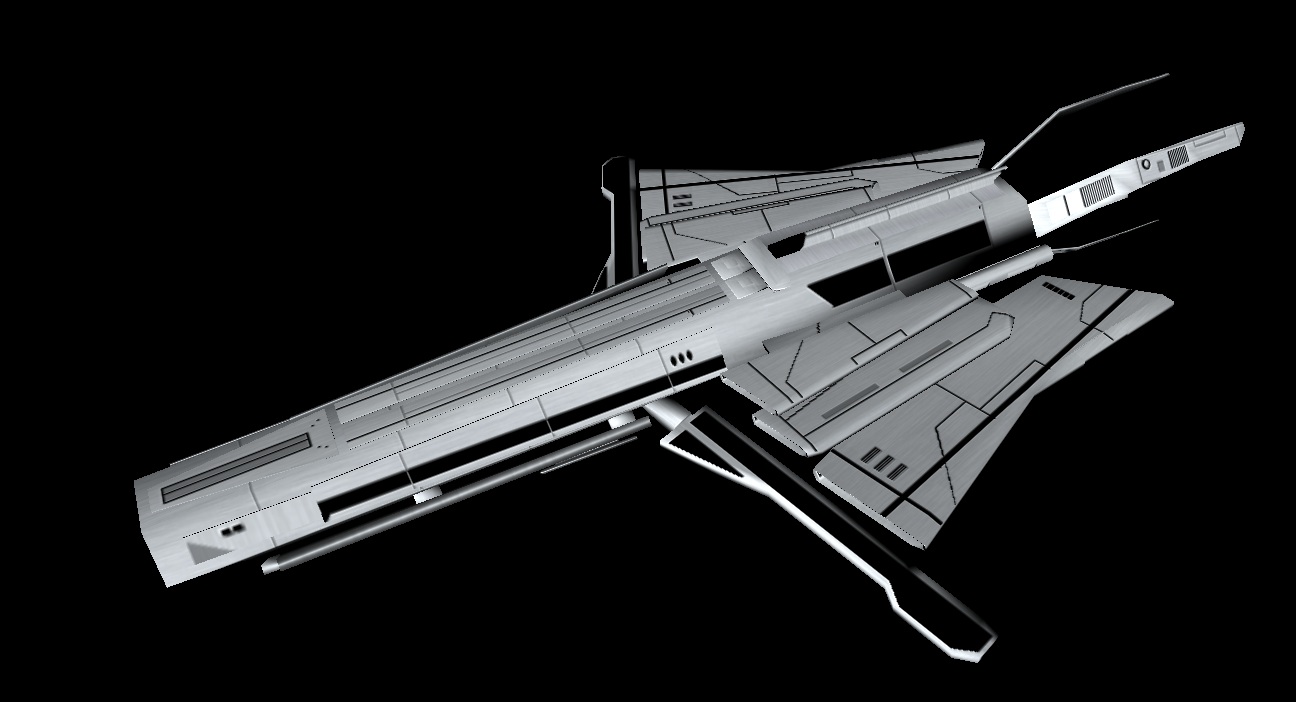
Lol, ok here is 15 minutes worth of work O:)

Reply #219 Top

Here's another view...

Reply #221 Top

Good base texture to build off of.  Needs LOTS more details to be finished, but looking good!


:thumbsup:

Reply #222 Top

Quoting SivCorp, reply 221
Good base texture to build off of.  Needs LOTS more details to be finished, but looking good!

It's alexrose's model. I'm not real sure what he's looking for so thats pretty much what I did was apply a base texture with a few minor details. I don't really like doing null points so he will need to get XSI downloaded if he wants to get it in the game properly. I have way to many models to do this to currently for my mod and did I mention I very much dislike doing null points.

Reply #223 Top

Hey nice work there ZombiesRus5. I like the paneling effect of your textures. Do you use a material to apply them?

Reply #224 Top

Quoting SuperZERO0, reply 223
Hey nice work there ZombiesRus5. I like the paneling effect of your textures. Do you use a material to apply them?

Yes, I'm working on my own style/process for texturing the ships. Mainly I paint the ships with the main colors and then dirty them up with a hull pattern material that applies some depth to the ship as well.

Reply #225 Top

dam zombie.....very nice!!!! and i dont know what you mean by null points and i cant download anything for awhile since this is my dad computer and i was lucky he let me get wing3d lol. but i like the ship ^^