ZombiesRus5 ZombiesRus5

Show off your Sins model (pick a page)

Show off your Sins model (pick a page)

Think of this thread as something similar to conceptships.blogspot.com for the Sins community. Basically, a way for the community to share what they have created whether it makes it into a mod or not.

At a minimum post a screen shot of your model in blender, xsi, 3d object converter, etc or in game. If you have a name for your ship or story behind it, even better.

We are looking forward to seeing what you have created! :)    

Interested in importing your models into Sins?

Visit http://soase.weebly.com/modeling.html (thanks myfist0)
The soase.weebly is a compilation of many of the hard to find topics created by many experienced soase modders and extensively added to by myfist0. Check it out, you won't be disappointed.


From the beginning of this thread IskatuMesk has wow'd us with his models and ultimately released a video of his creations in Sins of a Solar Empire. This particular model was my favorite in the beginning and still stands out.

SivCorp looking to stretch new ideas from existing models managed to create several menancing models including the fantastic Vasari version seen here: (Vasari Flagship Sonar Kal'd used in the Distant Stars Mod)


It's my thread so a few of my stuff...

     Mass Effect Textures 


3,587,429 views 1,643 replies
Reply #301 Top

o okay,thnx +1 karma to myfist and zombie

Reply #302 Top

Okay, here's a new model I just finished but have yet to have the poly reduced a bit on it. I've slowly been working on this ship for the past few days so enjoy it :P

Reply #303 Top

Quoting fredled, reply 299
@ZombiesRus5 thnx the problem ive been having is when i port the model to sins the model is just all team color,nomatter what i do

Like i wrote before, it is your cl alpha who need to be inverted...

How to make it using gimp ( with dds plug-in )

- open your PlasmaShip-cl.dds in Gimp

- color>component>decompose ... colormodel : rgba , decompose to layer

- ctrl-l, remove the "eyes" before red, green and blue layer ... select alpha layer... color>invert...

- color>component>samenstellen ( don't know how to translate it in english )... it is the option 4 ( the last )... color model RGBA... ok ...

New map created need to be saved in dds dxt5/mipmap/dithering/lanczos

it is not a XSI problem but a texture problem... for the da, it was not link in XSI but you can edit the .mesh with your notepad...

By the way, give me your model in .obj and i will make you a new segmenting with a new UV optimisation who will cover almost all your UV map surface... you will have between 4-5 time more surface for paint on a map of the same size !!! By the way, like you, i use wings3d so, a .wings file is good too...

Hope that these time, forum don't go boom when i post !!!

Reply #304 Top

Thoumsin, your right his textures were messed up too complicating the matter. However, even with a proper setup texture file for the color, data and normal map the model still showed all black or all team color (i.e. It was not converting to a mesh correctly). Fixing the texture and reworking the xsi scene are both needed elements for fredled to move forward.

Reply #305 Top

Test 'er out Rus and let me know what you think of the new gun, lazer and misile textures used from the KOL. Its a tough beast with the more guns and the entity is the same as the Marza. Beta Marza kick the games Marzas butt in a test.

If you like all the betas I fixed, feel free to post them in the OP for everyone if you wish.

I tested out the ship. It's pretty mean looking. Nice job on the turrets!

The download you had was missing the core texture for the main ship however. I used the original beta textures from the other thread to get a good visual. Did you make any adjustments to the core ship textures?

Not a bad idea to update the original post for the beta ships. Will get around to that eventually.

Reply #306 Top

The download you had was missing the core texture for the main ship however. I used the original beta textures from the other thread to get a good visual. Did you make any adjustments to the core ship textures?

Ya, I had to change those older channels around, I did that on the first upload on the Old KOL post though. Team colour and specular I think. I will fix up the archive, it will stay the same link.

Not a bad idea to update the original post for the beta ships. Will get around to that eventually.

Just wait until I double check them. The KOL bEta also has no textures finished on the guns.

Meantime I noticed the multiple mesh options in the ships entity so I want to try having research to upgrade capitals with engines and guns. Once researched the capital will have to return to the Capital ship factory to get the upgrade and the mesh will change appropriately in time and cost. I would like it to have the factory not be able to build while refitting a cap in range so I guess I need to learn ability editing and creating.

Here is a ruff workup of the TECs engine add-on

Reply #307 Top

Sweet, a Kol with afterburners :P

Reply #308 Top

:S  Sorry, the original upload had the beta KOLs textures. This one is fixed hopefully.

Marza_bEta.7z

Reply #310 Top

does anyone have like the akkan beta,vasari cap ships beta,or advent ships beta?

Reply #311 Top

Don't have the graphic info but found a screen shot of a Beta Kortol Devastator.

Bison.....

Reply #312 Top

Wow, now THAT was back in the day!

Reply #313 Top

@alexrose

Hopefully, you'll get set back to modelling soon. If you make your way back to the forum here is a shot with a partial texture on the Plague Capital Battleship you made.

Reply #314 Top

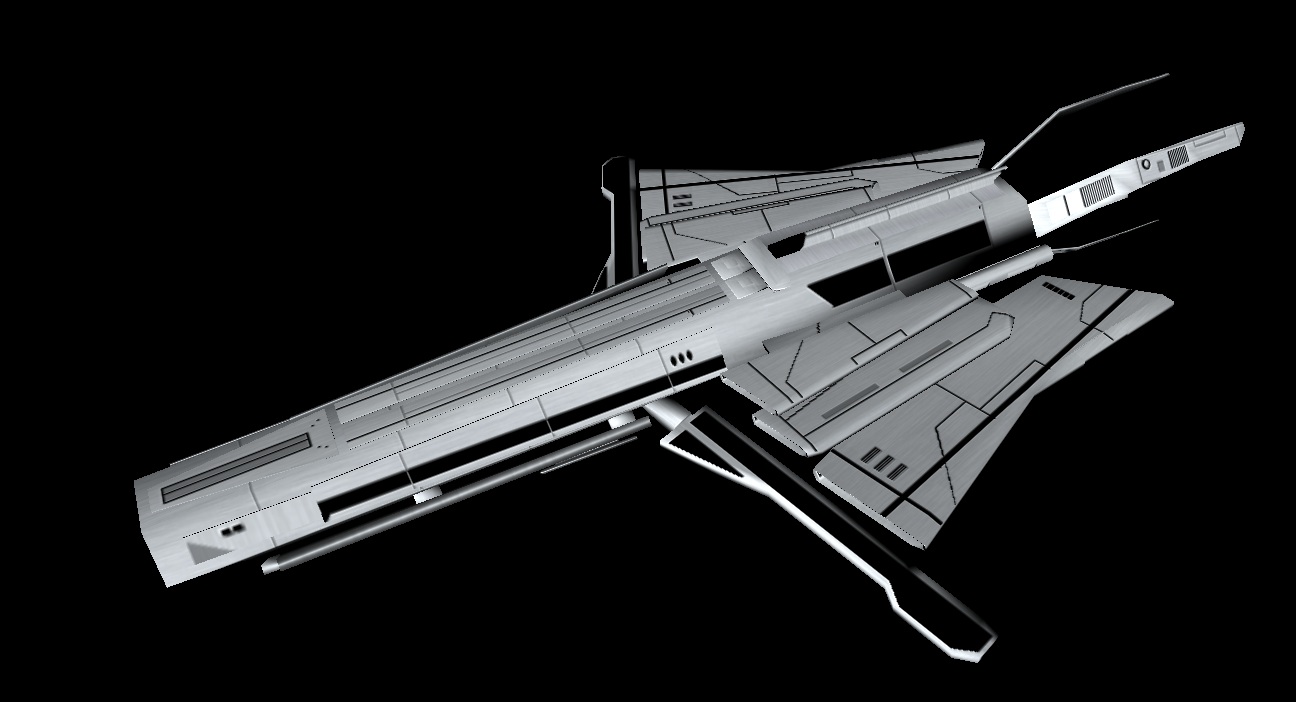
Hello all, I decided to play around with one of my models, you might recognize it since I used the battleship model from before that was done so well. I edited the wing sections a bit by cutting off the old one and replaced it with the current one. This is actually a merge in a sense of two models, my battleship model with the Radiance Mk 2 model. Since I like the design of the battleship model so much I decided to use it as a base for a new Radiance Mk 2 model. Basically all I did was add the two wing side cannons from the Rad mk 2 model to this. The battleship model fits appropriately to the design as it's similar in being semi-organic looking like the original Radiance Leviathan class model.


Reply #315 Top

I like the top view, it's pretty mean looking.

Reply #316 Top

Another reason why I did the alterations, the battleship is still a viable platform for a ship, it's the reason I chose it in the first place to make the modifications :P

Reply #317 Top

*cough* RISE NECRO POST RISE!!!!!!


lol


Yeah, so here is a random question. Who wants to make some SINS models for me? I pay cash. :thumbsup:

Reply #318 Top

not really a necro post

Reply #319 Top

You can't necro post this thread. It's like one of the forum games :P ;P :w00t:

Reply #320 Top

well, i wanted to cover my bases.

Reply #321 Top

Here is one model I have done which you are welcome to use. It's my version of the blue arcadia. I reworked the textures a little bit today to make them a little better. It's a little large on the triangle count (10-11k I think) and could use some trimming. I'm am by far not an expert when it comes to modelling or texturing as I only started learning modelling around this time last year and texturing this year so judge it by those standards please. ;P

http://dl.dropbox.com/u/5790092/Temp/Frigate_PirateBlueArcadia.7z

Here's a current screenshot of it.

Reply #322 Top

@ViperVenom117

This mods for you!!! :beer:

I decided to make the Normandy model you sent me into a little mini-mod with pictures and icons. Here is a few hours of work today... Most of the effort was finishing the XSI model and creating the icons. I think it turned out pretty well.

You can download the mod from here (http://code.google.com/p/zombiesrus5/downloads/list)

I haven't updated the readme yet (shame on me). So here are some details about it until I get it added in.

Edit - This mod is setup currently only for Diplomacy. I can set it up for Entrenchment (PM me if you want this).

Un-named source (not listed where the model was found)
- for the model goes to an un-named source.

ViperVenom
- for finding the model

SivCorp
- for optimizing and uv-mapping the model.

ZombiesRus5 (me)
- Finishing the model in XSI
- Creating the shield mesh
- Coding the thing out
- Making the infocard, mainview, and hud icons.

The texture this thing is mapped to is a rediculously small 128x128 texture file ViperVenom found. Surprisingly it looks half decent in the game though I would like to give a shot at texturing this with a higher resolution texture.


Reply #323 Top

Nice!

Good to see that model in game.  Looks good.


Now if only that texture could be corrected.....

Reply #324 Top

wow!! :D

thats awesome! thanks!

yea all thats needed now is shiny new texture and it'll be amazing

Reply #325 Top

I hope you like the little touches with the main view, info card and hud icons :P   I have a technique that works pretty well for creating those easily as well as creating the unit picture.

And, ya the texture is not great, but it's ok for ViperVenom. I may create one from scratch when I get some spare time.