Hello all,
Thank you for your posts and your patience working through this. Some question and some suggestions to follow up on two issues.
#1: Poorboy2001 - your original report was on Start11 2.56, back in November. The current release is 2.8.0.2, and there has been a good deal of work on the taskbar since then, including changes to how autohide behaves. As such, could you confirm which version you are on now and try an update if available?
If the black line issue still happens on the latest update for anyone, please let us know:
Is HDR enabled on the affected display? We have previously seen a Windows 11 color management path cause rendering problems with another products, so the symptoms could be worth ruling in or out.
If HDR is on, please try this:
- Settings > System > Display > turn Use HDR off, restart explorer and see whether the line comes back as it had been before.
- If it stops, turn HDR back on, then:
- Go to System > Display > Advanced display and turn off "Automatically manage color for apps".
- Under these conditions, again, let us know whether the black line comes back as it did before.
The above goes for anyone still seeing the black line issue. Please confirm you're updated (and make sure to reboot after any update) to let us know whether it still appears. We would rather not keep chasing this against an older build.
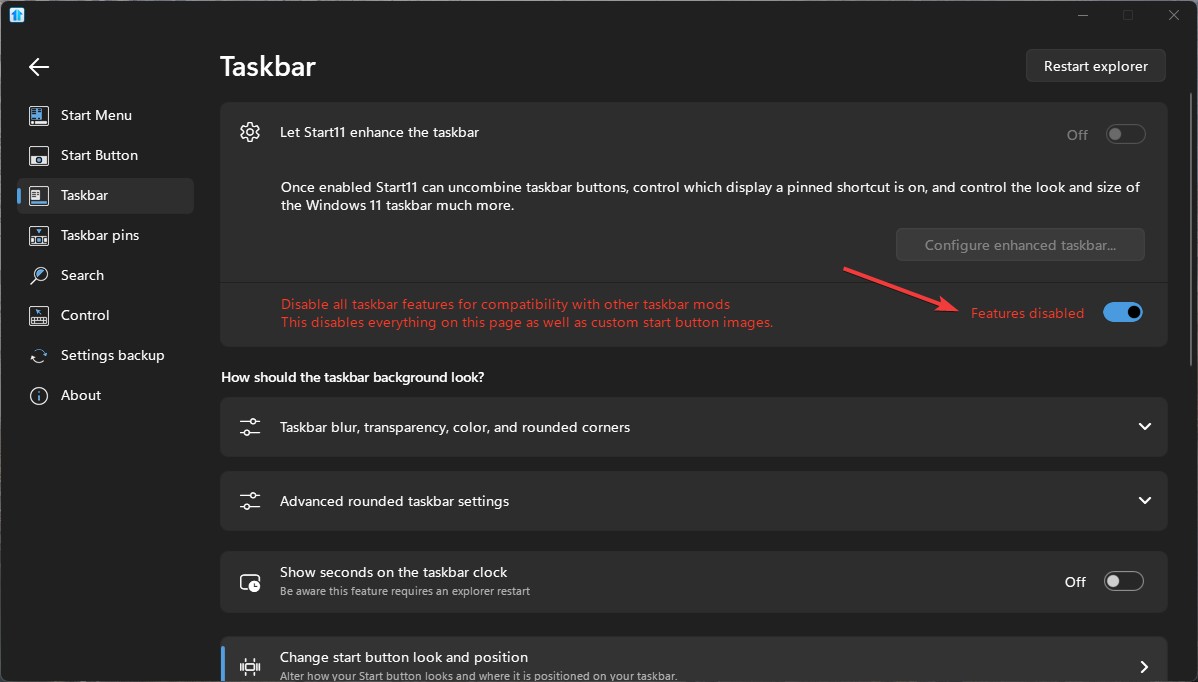
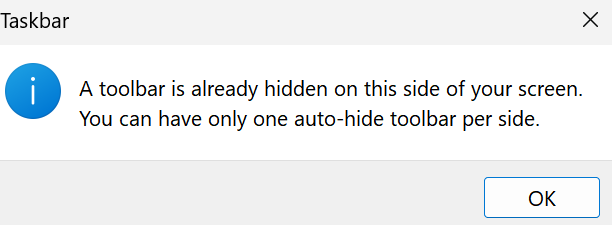
#2: And specifically, for Joeshades - you mentioned on the 14th that you had removed Start11 to test whether the autohide message stopped. What was the result? If Windows still tells you another program is autohiding the taskbar with Start11 uninstalled, that suggests it wasn't from Start11, and if it stops, that is useful to know.
If it's still there, you can also check these guides:
- Start Menu purging and re-installing - If there are any lingering registry keys from Start11, you can run this purge for a complete removal of the software to see if that helps resolve this. Please let us know if this helps.
- Start Menu Products Registry Settings - This guide covers where to find Start11's autohide registry keys. You can check if they still need to be removed manually after your uninstall or purge. Please let us know if this is the case.
One thing also worth noting: the two issues in this thread are not be the same. With that in mind, if you need further assistance with 2nd issue, we may recommend creating a new post so neither issue gets lost.
Best regards,
Adam McGuinness
Stardock Support Specialist


 Stardock Forums