
Tatiora Tatiora

Start11 v1.2 Beta Brings an All-New Taskbar Experience to Windows 11

Start11 v1.2 Beta Brings an All-New Taskbar Experience to Windows 11

Start11 v1.2 Beta is Now Available
Learn more about Start11 at www.stardock.com
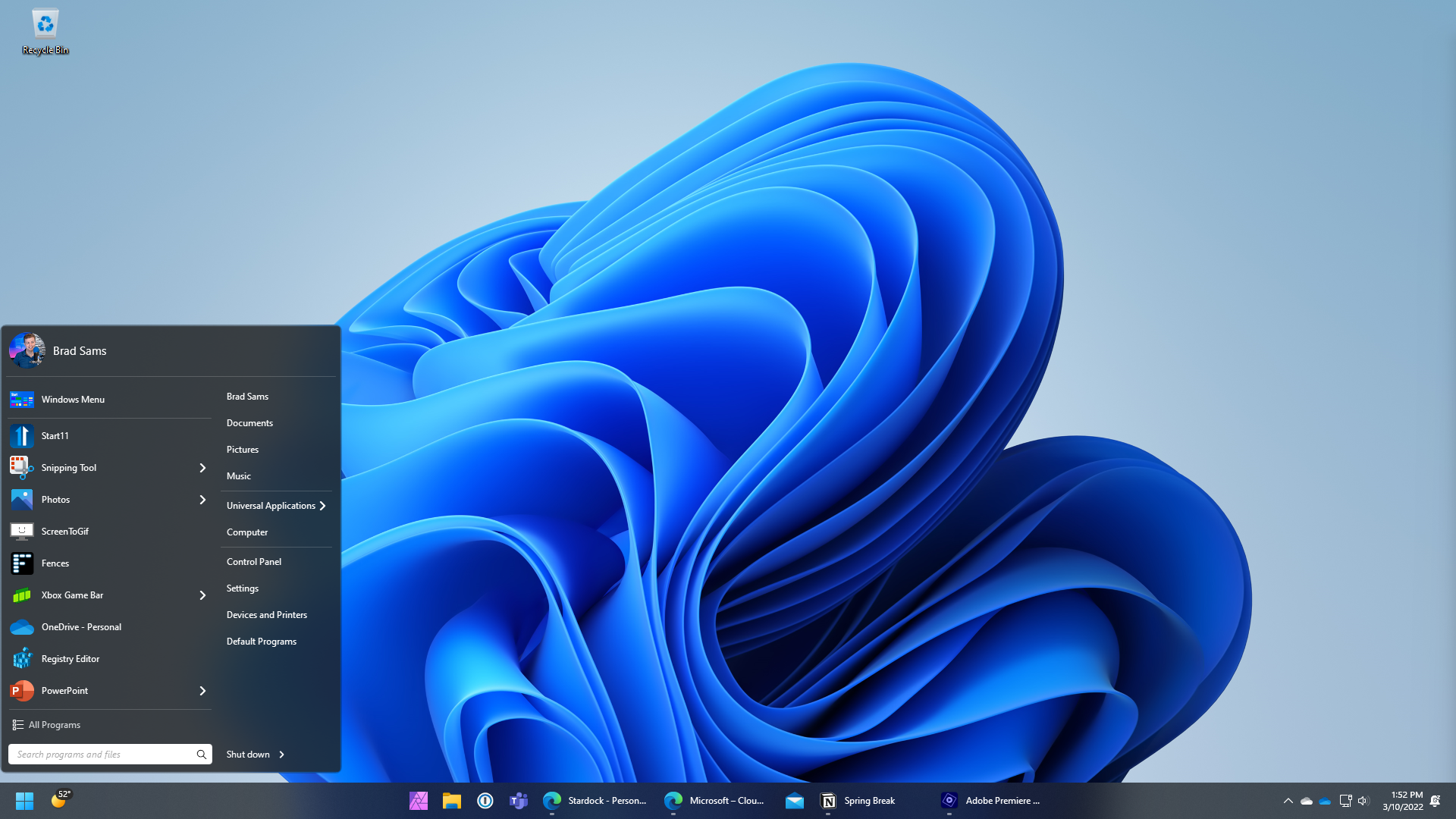
Start11 v1.2

Stardock released v1.2 beta of Start11 today. Start11 is a program that allows users to customize the Windows® Start menu and taskbar for Windows 10 and 11 and can make the Start menu appear as it did in previous versions of Windows, enhancing the experience with new features and functionality. 

Start11 v1.2 beta focuses specifically on enhancing the Windows 11 experience by re-building the taskbar from the ground up to add new functionality. With this release, users will be able to ungroup items on their taskbar with their windows centered or left-aligned.  

Start11 v1.2
Start11 v1.2

“The new taskbar features are designed to deliver functionality from previous versions of Windows but make them look and feel native to Windows 11,” said Brad Sams, VP and General Manager of Stardock Software. “With our new taskbar experience, we have created a foundation for bringing additional functionality to Windows 11 to further our mission to make Windows more personal and productive.” 

The enhanced multi-monitor support in the v1.2 beta allows the user to define window grouping for primary and secondary monitors so that the user can dial-in the perfect taskbar experience. Users will also be able to re-size the taskbar, allowing them to increase its height to make it easier to see all the windows on their taskbar.

Start11 v1.2
Start11 v1.2

To download the beta, you can login to your Stardock account, where the beta is available in the software section.  

Don't have Start11 yet?
Start11 
is now available starting at $5.99 through Stardock with
upgrade pricing for users of Start8 and Start10
. 
It is also included in the Object Desktop suite.


For more information, visit the Start11 page here or visit www.stardock.com

238,979 views 85 replies
Reply #51 Top

Quoting richard181, reply 50

All one single line. 

You can stretch the taskbar to as many lines as you want (upto half your screen height)

Reply #52 Top

I signed out of my usual windows account (A) and into another account (B). (both task bars were on the bottom)

Then logged out of that account (B) and back into my normal windows account (A).

Somehow that caused my taskbar on the right screen to move to the top of the screen. and it's covering the top menu bar of Excel.

Beta version 1.16

Reply #54 Top

Quoting tlveik, reply 52

I signed out of my usual windows account (A) and into another account (B) . (both task bars were on the bottom)

Then logged out of that account (B) and back into my normal windows account (A).

Somehow that caused my taskbar on the right screen to move to the top of the screen. and it's covering the top menu bar of Excel.

Beta version 1.16

Reduced 43%
Original 1920 x 540


There was a problem with the taskbar appearing in the wrong place resolved in beta 1.17.

Note that you should also check settings to ensure the taskbar hasn't been set to the top on a secondary which can also be the case.

Reply #56 Top

I see people using 1.17.  Does the update feature in the beta bring me up from 1.16 or do I need to download again?

Reply #57 Top

You'll have to download 1.17 from your account

page . Reboot. 

+1 Loading…
Reply #58 Top

Quoting tlveik, reply 14

Installed the beta because I'm super excited about not combing taskbar buttons.

Problem though.  When I enabled taskbar enhancements, it wanted me to restart explorer, so I did using your restart-explorer button.  That left me with a completely blank white screen.  I had to reboot to get things working again.  Everything seems fine now, and best of all taskbar buttons are not combined.  Hurray!


Reboot the PC?

Tipp:

This is not absolutely necessary! Start the task manager if it still starts/opens and from the top menu from "File" -> "Run new task" and enter "Explorer.exe" in the new window and confirm with "Enter". In most cases, your usual interface with the start button, taskbar, desktop icons and desktop background is rebuilt after a few seconds.


However, if there is a profound error and your interface does not return, you can always restart the PC.

Reply #59 Top

At the end of the setup you're told by the installer to reboot the pc. If this is not necessary, then why this message. Why not an automatic restart of the Explorer.exe process?

Reply #60 Top

Quoting richard181, reply 61

At the end of the setup you're told by the installer to reboot the pc. If this is not necessary, then why this message. Why not an automatic restart of the Explorer.exe process?


In many cases it is not necessary to restart the computer. A restart would only be mandatory for drivers that are anchored/exchanged in the system! GUI-related tools such as START11 are often sufficient to rebuild the user interface by restarting the "Explorer.exe" system service.

And if, contrary to expectations, something still bugs, you can always restart the PC XD  

It's just my very personal experience.

The full (recommended) reboot of the system is just a safe bet from the developer... :|  

Reply #61 Top

Question - can you install this beta version alongside your existing installation, or as I think - uninstall my usual version and then install the beta?


Reply #62 Top

Can't have 2 uninstall and re install the new version ( beta ) 

Reply #63 Top

Quoting Quetsche11, reply 62


Quoting richard181,

At the end of the setup you're told by the installer to reboot the pc. If this is not necessary, then why this message. Why not an automatic restart of the Explorer.exe process?


In many cases it is not necessary to restart the computer. A restart would only be mandatory for drivers that are anchored/exchanged in the system! GUI-related tools such as START11 are often sufficient to rebuild the user interface by restarting the "Explorer.exe" system service.

And if, contrary to expectations, something still bugs, you can always restart the PC XD  

It's just my very personal experience.

The full (recommended) reboot of the system is just a safe bet from the developer... :|  

True.

However I had to restart the computer because the new functionality of the latest RC didn't work. Restarting Explorer was not sufficient.

I could have stopped and killed all Start 11 processes and services but a reboot was way easier.

+1 Loading…
Reply #65 Top

I noticed that this thread's title was updated to include "v1.2" but when I go to download the beta it is still sending me 1.19.  When will 1.2 be available?  Thanks!  Love the software.

Reply #66 Top

Quoting bommerts, reply 67

I noticed that this thread's title was updated to include "v1.2" but when I go to download the beta it is still sending me 1.19.  When will 1.2 be available?  Thanks!  Love the software.

Hello,
Please refer to this thread for that question : https://forums.stardock.com/511294


Basj,
Stardock Community Assistant.

Reply #67 Top

Quoting basj, reply 68


Quoting bommerts,

I noticed that this thread's title was updated to include "v1.2" but when I go to download the beta it is still sending me 1.19.  When will 1.2 be available?  Thanks!  Love the software.


Hello,
Please refer to this thread for that question : https://forums.stardock.com/511294


Basj,
Stardock Community Assistant.

Thanks.  I think this sums it up from that thread.  1.19 is what the download displays, even though it's 1.2.

"The installer will read 1.19 on your product page and in Object Desktop Manager which is expected."

Reply #68 Top

I've been using Stardock products since 2001 & love 'em but their versioning practices have been weird & unnecessarily confusing from the gitgo.

+1 Loading…
Reply #69 Top

Is there a way for someone like me being in his test period of the software to get the Beta? I cant seem to find the download option for the Beta anywhere.

Reply #70 Top

Quoting MastaJinx, reply 71

Is there a way for someone like me being in his test period of the software to get the Beta? I cant seem to find the download option for the Beta anywhere.
If you mean trial period, no.  To get beta access you must be a ObjectDesktop subscriber, or have a paid version of the app you want the beta for.


Reply #71 Top

Quoting MastaJinx, reply 71

Is there a way for someone like me being in his test period of the software to get the Beta? I cant seem to find the download option for the Beta anywhere.

For a limited time anyone can have access to the start 11 beta. They are wanting maximum feedback for the latest release  v1.9

https://forums.stardock.com/511294/page/1/#replies

Reply #72 Top

well i decided to upgrade to windows 11 on just one of my pcs... i installed windowblinds11 and iconpackager and cursorfx... using the same product keys i use on my other 2 pcs. and worked fine... then i go to install start11 and activate it using my product key and email, and are you people seriously trying to tell me that start11 is only for 1 pc? i mean are u people serious? all the other apps can be installed on multiple pcs but start11 u telling me i need to buy another key for this pc? and yet another key later if i decide to use start11 on my 3rd pc? please tell me you people arent serious... 

Reply #73 Top

Quoting Psych0sis, reply 72

well i decided to upgrade to windows 11 on just one of my pcs... i installed windowblinds11 and iconpackager and cursorfx... using the same product keys i use on my other 2 pcs. and worked fine... then i go to install start11 and activate it using my product key and email, and are you people seriously trying to tell me that start11 is only for 1 pc? i mean are u people serious? all the other apps can be installed on multiple pcs but start11 u telling me i need to buy another key for this pc? and yet another key later if i decide to use start11 on my 3rd pc? please tell me you people arent serious... 

Newer apps like Start11 and Fences 4 are available in three ways.  One as standalone single active install, one as a discounted five pack and as part of ObjectDesktop which is a 5 pack for most products (Multiplicity being the exception)

WindowBlinds 11 is an exception and only comes in a 5 pack version.

Reply #74 Top

bah whatever i just bought it a second time, i still think its a ripoff to charge people to use ur apps on multiple pc's even if they have 10 computers as long as all the pc's are linked to their own home internet connection one license should work for all of them.. but whatever...

Reply #75 Top

when i buy  steam game thats linked in my account i can install it on 50 pcs if i want as long as im using my registered email as password... so yea... do it the right way stardock...