

Tatiora Tatiora

Start11 v1.2 Beta Brings an All-New Taskbar Experience to Windows 11

Start11 v1.2 Beta Brings an All-New Taskbar Experience to Windows 11

Start11 v1.2 Beta is Now Available
Learn more about Start11 at www.stardock.com
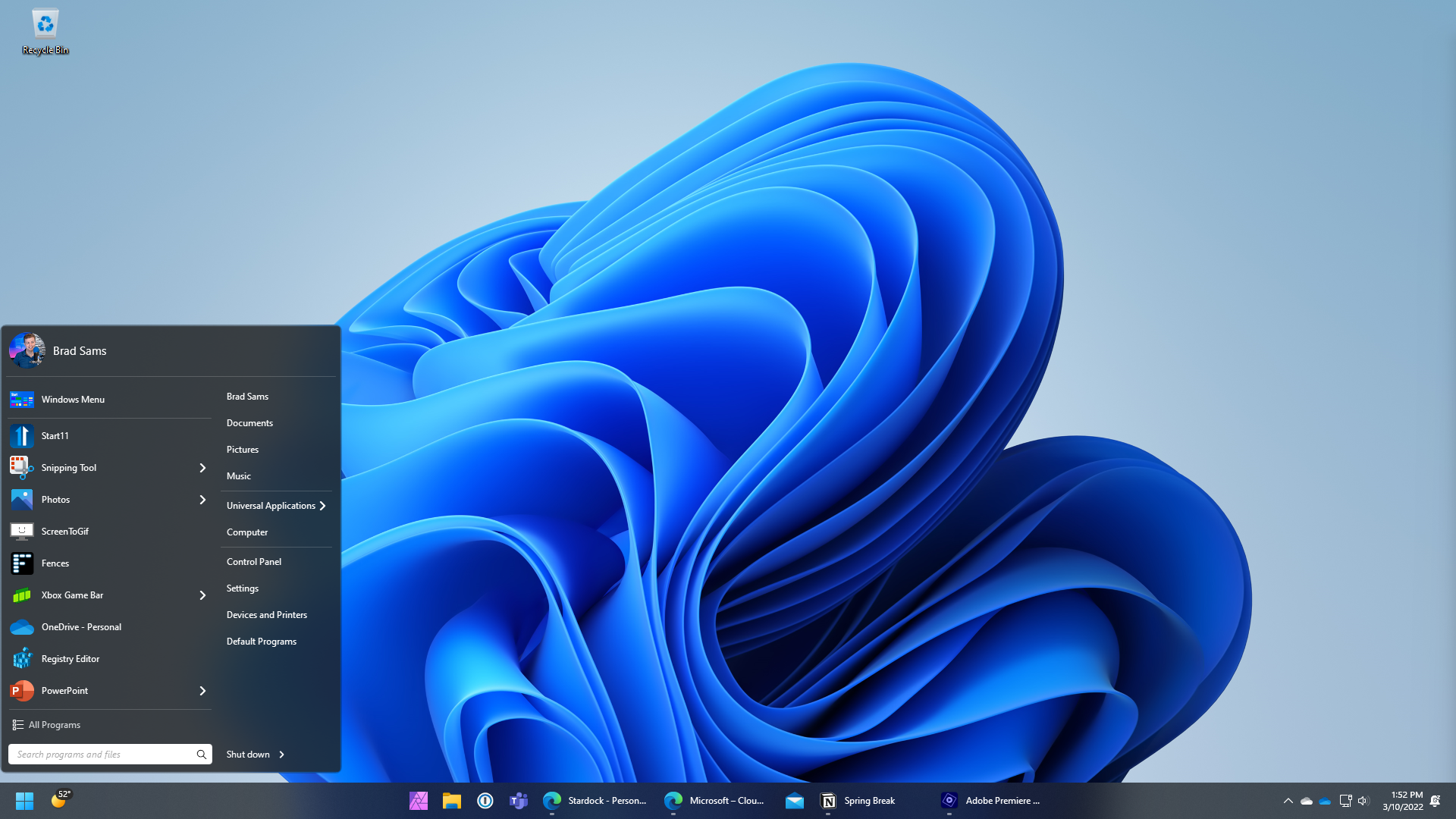
Start11 v1.2

Stardock released v1.2 beta of Start11 today. Start11 is a program that allows users to customize the Windows® Start menu and taskbar for Windows 10 and 11 and can make the Start menu appear as it did in previous versions of Windows, enhancing the experience with new features and functionality. 

Start11 v1.2 beta focuses specifically on enhancing the Windows 11 experience by re-building the taskbar from the ground up to add new functionality. With this release, users will be able to ungroup items on their taskbar with their windows centered or left-aligned.  

Start11 v1.2
Start11 v1.2

“The new taskbar features are designed to deliver functionality from previous versions of Windows but make them look and feel native to Windows 11,” said Brad Sams, VP and General Manager of Stardock Software. “With our new taskbar experience, we have created a foundation for bringing additional functionality to Windows 11 to further our mission to make Windows more personal and productive.” 

The enhanced multi-monitor support in the v1.2 beta allows the user to define window grouping for primary and secondary monitors so that the user can dial-in the perfect taskbar experience. Users will also be able to re-size the taskbar, allowing them to increase its height to make it easier to see all the windows on their taskbar.

Start11 v1.2
Start11 v1.2

To download the beta, you can login to your Stardock account, where the beta is available in the software section.  

Don't have Start11 yet?
Start11 
is now available starting at $5.99 through Stardock with
upgrade pricing for users of Start8 and Start10
. 
It is also included in the Object Desktop suite.


For more information, visit the Start11 page here or visit www.stardock.com

238,979 views 85 replies
Reply #26 Top

I installed the beta. All my taskbar icons are gone. After the Explorer Restart, they briefly flash up and then disappear. I have uninstalled, rebooted, and reinstalled. Any other suggestions or updates. Version 1.16-j140. I am really hoping to bring back the "never combine" feature. I appreciate you guys working on it and hope I can get this fixed. 

Reply #27 Top

Quoting richard181, reply 22

Quoting serega_m,


Does it bring back "drop to open" functionality (when you drag the file to taskbar program for it to open, like graphical file drag to Photoshop to open it)? This is crucial.


Yes. That's working here.

However not flawlessly. Sometimes the icons on the task bar disappear and Explorer restarts automatically.

Also the tooltip is confusing, saying 'Pin to Taskbar'.

Other than that it's working. 

Hopefully devs take notice of these bugs and fix them before release, cause after the stable release of 1.2 which have all the features I need, it seems, I am finally going to upgrade to Win 11, provided bugs will be ironed out :)

Reply #28 Top

I just turned on my monitor that I turned off earlier this evening. Windows was still running (not sleeping, no screensaver).

The taskbar was shifted down. Clicking on icons, including the start button, did not result in any action. Clicking in the original taskbar location didn't do that either.

I had to restart Explorer to get it right again.

Reply #29 Top

The second two screenshots here, the one on the left is Start11 menu and the one on the right appears to be the default Windows 11 start menu. The Start 11 menu is offset from the taskbar but touching the edge of the screen, whereas the Windows 11 one is offset from both the left edge of the screen and the taskbar. Please can the option to keep this offset while using the Start11 menu be implemented, because the menu is inconsistent with the other interface in Windows 11 currently. Thank you.

Reply #30 Top

Somehow, I dragged the size of the taskbar up, and made the entire taskbar move to the top of my screen, which I cannot seem to un-do.  I'm sure a reboot will fix it (will do tomorrow), so no need to diagnose, just FYI Stardock team.


Reply #33 Top

1.16 is the latest version out right now .

Reply #34 Top

chunkyll -

I don't believe betas are available as trials.  Usually available only to owners of release versions of standalone apps and/or the Object Desktop suite.

Reply #35 Top

Quoting WhiteLight76, reply 32

I am confused.  Is 1.2 beta the latest or 1.16 beta the latest version. 

Start 11 version 1.2 is the version of the finished project number. The beta numbers between 1.11 - 1.19 is like a scale of how close they are to the fully released product. Therefore version 1.2 is still cooking and not yet finished and thus there is no 1.2 to download yet.

Reply #36 Top

Quoting WhiteLight76, reply 32

I am confused.  Is 1.2 beta the latest or 1.16 beta the latest version. 
I would have thunk 1.2 would be more recent than 1.16.  I have 1.16 and checking for updates says I have the latest.

Reply #37 Top

I'm sure others have posted these requests already, but here's my list; 

1. Bring back the old/original right-click on the taskbar menu! Why do I have to click TWICE to get to everything that used to take only ONE click?! MS went out of their way to hose up the Windows 11 task bar! Yet another example of violating the unwritten "If it ain't broke, don't fix it!" law of software development!

2. Bring back the ability to create and attach a folder of shortcuts, links, files and sub-folders to the taskbar! I miss that capability more than ANY other! 

This one isn't a feature request, but it can't be over-stated;

IF IT AIN'T BROKE, DON'T FIX IT!!

If something works just fine the way it is, it doesn't NEED to be modified or redesigned to do the exact same thing it's already doing!

And don't try and give us redesigned things that already exist and rename them to make us THINK it's a new feature! 


Reply #38 Top

FYI, I had to revert back to production version as my beta copy would not allow me to click on the very right end of the taskbar (network, sound, clock, date, notifications) most importantly to view and clear notifications!

Reply #39 Top

Quoting bril1201, reply 3

I ended up at another solution as well, but if you could implement adding toolbars like Windows used to allow for, I 'd come back. Adding recent docs to a right click of an item in the toolbar would make it even better.


What is this app that lets you divide up taskbar icons into groups like this?  I seem to remember being able to do this on an older Windows version!  I would really like to have this feature.

Reply #40 Top

Not sure how this happened but I lost most of the Start Menu shortcuts in my “All Apps” list.  It seems to be all of the ones I had pinned to the taskbar.  The taskbar icons are still there but if I go to “All Apps”, the shortcuts have been deleted.  I was able to find the executable, recreate the shortcut, and place it in the appropriate Start Menu folder but it was probably 15 shortcuts or so and quite tedious.  Not sure when exactly it happened but I noticed it after the beta when I couldn’t find the shortcuts in the All Apps list to pin them to the Start11 Menu.

I also have Fences installed and created fences for most or all of those deleted shortcuts so maybe it was the culprit but I am not really sure.  I created the Fences several weeks ago though and just noticed the missing shortcuts after installing the beta.


Anyway, luckily, I am fluent with shortcuts and the Start Menu folders in Windows or that would have been a huge mess!


hope this information helps.

Reply #41 Top

As I recall, that was just a blank/transparent spacer that provided the illusion of a divided taskbar. That would be handy too; give us a translucent spacer that's a configurable; x number of pixels wide. 

Reply #42 Top

Does the free trial not include access to the beta? The ungrouping is the one reason I'm considering this product, so I'd like to see it if possible. 
The download put me at v1.11, and I don't have any subs in my account to edit. 

Reply #43 Top

Quoting cmccarterPurdueNews, reply 42

Does the free trial not include access to the beta? The ungrouping is the one reason I'm considering this product, so I'd like to see it if possible. 
The download put me at v1.11, and I don't have any subs in my account to edit. 

I believe for trial you will not get a Beta version, not until it become full release version. You have two choice, wait until it become a full version or purchase a license. If the product not up to what you expected. You can always do a refund request.

Thank you,

Basj,
Stardock Community Assistant

+1 Loading…
Reply #44 Top

Quoting basj, reply 43


Quoting cmccarterPurdueNews,

Does the free trial not include access to the beta? The ungrouping is the one reason I'm considering this product, so I'd like to see it if possible. 
The download put me at v1.11, and I don't have any subs in my account to edit. 


I believe for trial you will not get a Beta version, not until it become full release version. You have two choice, wait until it become a full version or purchase a license. If the product not up to what you expected. You can always do a refund request.

Thank you,

Basj,
Stardock Community Assistant

There is a link to the installer on the feedback thread : https://forums.stardock.com/510929

+1 Loading…
Reply #45 Top

The notification area suddenly started to appear on the left on the screen. Now it's not showing at all.

I have the taskbar at the top.   

After a restart of Explorer it works as expected.


Also, programs start very slow when I open them via the taskbar.


I don't know if this information is useful without any log file or something. Let me know if more information is needed.


Reply #46 Top

FYI - also known as an undocumented feature report. When I install a new application and launch it, its icon appears in the taskbar.

If I right-click it and pin it to the taskbar, the icon dissapears, although if I hover my cursor over where it was, it's caption (name of app) appears. I guess the icon becomes transparent? It's apparently still there; it's just not visible.

If I close the application, its icon reappears and I can drag it to wherever I want. Launching it again its icon remains visible. 

This is repeatable and I've repeated this test four times with four different applications with the exact same result each time.

Anyone else seeing this? I'm running a fully updated version of Windows 11 Pro 64-bit. 

Reply #47 Top

I see similar things. Pinning not working. Dragging icons not always possible. Icons moving to random places. Icons shown twice or triple and then suddenly disappear again. 

Reply #48 Top

Hi

Another bug

I set my taskbar to top, but in the last couple of days, it is 'reserving' the area for the task bar at the bottom of the screen which I can 't use of any app. I also can't drag windows down into this bottom ghost bar and windows wont expand over it manually or automatically.

Reply #49 Top

Amazing work guys, this is the feature I've been needing for my workflow in Windows 11 before I pulled the trigger.

Could someone confirm if taskbar items stack like below? As in using 2 lines of the taskbar when ungrouped?