WindowBlinds 10.8.9.0 Release Issue Report Thread

With the WindowBlinds 10.8.9.0  release, we are creating this thread so that users can report any observed issues.  

Obtaining WindowBlinds 10.8.9.0 

Object Desktop members can get the release from within Object Desktop Manager 

Individual purchases (as well as Object Desktop Members) can also be obtained from your account page: https://store.stardock.com/myaccount/products

For guest check-out purchase (no account), from this link: http://www.stardock.com/support/productkeyretrieval

Reporting an issue

Please include the following for anything found:

  • Exact Windows version \ build (winver.exe)
  • Detailed steps to recreate the issue seen
  • Screenshots and videos are very helpful.  Videos can be uploaded to a cloud drive services (GoogleDrive, DropBox, OneDrive, YouTube) and links included in your post.  Images can be directly added.
  • If there are specific apps that Groupy does not work (well) with, please note what apps and their exact versions.  If any app is not common, a link to a trial version would be appreciated.

Thank you for your interest and any time you put into making WindowBlinds a better product.

Sean Drohan
Stardock Support Manager
57,445 views 44 replies
Reply #1 Top

WindowBlinds 10.8.9.1 Changelog

WindowBlinds 10.8.9.1 is a culmination of two prior betas.

Updated from 10.88 to 10.8.9.1

  • Fix to work around a problem with start buttons having buttons go under them and potentially being made much less wide with that MS patch to add in the News and Weather link on the taskbar when that setting is set to be hidden
    Forum post: https://forums.stardock.com/505189/get;3808445
  • Should fix the glass area at the top of maximized explorer windows not repainting right and store windows now always use glass frames on entire edge vs part

WindowBlinds 10.88 Changelog

  • Resolves an issue with items on the links bar (when set to show on the taskbar) when in light taskbar mode picking the wrong theme part.
  • Fixes the version of Windows shown on the about page (note 20H2 shows a number that's slightly lower - this is an OS issue).
  • Fixes an issue with the previews on the transparency page in WB config screens when in dark mode not resetting the sliders when clicked.
  • Addresses an issue with Firefox (if set to skin) after going fullscreen (F11).
  • Should someone be using custom firefox themes that allow the browser to be skinned without the titlebar having to be turned on, they can force WB to theme this by adding the following registry key: HKEY_CURRENT_USER\SOFTWARE\Stardock\WindowBlinds\WB5.ini\WBLiteFX\AllowFFAlways = 1
  • Updated WB build with a small fix so the 'do not play sound option' checks the right place (Registry vs an ini)
  • A fix for an issue with the new weather applet on the taskbar not respecting the theme background 
  • Fix for the taskbar buttons not always painting correctly
  • A fix for some drop-down boxes now showing highlight colors and using a grey background instead of COLOR_WINDOW
  • Extended options for wallpaper alignment modes to include Fill, Fit and Span
  • Fixed issue with wallpaper changer not changing sometimes
  • A fix for a possible explorer crash on later OSes sometimes
Reply #2 Top

First problem is the instruction on the download page are incorrect or I'm just stoopid.

=====================================================================

Update Instructions:


  • Download the update and make a note of your serial number.
  • Double click the installer to run it.
  • When prompted, uninstall the existing version and reboot.<<<<<<
  • The installer will run on reboot and you can activate and run normally.

We are forcing a fresh install to ensure Windows replaces any locked WindowBlinds files

=======================================================================

I was never prompted to uninstall! It just started installing and when it finished I rebooted and I still have the old version!


So now what to do? Manually uninstall and THEN run the installer???

Reply #3 Top

Quoting kruddykan, reply 2

So now what to do? Manually uninstall and THEN run the installer???
End of kruddykan's quote

Yes, if install over don't work, you should try uninstalled it, reboot and run the installer. If that don't work. Please try purge and reinstall steps as mentioned here: https://forums.stardock.com/486023/windowblinds-support-faq#reinstalling. Just make sure to re-download the latest version from your account. Reboot after the purged. Reinstall, and Reboot again after the installation. Retest it. Report back here.

Thank you,

Basj,
Stardock Community Assistant

Reply #4 Top

So is the latest release 10.8.9.1 or is it 10.8.9.0?  This thread lists 10.8.9.1.

Reply #5 Top

Firefox and Thunderbird still fail to skin on one of every four or five times I run them.  When they skin, they skin normally.  But they don't always skin.


Skinned Firefox:


Firefox when skinning fails:


Reply #6 Top

Quoting kruddykan, reply 2

First problem is the instruction on the download page are incorrect or I'm just stoopid.

=====================================================================

Update Instructions:


    • Double click the installer to run it.


    • When prompted, uninstall the existing version and reboot.<<<<<<


    • The installer will run on reboot and you can activate and run normally.


We are forcing a fresh install to ensure Windows replaces any locked WindowBlinds files

=======================================================================

I was never prompted to uninstall! It just started installing and when it finished I rebooted and I still have the old version!


So now what to do? Manually uninstall and THEN run the installer???

End of kruddykan's quote


What I'm trying to tell  you is these instructions were incorrect for me. When I ran the installer that I downloaded it did NOT prompt me to uninstall the older version. You need to either fix the installer or the instructions nee to be edited.

Reply #7 Top

I can confirm what kruddykan saying, when installing the new version of WB 10.89, there is no prompt to uninstall the existing version and reboot.  All that happens is it does the installation and then telling you it need to reboot.

There was a small problem though once it was installed.  For some reason the Opera Browser would not skin for me as it did on version 10.84.  Not even the Per Application change could make it work, quiet not sure why.

Another note is that the drop down menu's in Firefox Version 89.02 (latest) would not skin either, which was possible when using Firefox Version 88.0.1 (the frame still get skinned when the box is ticked to 'Allow WindowsBlind to skin Firefox (titlebar mode needs to be enable and restart) so atleast that part is working).  Although that might be because Firefox done some changes that prevents that from happening, just thought I mention it though since it been possible before.  And not seen it mentioned elsewhere either, so not sure if you were aware.

I am on Windows version 21H1 (OS Build 19043.1052)

Just installed it and it didn't work.

I tried using the purge tool for WB but that didn't work either.  Got two RegSvr32 warnings boxes though:

First one:
The module "C:\Program Files (x86)\Stardock\WindowBlinds\WBSrv.exe" was loaded but the entry-point DllUnregisterServer was not found.

Make sure that "C:\Program Files (x86)\Stardock\WindowBlinds\WBSrv.exe"is a valid DLL or OCX file and try again.

Second one:
The module "C:\Program Files (x86)\Stardock\WindowBlinds\WBCore.exe" was loaded but the entry-point DllUnregisterServer was not found.

Make sure that "C:\Program Files (x86)\Stardock\WindowBlinds\WBCore.exe"is a valid DLL or OCX file and try again.

No screen shoots since it was not possible to take any during the purge. (And I did the purge twice)

For the moment I have reverted back to WB version 10.84 since that one does what I want it to.

Reply #8 Top

Edge 95.0.1003.0 and WindowBlinds dosent work.

Reply #9 Top

Quoting Robert84MK, reply 8

Edge 95.0.1003.0 and WindowBlinds dosent work.
End of Robert84MK's quote
Since you are using such an early version of Edge, you should really know why it does not. That's an early alpha version I believe, since the latest stable version is 93.0.961.38 as of 39 minutes ago. ;-)

Reply #10 Top

An Edge 95.... would be newer than Version 93.0.961.38 Jan, I don't know how he got that version though as Version 93.0.961.38 is the latest.

Reply #11 Top

Quoting JanOscar, reply 9

Since you are using such an early version of Edge, you should really know why it does not.
End of JanOscar's quote

WB works correct on all Canary to 95.0.1002.0 but in 95.0.1003.0 dosent. And JanOscar you even have problems with a stable version of Edge, so please do not speak.

Reply #12 Top

Quoting LightStar, reply 10

I don't know how he got that version though as Version 93.0.961.38 is the latest.
End of LightStar's quote

From Microsft page ? 93 stable channel, 94 beta channel, 95 canary channel.

Reply #13 Top

Quoting Robert84MK, reply 11

so please do not speak.
End of Robert84MK's quote
Oh, that's cool enough. I won't bother you again. Good talk!

Reply #14 Top

Ok. Edge 95.0.1004.0 and WB now works.

Reply #15 Top

Just installed version 10.89 and the Opera GX Browser wouldn't skin as it done previously so come here to inquire about it but then saw I mentioned that in June, almost exactly 4 months ago (had forgot I upgraded it then) so wondering if that's something the devs are looking into ??  Have reverted back to 10.84 again as the Opera GX Browser do get skinned using that version.

And since I tried the purge last time I aint going to try it again, unless someone can clearly show me it is actually working.

Also wondering about Firefox, will WindowsBlinds be able to skin Firefox again or with them having changed to Proton made that impossible ?

Reply #16 Top

For me Opera never skin properly, I always exclude Opera from Windowblinds. I use Firefox, and it always skin without issue for me. Not sure about Proton mode.

Thank you,

Basj,
Stardock Community Assistant

Reply #17 Top

Quoting basj, reply 16

For me Opera never skin properly, I always exclude Opera from Windowblinds. I use Firefox, and it always skin without issue for me. Not sure about Proton mode


Thank you,

Basj,
Stardock Community Assistant

End of basj's quote

Thanks for the replay basj !

Yes, Opera don't skin 100% but it's better (or so I think anyway) with the sides and bottom being skinned and the top part of the browser is over the skin, then just having the dull frame of Opera itself.  Which is does in 10.84 but not in 10.89 for some reason ? o_O So was wondering what might have changed ?


Yes, WindowsBlind skin the frame for Firefox version 91 and to the latest version, but if you look at the Menu's they wont get skinned as they have previously.

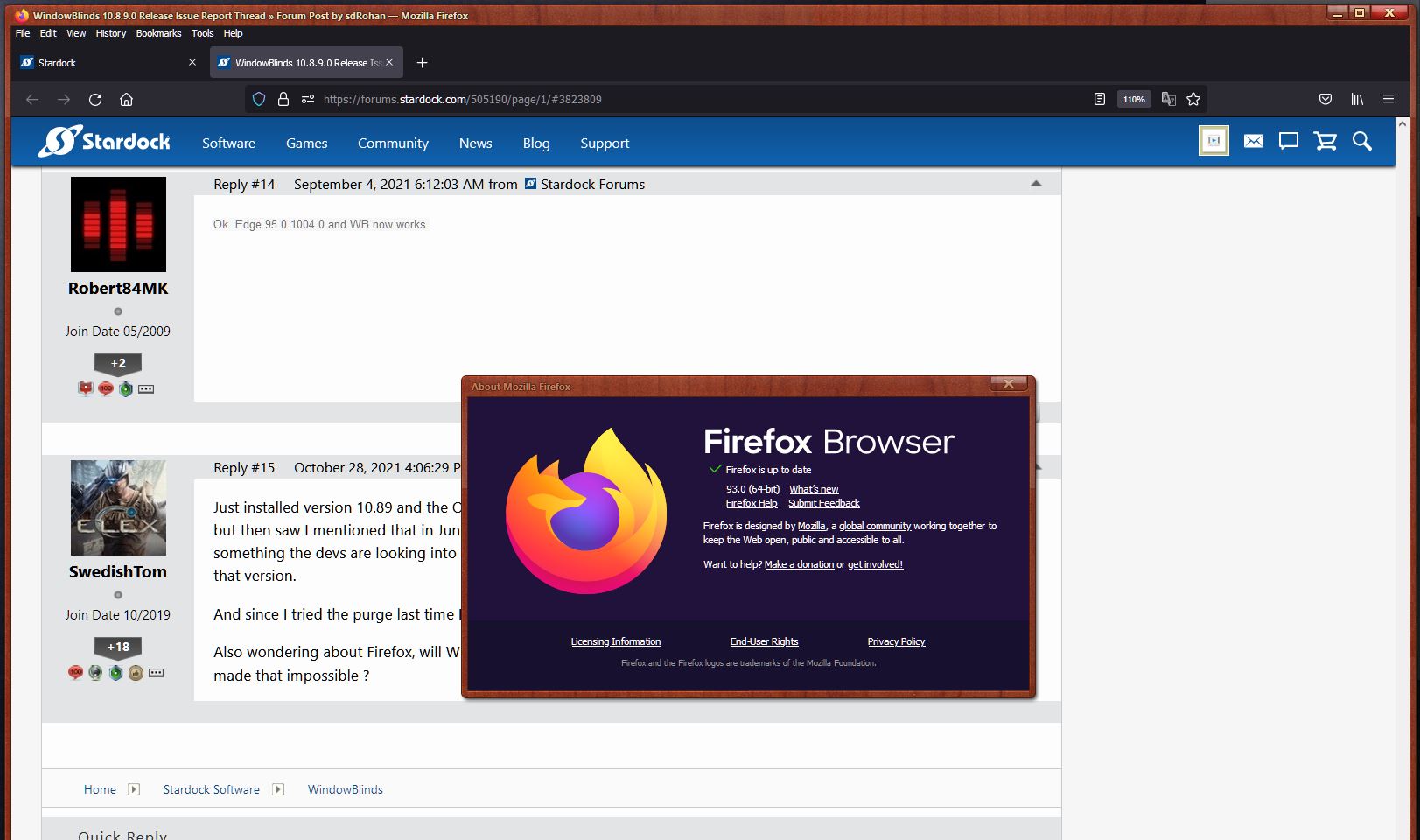
This is Firefox 93 (latest version)


This is Firefox 88.0.1


Both using the same skin, Dreadnaught by LightStar but it is the same with any skin being used.  As you can see on them, the drop down menus don't skin, neither does the Library if you would open and compare them.  Until Firefox 89 they were using Photon (Link - https://design.firefox.com/photon/ ) when designing their UI but after Firefox 89 and forward they changed to Proton (Link - https://wiki.mozilla.org/Firefox/Proton ) and that's when the above started happening.  You can even see that the color of the text wont be changed in the latest version of Firefox too (just realised that now when I had the photo clips above each other)

Hence it would be interesting to hear from the WindowsBlins developers if they can make WindowsBlind skin Firefox as it done in the past ??

Reply #18 Top

Yah, Firefox no longer skin the menu. I don't really care much on that, seeing Windows 10 menu also not be able skin anymore.

Thank you,

Basj,
Stardock Community Assistant

Reply #19 Top

Firefox menus not skinning would have to be reported to the Firefox devs as odds are it is their end.

I suspect they are no longer using a) standard windows menus or b) calls into uxtheme for the menu parts

Reply #20 Top

Quoting Neil, reply 19

Firefox menus not skinning would have to be reported to the Firefox devs as odds are it is their end.

I suspect they are no longer using a) standard windows menus or B) calls into uxtheme for the menu parts
End of Neil's quote

Yeah was suspecting it down to the Firefox developer team.  Problem is that there been lots of people complaining about the change and they have not listen to them so doubt they will to me.  Thanks for confirming it though.  :beer:  

In regards to the Opera GX though, any idea why that browser not even getting partly skinned any longer in the latest WindowBlind 10.89 but does in 10.84 ?? o_O  

Reply #21 Top

Quoting SwedishTom, reply 20


Quoting Neil Banfield,

Firefox menus not skinning would have to be reported to the Firefox devs as odds are it is their end.

I suspect they are no longer using a) standard windows menus or B) calls into uxtheme for the menu parts


Yeah was suspecting it down to the Firefox developer team.  Problem is that there been lots of people complaining about the change and they have not listen to them so doubt they will to me.  Thanks for confirming it though.  :beer:  

In regards to the Opera GX though, any idea why that browser not even getting partly skinned any longer in the latest WindowBlind 10.89 but does in 10.84 ?? o_O  

End of SwedishTom's quote

I believe later versions of opera self skin so we force excluded it for compatibility.

Reply #22 Top

Explorer windows are skinning but not the Start 11 menu.  I'm using Modern style.  It appears to be still using the most recent Curtains style.  Curtains is not running in the System Tray.

Reply #23 Top

Quoting gevansmd, reply 22

Explorer windows are skinning but not the Start 11 menu.  I'm using Modern style.  It appears to be still using the most recent Curtains style.  Curtains is not running in the System Tray.
End of gevansmd's quote

Hello,
Sorry to hear you are having issues. Not sure on your issue here? You're talking about Curtains on Windowblinds thread?

Thanks
Basj,
Stardock Community Assistant.

Reply #24 Top

Quoting basj, reply 23


Quoting gevansmd,

Explorer windows are skinning but not the Start 11 menu.  I'm using Modern style.  It appears to be still using the most recent Curtains style.  Curtains is not running in the System Tray.


Hello,
Sorry to hear you are having issues. Not sure on your issue here? You're talking about Curtains on Windowblinds thread?

Thanks
Basj,
Stardock Community Assistant.

End of basj's quote


Running the latest WindowBlinds (this thread discussion) and applying a blind, it skins the file explorer windows but not the Start menu.  My Curtains comment is because the Start menu looks as it did the last time I applied a Curtain style.

Reply #25 Top

Quoting gevansmd, reply 24

Running the latest WindowBlinds (this thread discussion) and applying a blind, it skins the file explorer windows but not the Start menu. My Curtains comment is because the Start menu looks as it did the last time I applied a Curtain style.
End of gevansmd's quote

Understood, Need more information on your system.

  1. Windows 10 or 11? And its version, please use Winver.exe to get full version numbers.
  2. Does reboot resolve the issues

BTW, you need to be in Windows 7 style in Start11 to have it skin by Windowblinds.

Thank you,

Basj,
Stardock Community Assistant