Tatiora Tatiora

DeskScapes v8.50 - Now Windows 10 Compatible

DeskScapes v8.50 - Now Windows 10 Compatible

Animated wallpapers, special effects and video screensavers.

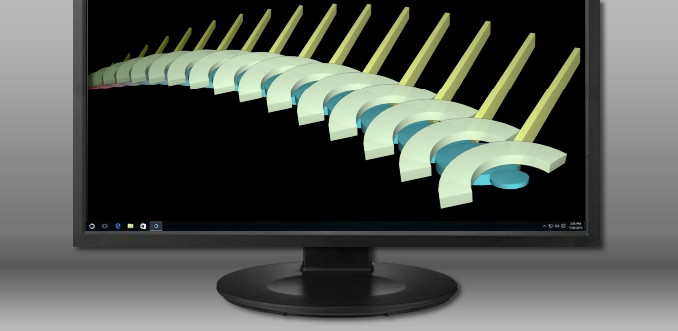
Stardock is pleased to announce that DeskScapes, our program that allows you to animate and customize your desktop wallpapers, released an update today and is now fully compatible with Windows 10.

DeskScapes gives you the ability to animate and customize the wallpaper on your Windows desktop. You can choose one of the animated wallpapers already included with the program, or use your own WMV files to personalize your desktop. There are some additional features to DeskScapes as well:

Key Features:

  • Use your images and videos as the desktop wallpaper
  • Customize your wallpapers with animations
  • Apply over 40 special effects to your desktop
  • Apply any dream as your PC screensaver
  • Hundreds of Dreams on WinCustomize.com
  • And more!

Purchase DeskScapes or download a free trial here.


See the full changelog for v8.50 here.

Current Object Desktop owners and DeskScapes 8 owners can visit their My Downloads page and update to the latest version, 8.50, free of charge.

312,544 views 38 replies
Reply #26 Top

I'm happy to hear it's working in your situation.

I sure wish that had worked for mine. ;-)


And, I'm going to give it another go before long.  Download all the current versions of my various Stardock current licenses and make sure all my drivers are up to date and try again.


But, congrats on yours working properly with your config.!

Happy New Year too.!

~Myr

Reply #27 Top

It was Windows 10 compatible  ... at least for me.

2-days-ago Win10 update stopped DeskScapes working. First, it is a message after boot :


ActiveMovie Window: DSHost.exe - system error

Exception Processing Message 0xc00000005 Parameters 0x7ff82a1d28 etc....


(was not present before Win10 update). And second - config program stops working just 3 seconds after launch. So... no DeskScapes anymore... or until next Win10 "great" update, or next Stardock software update (Yes, I've reinstalled DS, but with no fun), please ?

Reply #28 Top

I can confirm that this is an issue.

Does anyone out there know which update caused the problem on do I need to manually uninstall each until I run across the right one?

BTW...hi to everyone.

Edit, the update that is to blame is Microsoft Windows KB4013429.

A quick uninstall of it and I'm back in business. I can wait until Neil's team works out the issues with it and DeskScapes before I let that the update install again. I read that the update addresses a list of window's issues so I'm sure it will eventually need to be installed.

Reply #30 Top

I've uninstalled 1607 Update (it that KB4013429), and started to play with group policy to avoid automatic reinstallation of this... strange enough - policy didn't work finally, and 1607 Update has been reinstalled again, and voila - DeskScapes work again.

Probably I was that case with upgrading Win7 -> Win10 causing issues.

Whatsoever. It works now :)

Reply #31 Top

I never did get it to work on my system, unfortunately.

But, it sounds like it's going to require a significant remake to work in the new versions so, there's hope again.

I'm sorry to see how many of you are having difficulties with it since the last major update in Windows 10 but, we can hope it will mean that a much more stable product will be released before long.

Be sure to submit your technical support requests on them, and explain in as much detail both, what your hardware config is and what is happening when it tries to start on your systems.  Thanks for putting in your stories, too.!

Sincerely, ~Myr

Reply #32 Top

Quoting Myrddin, reply 32

I never did get it to work on my system, unfortunately.

But, it sounds like it's going to require a significant remake to work in the new versions so, there's hope again.

I'm sorry to see how many of you are having difficulties with it since the last major update in Windows 10 but, we can hope it will mean that a much more stable product will be released before long.

Be sure to submit your technical support requests on them, and explain in as much detail both, what your hardware config is and what is happening when it tries to start on your systems.  Thanks for putting in your stories, too.!

Sincerely, ~Myr

Unfortunately the recent issue is not a Stardock one, but a Microsoft one.

We expect the fix will come from Microsoft too as they have broken a large number of mpeg2 using apps including Windows Media Player!

Reply #33 Top

I don't know if anyone's mentioned this yet, but Deskscapes works with Win10's virtual desktops. The same wallpaper(s) will appear in all desktops, and you can change it in any.

I'm using build 1709 for these results.

Reply #34 Top

On another note, I tried using avi files, which provided video but no sound. Wmv files provide both.

Reply #35 Top

Avi with sound and Wmv with sound will both work fine for Dreams

except WMV will use twice or a little more CPU usages than AVI

So I don't recommend using Wmv .

If your avi had no sound then you did something wrong.

What version of Windows and other programs you using ?

I've made thousands of dreams with Avi many with sound.

Reply #36 Top

Win 10 build 1709

I'll have to try again. I converted something off Youtube & the avi didn't play sound. Converted again to wmv and it did. Maybe the converter I was using. I'll try something else....

...and back. Yep, the music video played. Tks for the tip!


Oh, and oddly enough, Objectdock kinda works with virtual desktops too. I just grabbed a dock from one desktop and moved it to another. Will keep playing with it, see if it breaks anything lol!

Reply #37 Top

Huh... My pc finally updated to 1803 last night, and now those avi files have sound. Go figure!

Glad I don't have to try converting them again.