

Stardock’s Tiles reimagines the Windows task metaphor
 JoeUser Forums
Over the years, Stardock’s Object Desktop suite of utilities has been the source of many innovations on the PC. It is where the concept of “widgets” and “gadgets” was born. It is where ZIP files being treated like folders came from, it’s where GUI skinning came from, it’s where animated desktop wallpaper came from. And more recently, it’s where the popular icon organization program, Fences came from.
This year, Stardock is proud to add Tiles to the list of new Object Desktop programs. Tiles is to tasks what Fences is to desktop icons. It is designed to allow users to more effectively manage what they are working on.
“The current PC task management metaphor hasn’t really changed in over 18 years,” said Brad Wardell, President & CEO of Stardock. “In recent years, mobile devices have been able to introduce users to more modern metaphors of arranging their digital life. Tiles has been designed to update that metaphor to the PC experience.”
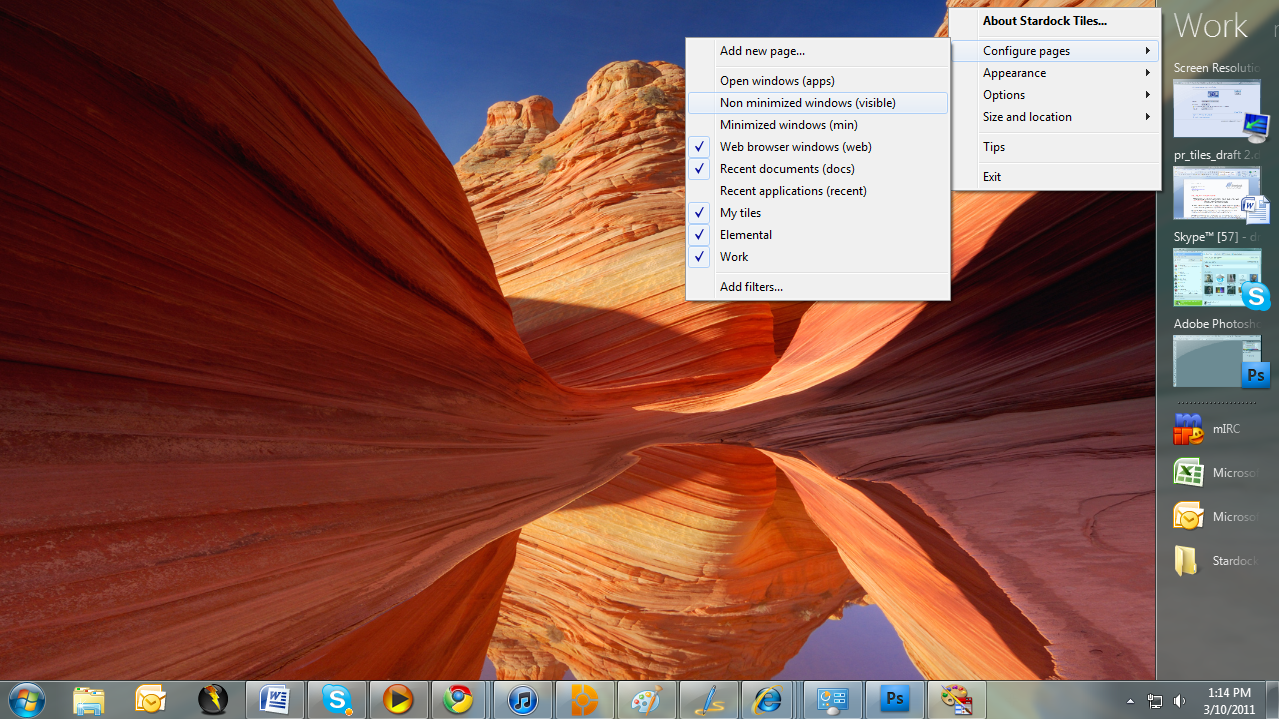
Tiles works by taking advantage of the wider aspect ratios of today’s desktops. On the right side of the screen, a page of tiles is displayed. Users may have multiple pages that they organize as they see fit or make use of several sample page filters such as displaying only active windows or only web pages. Users can then switch between pages either by clicking on the page title or on touch systems by sweeping their finger across the page to “turn the page”.
Users add tiles to a page through either holding the shift key down and dragging a window onto a page or by dragging an icon onto the page. When the tile is active, it is displayed as with a thumbnail of the window. When the tile is inactive, only the program’s icon is displayed. Users can configure Tiles to be different sizes, automatically maximize the windows selected tiles, automatically hide and show windows based on the tiles on a particular page as well as dozens of other options to enable users to customize Tiles to their work style.
Tiles is currently in beta exclusively on Stardock’s Object Desktop software network. Users can get Object Desktop at www.objectdesktop.com. It is expected to be generally released this Summer.
Download:
Video:
http://www.screencast.com/t/u4oK0520uoK
Screenshots:


 WinCustomize Forums
