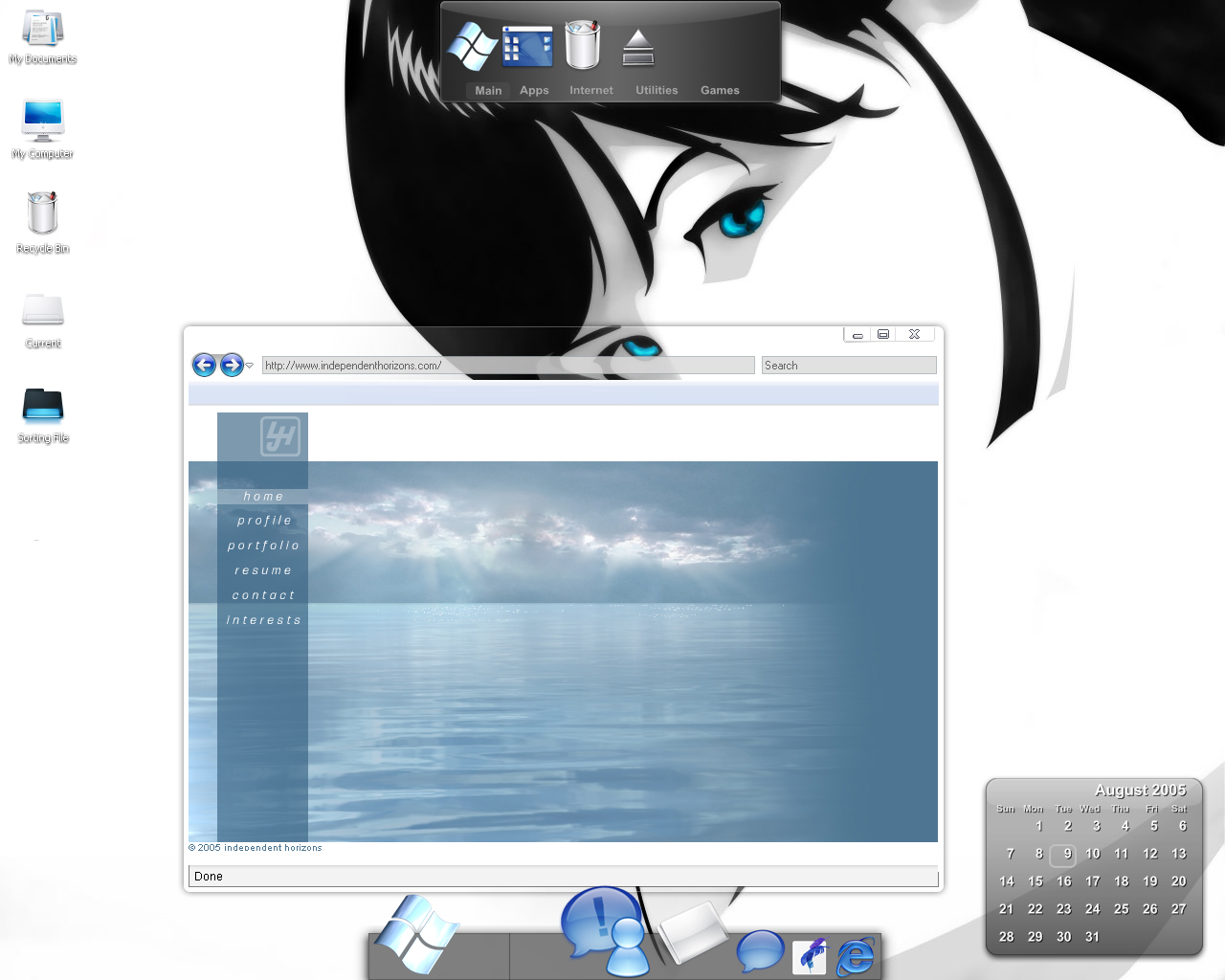
How the hell can I get my desktop to look like this?!

ok PLEASE help!!! i want my computer to look EXACTLY like this
1,870 views 8 replies
Reply #1 Top
icon packager, desktop x, object dock plus, and probably the vista explorer *don't know what files & where to get all of them - just my opinion of what is used in it*
Reply #2 Top
The calendar is Konfabulator.
Reply #4 Top
what icons on the left on the screenshot whats the name of them
Reply #5 Top
I've seen that wall over at deviantart.
Reply #6 Top
where can i get that calendar? i made a search for docklets here, with the name "konfabulator" and got nothing...thanks
Reply #7 Top
hmm, I guess I should have done all this when I posted that shot in the first place.

Vista explorer/internet explorer http://www.deviantart.com/view/21015099/

Wallpaper http://www.deviantart.com/deviation/8089287/

Icon set 1 http://www.rad-e8.com/downloads/icn/minium/
Icon set 2 http://www.rad-e8.com/downloads/icn/snowe/

Calender (widget) konfabulator http://www.konfabulator.com/

Internet Explorer icon https://www.wincustomize.com/ViewSkin.aspx?SID=1&SkinID=289&LibID=29&comments=1

Adobe CS icons https://www.wincustomize.com/ViewSkin.aspx?SID=1&SkinID=6528&LibID=29&comments=1

Windows icon http://independenthorizons.wincustomize.com/viewskin.aspx?SID=5257&skinid=2264&libid=29&comments=1&UID=685985

Object Dock (program) https://www.stardock.com/products/objectdock/

That covers pretty much everything, the normal dock on the bottom is using a default background, there were a few icons in the dock I couldn't find, the ichat/msn ones and a few mac ported ones.

And the tabbed dock you really can't get because well... I never released it.
Reply #8 Top
And the tabbed dock you really can't get because well... I never released it.


Will You, please ?