
Start11: Pinned items are lost on machine reboot

Version 2.8

Windows Version Number: Windows 11 26200.9457
App Version: 2.8

Title says it all.  All pinned items  in Start11 v2.8 are lost on machine reboot.  Once re-pinned they last until the next reboot at which time no pinned items appear.
136 views 6 replies
Reply #1 Top

Hello,
Sorry to hear you are having issues. First, lets make sure Start11 get properly install. Please try, uninstall Start11, reboot immediately (important), download latest version available in your account product download page: https://store.stardock.com/myaccount/products. Install it, reboot immediately again. Retest it and report back.

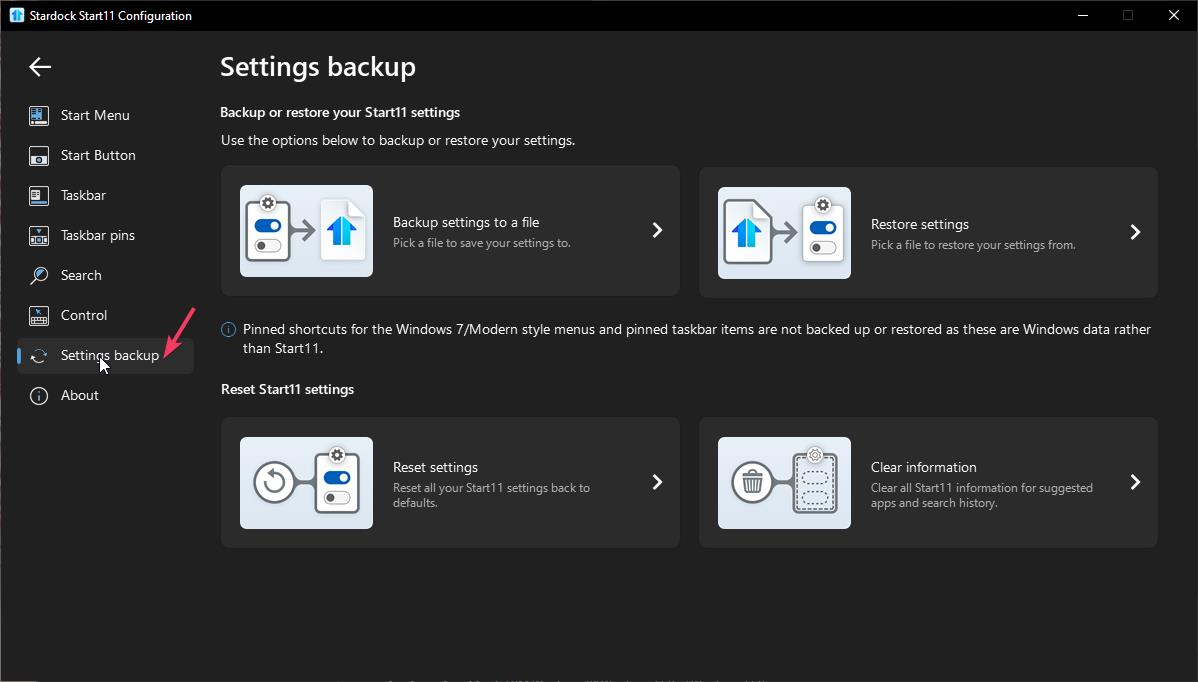
Also, while it still installed, please do the setting backup. If the issue appear, try to load the saved setting and see if that work.


Thank you,
Basj,
Stardock Community Assistant.

Reply #2 Top

Thanks Basj.  After a short testing period the uninstall/redownload/reinstall seems to have fixed the problem.  I have a separate issue that I have one (and only one) pinned program that changes to a generic icon when launched, although it does show the correct application icon when pinned but not running.  Any suggestions (new topic)?

Reply #3 Top

Great, glad to hear you resolved your first issue.

For the new issue. It best if you can post a screenshot of the icon and it is link to what application?

Thank you,

Basj,
Stardock Community Assistant

Reply #5 Top

Is the icon on your taskbar or Start Menu? Also is the issue only on this specific application?

Thank you,

Basj,
Stardock Community Assistant

Reply #6 Top

Sorry, I guess the video was a little small.  The icon is on the taskbar.  The problem occurs only for the onetask icon. In the video you can see the icon next to it, from the same company, that shows the correct icon at all times.
