Unload WindowBlinds Without System Tray Icon

No Way To Unload WindowBlinds Without System Tray Icon

Good day.

Since there is no way to get a system tray icon to show up, what is the process to execute the "UNLOAD WINDOWBLINDS" function without it?

Thanks for a fix / solution.

.....


258 views 7 replies
Reply #1 Top

Hello,
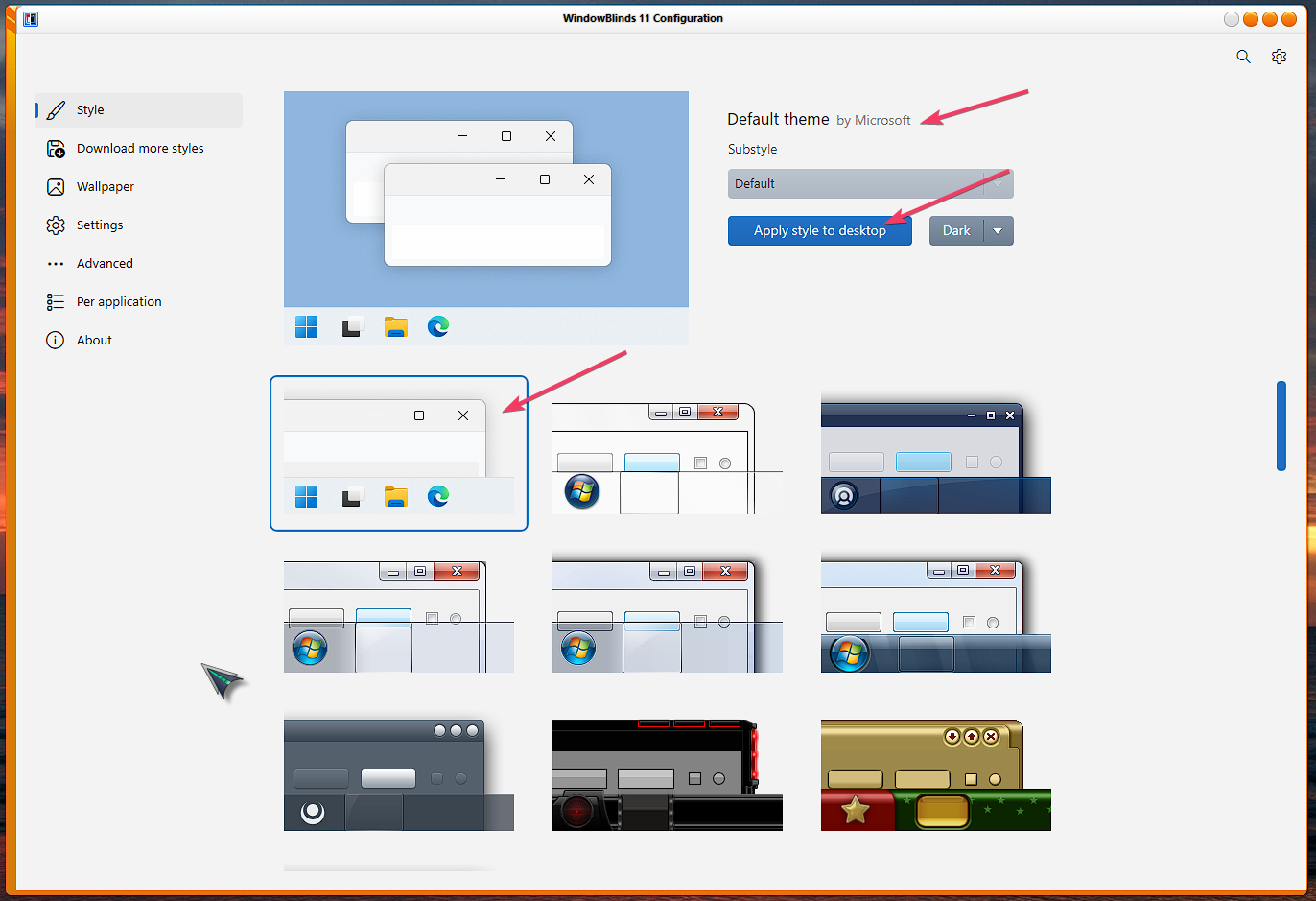
Sorry to hear you are having issues. You just need to run Windowblinds via your Start panel and apply the default theme. That will unload Windowblinds.


Thank you,
Basj,
Stardock Community Assistant.

Reply #2 Top

I'm sorry to say I've done that and it does not return the settings to what I had before WB was applied. It takes 10 minutes or more to reconfigure other settings that the DEFAULT one changes, which I do not want changed.

This is not a solution, I am afraid. Thanks.


Reply #3 Top

Wbload UNLOAD can stop WB but I should warn you it may not restore settings in the way you would like.

Applying a WB theme changes lots of things including system wide fonts and colours.  Reverting to default is the standard way to stop using a WB theme and restore everything to default.

You could probably save a theme prior to applying a WB theme in the OS and after using WB you could apply that.

Reply #4 Top

That's not how it is supposed to work. It's not supposed to be an exercise in hoop-jumping. It's supposed to have an icon in the system tray that you can right-click on and "unload Windowblinds" - simple, quick and easy. Not 20 minutes of this and that and hoping it gets close to what is desired. I appreciate your attempt but that's not what I paid A PILE OF $$$$$$$$$ for. This was NOT free. I expect it to work as it should, not to be an exercise in "let's see". Again, thanks for the effort.

If there are any STARDOCK people listening, you need to get me a fix  for this . I've tried to be patient and give you people a chance to help but it is the same old story. My patience is gone.

Thanks again for your effort.


Reply #5 Top

You are not going to get any solution if you didn't convey what exactly you needs and being cordial. After unloading Windowblinds by choosing "Default theme", please right clicked on the desktop or go to settings ,choose Personalization, on the Themes tab, applied Windows (Light) theme there. This should restore system colors and fonts which affected by Windowblinds' skins. And by this way, Windowblinds won't load once reboot.

This way is not "hoop-jumping" whatever that's, just a typical step restoring to MS Windows default theme. 

Reply #6 Top

Don't you dare lecture me. I've had my belly full of people like you. YOu offer NOTHING but lame, extended-effort OR trivial "solutions" just to watch yourself type.  I've been "cordial" as you say and look what it has gotten me  -  NOTHING!!!!!!!!!!!!!  Except this junk that  just is a complete waste of time and NOT a solution at all.


====================== now back to the business at hand:

This is NOT  HOW IT IS SUPPOSED TO WORK.  That is, in fact, hoop-jumping if the capability is NOT there and the procedure involves multiple steps to get what should be ONE SIMPLE STEP. 

STARDOCK TOOK MY MONEY. I EXPECT BETTER. 

Your so-called solution doesn't account for other changes that have to be done MANUALLY, LIKE I  SAID BEFORE.

I demand better than this pathetic "solution". I've SEEN the other online comments in the other reviiew forums. I'm not the only one "not happy".