Changes to the Forum?

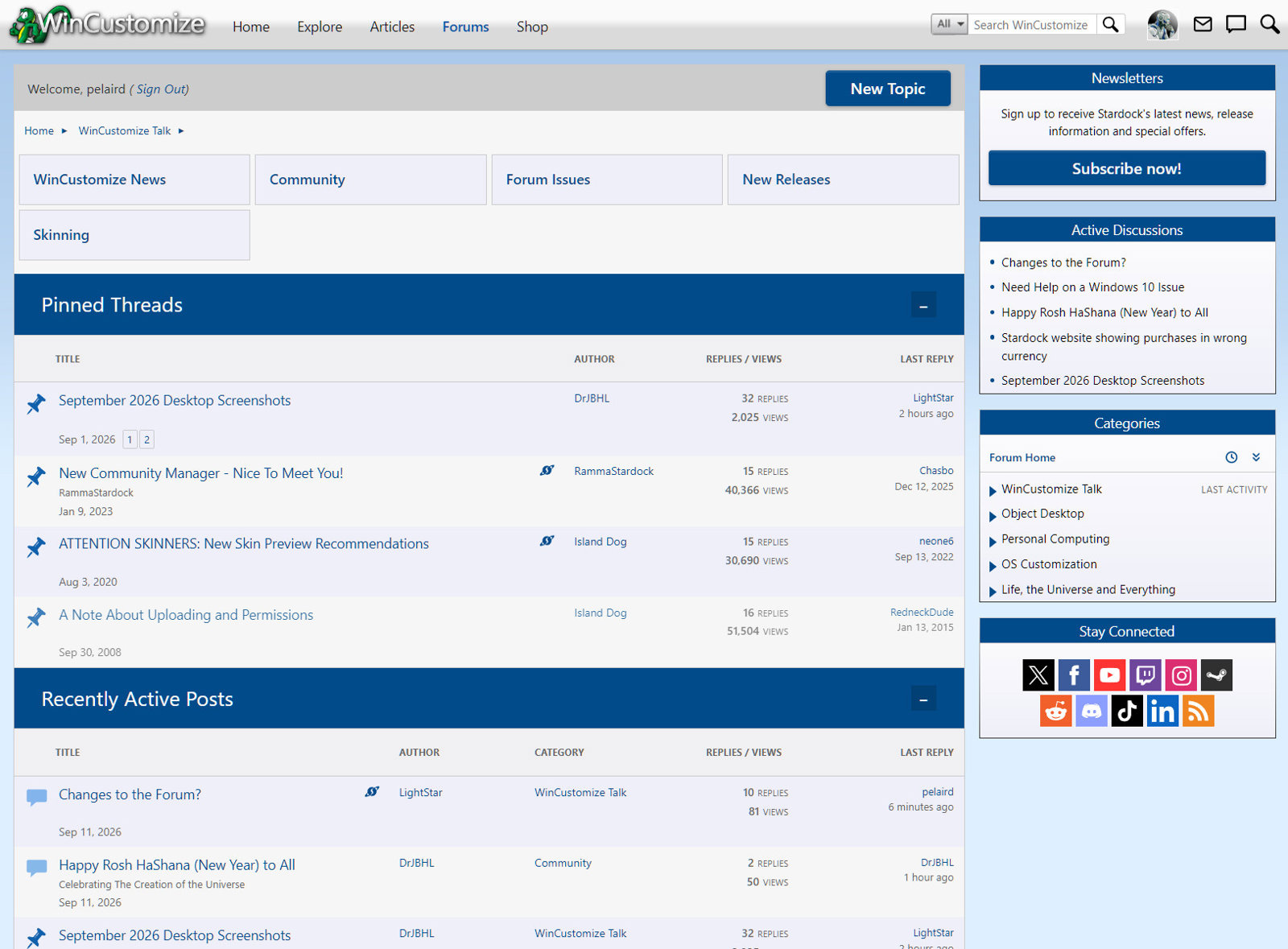
Does anyone know why the main Forums page is only showing Recent Posts now and not all the categories as it did before?

521 views 15 replies
Reply #14 Top
Answer

Hi everyone,

Yes, the forums have been getting some updates!  The input here has helped us work out a fix, which is now live.  

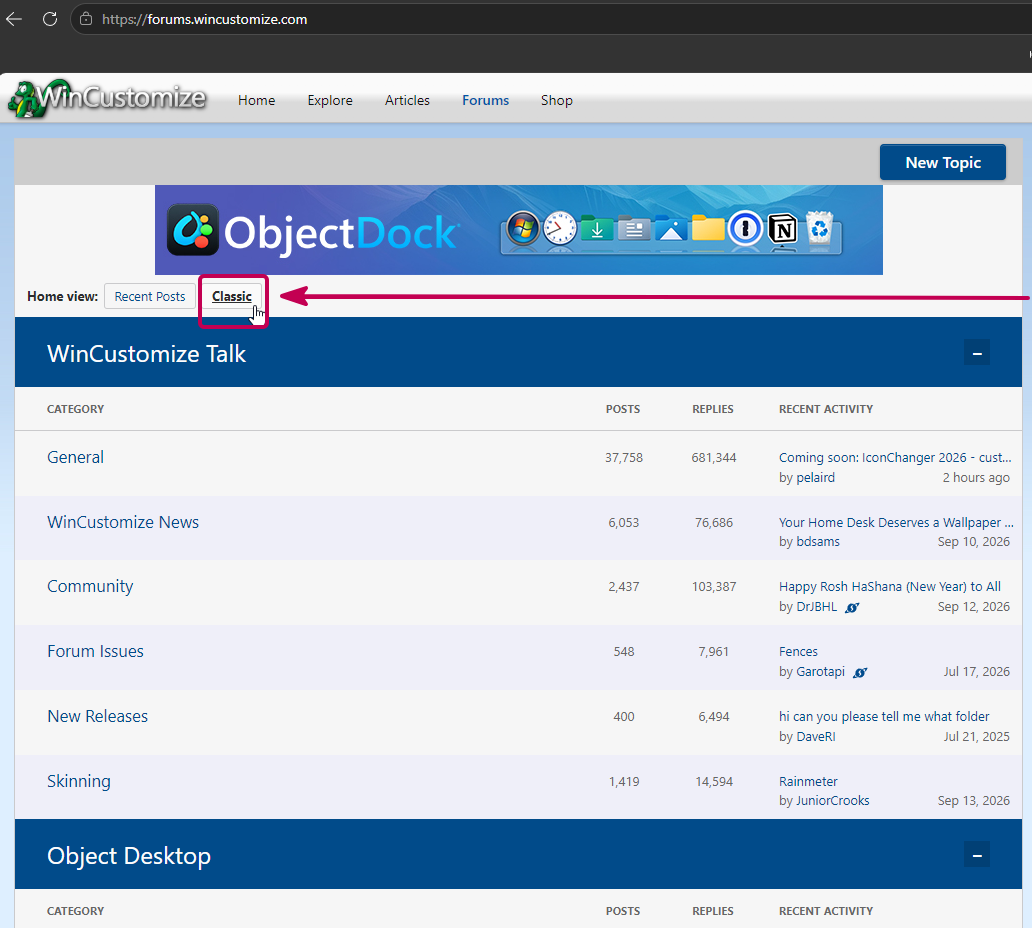
With a fresh browser, note there's now a "Classic" button that can be clicked to restore the prior category listing style.  As pictured:

Please let us know if this helps, and thank you very much for your feedback.

Best regards,

Adam McGuinness
Stardock Support Specialist

Jump to answer in thread
Reply #1 Top

Yes. They appear to be making a few changes.

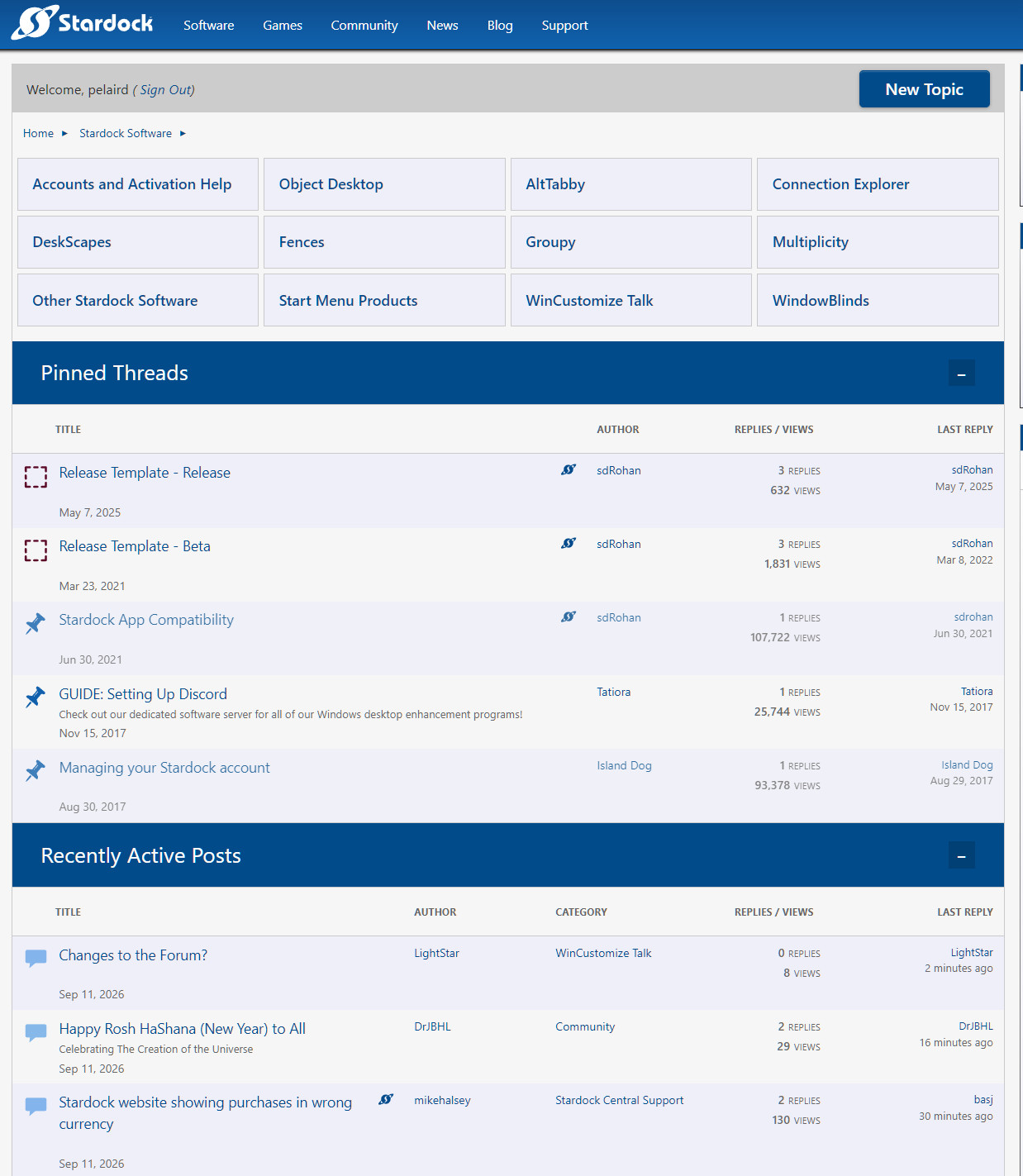
This is what I see. Categories at the top. If you click the small arrow next to Stardock Software there are few more choices.

Reply #2 Top

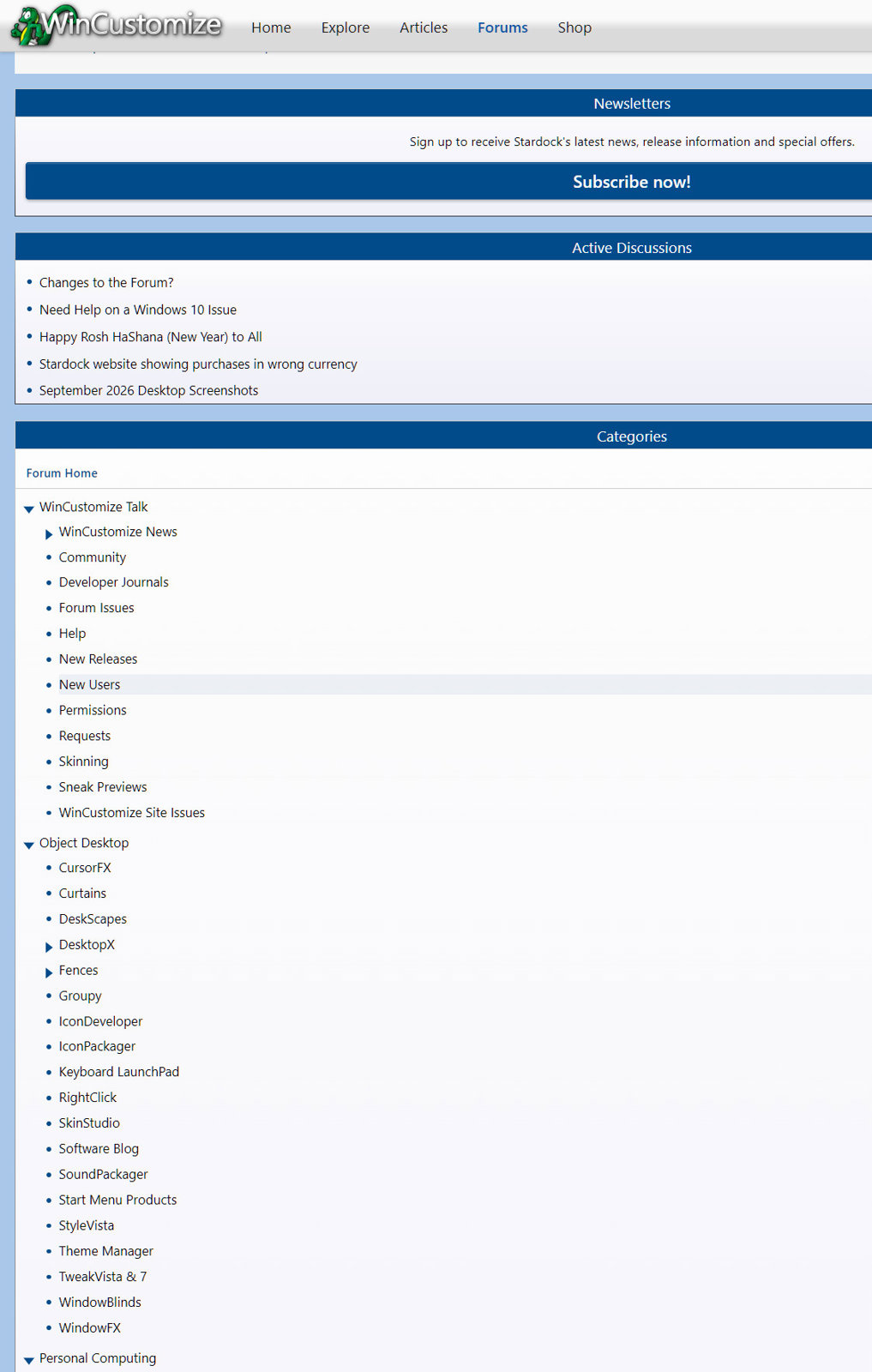
IN the WinCustomize Forum there is a list of all the categories at the bottom of the Recent Post page.

Reply #3 Top

Thanks pelaird, but I cannot do that, do not even see it. All I get is Recent Posts.

Reply #4 Top

If you go to WinCustomize Home and hover over Forums and then select View Forums, you get redirected to a page of Recent Posts. Now scroll all the way to the bottom and you should see a list of links to the Categories.

Reply #5 Top
Quoting pelaird, reply 4146692

If you go to WinCustomize Home and hover over Forums and then select View Forums, you get redirected to a page of Recent Posts. Now scroll all the way to the bottom and you should see a list of links to the Categories.

End of pelaird's quote

Nope, nothing at the bottom but "Mark all posts as read" and "Return to Top". The only things there.

Cleared my browser cache too, no change.

Reply #6 Top

Hello,
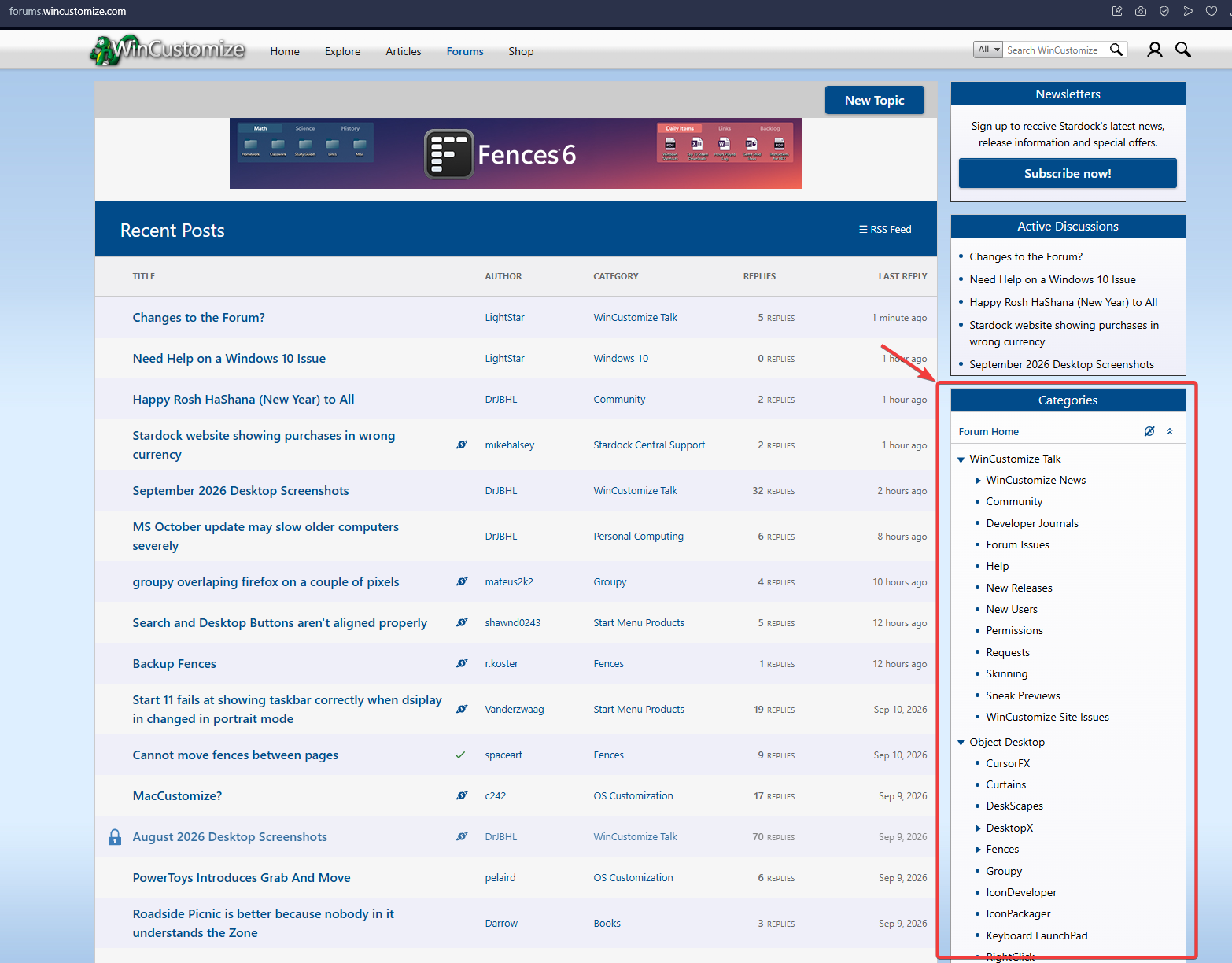
Sorry to hear you are having issues. But, I see this on my system.


Thank you,

Basj,
Stardock Community Assistant.

+1 Loading…
Reply #7 Top
Quoting basj, reply 4146694

Sorry to hear you are having issues. But, I see this on my system.

End of basj's quote

Had to widen my browser window, and then what was displayed at the bottom jumped to the side as you pictured.

Turns out I had my browser set at 110%.

+1 Loading…
Reply #8 Top
Quoting pelaird, reply 4146695

Had to widen my browser window, and then what was displayed at the bottom jumped to the side as you pictured.

End of pelaird's quote

That is what I though too.

Thank you,

Basj,
Stardock Community Assistant


Reply #9 Top
Quoting basj, reply 4146694

Hello,

Sorry to hear you are having issues. But, I see this on my system.


Thank you,


Basj,

Stardock Community Assistant.

End of basj's quote

Yeah, that is what I see too basj, but why the change? I preferred the way it was.

Reply #10 Top

I honestly can't remember what was in the side panel before, but perhaps they should make the WinCustomize Forum similar to the Software Forum with the main categories listed at the top of the Recents as in Reply #1 above.

EDIT: I just realized that if you click on a Category on the right column, it does display the main categories at the top.

Reply #11 Top
Quoting LightStar, reply 4146697

Yeah, that is what I see too basj, but why the change? I preferred the way it was.

End of LightStar's quote

Just a suggestion. You could create browser shortcuts to the Forum categories you frequent most often.

Reply #12 Top
Quoting pelaird, reply 4146702
Quoting LightStar, reply 4146697

Yeah, that is what I see too basj, but why the change? I preferred the way it was.

End of LightStar's quote

Just a suggestion. You could create browser shortcuts to the Forum categories you frequent most often.

End of pelaird's quote

Oh well, don't want to do that, but thanks for the recommendation.

Reply #13 Top
Quoting LightStar, reply 4146697

Yeah, that is what I see too basj, but why the change? I preferred the way it was.

End of LightStar's quote

Considering the age of the Sites/Forums it's fantastic that we're getting "new stuff" happening.

Not all change needs to be resisted, no matter how long we've been used to the old ways [25 years for me].

I know I'll get used to whatever comes along.... ;)

Reply #14 Top
Answer

Hi everyone,

Yes, the forums have been getting some updates!  The input here has helped us work out a fix, which is now live.  

With a fresh browser, note there's now a "Classic" button that can be clicked to restore the prior category listing style.  As pictured:

Please let us know if this helps, and thank you very much for your feedback.

Best regards,

Adam McGuinness
Stardock Support Specialist

Reply #15 Top

Ah....choices....;)