Start11 v2 Release (2.74) Feedback
With the Start11 v2.74 release today, we are creating this thread so that users can report any observed issues.
Thank you for your interest and any time you put into making Start11v2 a better product.
With the Start11 v2.74 release today, we are creating this thread so that users can report any observed issues.
Thank you for your interest and any time you put into making Start11v2 a better product.
Known issues
While we appreciate all feedback, please remember that we offer no official support for beta \ preview \ developer channel versions of Windows. If you report issues while in any of those early release channels, you should not expect them to be addressed unless it still exists in a retail version of Windows.
***Reserved***
Were there any additional small changes since the Beta?
Windows 10 Style, Display 125%
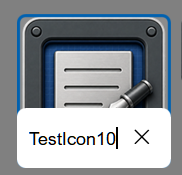
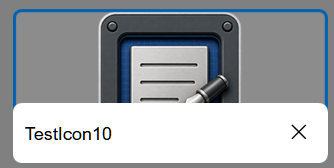
The Rename bubble is very small and does not expand to show the full name. This may be by design, but it makes it hard to use the Rename feature. This appears to be the case with all available styles.
EDIT: Evidently the Rename bubble is limited to the size of the icon. On medium or larger the bubble is useable.
Small Size

Medium Size Wide Size

Windows 11 Pro - 26200.8894; Start11v2 - 2.7.4.0
Hi Pelaird, and thank you for posting.
Were there any additional small changes since the Beta?
Not in this release. We wanted to get this into the full public version, primarily because users were consistently reporting positively to the Beta. Especially for those on newer versions of Windows.
Windows 10 Style, Display 125%
The Rename bubble is very small and does not expand to show the full name. This may be by design, but it makes it hard to use the Rename feature. This appears to be the case with all available styles.d
EDIT: Evidently the Rename bubble is limited to the size of the icon. On medium or larger the bubble is useable.
Small Size
Medium Size Wide Size
Windows 11 Pro - 26200.8894; Start11v2 - 2.7.4.0
I can see this occurring for small icons in the Win10 style, with 100% (Recommended) scale. Will have it logged.
Thanks again and best regards,
Adam McGuinness
Stardock Support Specialist
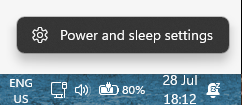
Back to the issue of not being able to click on the Power and Sleep settings:
Like this :

I can click on it
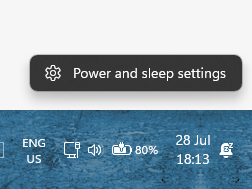
Like this if you click on it nothing happens, :

Just drag the taskbar higher, the option to click also moves higher but not possible to click it.
Hi Nikosyan, and thank you for clarifying.
Back to the issue of not being able to click on the Power and Sleep settings:
Like this :
I can click on it
Like this if you click on it nothing happens, :
Just drag the taskbar higher, the option to click also moves higher but not possible to click it.
I've reproduced the same and have it logged.
Thanks again and best regards,
Adam McGuinness
Stardock Support Specialist
Date
7/10/2026
Version
UI: 2.74
File Version: 2.7.4.0
Changes
Fixes an issue with pinning to the taskbar for pinned menus etc on newer versions of Windows
Addresses hover-over preview issue with some monitor and taskbar combinations (in version 2.73).
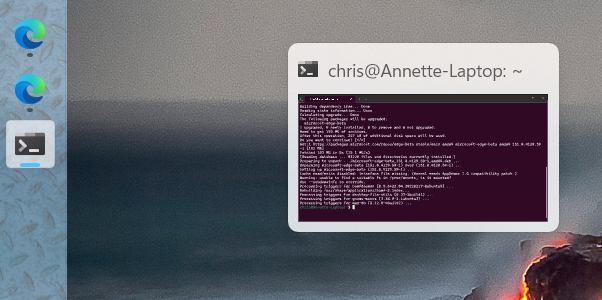
Hover-over issue for me when using left-side vertical taskbar (see screenshot).

Preview is right-shifted considerably regardless of whether it's a running task, taskbar icon or pinned icon.
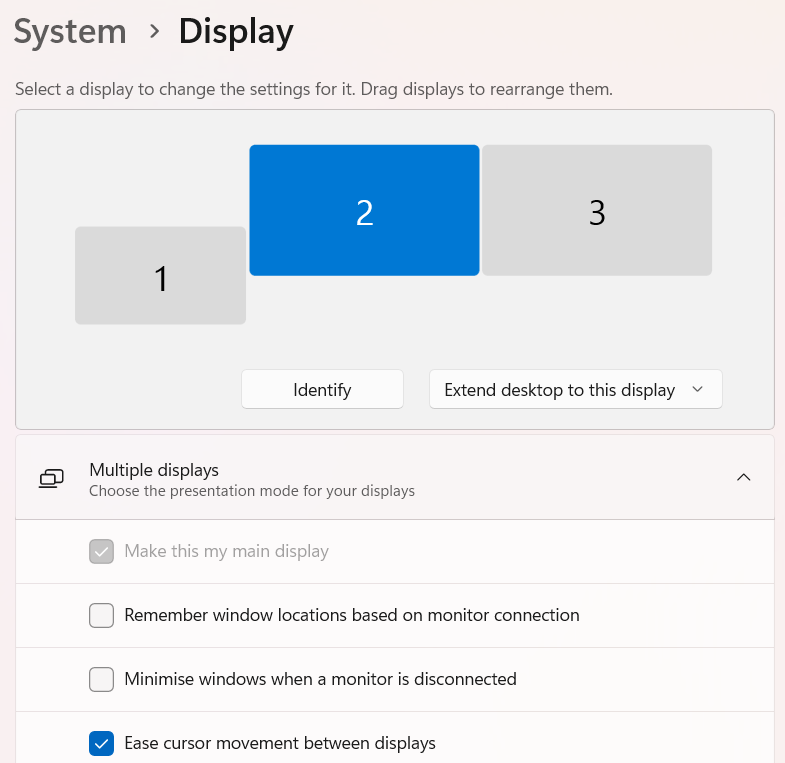
Configuration is per below, screen 2 is the primary and contains task bar.

Anyone else reported problems with their windows key not working after this update? I'm on windows 11, 26200.8973. I actually noticed it immediately after installing the update, before I rebooted. I've completely powered off my laptop and powered it back on and it still isn't working. ctrl+esc doesn't work either. I checked and it didn't get put into game mode or whatever it is called that disables the key.
I've tested with both my laptop keyboard and my logitech wireless keyboard.
Clicking the start button brings up the Start11 menu correctly though, so I've just been working around it.
If I go to Start11 -> Start Menu and turn it off, I immediately get my windows key back.
Anyone else reported problems with their windows key not working after this update? I'm on windows 11, 26200.8973. I actually noticed it immediately after installing the update, before I rebooted. I've completely powered off my laptop and powered it back on and it still isn't working. ctrl+esc doesn't work either. I checked and it didn't get put into game mode or whatever it is called that disables the key.
I've tested with both my laptop keyboard and my logitech wireless keyboard.
Clicking the start button brings up the Start11 menu correctly though, so I've just been working around it.
If I go to Start11 -> Start Menu and turn it off, I immediately get my windows key back.
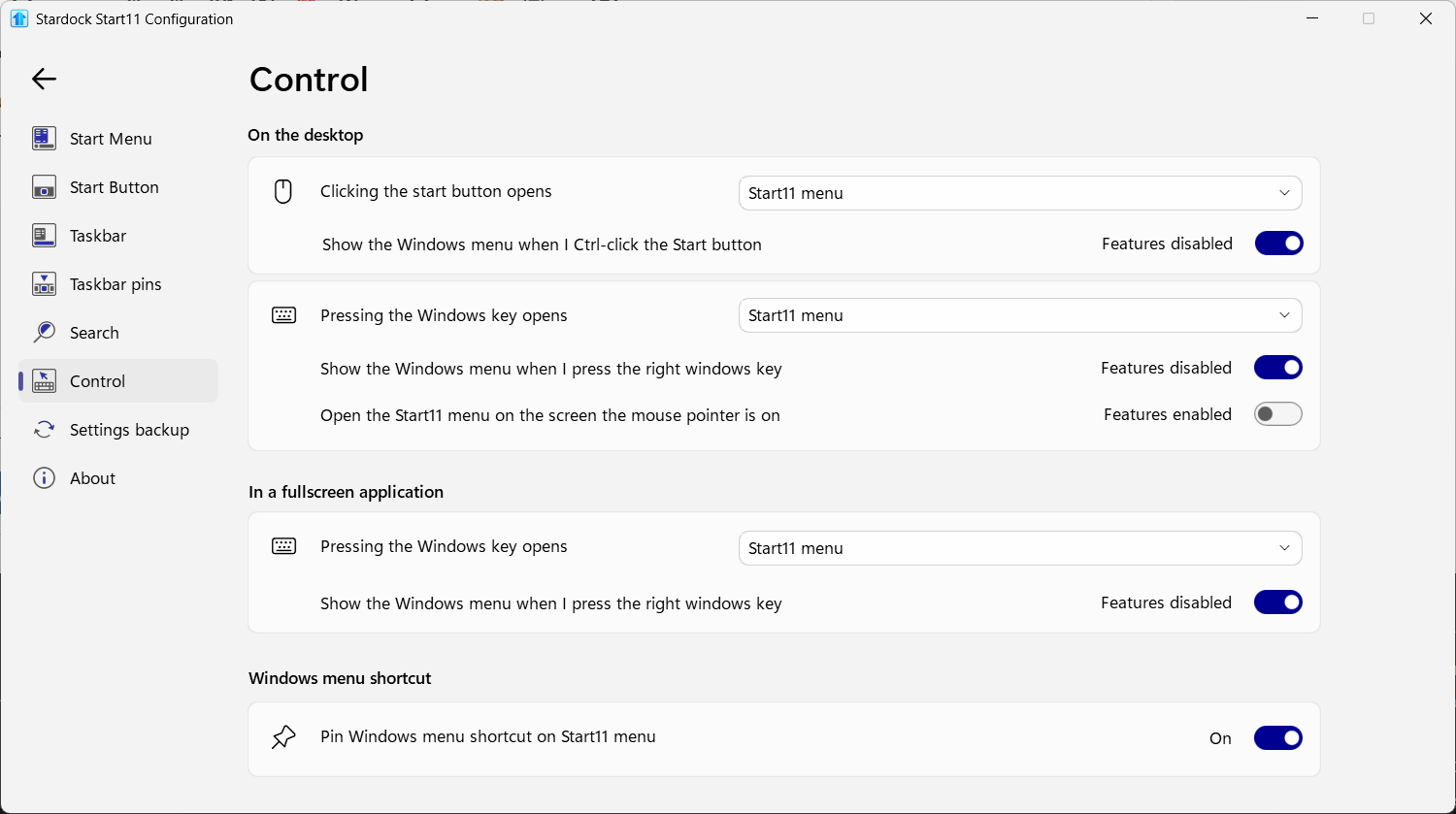
Just curious. Have you checked the Start11 settings in the Control Section of the Config app? There is setting for disabling the Win key when in full screen.
This is what it is set to. Not sure what "features disabled" means in this case, but i don't have a right windows key anyway.

And now it is working again. Apparently I just had to go in and change all of the settings and turn everything off, then back on again. I swear it wasn't working at one point,
Evidently, when the button is turned on the feature is enabled, and when it is off the feature is disabled. Crazy, right?
And now it is working again. Apparently I just had to go in and change all of the settings and turn everything off, then back on again. I swear it wasn't working at one point,
Glad you got it to work correctly. Sometimes, just toggling a setting makes it work.
Welcome Guest! Please take the time to register with us.