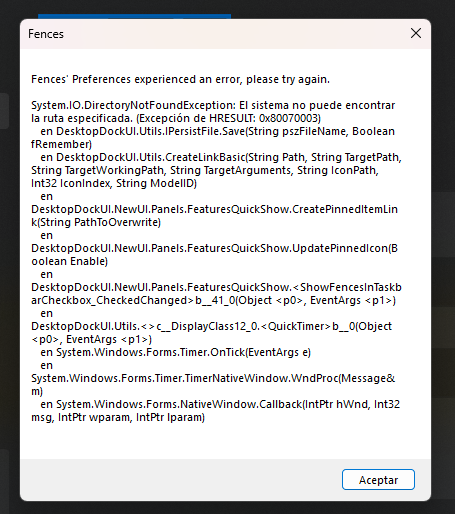
Error when checking the "Add "Show Fences" icon to my taskbar" box

Hi, I've been getting this error everytime I check the "Add "Show Fences" icon to my taskbar" box. Win + Space works fine but I would like to have the Peek icon in the task bar. I've tried it on version 6.46 and 6.5.2 Beta and it's the same result on both. After I click "Accept", Fences closes itself (the configure window, not the whole program). I've reinstalled like 3 times and I keep getting the same error 😭

Windows version 25H2 (SO Build 26200.8875)
247 views 4 replies
Reply #1 Top
Answer

Hello,

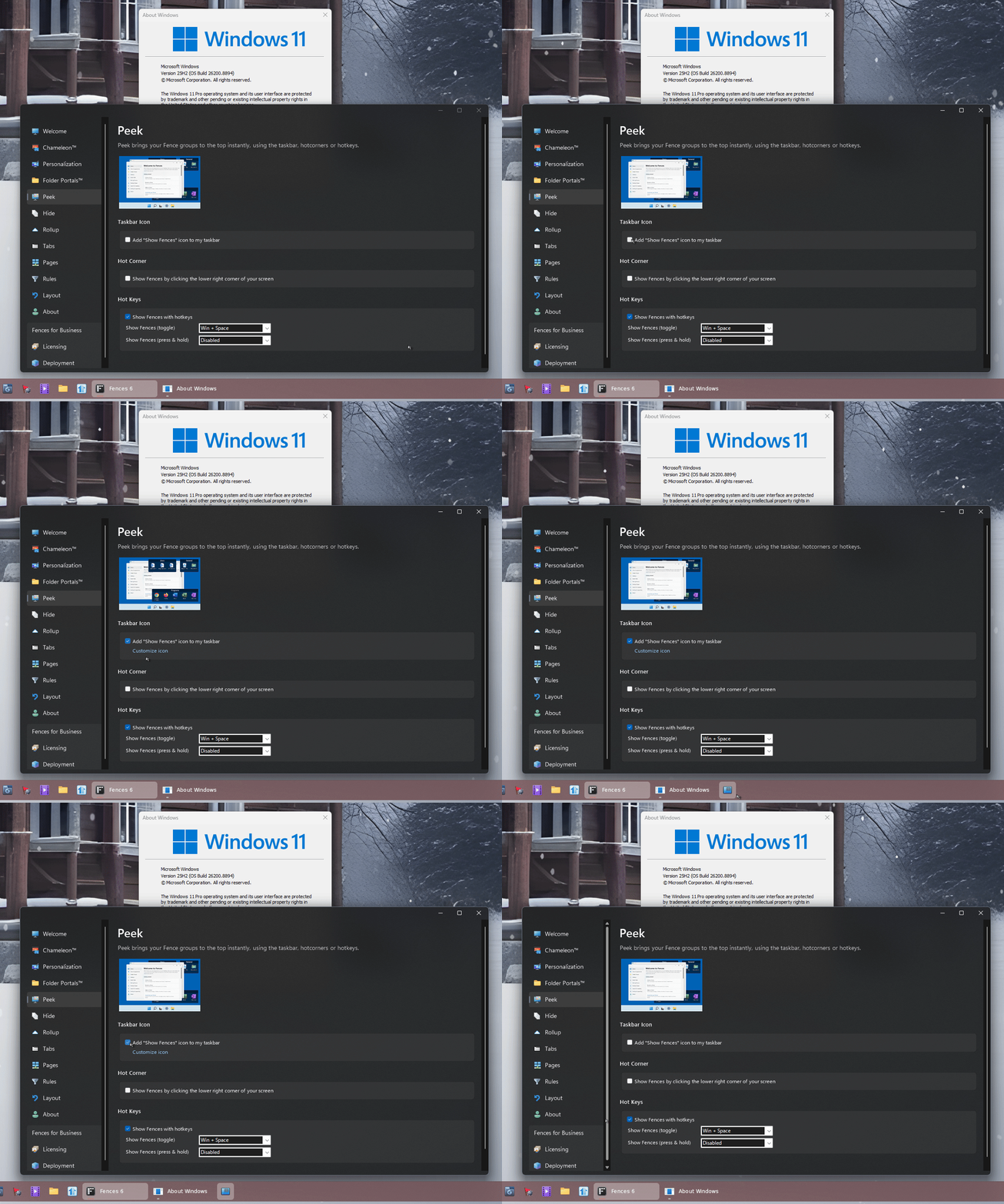
Sorry to hear you are having issues. I can't reproduce your issue on my system. Here is what I get when I tried "Add "Show Fences" icon to my taskbar". 

Moving forward, please try purge and reinstall steps as mention here : [Link]. Just make sure to redownload the latest version from your account page. Reboot after the purge. Reinstall and reboot again after the installation. Retest and report back here.


Thank you,

Basj,

Stardock Community  Assistant.

Reply #2 Top

Hi coprof,

Could you check to see if these directories exist on your system?

%appdata%\Stardock
%appdata%\Stardock\Fences

If not, could you try creating and seeing if the issue is resolved?

If so, we'll have to see about putting additional checks to ensure it exists at this point, as it should have been created by then. Thanks for the help

Reply #3 Top

The purge worked!! Thank you so much :)

@Dr W - yes those folders were already there (even before the purge)

But the purge method worked and now I have the Peek icon in the task bar, thanks for your attention :)

Reply #4 Top

Great, glad to hear that. :thumbsup: 

Thank you,

Basj,

Stardock Community  Assistant