Installing new Object Desktop subscription over previously installed stardock standalone products

I am pretty sure this is covered somewhere, but the search function does not lead me to an answer.

I have had fences and groupy on one machine as standalone subscriptions. Also I have a standalone Start subscription that I am using on other machines.  Since I now have an object desktop subscription, I am going to cancel the individual subscriptions for these products.

However, what is the procedure for me to install Object Desktop on this machine?   Do I need to uninstall fences and groupy first, the install Object Desktop, or can I skip the individual uninstallations and just install Object Desktop over everything else?

Thanks.
503 views 6 replies
Reply #1 Top

Hello,
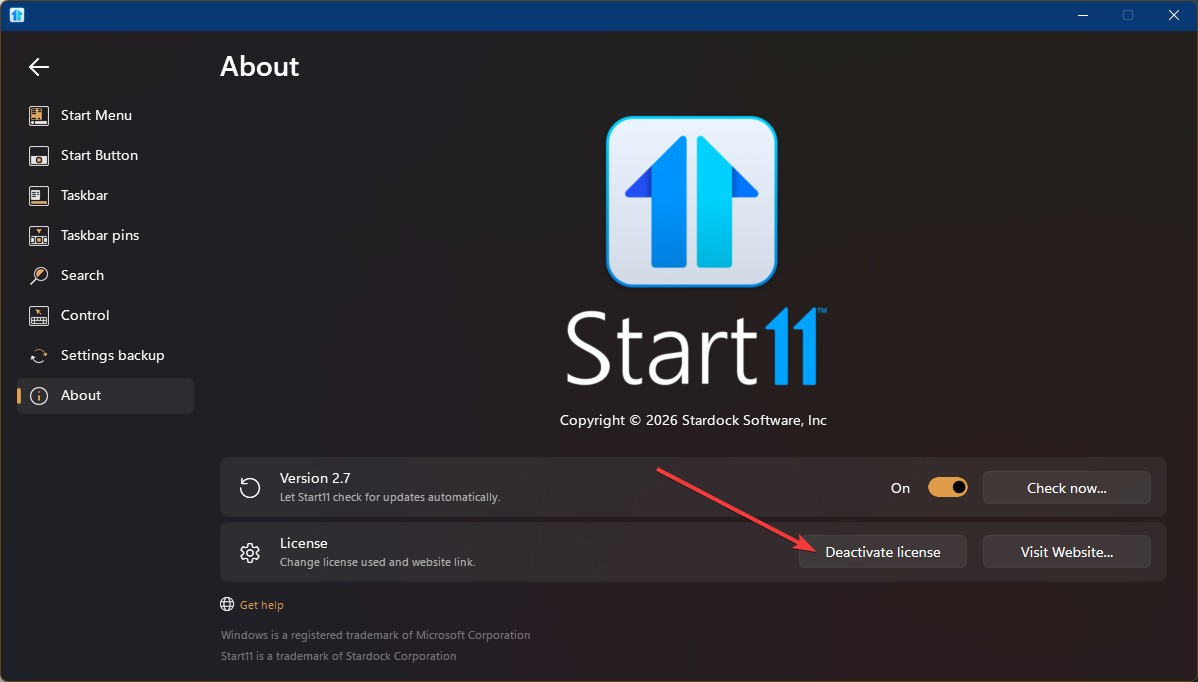
Sorry to hear you are having issues. The question should be related to activation license key. You should not need to uninstall anything. You just need to Click the "Deactivate license" button for Start11v2

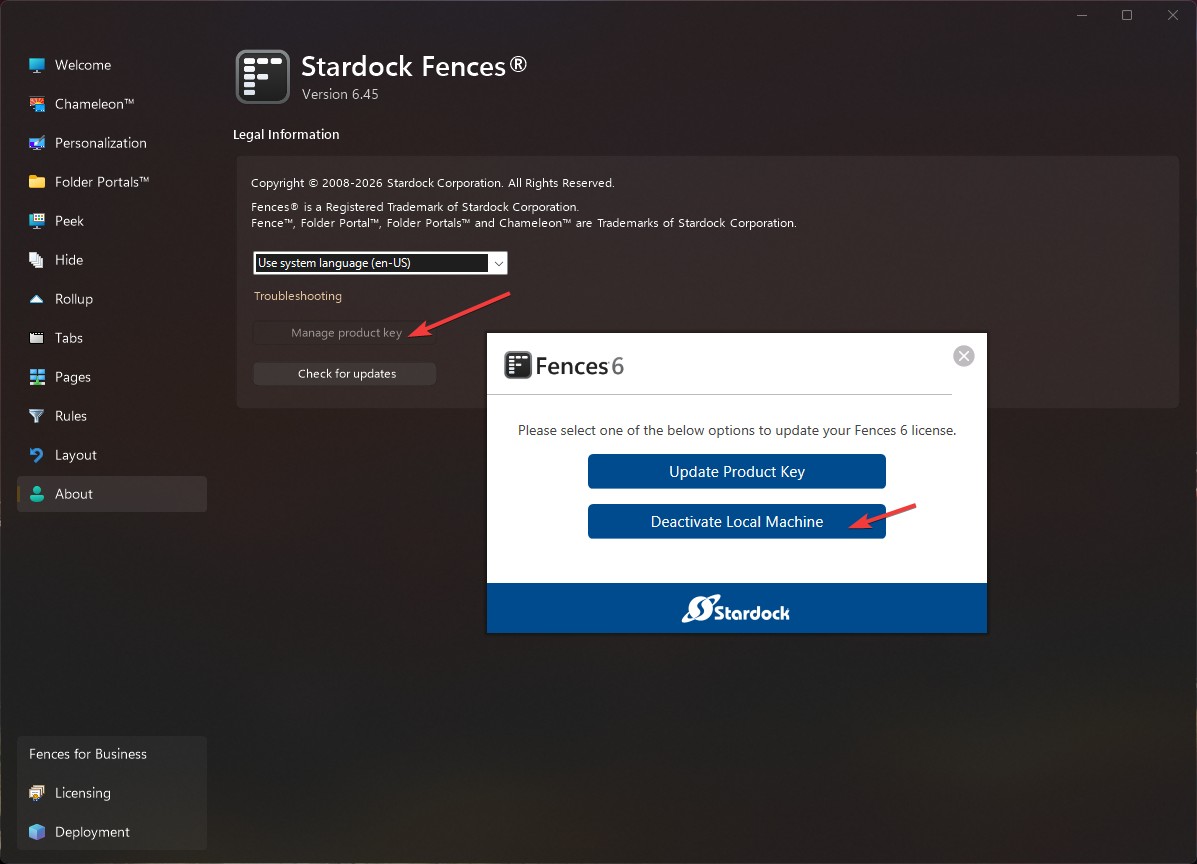
And For Fences 6: Click on "Manage product key" button and "Deactivate locat Machine" button.

After that, you just need to reactivate using your Object Desktop license key numbers.

Thanks
Basj,
Stardock Community Assistant.

Reply #2 Top

I think I am interested in installing the whole Object desktop with all its individual programs under the OD license.  I don't know what choices the installer gives, but it seems to make sense in my case that I uninstall groupy and fences, then install the whole Object Desktop on the machine so that every subproduct is synchronized at once.

Reply #3 Top

Hello, I understand what you’re trying to do, but it’s not actually necessary. The Object Desktop Manager is simply a utility that shows which applications you have installed, their versions, and whether updates are available. It doesn’t handle activation.

So whether you install applications through Object Desktop or individually, the software itself will function the same way. Personally, I hardly use the Object Desktop Manager myself—I prefer to install and update my Stardock software manually. I just download the products and versions I need directly from my account’s product page. Perhaps that’s just my own habit, but it works fine for me.

Thank you,


Basj,
Stardock Community Assistant

Reply #4 Top

Ah, I see.  That clarifies a lot for me.  So it would seem that Object Desktop simply gives a common key or a unique key for each product to activate itself.  There is no single download installer for all the individual products to install them at once.

Reply #5 Top
Quoting MightyRustreply 3991983
Ah, I see.  That clarifies a lot for me.  So it would seem that Object Desktop simply gives a common key or a unique key for each product to activate itself.  There is no single download installer for all the individual products to install them at once.
Yes.
Deactivate but don't uninstall the existing software, install Object Desktop and activate it.  When you start any of the existing software it will ask for an activation again and you simply input the Object Desktop key as needed.  All the software will then be using that same key...;)


Reply #6 Top

Dang...quote didn't work correctly....one for Josh...;)