Hello,
Sorry to hear you are having issues. To change specific Fences Titlebar Font and Color.
- Open up Fences Configuration Window.
- Click on "Personalization" tab on the left panel.
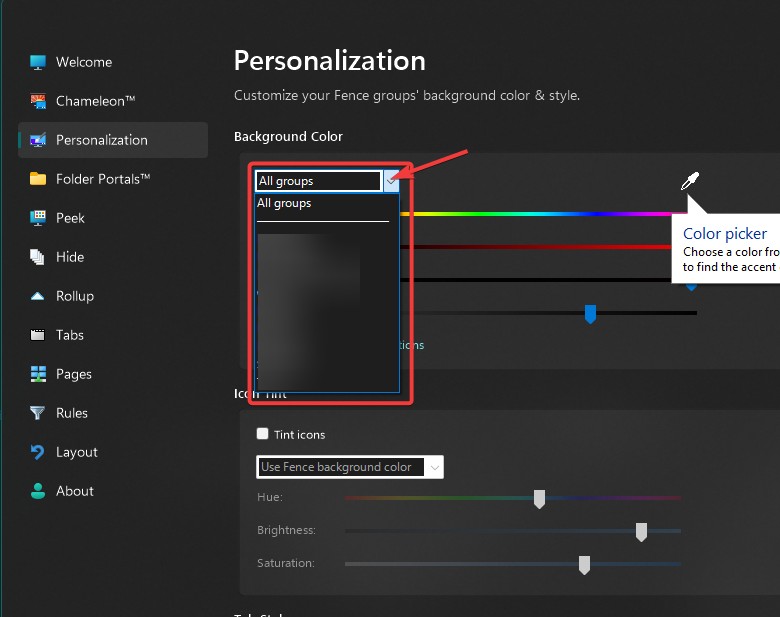
- On the right panel click on the dropdown menu arrow and select which Fences you wish to change. If you wish to change it all just leave it at "All groups" (refer to picture below).
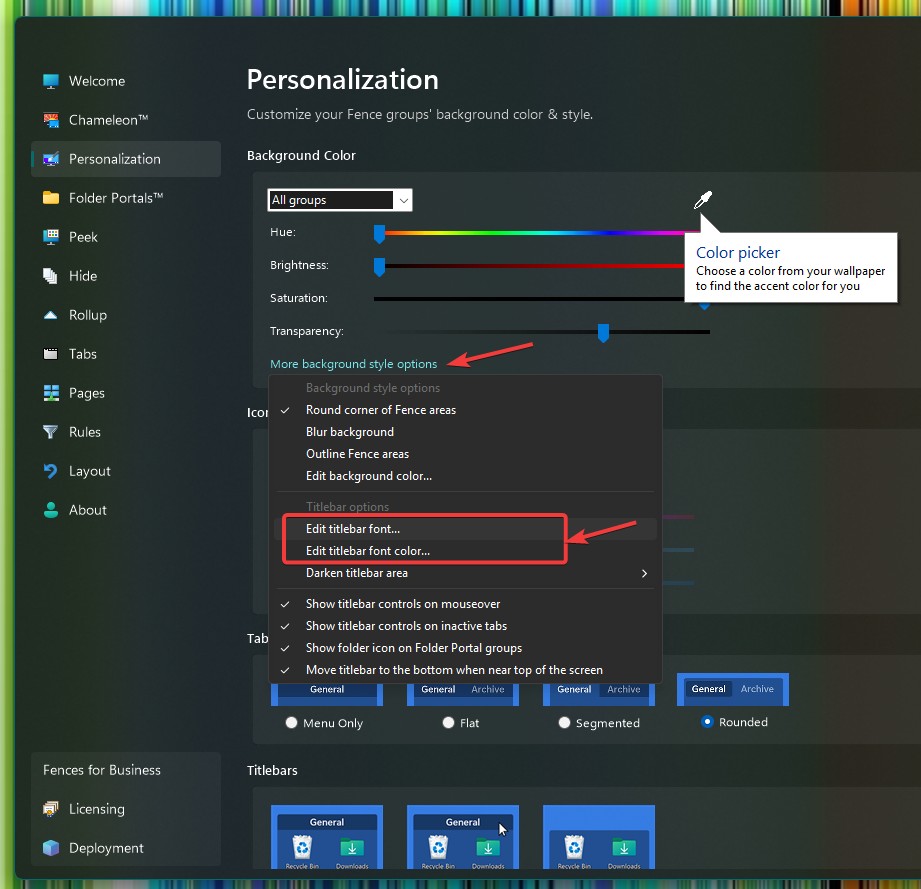
- Click on "More background style option" -> From the menu, Select "Edit titlebar font" to change Font, Font style and Size.
Thank you,
Basj,
Stardock Community Assistant.


 Stardock Forums