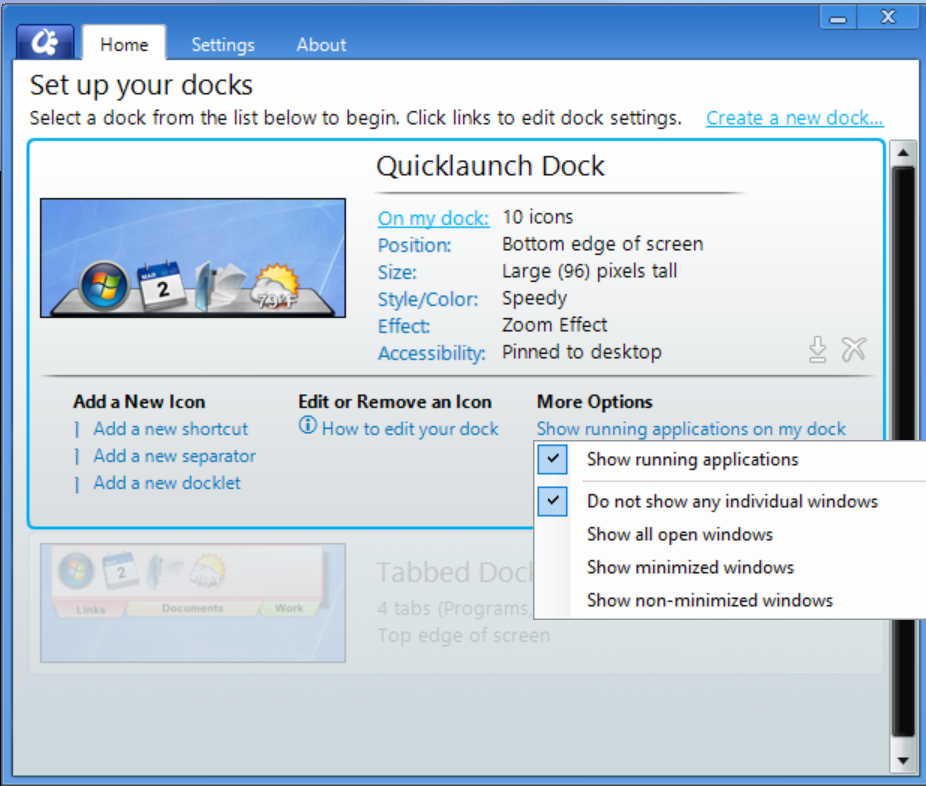
ObjectDock - "show all open windows" etc. not selectable
from  Stardock Forums
Stardock Forums
I just installed ObjectDock for the first time. On a fresh install on Windows 11, I've gone into the "On my dock" options, More Options/Show running applications on my dock.
While I can select and unselect "Show running applications", I have been unable to change the options below - it's stuck on "Do not show any individual windows."
Any suggestions? I do have multiple monitors and noticed that "Autohide" isn't an option in that case. Is that the same issue here? Or is it something else?
Thanks for any help.