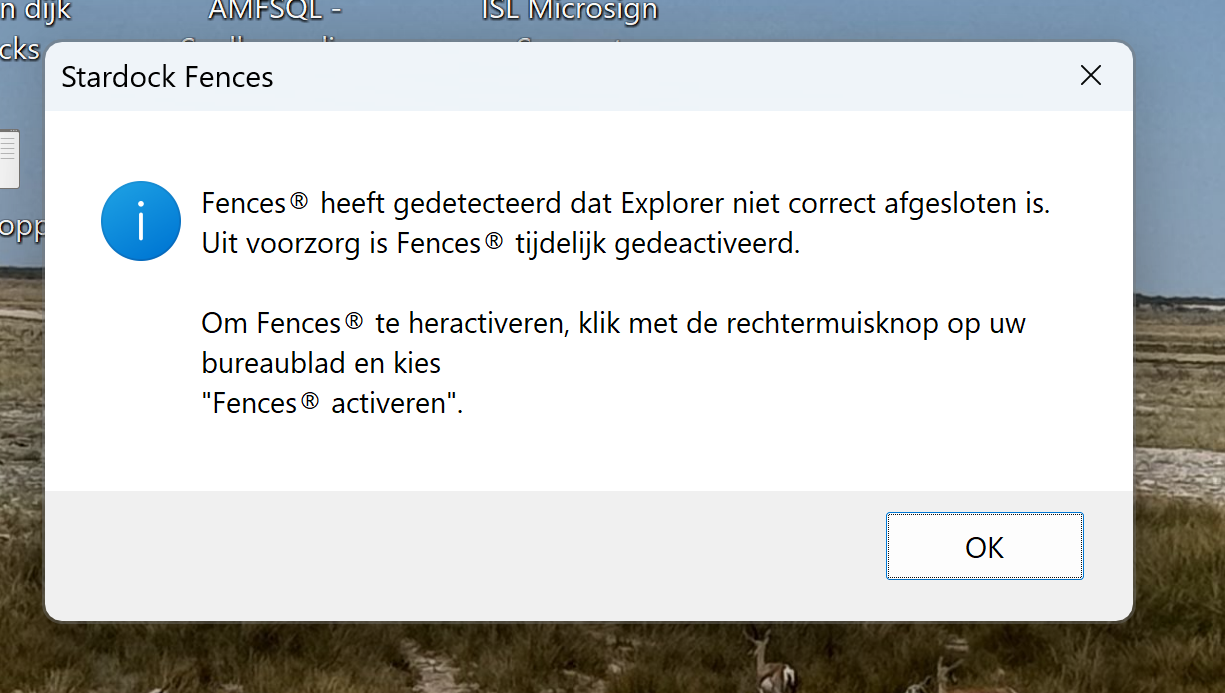
explorer was not closed properly and therefore fences was deactivated

I got the message "explorer was not closed properly and therefore fences was deactivated. Press right mouse butto and activate". After done that the fences show up shortly and it disappear again following with the same message. I uninstalled fences and installed it again. Also with the purge of Stardock. My laptop is connected to the intranet through a dockingstation and I am running display fusion as well.
untill last week everything was running okay.

586 views 8 replies
Reply #1 Top

Hello,
Sorry to hear you are having issues. Need more details on your system.

  1. Windows 10 or 11? Also need its full version and OS Build number. Please use Winver.exe to get these numbers.
  2. Fences full version number installed.

Thank you,
Basj,
Stardock Community Assistant.

Reply #3 Top

Please try purge and reinstall steps as mention here : [Link]. Just make sure to redownload the latest version from your account page. Reboot after the purge. Reinstall and reboot again after the installation. Retest and report back here.

Also, would like to recommend to update your Windows 11 to version 25H2 for better compatibility.

Thank you,
Basj,
Stardock Community Assistant.

Reply #5 Top

Hi, sorry about this. Could you send us an error report?

You can access these from About → Troubleshooting, and there are options to enable advanced logging and for creating error log package.

(1) Enable advanced logging
(2) Reboot
(3) Trigger crash [enable Fences as needed, if it has disabled]
(4) Upload error log


As well, the latest beta version to test is v6.44. I don't think it will solve your issue, but feel free to give it a try as well. Thank you

https://www.dropbox.com/scl/fi/dmxsmtgn3ynud86ev8pb7/Fences6_6.4.4.1-j117-Setup.exe?rlkey=of06ojwrt15sgtptuowshwie3&dl=1 

Reply #7 Top

Hi, we received your report, but unfortunately a couple things

(1) We're not seeing the crash itself be captured

(2) Loading your exact settings didn't reproduce the issue

(3) Not seeing any pattern in the log to indicate where the crash might be occurring

So- we might need to get you a special copy to help track this down, and will have to think about how to go about it. We live within Explorer's process, so, it can sometimes be difficult to be "first in line" to catch the exception and therefore be able to track it. I've let the team know and they'll see about next steps.

Reply #8 Top

Hi bert, we've added some additional logging to help ensure this category of crash gets logged.

The team is out for the weekend, but we'll be back with you this coming week.