Start 11 asks me to re-activate already-activated product in a dual-boot Windows environment.

Hi.

I have dual-boot Windows 11 installation on my Desktop PC. Both Windows installtions are at the same versions and builds (Windows 11 25H2 and build 26200.8039).

They both have Start 11 v.2 installations. They have different Start 11 Product Keys and they are both activated.

Sometimes when I switch from one Windows installation to the other, I am asked to activate Start 11 again.

I enter the Product Key and my e-mail, Start 11 is activated readily. But this is a nuisance because I have to keep my Start 11 Product Key on my Desktop in case I may need them, which I don't like.

Is there anything I can do to get rid of the annoyance ? 

If I use the same Start 11 product key for both installations, does the annoyance disappear ? For single Windows 11 installation, I have no such problem, i.e. my HP notebook has Start 11 as well and I have not met this problem yet. 

1,552 views 11 replies
Reply #1 Top

Does the message say why you need to reactivate?

I would check you are using a different key on each and that you don't have any cleanup tools running to remove 'unneeded files' as we are aware some have errors which causes them to wipe out the activation state.

Reply #2 Top

Thanks for your response.

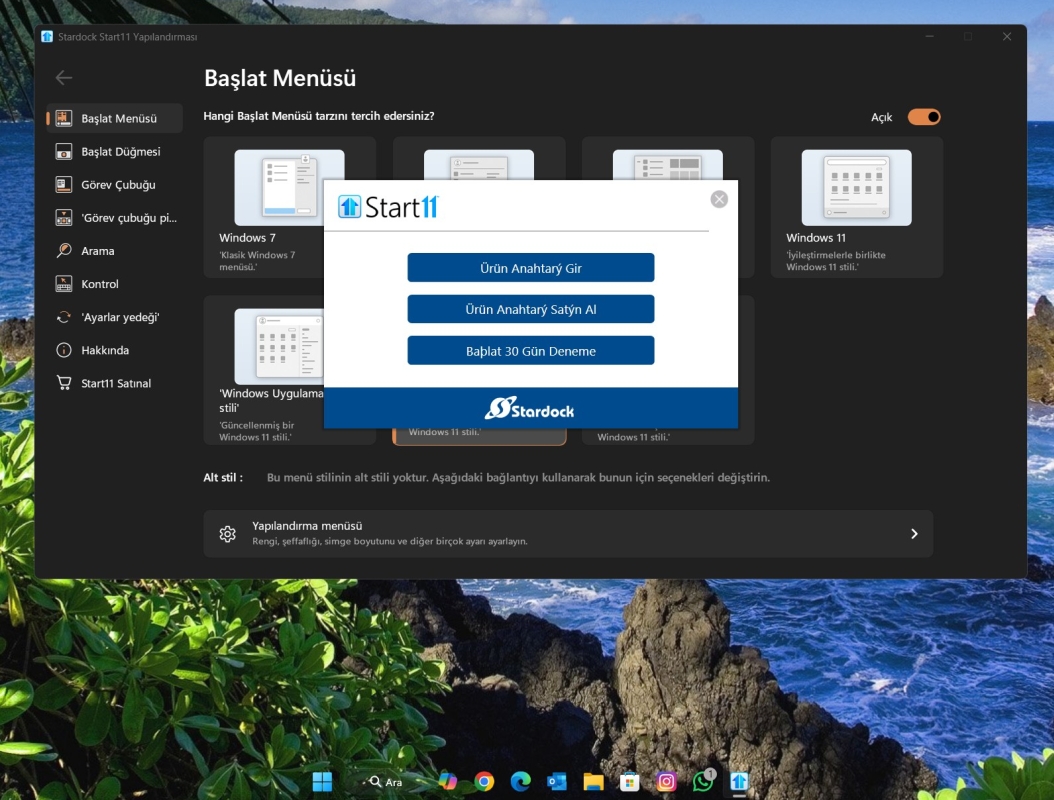
There is no message except for the usual Start 11 activation popup window. When the product key is not available, I click no for activation request. Then popup window asks me if I want to uninstall Start 11, I click No and Start 11 does not run until I enter my product key.

I am using a different key for each installation. I don't use 3rd party cleanup tools. I very rarely use Windows cleanmgr.exe. This situation happens when I switch from one Windows installation to another.

By the way, one Windows installation has upgraded Start 11 v.2, the other is full version Start 11 v.2.

My PC has the very same components for both installations except for the disk drives where Windows are installed, if that matters.

Hope this clarifies your querries.

Reply #3 Top

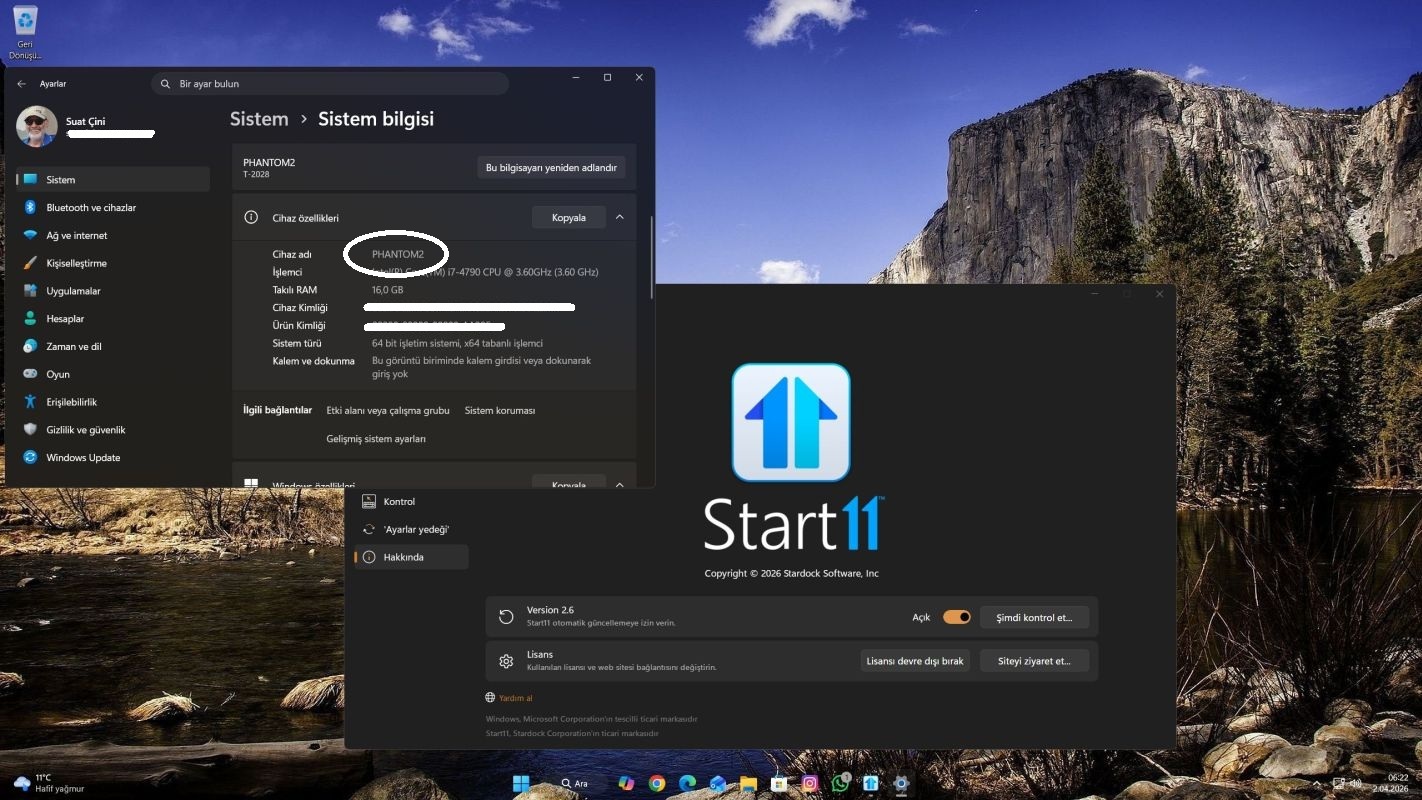
Here is a screenshot I took today in one of my Windows 11 installations in a dual-boot environment. This Start 11 v.2 installation has been done and activated months ago.

Reply #4 Top

Hello,
Sorry to hear you are having issues. Do you have an application such as EaseUS Clean Genius or any similar product that do system clean up installed in your system. If you do perhaps you're having same issue as mentioned in this thread: https://forums.stardock.com/523986/ 

Thank you,
Basj,
Stardock Community Assistant.

Reply #5 Top

No, I don't use any 3rd-party cleanup tools. I very rarely use Microsoft Windows Cleanmgr.exe. This is independent of my using Cleanmgr.exe. I haven't used Cleanmgr.exe in weeks. But this Start 11 popup activation window is appearing sometimes (not always) when I switch from one Windows 11 to the other on the same exact PC. Both Windows 11 installations share the same exact components, e.g. CPU, GFX card, M/B, etc. except Windows installations are on different disk drives. The disk drives are both internal to the PC. One is a SATA III Samsung 870 EVO, the other is M.2 PCIe NVMe Corsair MP600 CORE XT.

Reply #6 Top

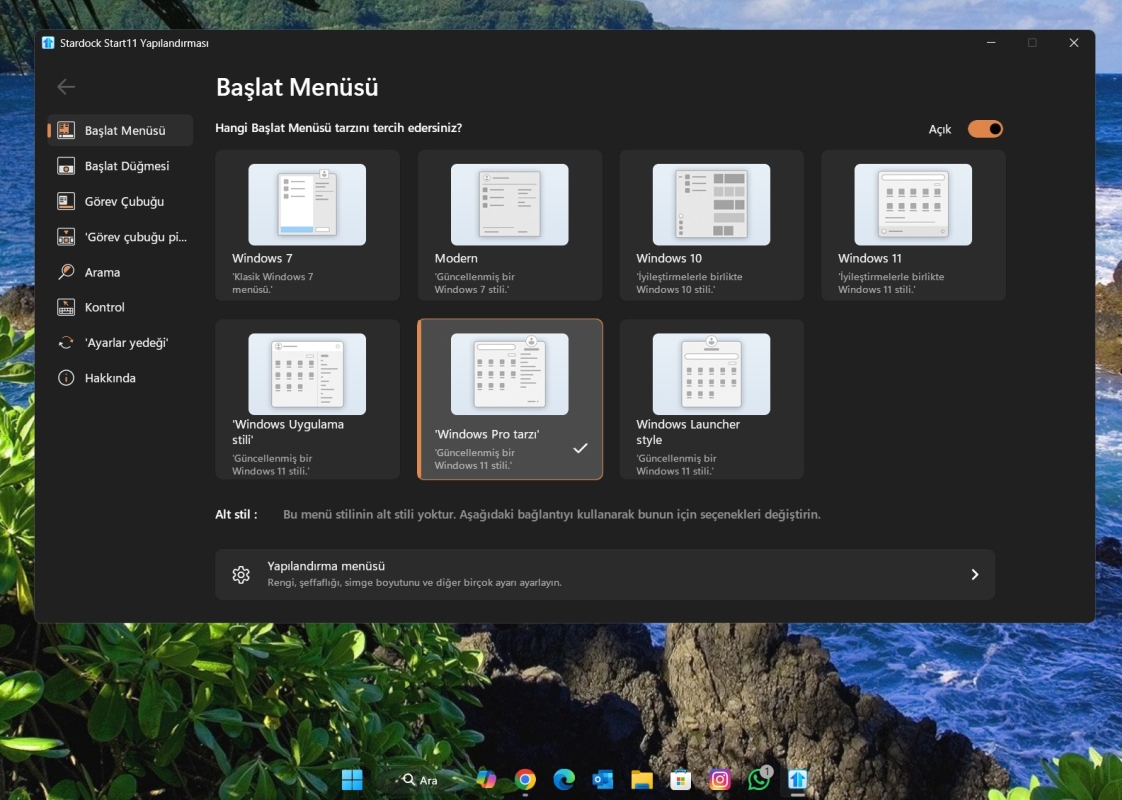
The below screenshot shows my activated Start 11.

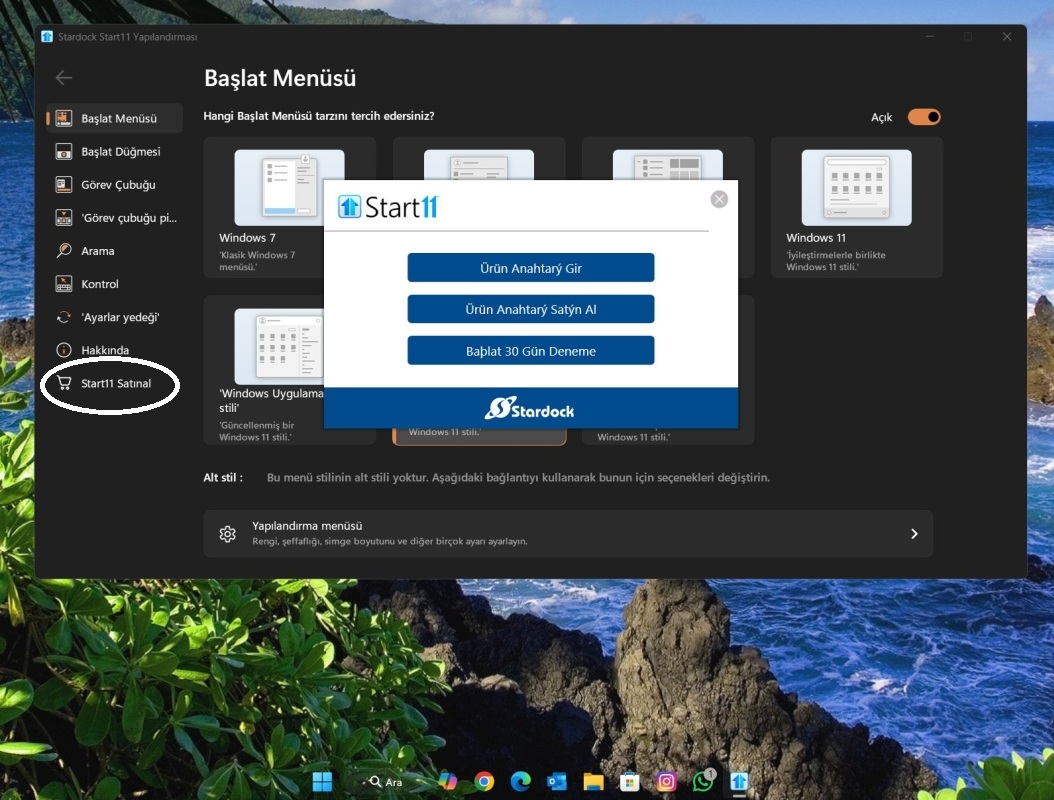
The below screenshot shows when Activation popup window appears. As you can see, a new button appears below About button on the Start 11 settings page, Buy Start11 (or Purchase Start11, I don't know what word is used in the English version of Start11)

Reply #7 Top

If you check here in your account product page, do you see that both keys are activated and each was activated on the correct system? 

https://store.stardock.com/myaccount/products 

You can use this guide to review and manage your activation as reference: https://support.stardock.com/space/SHC/1260191763/How+to+review+and+manage+your+current+activations.

Thank you,

Basj,
Stardock Community Assistant


Reply #8 Top

Thank you for your reply.

I checked the activations of Start11 v.2 on the product license and activation web page whose link you supplied. It seems that Machine Name: PHANTOM2 seems to be not activated.

But when I switch to PHANTOM2, I see that Start11 is running properly. 

On the license ribbon, it reads "Deactivate license". The Taskbar is fully transparent. I made it transparent through Start11. This all means that Start11 is activated on PHANTOM2, too. Stardock account page shows PHANTOM2 in not activated, though.

PHANTOM2 license is full Start11 v.2 license, not upgrade from Windows 10.

So for a solution, I prepared two command-line shortcuts to activate Start11, one for PHANTOM2 and one for PHANTOM4, like the one below:

"C:\Program Files (x86)\Stardock\Start11\SasUpgrade.exe" -prodId=2663 -prodName="Start11" -company="Stardock" -ver="1.0" -email="xxxx@xxxx" serial="AAAAA-BBBBB-CCCCC-DDDDD-EEEEE-FFFFF"

If you come up with a solution, please let me know.

Reply #9 Top

Have you tried deactivate all Start11 activation from your account product page? (from the link I posted above, using the guide I post above too). Than try to reactivate normally using different product key for different boot?

Thank you,

Basj,
Stardock Community Assistant

Reply #10 Top

Thank you very much for your prompt response. It is appreciated.

I will first try the re-activation shortcut I mentioned above when I am asked to re-activate. If this is an easy and effective solution, I will go with that. I may even put the shortcut in Windows startup folder. When Windows starts, the shortcut is run. Otherwise, I will try your solution.

Happy computing.

Regards

Reply #11 Top

Got it. :thumbsup:  

Thank you,

Basj,
Stardock Community Assistant