Groupy 2.31 Release Feedback

With the Groupy 2.31 release today, we are creating this thread so that users can report any observed issues.  

Obtaining the product

Object Desktop members can get the release from within Object Desktop Manager 

Individual purchases (as well as Object Desktop Members) can also be obtained from your account page: https://store.stardock.com/myaccount/products

For guest check-out purchase (no account), from this link: http://www.stardock.com/support/productkeyretrieval

Reporting an issue

Please include the following for anything found:

  • Exact Windows version \ build (winver.exe)

  • Detailed steps to recreate the issue seen

  • Screenshots and videos are very helpful.  Videos can be uploaded to a cloud drive service (GoogleDrive, DropBox, OneDrive, YouTube), with a shared link included in your post.  Images can be copied and pasted directly into a post.

  • If there are specific apps that the app does not work (well) with, please note what apps and their exact versions.  If any app is not common, a link to a trial version would be appreciated.

1,788 views 14 replies | Pinned
Reply #1 Top

Groupy v2.31 Changelog (Released 03/25/2026)

Date

03/25/2026

Version

UI: 2.31
File Version: 2.3.1.1

Changes

  • Resolved issue with VBA editor in Excel, deleting spaces when typing

  • Added an option so you can use the old behaviour in Groupy for rules and make a rule that can match everything

  • Fixed a painting issue on tabs when in tab style and not extended tab bar height

  • Updated ARM support

Reply #2 Top

Known issues

While we appreciate all feedback, please remember that we offer no official support for beta \ preview \ developer channel versions of Windows. If you report issues while in any of those early release channels, you should not expect them to be addressed unless it still exists in a retail version of Windows.

  • tbd
Reply #3 Top

***Reserved***

Reply #4 Top

I know I bugged you a bunch about this issue, so I logged in just to say thank you for this fix!:

  • Fixed a painting issue on tabs when in tab style and not extended tab bar height

Tabs are so far rendering perfectly now. Thanks again. Love Groupy. Couldn't use Windows without it.

Reply #5 Top


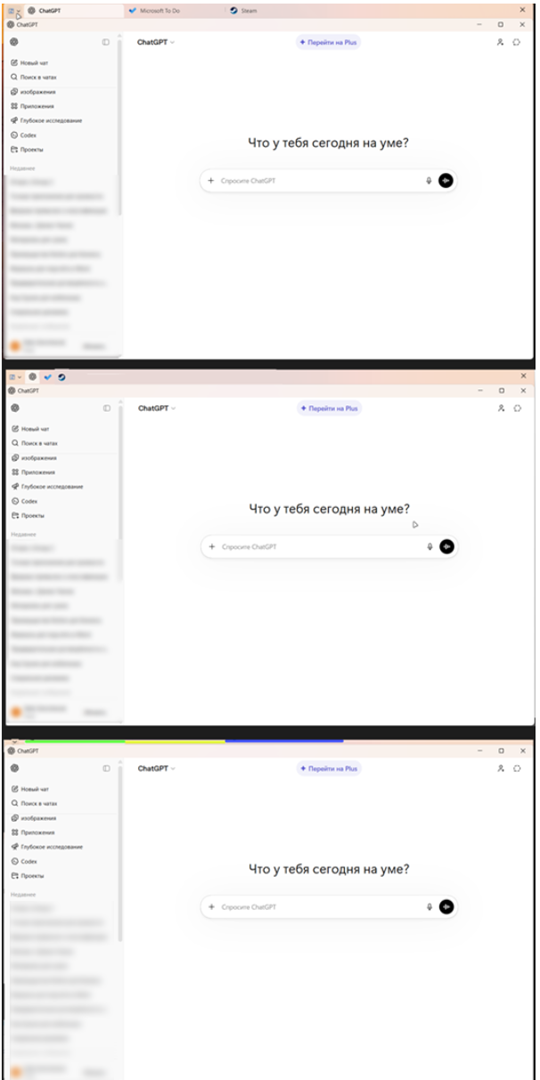
Issues with Russian Translation

You have encountered issues with the Russian translation. Please correct the word “На” to “Вкл”. 


Reply #6 Top

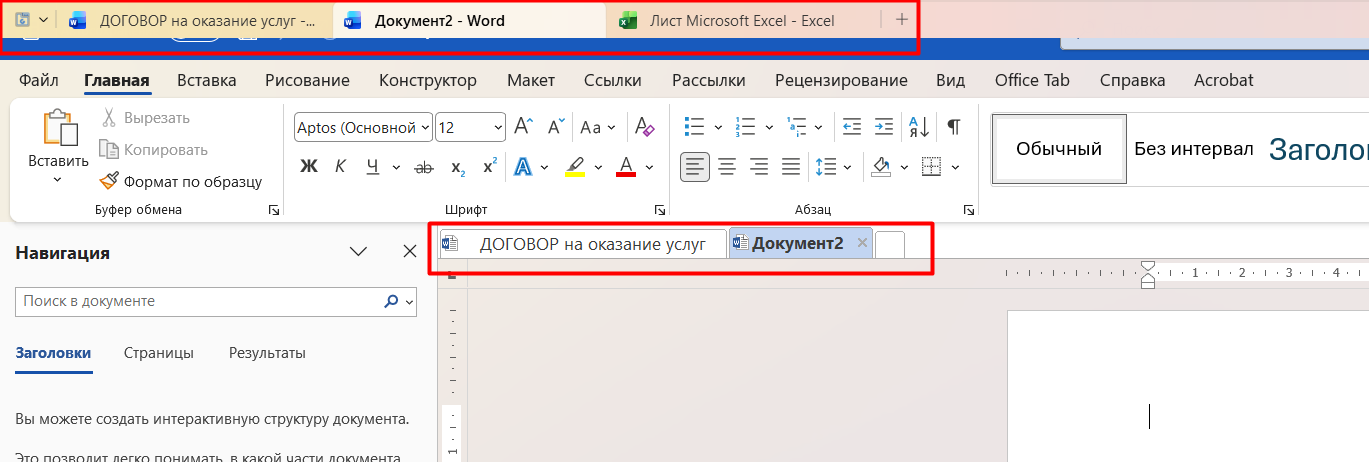
Feature Proposal for Group 2: Integration with Office Tab

  • If multiple documents of the same application are open (e.g., 3 Word files), Group 2 does not create additional tabs and does not react — only one application (Word) is displayed.
  • If different applications are open (e.g., Word and Excel), Group 2 displays each application separately (2 tabs: Word and Excel).
  • Switching between specific files within the same application is done inside Office Tab, not through Group 2. Switching between Microsoft Office applications is done through Group 2. Thus, Group 2 operates only at the application type level, ignoring the number of open documents.


Value of the feature:
Eliminates interface overload when working with a large number of documents.
Separates navigation levels: Group 2 — for applications, Office Tab — for documents.
Improves focus and usability in multitasking.


Reply #7 Top

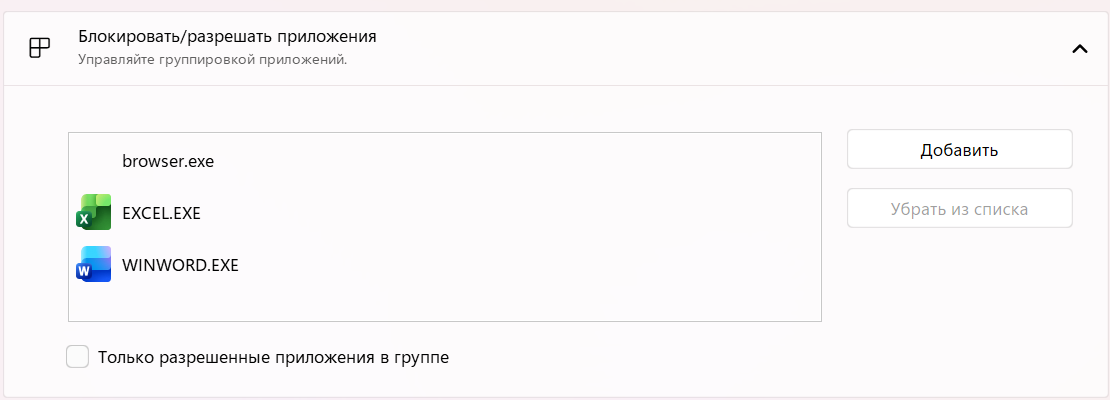
Feature Proposal: Additional Setting for Moving Blocked Applications via Hotkeys

Add a toggle option in settings (On/Off) for moving blocked applications using a hotkey.

For example:

  • Current behavior: CTRL — move an application to a tab group.
  • Proposed behavior: CTRL + Shift — move blocked applications to a tab group.

This is particularly useful for browsers. During work, multiple tabs are open, so the browser is added to exclusions to avoid conflicts with Group 2 tab management. However, outside of work, when only 1–2 tabs are open, it is inconvenient to repeatedly remove the application from exclusions.

This option would allow users to temporarily move blocked applications into a tab group without modifying the exclusion list.


Additionally, it would be convenient to add the ability to enable/disable exclusions (a toggle), so they can be temporarily turned off at any time without the need to remove and re-add applications to the exclusion list.


Reply #8 Top

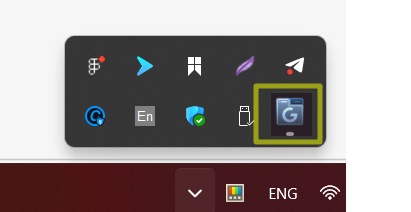
Feature Proposal: Taskbar Icon and Quick Disable Option for Group 2

It would be very convenient if the Group 2 icon were displayed in the taskbar, with the ability to quickly disable the application without having to open the program each time.

Although Group 2 does not consume many resources, when working with resource-intensive software such as Adobe After Effects alongside other applications, every bit of system performance becomes important. In such cases, it is useful to be able to quickly disable non-essential background functionality.

For example, I usually disable all non-critical features when working with heavy applications to ensure a smoother and more stable workflow.

Advantages:

  • Enabling/disabling via the taskbar takes ~3 seconds.
  • Doing the same through opening the application and navigating to the relevant setting takes ~10–15 seconds.


Reply #9 Top

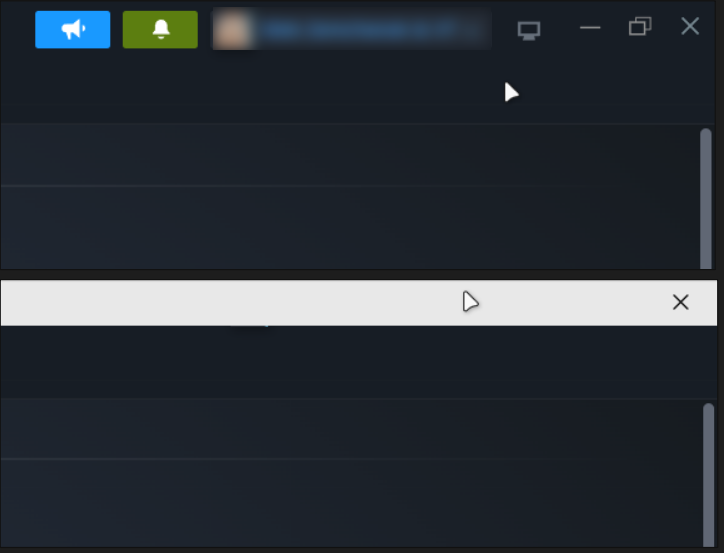
I would like to request that you add a function to enable and disable the appearance of the Group window with tabs, as well as a customizable hotkey to display it only when an intentional action is performed. This would make the display of the Group window optional and only trigger it when a specific key is held down (such as Alt, Ctrl, or Shift).

Currently, the Group window appears when performing standard actions (such as hovering), which can sometimes lead to unwanted triggers. In my case, when I habitually reach for the close or minimize button, the Group window opens instead, causing confusion and slowing down my workflow.

The feature will only be triggered by intentional actions, allowing you to continue performing your usual operations while reducing the number of accidental openings and speeding up your work through more predictable and manageable behavior.


Reply #10 Top

Feature Request: Improved Tab Display Options (Tabs / Groups UI) for Groupy 2

It would be highly beneficial to introduce additional tab display options aimed at improving interface compactness and navigation efficiency when working with a large number of windows.

These settings could be logically placed in the Groupy menu (the button to the left of the tab bar), allowing users to quickly switch display modes depending on their workflow.


1. Compact Display Mode

Add an option to display tabs as icons only (without text labels).

Proposed behavior:

  • tabs are displayed as application icons only
  • tab titles are hidden
  • full window title is shown on hover (tooltip)
  • the active tab is visually highlighted

This approach is similar to pinned tabs in modern browsers and would significantly increase tab density.


2. Thin Color Indicator for Tabs

Add an option to visually distinguish tabs using a thin color line positioned at the top of each tab.

Settings:

  • color assignment per group or manually
  • adjustable line thickness
  • support for a custom color palette

The indicator should remain minimalistic and unobtrusive, enhancing the UI without adding visual clutter.


Why this matters

When working with many tabs, the current interface quickly becomes overcrowded:
tabs take up too much space and become harder to navigate.

These improvements would:


  • significantly reduce space usage
  • allow more tabs without scrolling
  • improve navigation speed through visual differentiation
  • make better use of horizontal space 


Reply #11 Top

Feature Request: Flexible Tab Bar Positioning (Tabs / Groups UI) for Groupy 2

It would be highly valuable to introduce an option to change the position of the tab bar, allowing users to place it on different sides of the window depending on their workflow and screen setup.

This setting could be added to the Groupy menu (the button to the left of the tab bar) for quick and convenient access.

Thank you for your attention. I really like your application and hope you will take my ideas and suggestions into consideration.


Reply #12 Top

Hi- Thanks for the hard work 

Can we have a Portable version that does not need admin approval to use in our office laptops... no way we can convince companies to buy such a tool for corporate, so i want to use my paid version as a portable version.. There has been a request for this since 2016, yet no success 

I believe it can be done as Tidytab got it, so appreciate feedback on that 

Reply #13 Top

Quoting walaamaher, reply 12

Hi- Thanks for the hard work 

Can we have a Portable version that does not need admin approval to use in our office laptops... no way we can convince companies to buy such a tool for corporate, so i want to use my paid version as a portable version.. There has been a request for this since 2016, yet no success 

I believe it can be done as Tidytab got it, so appreciate feedback on that 

Hi, thank you for sharing your feedback. From what I know, Groupy works very closely with Windows Explorer and system‑level APIs, which is why it requires administrative privileges and cannot be made into a portable application. That deep integration is what enables features like tabbing across different apps, Explorer support, and multi‑monitor functionality.

Tools like TidyTabs can run without admin rights because they use a lighter overlay approach, but this also means they don’t integrate as deeply or offer the same advanced features. So while portability is possible in that design, Groupy’s architecture makes it technically unfeasible without sacrificing its core functionality.

I don’t work directly with the Development team, so I might be totally off on the technical details, but I hope this helps explain why Groupy differs from TidyTabs in this regard. Your feedback is appreciated and has been noted.

Thank you,

Basj,
Stardock Community Assistant

Reply #14 Top

Quoting walaamaher, reply 12

no way we can convince companies to buy such a tool for corporate

If that is a general statement, not confined to your workplace, it is incorrect.  Many of our apps (all that need to be installed with admin privileges) are in hundreds of companies, schools, and other government agencies. 

Sean Drohan
Product Lifecycle Manager