Hello Adam,
I cannot share a video because of confidentiality issues, but can conform my problem:
- I create a group of 4 different OneNote pages
- Set the 'Pin Groupy Tabs' on it
- Save the group as 'OneNoteTest of 4'
- Run it Either from the Windows Start or from the groupy2 'grouping Rules' -> saved groups page
- When i already have 1 OneNote open => it adds 2 OneNote pages, both from the last OneNote page opened
- When No OneNote is running yet, it creates a OneNote sessions with 2 OneNote pages, both from the last OneNote page opened
So:
- Only 2 instead of 4 pages are opened.
- The pages are not the ones saved, but just more of the past page openened.
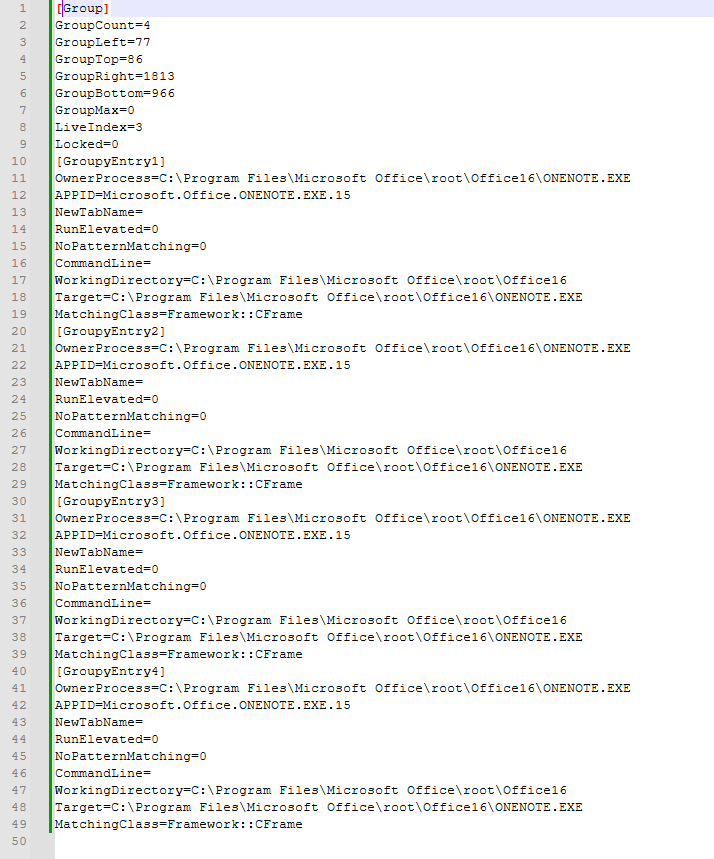
The 'OneNoteTest of 4.groupy' files shows only the start of ...\ONENOTE.EXE - no
No option to open a specific page which is possible like: /hyperlink "onenote:<OneNote page specification>"
"C:\Program Files\Microsoft Office\Root\Office16\ONENOTE.EXE" /hyperlink "onenote:<OneNote page specification>"
I would like to use groupy to specifically start a session with the different pages in place to save work and time at startup.
Regards, Martin
-----
System:
Info:
Groupy2: Version 2.3
Windows Edition: Windows 11 Enterprise
Version: 24H2
OS Build: 26100.8037
I have OneTastic, free version, installed
---------------------------
Here is the 'OneNoteTest of 4.groupy' contents:
[Group]
GroupCount=4
GroupLeft=45
|GroupTop=41
GroupRight=1880
GroupBottom=997
GroupMax=0
LiveIndex=3
Locked=0
[GroupyEntry1]
OwnerProcess=C:\Program Files\Microsoft Office\root\Office16\ONENOTE.EXE
APPID=Microsoft.Office.ONENOTE.EXE.15
NewTabName=
RunElevated=0
NoPatternMatching=0
CommandLine=
WorkingDirectory=C:\Program Files\Microsoft Office\root\Office16
Target=C:\Program Files\Microsoft Office\root\Office16\ONENOTE.EXE
MatchingClass=Framework::CFrame
[GroupyEntry2]
OwnerProcess=C:\Program Files\Microsoft Office\root\Office16\ONENOTE.EXE
APPID=Microsoft.Office.ONENOTE.EXE.15
NewTabName=
RunElevated=0
NoPatternMatching=0
CommandLine=
WorkingDirectory=C:\Program Files\Microsoft Office\root\Office16
Target=C:\Program Files\Microsoft Office\root\Office16\ONENOTE.EXE
MatchingClass=Framework::CFrame
[GroupyEntry3]
OwnerProcess=C:\Program Files\Microsoft Office\root\Office16\ONENOTE.EXE
APPID=Microsoft.Office.ONENOTE.EXE.15
NewTabName=
RunElevated=0
NoPatternMatching=0
CommandLine=
WorkingDirectory=C:\Program Files\Microsoft Office\root\Office16
Target=C:\Program Files\Microsoft Office\root\Office16\ONENOTE.EXE
MatchingClass=Framework::CFrame
[GroupyEntry4]
OwnerProcess=C:\Program Files\Microsoft Office\root\Office16\ONENOTE.EXE
APPID=Microsoft.Office.ONENOTE.EXE.15
NewTabName=
RunElevated=0
NoPatternMatching=0
CommandLine=
WorkingDirectory=C:\Program Files\Microsoft Office\root\Office16
Target=C:\Program Files\Microsoft Office\root\Office16\ONENOTE.EXE
MatchingClass=Framework::CFrame

 Stardock Forums