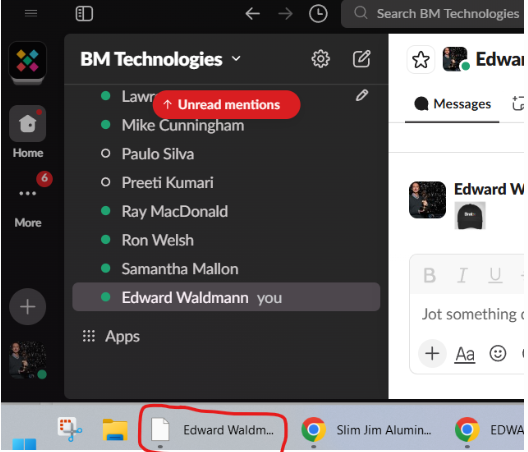
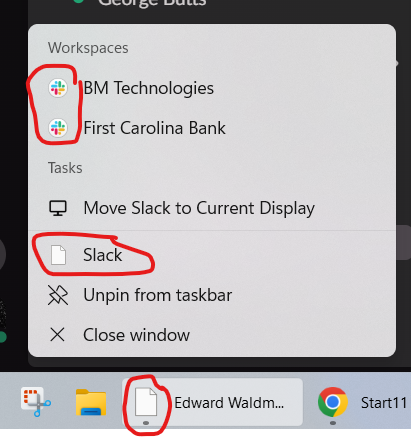
Start11 stopped displaying Slack icon in task bar
Hi,
Hi,
Also, I noticed that when Start11 is turned off, then Slack's icon returns to normal, as shown below.

Hello,
Sorry to hear you are having issues. Unfortunately, your first picture don't show up. Please re-post the picture.
Thank you,
Basj,
Stardock Community Assistant.
I don't see any icon for inserting a file or picture so I'm just pasting:
I see the picture when I scroll up, but anyway here it is again. Thanks.
Is your version of Slack the one from the Windows Store, or the one from the website?
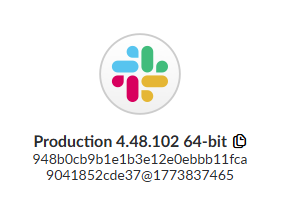
Slack seems to be showing the icon here just fine (latest from the website), shows as version 4.48.102. Does this match the version you are seeing?
Neil,
The version that I have is also 4.48.102, but I've had it for a few years and I don't remember if it is from Slack's website or the Windows Store.
I would say that the important part is that when Start11 is turned off, then Slack's icon returns to normal, as shown in my posting from 3/18.
This problem of the wrong icon displaying only started this week. Thanks.
Sir, I used to think and still think that Stardock produce good software.
However, when I pay extra for a so called Lifetime license, I get told by less than friendly support staff that my license doesn't extend from Start11 .1 xxx to Start11 2.xxx
I thus now use better software that cost me nothing.
No doubt the support staff will be able to assist with your troubleshooting.
Thanking you,
Annoyed long term Stardock user !!
cmbruyns,
Please let me know what the better software that cost nothing is!
Thanks,
-Ed

It could be a problem with OS icon cache. If you set Start11 to use a smaller taskbar size (say to small), does the problem continue?)
I will see about installing from the Windows store tomorrow to see if that is a factor here. As you are in uncombined mode, the icon should be coming direct from the window itself which should always work, but universal apps (AKA proper store apps) are a little different in that regard. If thats a pinned app, does the icon show incorrectly when the app isn't running?
Your post doesn't seem to be directly related to this thread?
I can say Start11 licenses are always for the version purchased, so buy S11 1.x and you get all the 1.x updates. Likewise for v2 get all 2.x versions. The lifetime is your license is not time limited (so not subscription), not that you get upgrades to everything for life. Stardock have never sold licenses which give you upgrades to all future products forever.
It is also worth noting that Start11 1.x did not have anything other than the non subscription option so you have not paid anything extra. Stardock Fences has had subscription options for many years so you may have been thinking of that product? Your 1.x license continues to work just as it did when you purchased it and we are not stopping you activating and using the product. Start11 v2 came out in 2023 and Start11 1.x received a significant number of updates/tweaks in mid 2024 to enable it to be compatible with the 24H2 release of Windows 11.
I believe we also offer discounts on upgrading to v2 if you wish as a v1 customer. I think you may have taken advantage of this before from Start8.
Neil,
I set Start11 to use a small taskbar size instead of my current medium, and the problem is still there. Also, Windows won't let me take a screen shot of it, but the Windows Notification Center that is displayed when the calendar is clicked also shows the wrong page like icon for Slack.
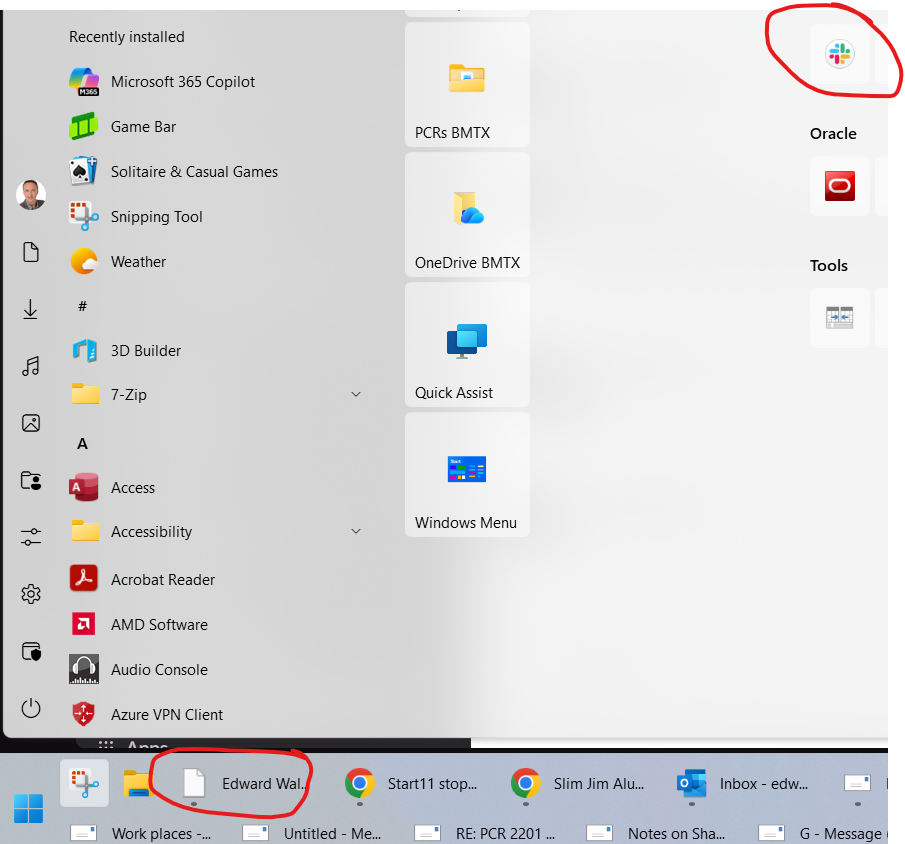
I don't have usually have the app pinned to the task bar, but I do have it pinned to the Start11 menu and it is correct on the start menu even though it is incorrect at the same time in the task bar:

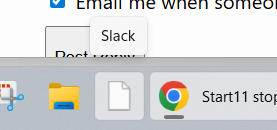
I tried pinning it to the task bar as you suggested, and it appears incorrectly as a page when running or not running:

Should I expect a reply?
Sorry there was a slight delay looking into things further.
We have tried the Windows store version of Slack but again the right icon shows.
It is interesting to hear the Windows notification centre also shows the wrong icon though as that points to an error in the app potentially rather than Start11 as thats not something we provide.
If you right click on the pin, does the popup menu show the right icon for the pin? If you then right click on the line with the icon on that popup menu, do you get a properties option or not? If so this should point to a specific location the file is launched from. Could you let us know that and also if that page is showing an icon correctly or not.
Even though the popup of the pin shows the right icon, the task bar shows the wrong icon:
I did like you suggested and right clicked then looked at the properties for Slack and Windows could not find the executable because the path on the properties sheet was 4.48.95. I changed it to the 4.48.102 version that it is supposed to be and now the icon is correct in the task bar. I'll have to wait for someone to send me a message to see if it's correct in the Windows Notification area.
The only remaining mystery is how that property got corrupted to 4.48.95 since that is many versions ago and I only have the 4.48.102 and 4.48.100 version directories on my PC. Maybe the properties had 4.48.95 all along and the correct icon was displayed because it was somehow cached. I've rebooted and restarted Slack many times so I don't understand why it suddenly changed in the task bar just last week.
Regardless, thanks, we can mark this as resolved!
I just realized that I hadn't yet unpinned Slack from the task bar, and when I unpinned it, Windows changed the icon back to a page, and when I looked at properties it was back to 4.48.95 !!!
I change the property back to 4.48.102 and the correct icon returned, and then I quit and restarted Slack just to make sure and still the task bar has the correct icon.
But it is bizarre that Windows changes the property to a non existent directory like that.
Welcome Guest! Please take the time to register with us.