Start11 not working

Hi,

start 11 has just stopped working for me (and I've just paid for another year of it! yay!)

I installed v2.6 and have re-installed multiple times (restarting in between uninstalls and reinstalls) to test, but no luck.

I don't use many of the features but the ones I use and no longer work are:

  • pinned folders no longer work - tried deleting and putting them on from scratch but the icons no longer appear 
  • start menu skin not working - should be showing win7 style start menu
510 views 9 replies
Reply #2 Top

Hello,
Sorry to hear you are having issues. We need more information.

  1. Pinned folder to Taskbar or Pinned to Start menu, more details please.
  2. Start menu skin not working, meaning Windowblinds skin or some other method of skinning? Also which Start11 Start menu style you're using?
  3. Post some screenshots would help us understand the issues better.

Thank you,
Basj,
Stardock Community Assistant.

Reply #3 Top

hi thanks for replying.


1. pinned folder to taskbar not working 

2. I don't have windows blinds. the start11 start menu style (Windows 7 style) isn't working, none of them do.

3. no thanks

4. when right clicking on the taskbar I'm sure start11 settings or something was showing in the context menu. now i only get standard windows context menu i.e. task manager and taskbar settings


by all appearances and functionality start11 isn't working


thank you


Reply #4 Top

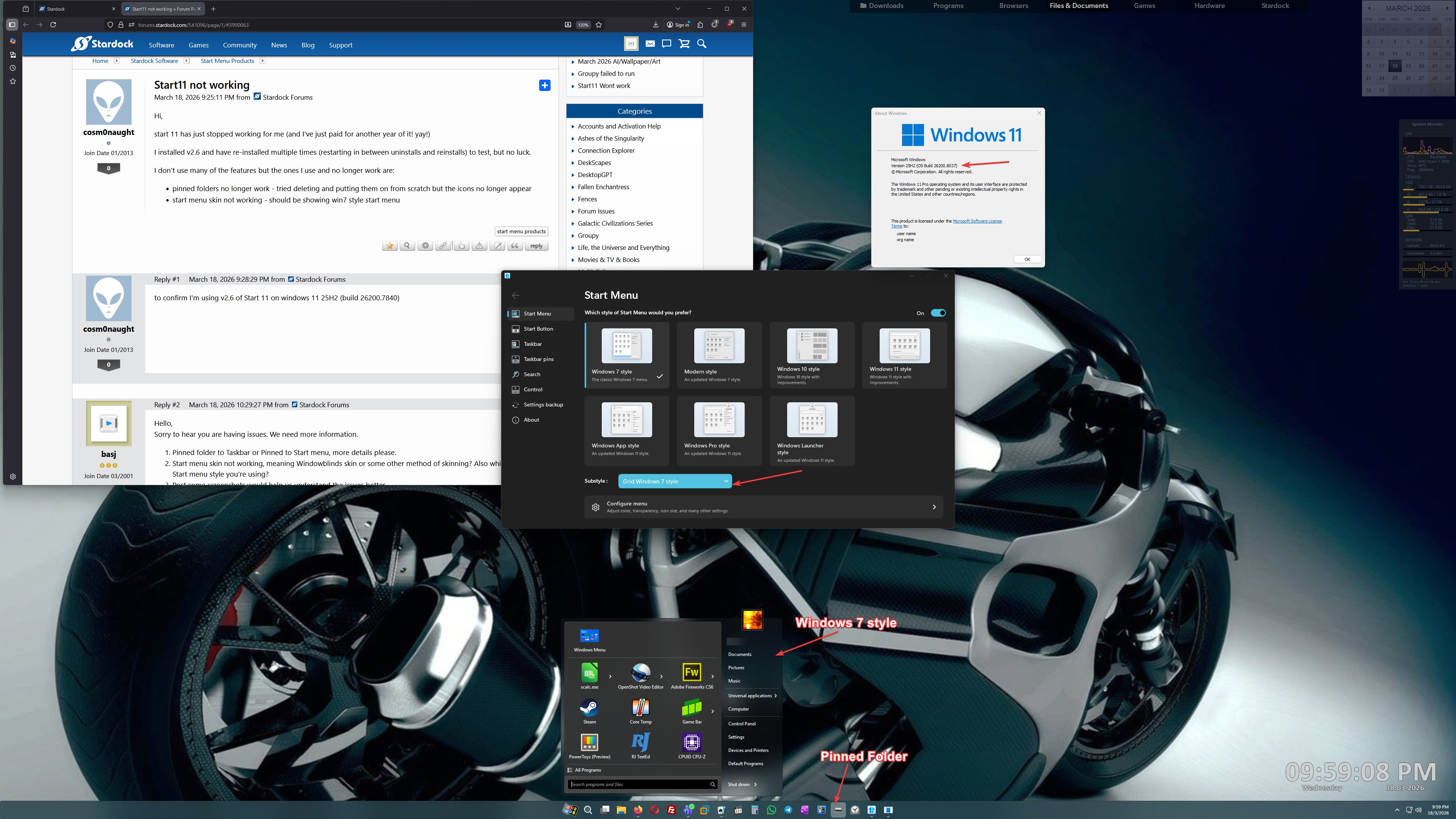
Unfortunately, I can not reproduce your issue on my system. Refer my screenshot below. 

Perhaps it is something blocking Start11 from working properly in your system, would like to suggest, try clean boot steps as mentioned here: https://support.stardock.com/space/SHC/1334935592/Start11+Clean+Boot. Do know that Clean boot need to be done with care. Try it and report back. 

Thank you,

Basj,
Stardock Community Assistant

Reply #5 Top

It would sound like perhaps the Start11 processes are not running.

If you open taskmanager do you see Start11_64.exe or Start11Srv.exe on the details tab?

My best guess here is something is blocking Start11 from starting.  AV packages would be the most likely cause.  What AV do you use?

Reply #6 Top

well it was working last week and for months prior to that. nothing has changed my side. 

I'll request a refund if this is the level of customer support

Reply #8 Top

Hello,
Please raise support ticket using the link below, use the "refund" option. Include all information details. Remember to record down the ticket number for future reference if needed. Do not raise multiple ticket, that will make your ticket back to the end of the line. Send once and wait. Ticket will be answer by the order they send in.

https://stardock.atlassian.net/servicedesk/customer/portal/4/group/13 

Thanks
Basj,
Stardock Community Assistant

Reply #9 Top

Quoting cosm0naught, reply 6

well it was working last week and for months prior to that. nothing has changed my side. 

I'll request a refund if this is the level of customer support

The support offered has been perfectly reasonable but you don't seem to want to answer any specific questions to help us assist you.  We are more than willing to try to find out why it is not working for you, but without information it really is quite hard to know the cause.

Whilst you may think you have changed nothing, things often change in the background such as AV apps often get definition updates which mess things up when they have false positives, or a user makes a change to something they forget about and it only becomes an issue on the next reboot etc.  The OS also gets updates which impact things.