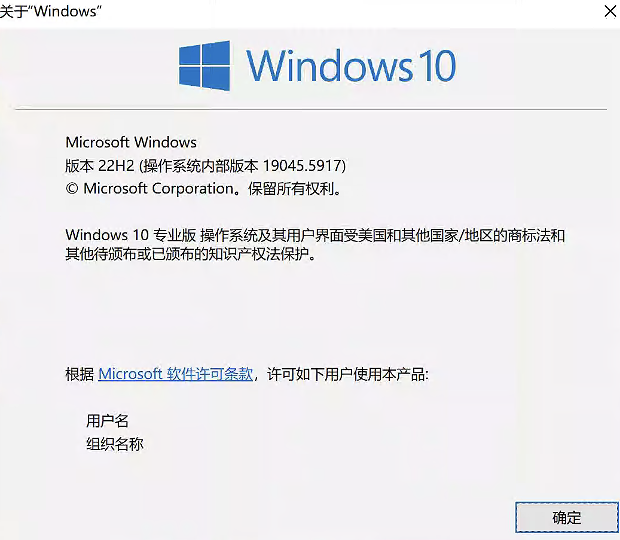
Groupy failed to run

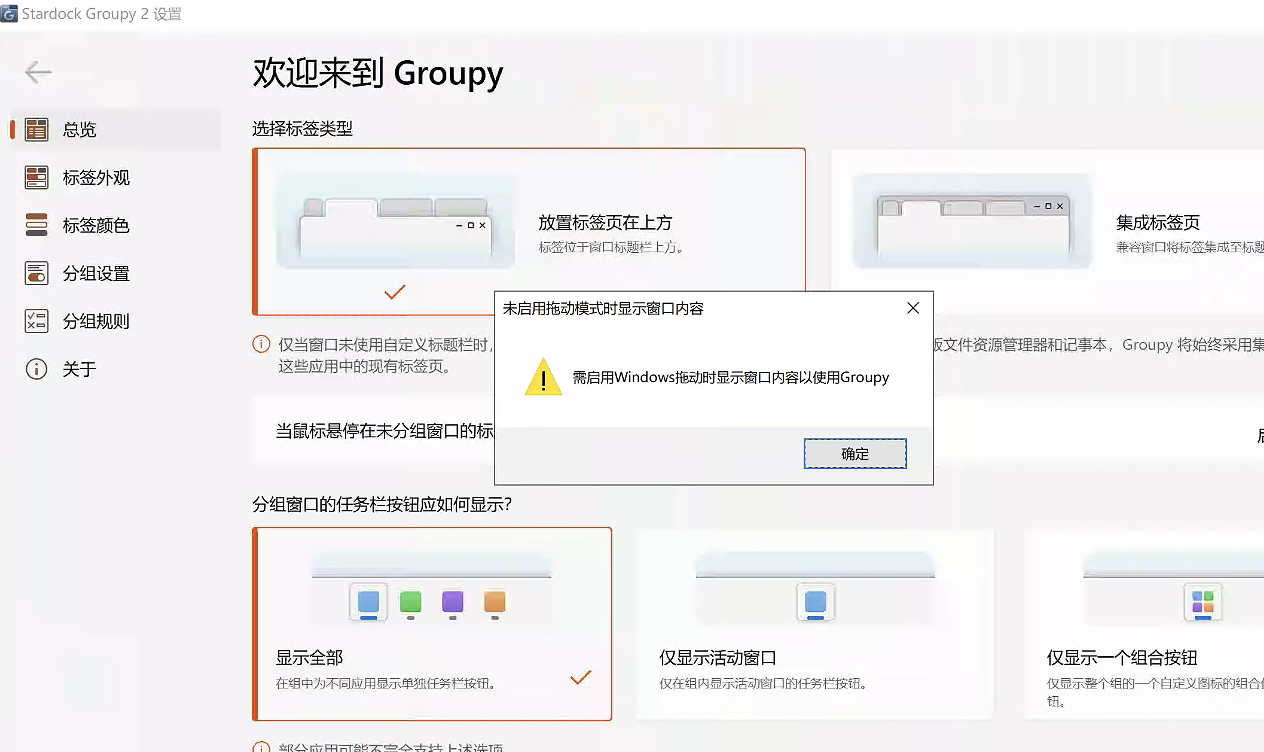
Need to enable Windows dragging to show window contents to use Groupy

Hi,

After I enabled Groupy, an error message appeared saying "Need to enable Windows dragging to show window contents to use Groupy".

I've tried these things (but the problem still persists):

1. Show window contents when dragging is checked in Windows Advanced System Settings - Performance;

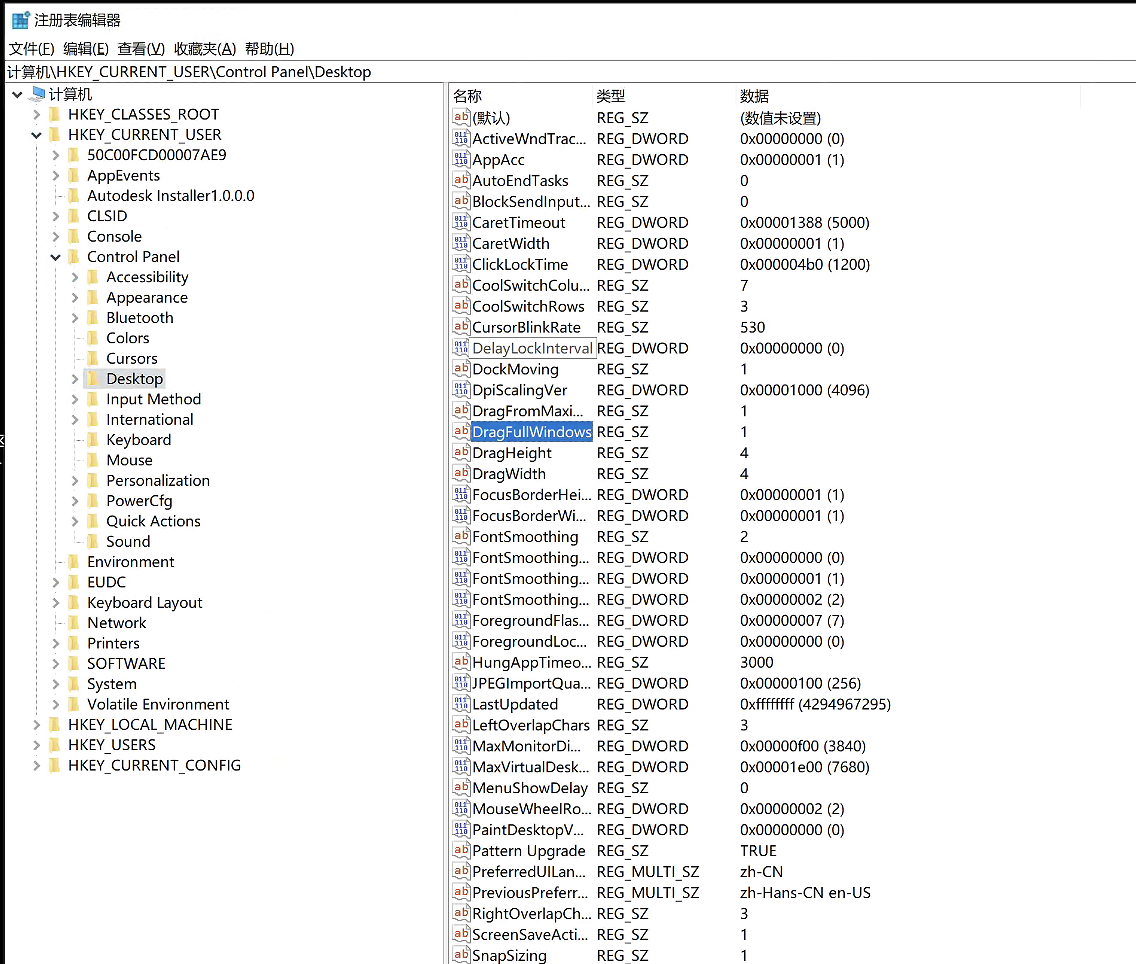
2. Try to force it on through the registry
Path: HKEY_CURRENT_USER\Control Panel\Desktop
Key name: DragFullWindows
Value: Modify data to 1

3. Clean and reinstall Groupy software via purge

May I ask there any way to solve this problem? Thanks.
 
725 views 7 replies
Reply #1 Top

Hello,
Sorry to hear you are having issues. Please do a Sandbox test on it and see if the issue also appear while in the Sandbox: https://support.stardock.com/space/SHC/1417052161/Testing+Groupy+in+Sandbox. Try it and report back. 

Thank you,
Basj,
Stardock Community Assistant.

Reply #2 Top

When you move windows around the screen, do you see them move or do you see an outline move?

Reply #4 Top

Have you installed anything which might modify the OS like a WindHawk mod?

That message can only show in one specific case and thats when the OS tells Groupy that windows is not in that mode which is queried via the OS standard API for checking that.  If it returns no there will be something outside of Groupy causing this.

The most likely alternative explanation is Group Policy on your computer is overriding the entry you are adding.  The DWM may be providing the drag so it looks smooth, but under the skin so to speak the windows don't get told about the intermediate positions which Groupy requires.

Reply #5 Top

Hi,

I have tried the method you provided, but the problem remains.

Additionally, I tried installing Groupy in a virtual machine and had this problem as well.

Reply #6 Top

Quoting lalaland121, reply 5

Additionally, I tried installing Groupy in a virtual machine and had this problem as well.

That is indeed strange, however, I have forwarded your problem/question to Stardock Support Team for their assistance. Please keep an eye on this thread for any updates. We appreciate your feedback and patience. Thank you.

Basj,
Stardock Community Assistant

Reply #7 Top

Quoting lalaland121, reply 5

Hi,

I have tried the method you provided, but the problem remains.

Additionally, I tried installing Groupy in a virtual machine and had this problem as well.

I suspect that VM is a snapshot of your current PC, yes?

Two better tests

What these will show if there is any 3rd party app or Windows setting causing issues.

Sean Drohan
Stardock Product Lifecycle Manager