Fences Purchase won't process

Hello,

I can't seem to get the purchase to process for Fences, Start11 worked fine a few days ago.  I'm using Firefox, no blockers are on.

If I recall correctly the cart/store interface was different for the Start11 purchase, I believe it was a page and this is more of a modal.

Let me know how I might proceed.


Thanks,

Paul

1,334 views 5 replies
Reply #1 Top

Hello,
Sorry to hear you are having issues. I tested for Fences, but, it look like it work for me, what error did you actually get when you tried purchasing it?

Thank you,
Basj,
Stardock Community Assistant.

Reply #2 Top

When I hit the Pay button it has a spin wheel to the left of the button for half a second, then stops without proceeding or changing anything in the dialog box.  There are no errors in the entries either.  My CC does not see any transaction attempts. 

Reply #3 Top

Would like to suggest try on different browser and see if it get through.

Thank you,

Basj,
Stardock Community Assistant

Reply #4 Top

I’m experiencing an issue where my fences keep disappearing every time I restart my computer. I’ve tried creating new fences after they vanish, but it’s becoming quite frustrating. I even took a snapshot of my fences and attempted to restore it, but unfortunately, the fences from the snapshot do not reappear.

I’m currently using Windows 11. Has anyone else faced this problem? Any suggestions on how to resolve it would be greatly appreciated!

Thanks in advance!

Reply #5 Top

Quoting Ezrani, reply 4

I’m experiencing an issue where my fences keep disappearing every time I restart my computer. I’ve tried creating new fences after they vanish, but it’s becoming quite frustrating. I even took a snapshot of my fences and attempted to restore it, but unfortunately, the fences from the snapshot do not reappear.

I’m currently using Windows 11. Has anyone else faced this problem? Any suggestions on how to resolve it would be greatly appreciated!

Thanks in advance!

Hello,
Sorry to hear you are having issues. Look like your issue and the OP issue is not the same. Please create your own new thread so we can help you there. Also, please include more information.

  1. Your Windows 10/11 full version and OS Build number. Please use Winver.exe to get these numbers.
  2. Fences full version number.
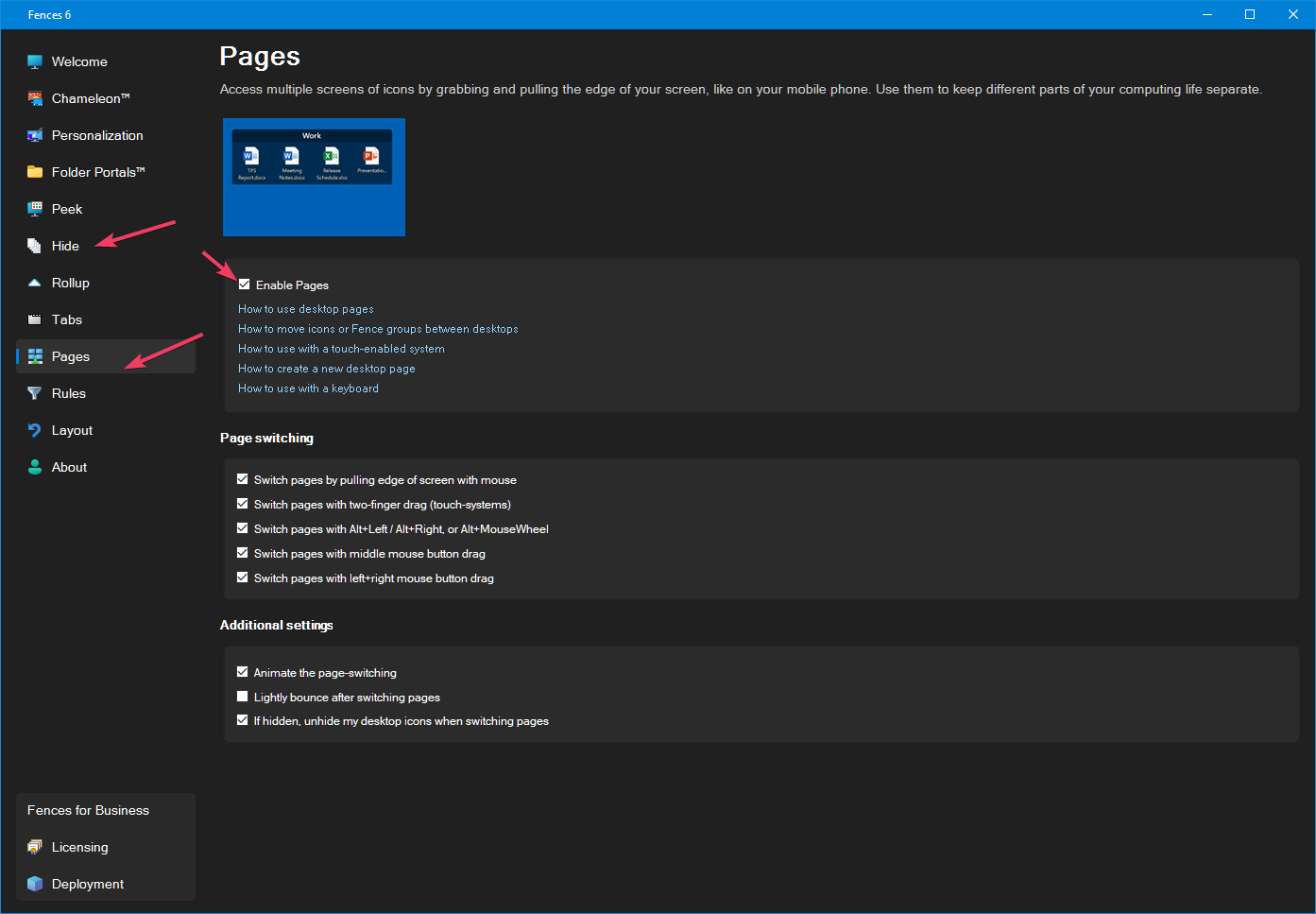
  3. Please check these two settings tab.
    1. Check your setting in Hide
    2. Check your setting in Pages, if you turn off/disable Fences pages, does those fences appear? 

Basj,
Stardock Community Assistant.