Fences 6.44 Beta Release Feedback
With the Fences 6.44 beta release, we are creating this thread so that users can report any observed issues.
Thank you for your interest and any time you put into making Fences 6 a better product.
With the Fences 6.44 beta release, we are creating this thread so that users can report any observed issues.
Thank you for your interest and any time you put into making Fences 6 a better product.

Known issues
While we appreciate all feedback, please remember that we offer no official support for beta \ preview \ developer channel versions of Windows. If you report issues while in any of those early release channels, you should not expect them to be addressed unless it still exists in a retail version of Windows.
***Reserved***
All,
The beta for Fences has been updated to 6.4.2.2
For details, please see:
https://forums.stardock.com/540891/get;3988830
As always, thank you for your time, feedback, and support.
Sean Drohan
Product Lifecycle Manager
I am on Windows 11 25H2 Build 26200.8037, with Fences 6.42.
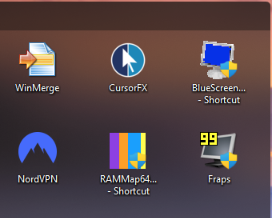
I have my laptop monitor at 2560x1600 set at scale 125%.
My secondary monitor (the main display) is 2560x1440 at 100% scaling.
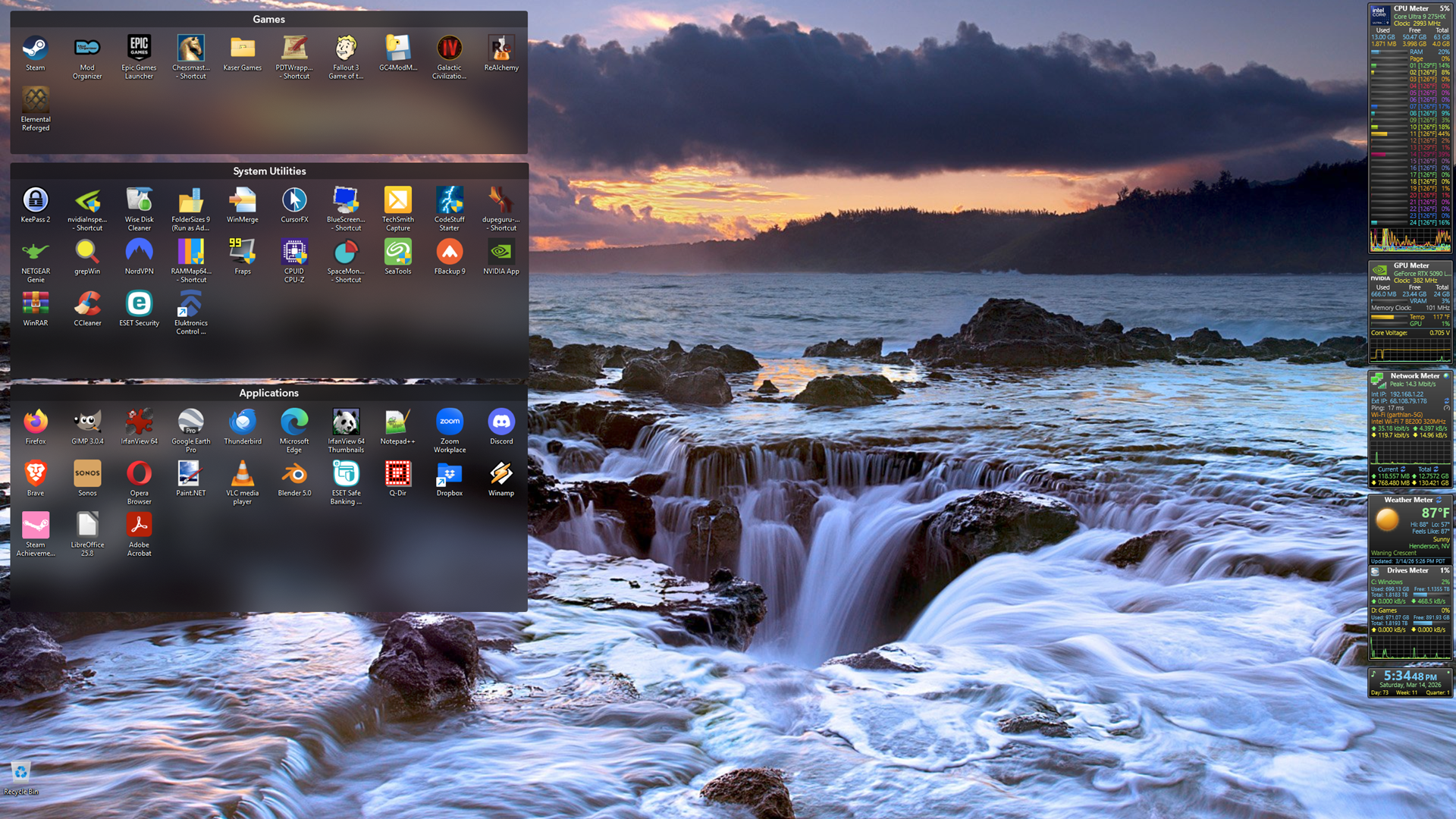
When my Fences are on the laptop display they look normal, like this:

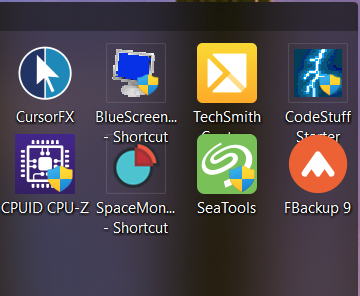
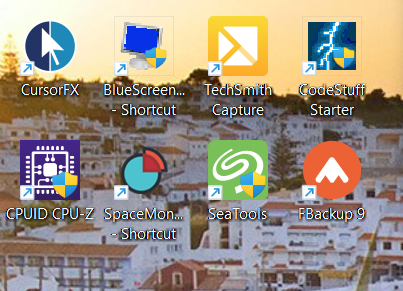
When they are on my secondary monitor the icons and text are larger and overlap the text of other icons:

It's almost as if Fences has the scaling of the two monitors reversed. Is this a bug, or is there some setting in Fences I haven't been able to find that will space out the icons so they don't overlap?


We have tried to reproduce this but thus far have not. If you switch the monitors (physically), do you see the same thing?
If you change the scaling or resolution on the one with the effect, does it change anything?
If you restart Windows explorer does it reproduce?
Sean Drohan
Stardock Product Lifecycle Manager
Hi Publius, thanks for posting. Is this something new you're seeing with this build specifically, upon upgrading?
This type of thing can happen sometimes during awkward DPI changes and is generally driven by Explorer not Fences itself. Fences picks up spacing info from Explorer. If the explorer process restarts (without reboot, say, during an upgrade) after there's been a DPI change is in particular when this type of thing can occurr. Please let us know if logging off and on helps resolve.
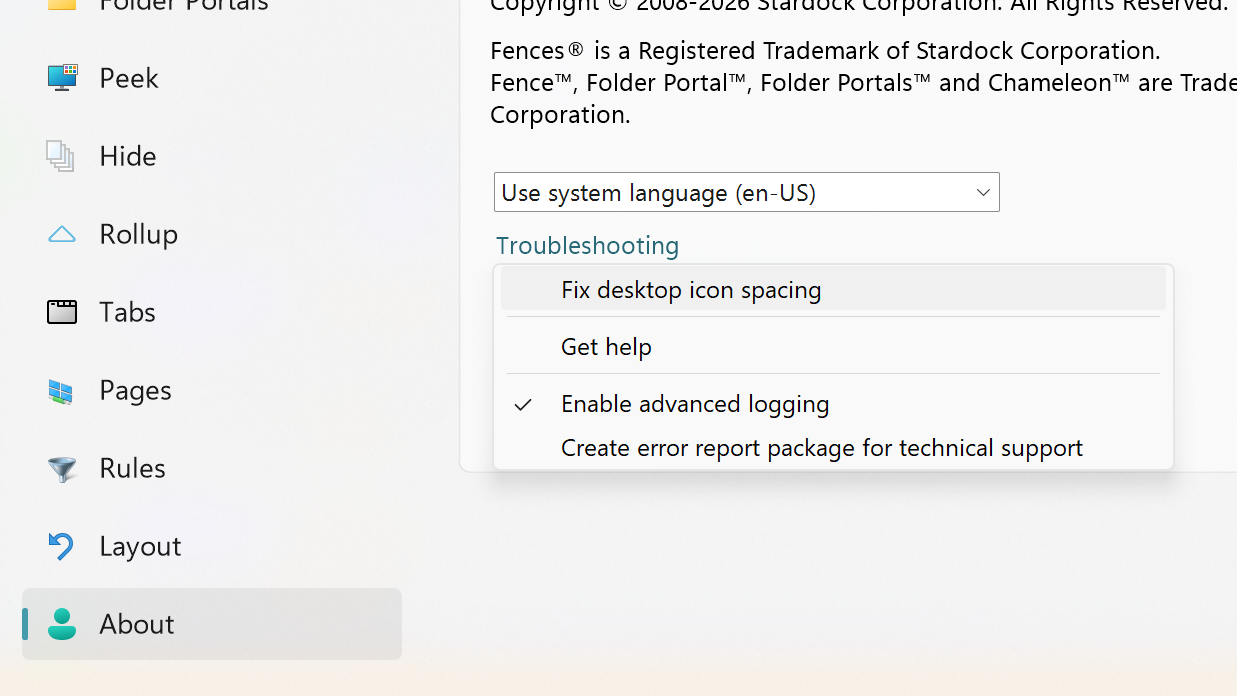
Similar, while I sense rebooting will resolve this issue, if willing, please try and give this "Fix desktop icon spacing" a try too.
Let us know please, thank you

I first saw this problem on Fences 6.40. Still seeing it after installing 6.42.
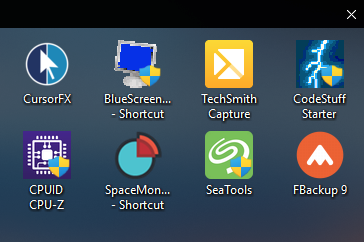
If I change the scaling on my laptop (which is NOT where the Fences are) from 125% to 100%, the icons in the fences on the other monitor shrink and look like this:

And interestingly, during boot, if I watch closely I can see the icons first come up looking like that, and then quickly change to the larger ones.
When I set the laptop scaling back to 125%, the icons in the fences on the other monitor get larger and overlap as in the screenshot in my first post.
I will try the Fix Desktop Icon Spacing setting, but since that requires me to logoff/logon I'll send this post first.
I applied the Fix Desktop Icon Spacing, logged out and then back in, and the icons shrank and appeared as they should.
However, after rebooting, they are back to the larger, overlapping icons, so that isn't a permanent fix.
Hmm.
I'm not certain this will give the information we need but it may, can you check the box for Enable Advanced Logging, reboot and then move the groups around? Will have to let the team know to see if there's more debug information we can add.
Also curious how it all behaves if you uncheck the box "Enable Fences" at the very bottom of the welcome panel, and enable auto arrange on the desktop
If I uncheck Enable Fences the icons remain at their larger size but are no longer overlapping. Turning on Auto Arrange Leaves them that way.

I checked that box, rebooted, and moved my fences from the secondary monitor to the laptop, and then back again. Is there a log file someplace I should find and send to you?
Yup, please use the option "Create error report" from that same menu, and it'll give an option to upload.
We've been unable to reproduce here so far with a variety of configurations, so we'll have to figure out next steps, but at any rate hopefully the log can give a hint. Thank you
Ok, the file should be uploaded.
Thanks for the added detail and for the log.
On first pass, regretfully, everything is looking correct in the logs, and similarly, have reproduced the scenario exactly with the primary 100%, secondary 125% and not seeing anything like this.
2026-03-14 00:14:46,864 - DPI Changed Applications, 96 -> 120
2026-03-14 00:14:46,864 - Minimum size changed Applications, 91x93 -> 114x117
2026-03-14 00:14:46,883 - ReadDesktopSpacing 100/100/100 iconSize(48) desktopSpacingRaw(75,98) desktopSpacingAdj(75,98) sysMetricsRaw(75,75) sysMetricsAdj(75,75) lvSpacingRaw(91,91) lvSpacingAdj(91,91) shim(0)
vs test machine:
[20176] DPI Changed DPITest, 96 -> 120
[20176] Minimum size changed DPITest, 75x101 -> 94x127
[20176] ReadDesktopSpacing 100/100/100 iconSize(48) desktopSpacingRaw(75,99) desktopSpacingAdj(75,99) sysMetricsRaw(75,75) sysMetricsAdj(75,75) lvSpacingRaw(91,91) lvSpacingAdj(75,99) shim(0)
So, nearly identical.
Indeed, I can generate this smashed-together look if I half pull a group from the one monitor to the other, but once it's over half way, it changes its spacing, and it appears to be showing this in the log as well.
Is there no change in spacing, as you move them between the monitors?
I wouldn't think this would have anything to do with anything, but it's also worth noting that a few files are showing up as not installed correctly

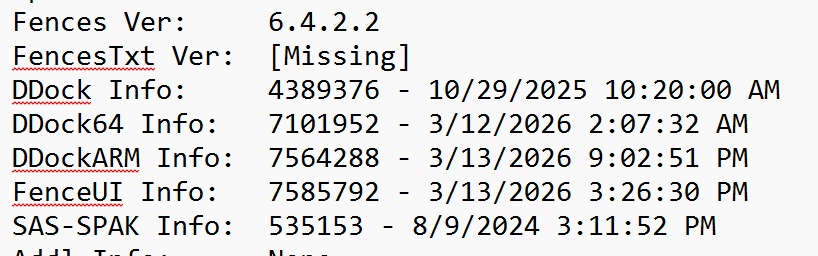
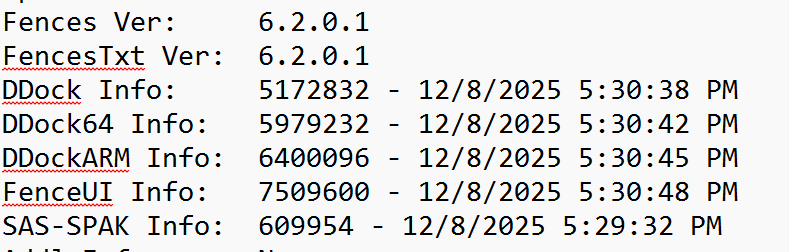
You're on a 64 bit system, so it shouldn't matter that DesktopDock.dll (32bit) is old, but FencesVersion.txt is missing also. Again the key file are up to date here, so it shouldn't matter. But this is odd. The "SAS-SPAK" file being so old, likewise, is concerning.
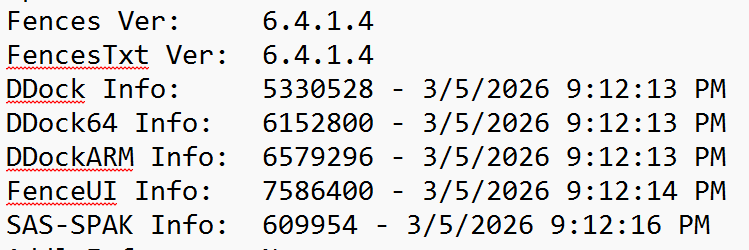
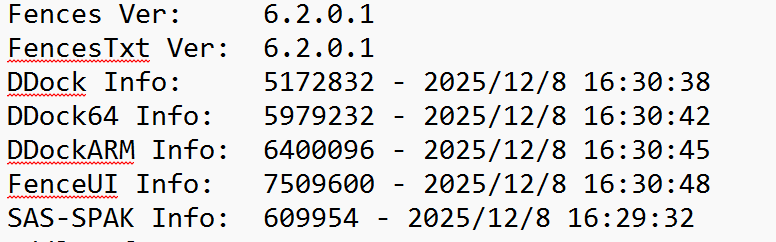
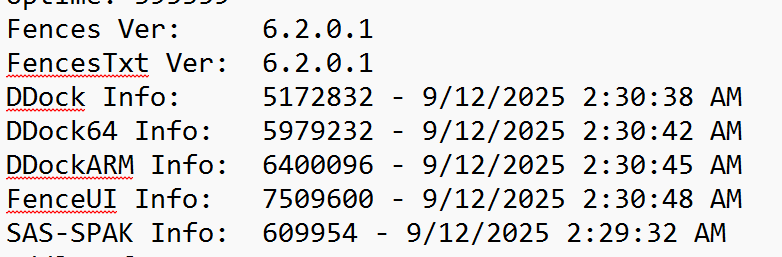
These files SHOULD look like this, which I'm pasting in from other user logs we've received:


So yes as much as it doesn't seem involved, this gives me pause. I don't think a reinstall is going to matter, but, and uninstall and reinstall might be warranted. I've looked through a dozen+ logs just now and haven't seen anything like this in them.
If you're able to do a screen recording of any kind, via phone, or etc etc, again it won't exactly help per se, but, this is confusing so just trying to get clues.
I uninstalled Fences 6, rebooted, reinstalled the Fences 6.42 Beta, rebooted, and the problem came back.
I once again changed the display settings on my laptop monitor to 100% scaling, and the icons on the external monitor shrank and separated correctly. I tried rebooting and then changing the laptop back to 125%, and the problem came back.
I do now have a FencesVersion.txt file in the Program Files (x86)\Stardock\Fences folder, and its contents show 6.4.2.2.
I'll see what I can do with it tomorrow. Thanks for your help.
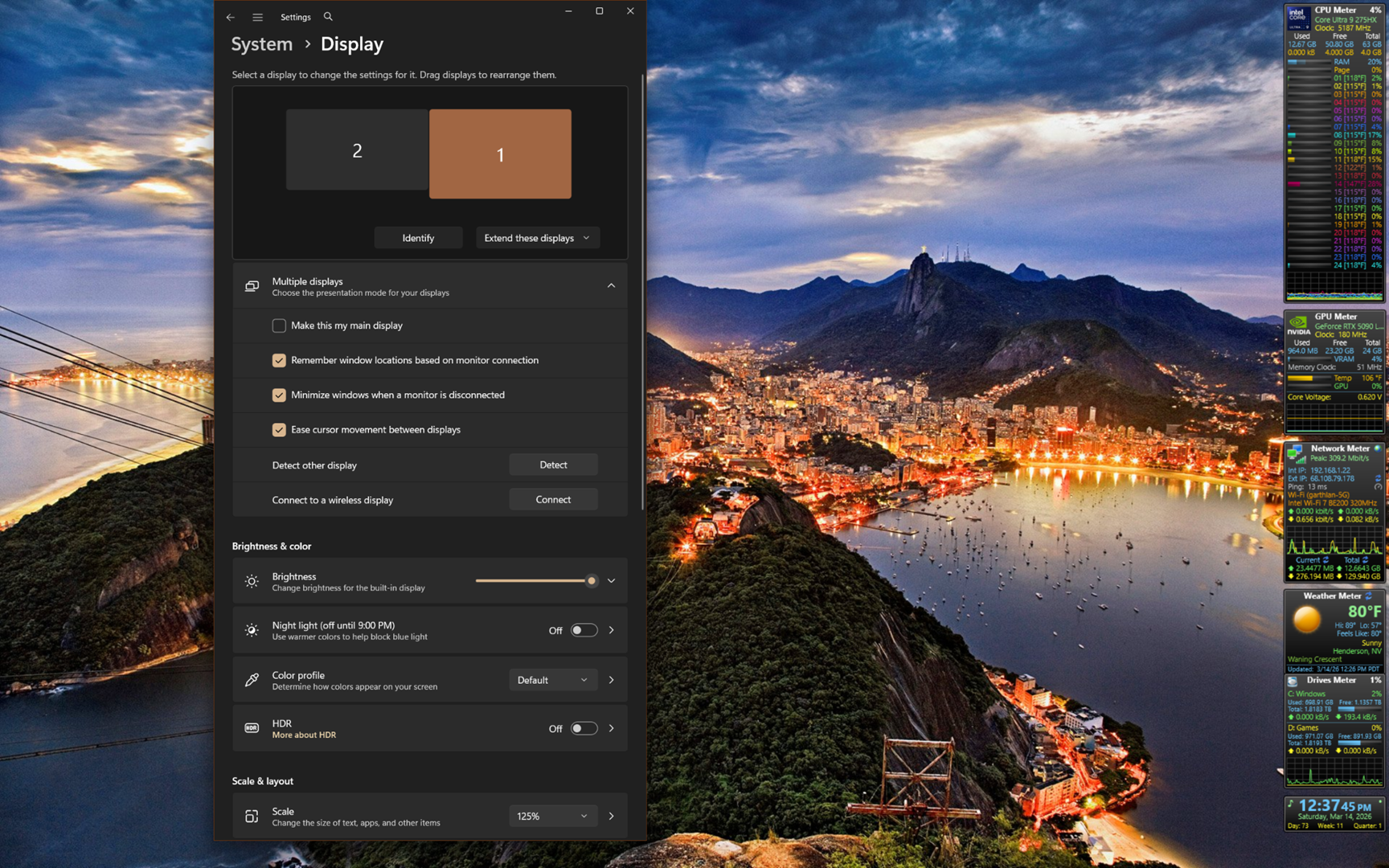
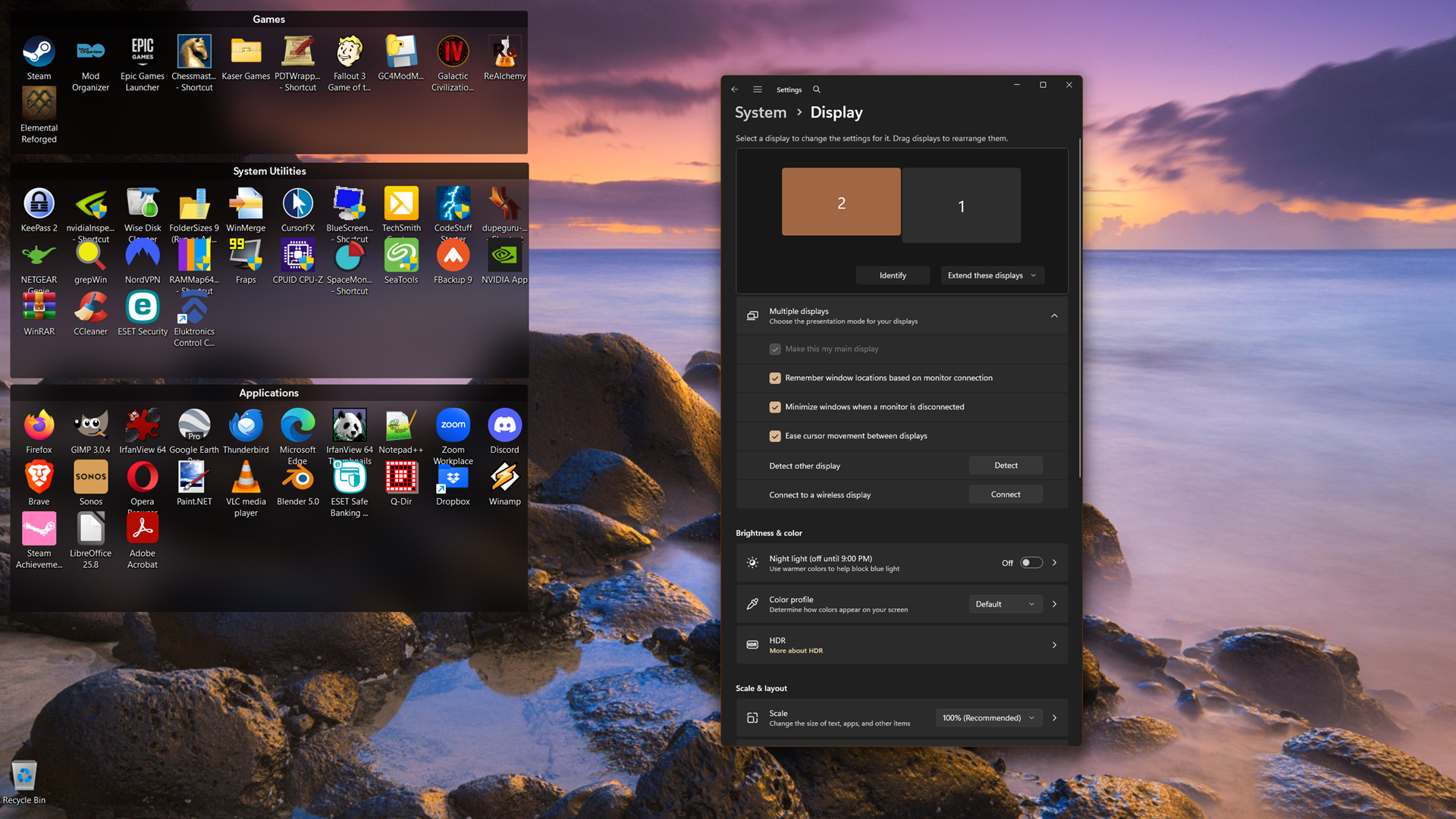
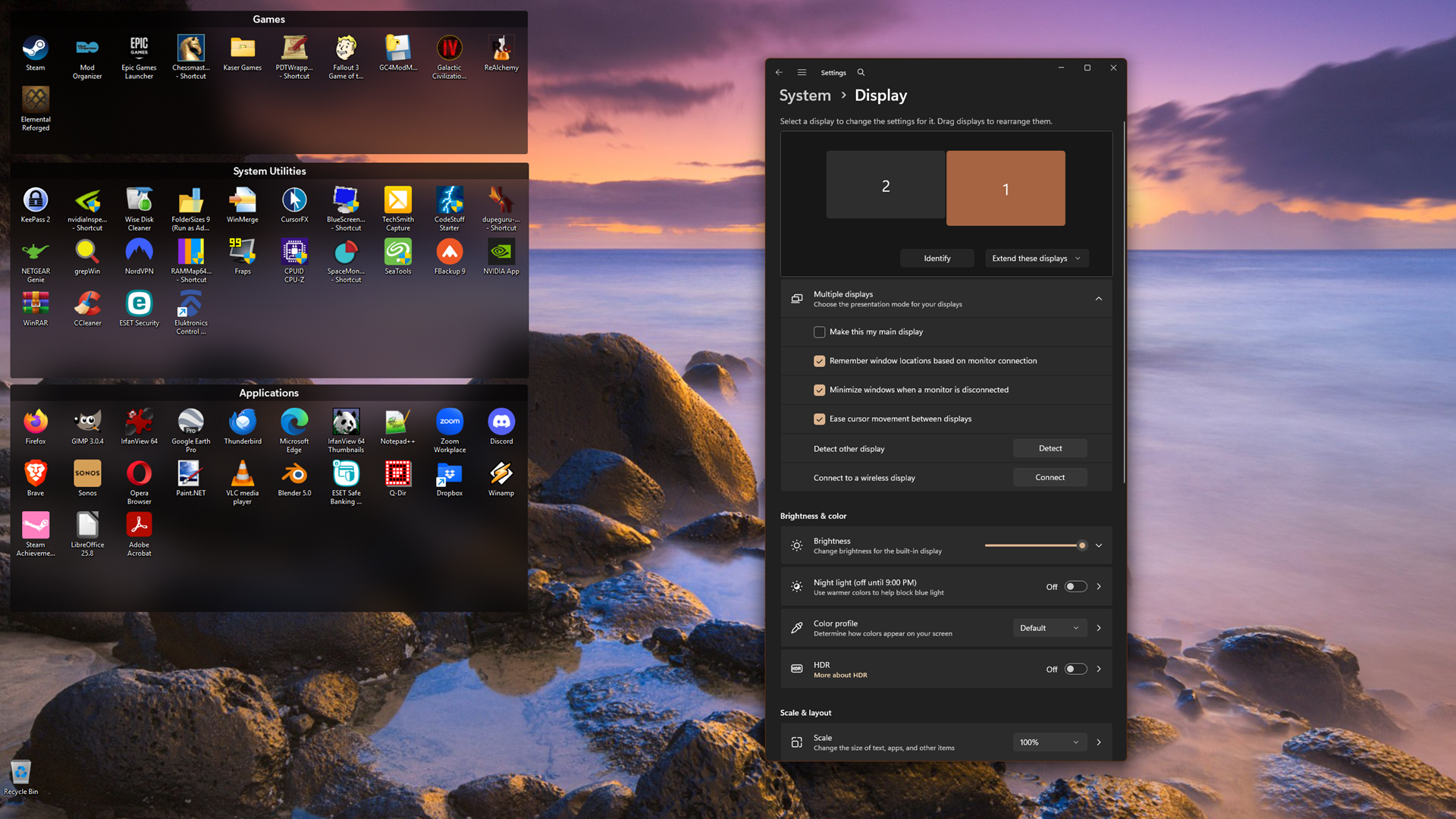
Here are some more screenshots showing my display settings. The first one is my laptop monitor, showing that I have two displays, with the desktop extended across them, the laptop is NOT my main display, and is scaled at 125%.

The second is my external monitor, which is set as the main display, 100% scaling, with the Fences.

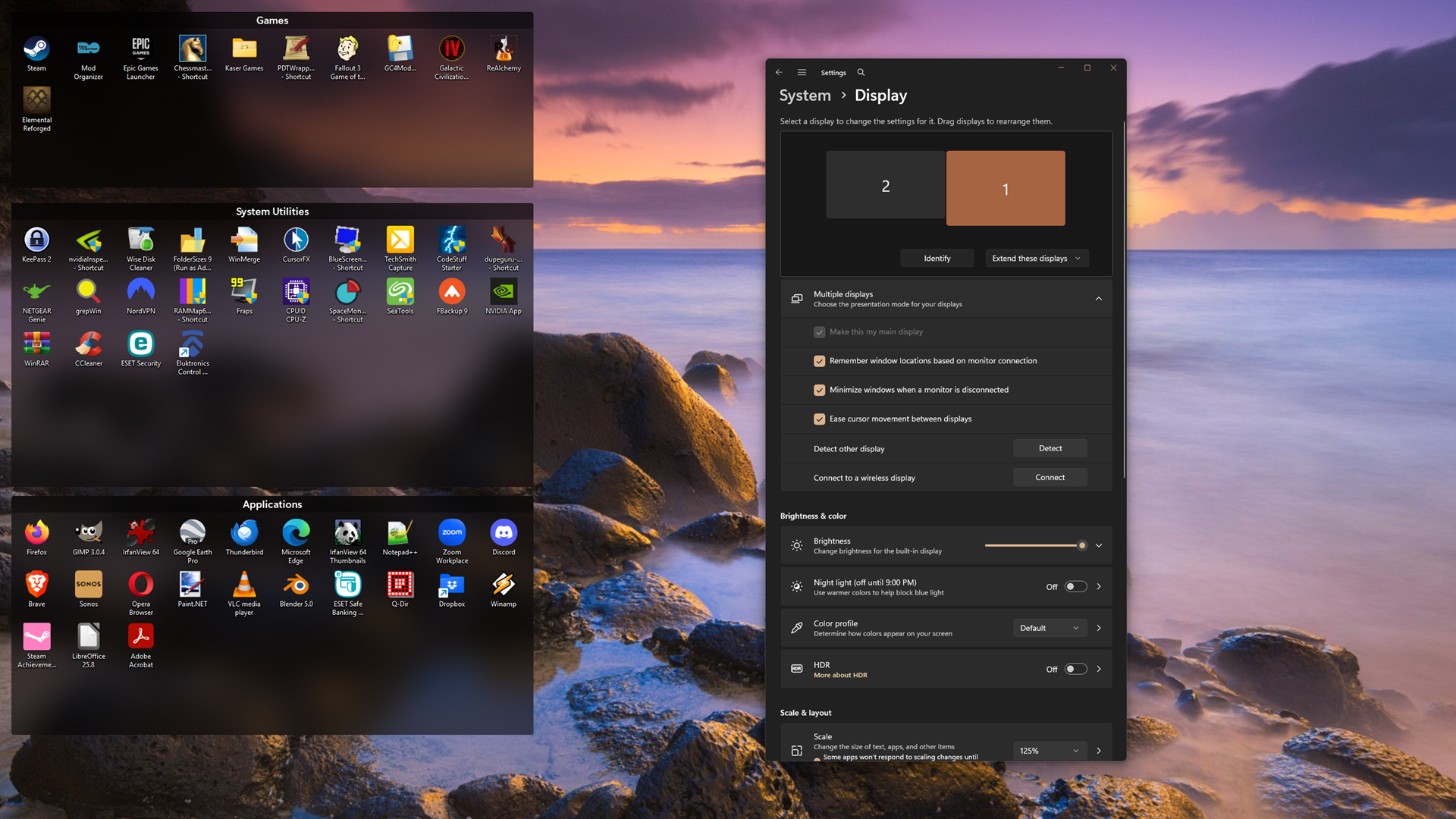
The third shows the external monitor if I set the scaling on the laptop to 100%.

And the fourth shows what happened when I set the laptop monitor back to 125% but change the setting to make the laptop my main display. When I make it my main display, the fences are moved to it, and when I move them back to the external monitor they look like this:

Follow-ups:
As you're saying it sounds like progression is:
1- bootup, 100% external primary, 125% laptop. icons scrunched on external primary i.e. broken
2- if you change laptop to 100%, icons de-scratch on the external primary i.e. looks ok
3- if you change your laptop to 125% and set it to your primary, then manually move things back to your secondary, things are ok then too.
We’ve been working to reproduce this in every scenario, but I’ve been unable to reproduce the issue (everything working as expected) so again, looking for hints
1) Yes, there is a difference. If I boot with the monitor unattached, and then plug it in, everything (fences and widgets) moves to it, and the icons look ok:

2) Yes, when unattached the laptop is at 125% (both unattached and attached).
3) Yes, all my fences and icons are on the primary monitor.
4) On boot there's some flickering of the icons, but I'll have to pay more attention to tell you what happens. I'll do that and post again.
Your summation of the progression is correct.
I rebooted with the external monitor attached to watch what happened with the icon size during boot, and now they are coming up sized correctly ... i.e. the problem has at least temporarily gone away. I have no idea why booting with the monitor not attached and then attaching it would fix things. Finding that hard to believe, I rebooted yet again, and the icons stayed the correct size.
So I hope the problem is now fixed and was just some weirdness with Windows 11. I will post here again if it comes back.
Meanwhile, thank you for all your help.
You are most welcome, thank you for the report.
Sean Drohan
Stardock Product Lifecycle Manager
Aye! Yes my follow up question was going to be whether or not unplugging and then re-plugging the monitor also helped, similar to booting up with it unplugged. but it sounds like somehow the change has stuck?
This is both great news and leaves me wondering what happened, but, if it comes back, please let us know. Clearly seems to be a timing issue of some kind, but it may or may not be related to us.
Thanks again and glad it worked out
So far it has stuck through 2 restarts and one power off/power on. If it comes back I'll post here. Again, thanks for your help.
All,
The Fences beta has been updated to 6.44. For details, please see:
https://forums.stardock.com/540891/get;3988830
As always, thank you for your time, feedback, and support.
Sean Drohan
Product Lifecycle Manager
Welcome Guest! Please take the time to register with us.