3rd Party Icons missing

Subject: Missing 3rd‑Party App Icons in Start11 After Full Windows Verification

Message:

I’m experiencing an issue where only 3rd‑party Win32 applications (FreeCAD, Substance, Xara, etc.) show blank placeholders in the Start11 menu.

Important details:

• Icons do appear correctly in the taskbar, desktop, and File Explorer.

• Only Start11 (and the Windows Start menu when Start11 is disabled) fails to display these icons.

• Revo Uninstaller, Microsoft apps, and some built‑in apps still show icons normally.

To rule out Windows issues, I have already completed:

1. SFC /scannow – no integrity violations

2. DISM /RestoreHealth – completed successfully

3. Rebuilt Windows icon cache

4. Re-registered all AppX packages

5. Created a new Windows profile – issue persists

6. Verified shell icon resolution works system‑wide (taskbar, desktop, Explorer all correct)

7. Confirmed .lnk files contain valid icon paths

8. Checked for missing or corrupted .ico resources in the affected applications

9. Disabled Start11, tested Windows Start menu – same missing icons

10. Reinstalled Start11 – issue persists

Based on this, the problem appears isolated to Start11’s icon resolver / App Links handling, not Windows.

Please advise on next steps or provide any diagnostic tools/logging options to help identify why Start11 is failing to load icons for classic Win32 apps.

 

502 views 7 replies
Reply #1 Top

Hello,
Sorry to hear you are having issues. Need more information.

  1. Windows 10/11 full version and OS Build number.
  2. Start11 full version number.
  3. Post some screenshots showing your issue.
  4. Do you have any other application that also change/manage your taskbar/Start panel/Explorer. Such as DisplayFusion, StartAllBack, Open Shell, Explorer patcher etc.

Thank you,
Basj,
Stardock Community Assistant.

Reply #2 Top

windows 11 home

AMD Ryzen 9 5900X 12-Core Processor

32.0 GB

F4311071-A1EB-47D5-A02E-552B77532FC4

00326-00765-00000-AAOEM

64-bit operating system, x64-based processor

No pen or touch input is available for this display

3.70 GHz

Windows 11 Home

23H2

6/6/2025

22631.6199

Windows Feature Experience Pack 1000.22700.1108.0

Microsoft Services Agreement

Microsoft Software License Terms


no other apps that impact start menu task bar and explorer, but I do have fences

Currently I have removed Start11 v2, I did have the latest update. I did make a new user profile and the problem remains.

I think the problem resides in how start11 regenerates the icon cache, but I am not certain

Thank you

Jim

Reply #3 Top

Post some screenshots please.

Thank you,

Basj,
Stardock Community Assistant

Reply #4 Top

I removed the program, on the win 10 start menu of start11, the left pane does not show the 3rd party icons, e.g Freecad does not have an icon plus in the right pane there is no icon, some 3rd icons had a placeholder but after reinstalling there are no placeholders. Besides that the program is not installed now, when I can see the menu it disappears when I use another app. Interesting win 11 shows all icons including 3rd party programs. Window  program icons are present.

Thanks Jim

Reply #5 Top

"Only Start11 (and the Windows Start menu when Start11 is disabled) fails to display these icons."

So this problem happens WITHOUT Start11 too?

Reply #6 Top

all of the icons work in windows 11, including 3rd party icons without Start11. The issue is only with start11, the windows programs e.g. note, the microsoft store, edge etc do show up in start11 menu, but there is no 3rd party icons e.g Freecad. Substance painter, xara, thunderbird etc

Reply #7 Top

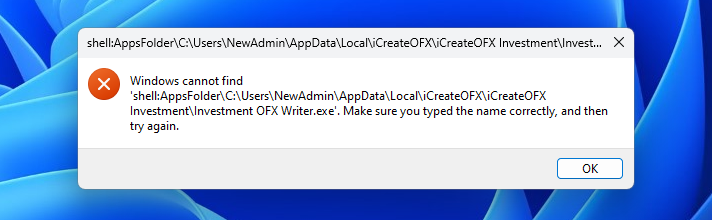
This is an example of the error in start11; when I am in the native windows 11 this icon is visible on the left pane plus I am able to see the icon in the Right window pain