Icons get corrupted
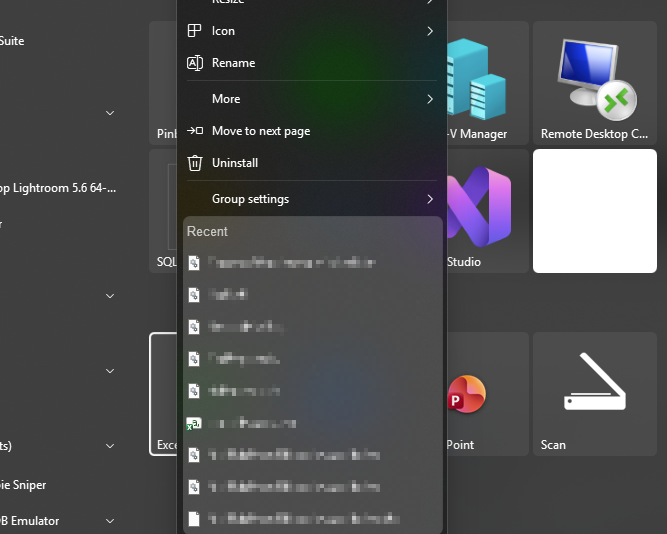
Somehow Start11 (latest version) gets into the state when VS Code icon is a gigantic white square, and recent files on Excel right click menu are generic gear icons. How to reset icon cache and prevent this from happening?
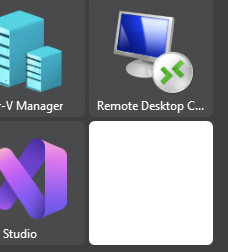

Somehow Start11 (latest version) gets into the state when VS Code icon is a gigantic white square, and recent files on Excel right click menu are generic gear icons. How to reset icon cache and prevent this from happening?


Hello,
Sorry to hear you are having issues. Please try, uninstall Start11, reboot immediately (important), download latest version available in your account product download page: https://store.stardock.com/myaccount/products. Install it, reboot immediately again. Retest it and report back.
If the issue still appear, we need more details please.
Thank you,
Basj,
Stardock Community Assistant.


The white square is VSCode icon; the popup menu is a right click menu for Excel.

I would prefer to not uninstall/reinstall Start11. There has to be some easier way to reset its state.
For the large white icon, try unpin the application and repin it, does the same issue reappear? As for the excel icons, see if the same icons issue appear while looking at excel files within Windows Explorer?
Thank you,
Basj,
Stardock Community Assistant
The right click menu on Excel got fixed after I re-associated files with Excel. Checking out Windows Explorer indeed helped.
The white square is still a problem, but I haven't rebooted machine yet to check the suggestion.
Rebooting doesn't help the white square problem.
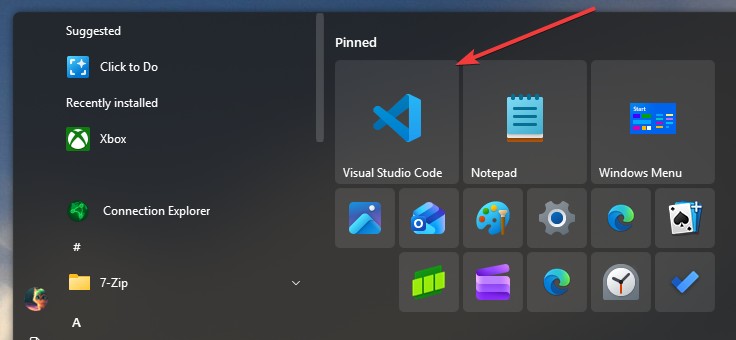
Have you tried unpinned it and repin the VS Code? Also, try pinned it by using Windows default start panel, does it correctly appear on Windows default start panel?
Thank you,
Basj,
Stardock Community Assistant
Unpin/repin doesn't fix it.
Pinning to Windows menu shows normal icon.
Please try clean boot and see if there are something conflicting with your Start11. Refer here for Clean boot steps: https://support.stardock.com/space/SHC/1334935592/Start11+Clean+Boot. Do note that Clean boot need to be done with some care. Try it and report back.
Thank you,
Basj,
Stardock Community Assistant
Yeah, probably not.
Understandable, it just that I can't reproduce your issue on my system.

Perhaps you can do a short test in Windows Sandbox: https://support.stardock.com/space/SHC/1416855562/Testing+Start+in+Sandbox
Thank you,
Basj,
Stardock Community Assistant
Thanks. The thing is: it used to work on my machine, until one of the latest updates to VSCode. In fact, I have multiple other machines where VSCode is in Start11 and there're no issues with the icon.
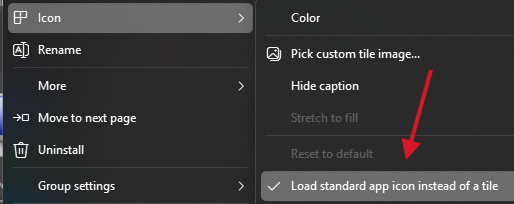
On this machine, I've tried to select different icon styling options in the advanced settings at no avail.
Perhaps, try these steps -> Open up Start11 configuration window-> Click on Settings backup-> use Backup settings to a file.-> After the settings is saved.-> Click on Reset settings-> Try to pin VS Code again, see if the same issue appear.
Thank you,
Basj,
Stardock Community Assistant
Didn't help ![]()
Next, please try purge and reinstall steps as mention here : [Link]. Just make sure to redownload the latest version from your account page. Reboot after the purge. Reinstall and reboot again after the installation. Retest and report back here.
Thank you,
Basj,
Stardock Community Assistant.
Welcome Guest! Please take the time to register with us.