Rounded corners

I really like the rounded corners. im wondering if i can have rounded corners when an application is maximized, as it doesnt seem to be working for me. it seems to revert to normal when a program is maximized and its bugging me. id like the rounded corners to be consistent. maybe its an issue with start11 autohide?
1,385 views 3 replies
Reply #1 Top

Hello,
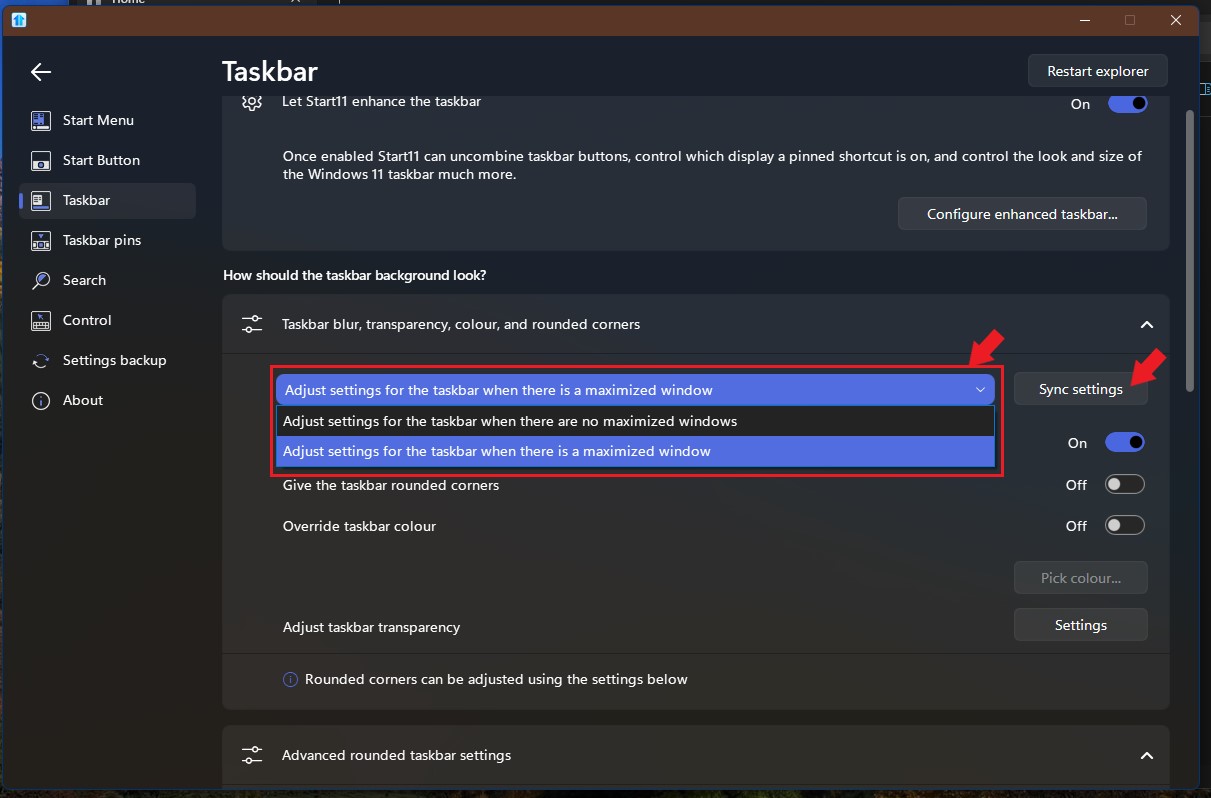
Sorry to hear you are having issues. But, you mentioned rounded corners, on? Taskbar? If so, there is separate setting for maximize Windows have you set that one too? Or you can press "sync setting" to make both states share the same setting.

Thank you,
Basj,
Stardock Community Assistant.

+2 Loading…
Reply #2 Top

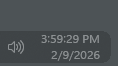
this fixed it thank you! now im seeing another change id like help making. the "show desktop" button no longer reaches the very corner of the screen, so its a bit hard to press. is there a way to make the button still reach the edge of the screen while appering as rounded?

i use the button a lot and would like to retain my muscle memory. instead i end up pressing the bottom of my screen instead of "show desktop". 

Thanks!

Reply #3 Top

Try changing the Advanced rounded taskbar settings on "X offset" to Small or none. This should ensure the taskbar run almost to the end. If you make it smaller the area for that "Show Desktop" button might not be there.

Thank you,

Basj,
Stardock Community Assistant

+9 Loading…