Fences 6.20 - Only works if running as Admin

I've had this problem for some time now but just keep forgetting to write about it, but my Fences won't start up unless I run it as admin.

If I don't do this, all my desktop icons are complete hidden.

Anyone have a solution?
2,148 views 5 replies
Reply #1 Top

Hello,
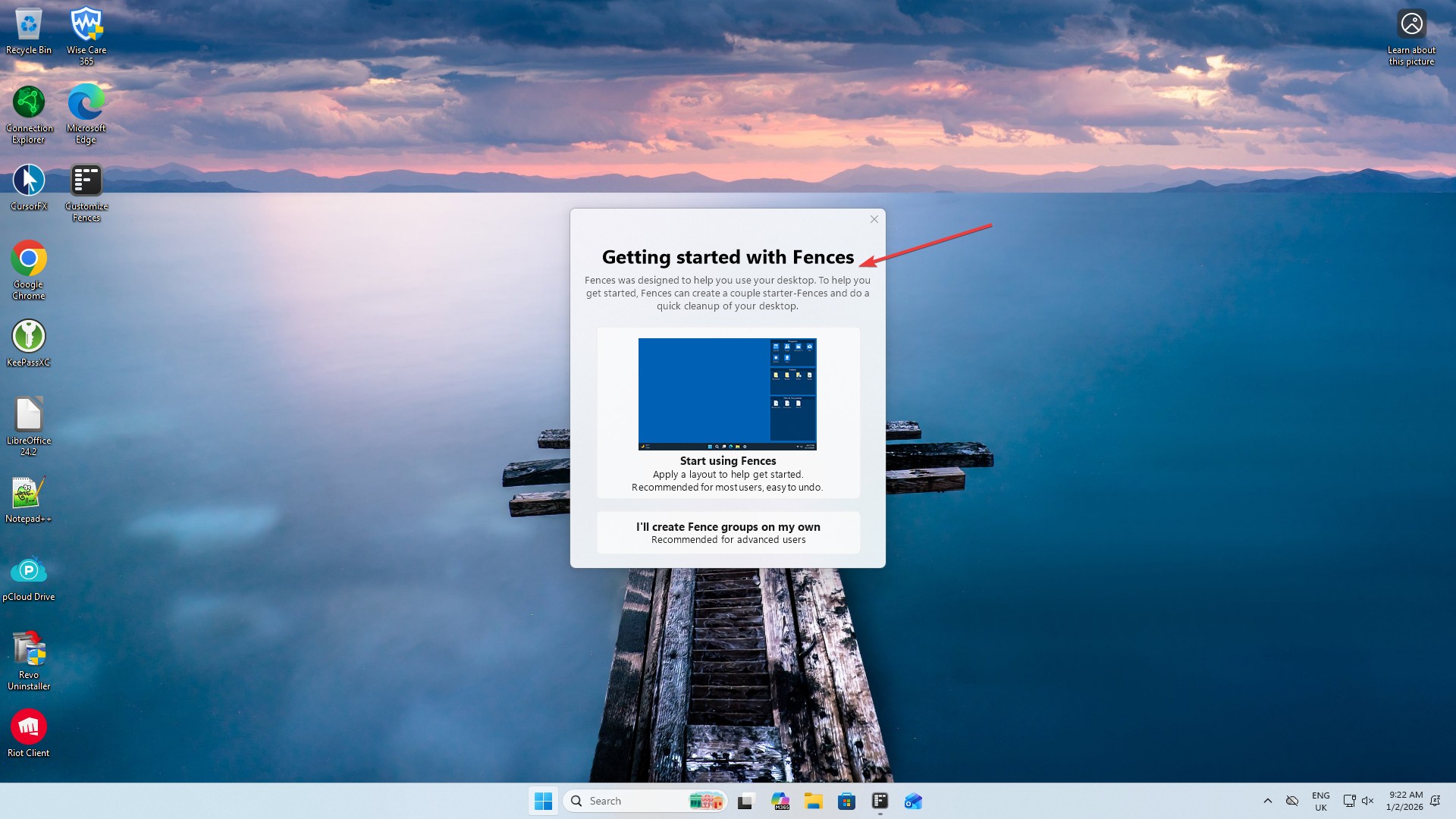
Sorry to hear you are having issues. When I add a new Standard user account and on my first run that account I get the "Getting started with Fences" and if I click "Start using Fences" box, Fences will auto setup for me. Don't you see these when you first start up? Once that is done Fences should have its own layout for this account.

Thank you,
Basj,
Stardock Community Assistant.

Reply #3 Top

Hey Basj,


Thanks for the response. If I start it as my normal account, I get a "Not installed" message which I can only reproduce if I restart. I had seen that post you shared too and I checked that I have both enabled.


I have a feeling that this started after I installed, then later removed DeskScapes (messed with some other stuff).


Reply #5 Top

Hello,
Sorry. please try purge and reinstall steps as mention here : [Link]. Just make sure to redownload the latest version from your account page. Reboot after the purge. Reinstall and reboot again after the installation. Retest and report back here.

Thank you,
Basj,
Stardock Community Assistant.
