START 11 nothing happens

Hi Folks,   I'm very new and a bit swamped with info.


I've put START 11 on my PC...... I choose a menu option  , the old Windows 7 menu , I make a few choices , is there supposed to be a Save or Apply button, I've made my choices and then go and look at my Start button, nothing has changed. I feel like i'm going round in circles, make a choice, nothing has changed.  I've downloaded the latest update.    What am I doing wrong. I thought it would be simple. Thanks

Moved to Start Menu products area

668 views 5 replies
Reply #1 Top

Need to know a few things:

1) Full Windows version number xxxxx.xxxx format (please use winver.exe to check).

2) Full Start11 version number

3) Is your start button on the left or centered?

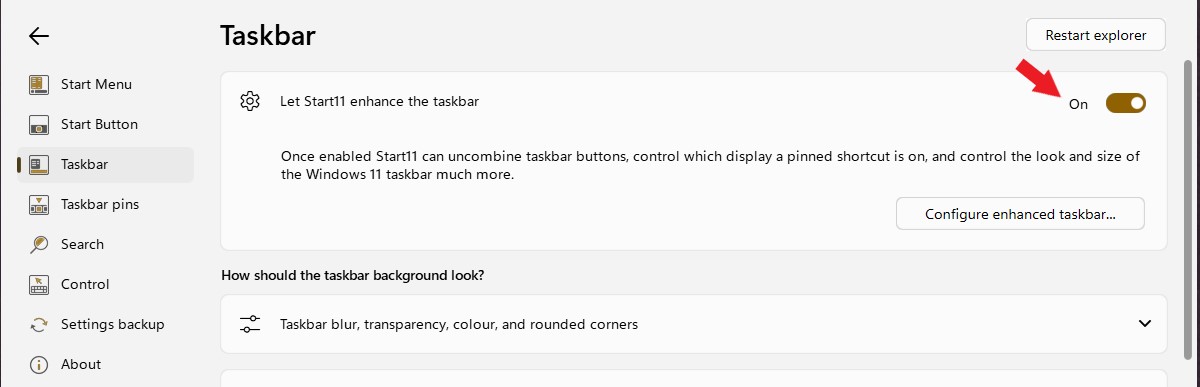
4) Is the Enhanced taskbar enabled?

5) Is your taskbar at the bottom, top left or right?

6) Are you running multiple monitors?

Also, do know that you can only use a custom Start button if aligned left without enabling the Enhanced taskbar.

Reply #2 Top

Hello,
Sorry to hear you are having issues. Perhaps, Start11 was not installed properly. Please try, uninstall Start11, reboot immediately (important), download latest version available in your account product download page: https://store.stardock.com/myaccount/products. Install it, reboot immediately again. Retest it and report back.

Thank you,
Basj,
Stardock Community Assistant.

Reply #3 Top

Hi and thanks for replying.

I'm using windows version 25H2 (OS Build 26200.7705)

Start Version 2.6

Start button is bottom left.

I dont think Enhanced Taskbar is enabled (How would I check that one)

Taskbar is on the bottom.

Single monitor.


Hope this helps

Dave 

Reply #5 Top

Enhance taskbar option button is here.

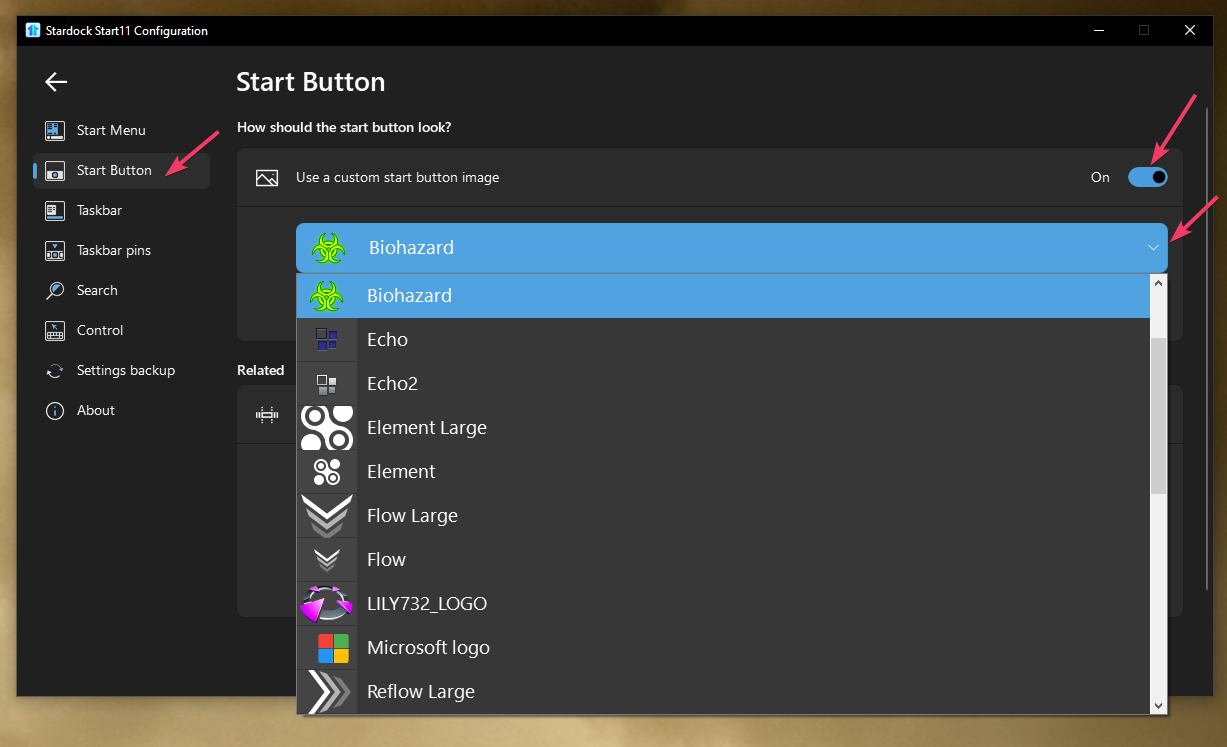
To change the Start button image you just need to turn on this option and select custom start button image.

Thank you,

Basj,
Stardock Community Assistant