Search not displaying properly using Start 11

I'm using the latest (V2.6) version of Start 11. I have the start menu set to Windows 10 style, and my taskbar vertical and aligned left.

The start menu displays and works perfectly, but if I click the Search button on the taskbar, the flyout extends beyond the top of my monitor screen and doesn't even show the text entry box. I have the "use Start 11 search in Start11 start menu" option selected, but even if I turn that off, the search dialogue is still incorrectly positioned above the top of my screen.

It's been a while since I used Windows search, so I don't know if this issue occurred before the upgrade to V2.6.

Here's a screenshot of how the search menu is displaying:
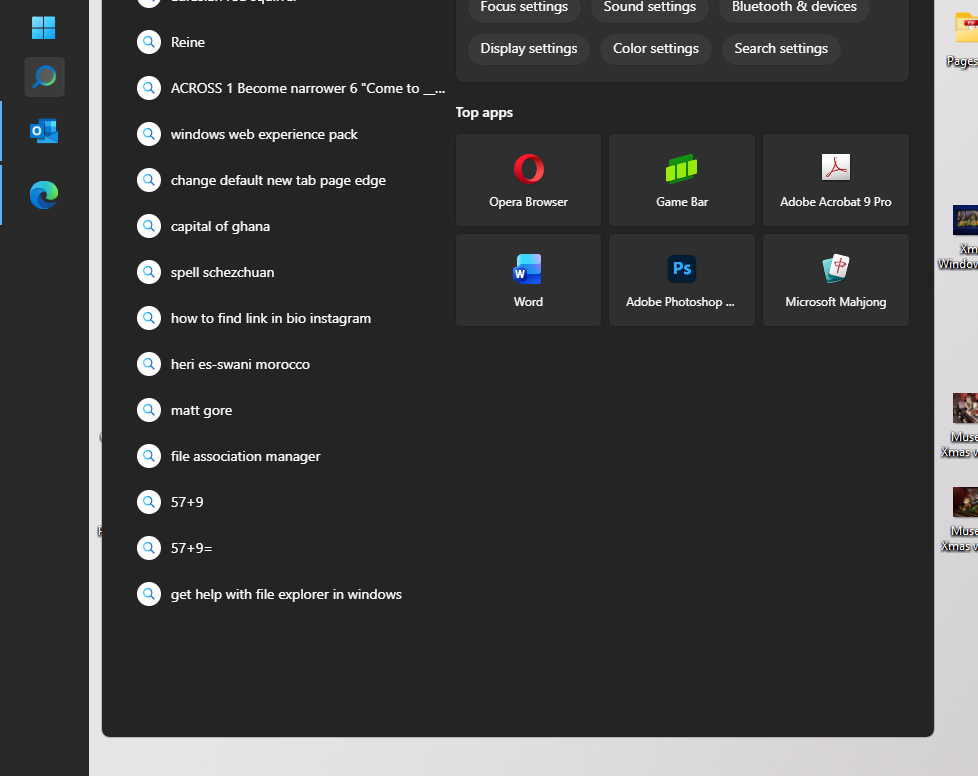
Search menu cut off

426 views 7 replies
Reply #1 Top

Hello,
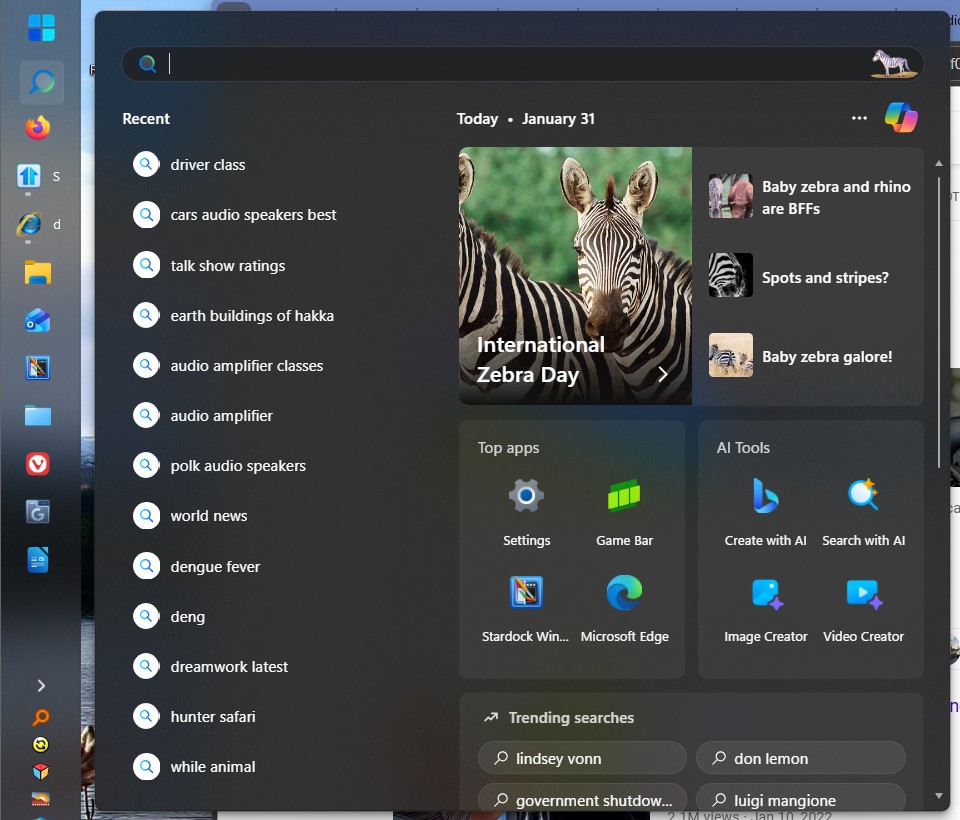
Sorry to hear you are having issues. Unfortunately, I can not reproduce your issue, refer to my screenshot below.

Perhaps something different on your system. Need more details 

  1. Windows 11 full version and OS Build numbers. Use Winver.exe to get these numbers.
  2. Any add on or 3rd party application running that change how your search or system work?

Thank you,
Basj,
Stardock Community Assistant.

Reply #2 Top

Hi Basj

I'm running Windows Version 24H2 (OS Build 26.100.7623)

The only other addon I use is Ultimate Windows Tweaker 5.2, though I don't see any setting in that that affects Windows search.

Thinking about it, I'm fairly sure this problem has only happened since the latest Start11 update - I certainly have use win search previously with Start11 active.

Reply #3 Top

First, please try, uninstall Start11, reboot immediately (important), download latest version available in your account product download page: https://store.stardock.com/myaccount/products. Install it, reboot immediately again. Retest it and report back.

Thank you,

Basj,
Stardock Community Assistant

Reply #4 Top

HI Basj, I did what you said, uninstalled, rebooted, and reinstalled latest version but it's made no difference.

I have since discovered I can (sort of) use the search function - when the search dialogue appears, I can type a search even though I can't see the search box (because it's off the top of the screen). Once I type it, results start appearing under "best Match" - but I can't see what I am typing.

Reply #5 Top

Now we can confirm, Start11 was installed properly, we need to check if something else is interfere with Start11. Next, please try Cleanboot: https://support.stardock.com/space/SHC/1334935592/Start11+Clean+Boot. Do note Clean Boot need to be done with care. Try it and report back.

Thank you,

Basj,
Stardock Community Assistant

Reply #6 Top

OK, done that, followed all instructions exactly.

However, while Start11 started ok and had my settings intact (eg taskbar aligned left, Windows 10-style start menu etc) it made no difference to Windows - my PC just stayed with the default Win 11 taskbar at the bottom of the screen and Win11 start menu.

Reply #7 Top

DId you login into your newly created admin account? and Run the download zip file?

Thank you,

Basj,
Stardock Community Assistant