How to disable update notifications

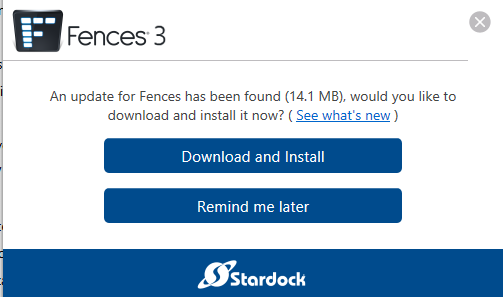
For the last week or so Fences has been prompting me everyday that there is a new version that I should go buy and download. 
I proudly own version 3.1.6.1 and have no reason to pay for an update but want the notifications to go away. 

How do I disable these notifications? 
1,584 views 2 replies
Reply #1 Top

Hello,
Sorry to hear you are having issues. If you get notification to update to version 3.18 that is not an paid update your should be able to download it from your account download page and install it for free. But, if you see the version 6, that is a paid one, you should be able to disable this popup to make it not appear again if you select the option on the bottom left of that popup window.

If you still wish to disable update check, please try this guide: https://support.stardock.com/space/SHC/1331757077/How+do+I+disable+update+check+in+Fences%3F 

Thank you.
Basj,
Stardock Community Assistant.

Reply #2 Top


I am updated to version 3.1.8.5 but am still getting these updates every day. 

I just got a prompt again today. I ran the disabler and will see if it happens again tomorrow. Thank you for the help.