Can You Customize the Start11 Power Options Button?

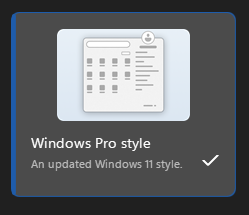
I purchased/installed the latest version of Start11 and selected the Windows Pro Style menu (love this app by the way)!

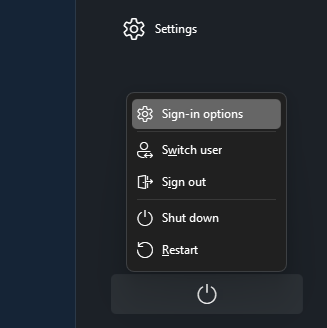
The one thing I prefer on my classic Windows 11 start menu, is that it only lists a Shutdown and Restart option. Here it has restored extra options (like Sign-in options, Switch user and Sign out).

Is there any way to customize this and remove those extra options (so I just have Shutdown and Restart listed here) when I click the power icon?


Moved to Start Menu Products area

4,575 views 16 replies
Reply #1 Top

Hello,

From what I know, there is no such option within Start11 itself. However, I have forwarded your problem/question to Stardock Support Team for their assistance. Please keep an eye on this thread for any updates. We appreciate your feedback and patience. Thank you.

Basj,
Stardock Community Assistant

Reply #3 Top

Hello and thank you for posting.

Quoting pelaird, reply 2

See this thread with a solution if you are using the 2.6 beta version. 

https://forums.stardock.com/540675/compilation-of-start11-26-beta-optional-registry-keys

Yes!  Thank you much for compiling, pelaird.  It's a great help.  For additional reference, we've also set up a Help Center guide here for a full list of Registry Settings for the product:

https://support.stardock.com/space/SHC/1750138994/Start+Menu+Products+Registry+Settings

Best regards,

Adam McGuinness
Stardock Support Specialist

+2 Loading…
Reply #4 Top

Quoting Abisnabidam, reply 3

Hello and thank you for posting.


Quoting pelaird,
reply 2 For additional reference, we've also set up a Help Center guide here for a full list of Registry Settings for the product:


https://support.stardock.com/space/SHC/1750138994/Start+Menu+Products+Registry+Settings

Best regards,

Adam McGuinness
Stardock Support Specialist

Looks great!

Reply #5 Top

Thanks! It looks like the full version coming after the current beta may be what I need.

Just to confirm, will this:

"Added registry key to hide all signout etc options from shutdown menu."

Do this:

Remove Sign-in optionsSwitch user and Sign out from Power Button

...leaving just Restart and Shutdown?

Reply #6 Top

Quoting Ed_McMahon, reply 5

Thanks! It looks like the full version coming after the current beta may be what I need.

Just to confirm, will this:


"Added registry key to hide all signout etc options from shutdown menu."


Do this:


Remove Sign-in optionsSwitch user and Sign out from Power Button


...leaving just Restart and Shutdown?

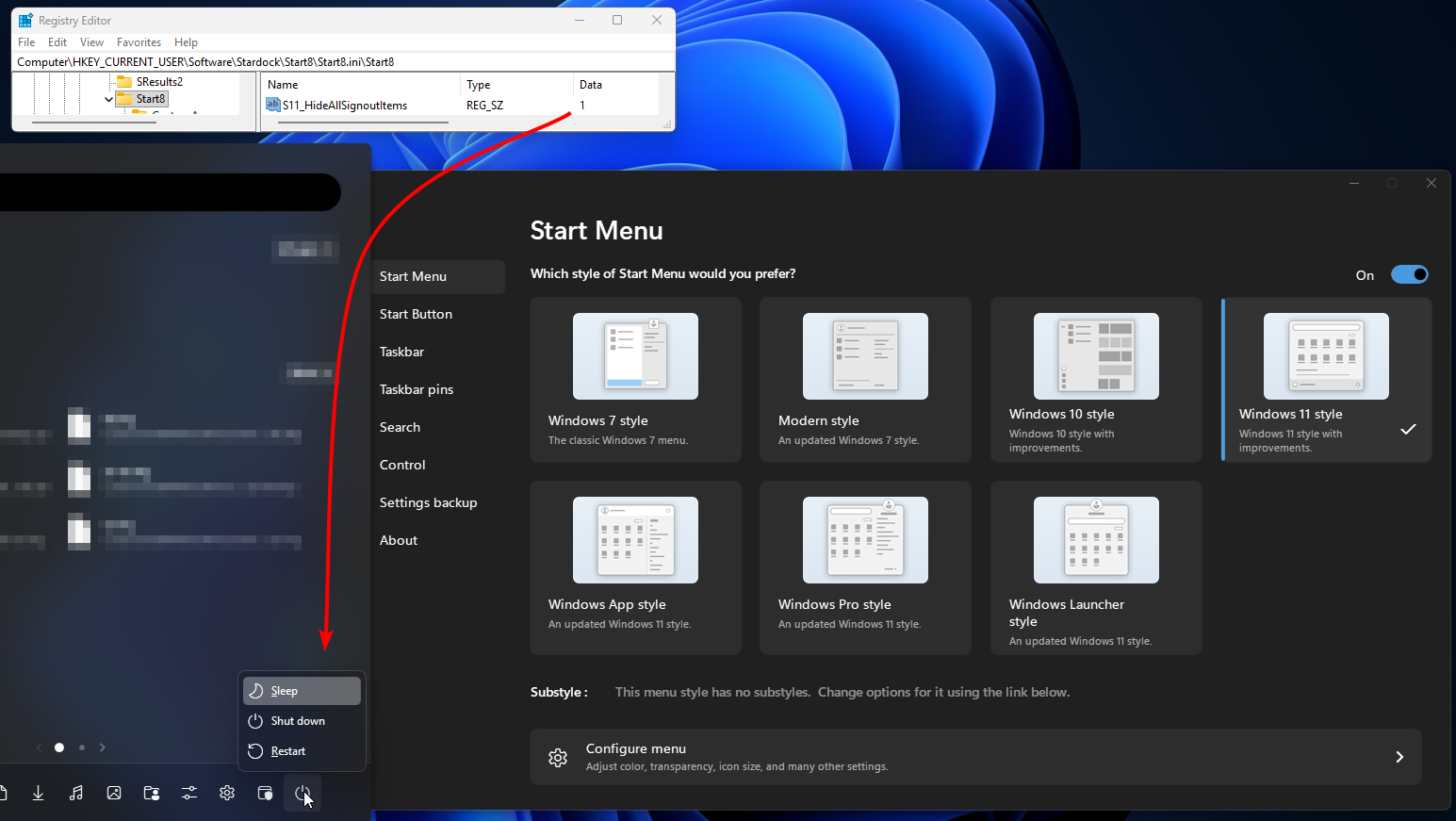
Yes.  Though, specific results may vary depending on other Windows settings or concurrent registry changes.  It's pretty easy to check any changes to find what you're looking for.  After making a change, you can use the Start Menu tab to switch the menu style to a different one, then back to the one you want.

Here's before and after images from my quick test of the one you asked about:  

Off (value set to 0):

On (value set 1):

Best regards,

Adam McGuinness
Stardock Support Specialist

+1 Loading…
Reply #7 Top

Thanks for the insight. So quick question.

I actually tried adding your registry entry at the location in your screenshot with a 0 value, but it didn't change anything for me. But I see you're doing it from the Windows 11 style menu. I'm actually using the Windows Pro style.

Is there a similar registry entry I can add to target the sign-in removal options from the power button on that particular start menu style? Or do I need to wait for the next app update (where I assume this will be a feature in the program settings itself)?

But would be willing to give it a go manually in the registry if there is such a string I could include.

Reply #8 Top

Quoting Ed_McMahon, reply 7

Thanks for the insight. So quick question.

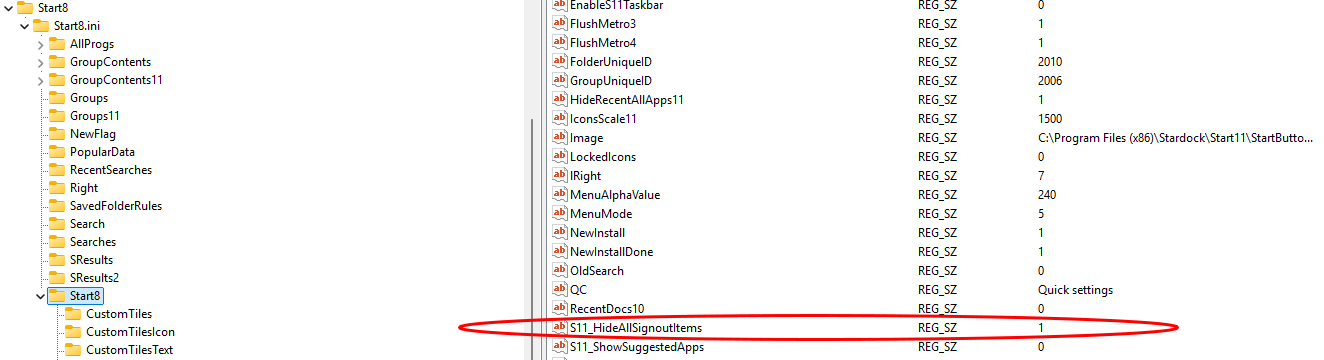
I actually tried adding your registry entry at the location in your screenshot with a 0 value, but it didn't change anything for me. 

You should be using the data value of 1 to get the desired results.

Reply #9 Top

Thanks! I think I tried that before, but I tried it again and took a screenshot.

Unless I'm missing something/doing it wrong, it doesn't look like that works for me (using the Windows Pro Style start menu layout). Sign-in options still persist with this active.


Reply #10 Top

Open the config app and change the style, and then change it back. That should trigger the change.

Reply #11 Top

Thanks, but it just won't stick for me. Even with that registry entry applied with a 1 value, I toggle it to Windows 11 and back to Windows Pro in (both in Start11 settings), and all three sign-in options come back. I even tried doing a restart between them as a second test. Anything else I can try or may be doing wrong?

Reply #12 Top

Quoting Ed_McMahon, reply 11

Anything else I can try or may be doing wrong?

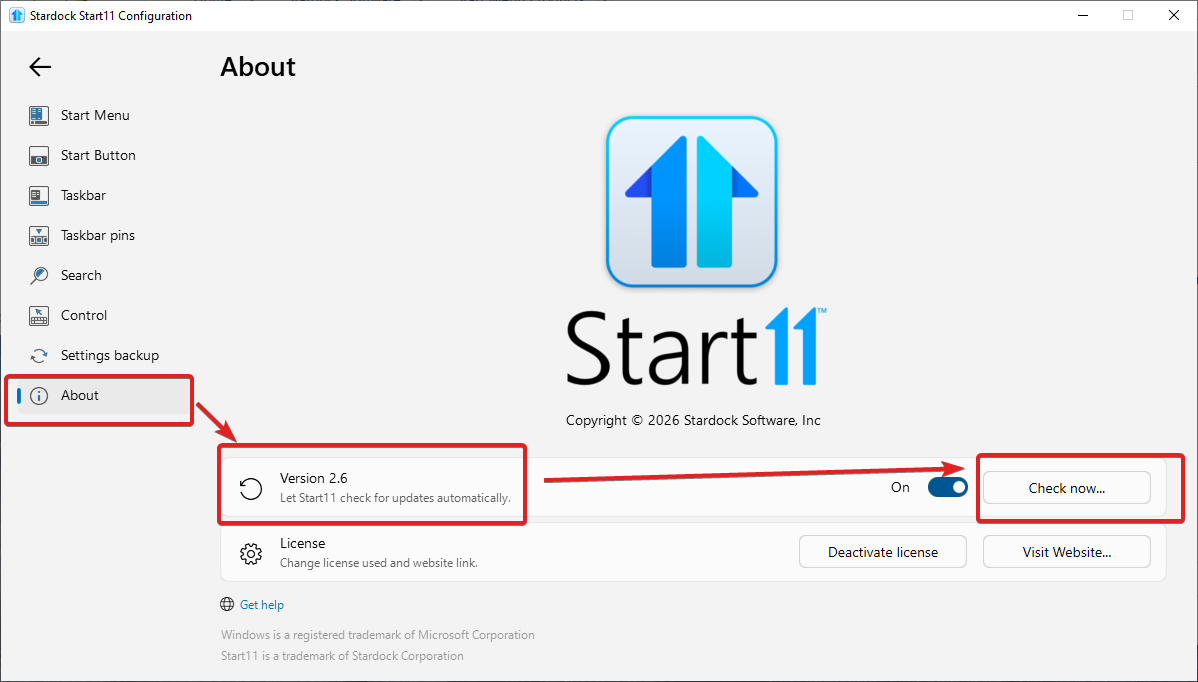
One fundamental thing we may have missed for you, is checking the version of the app. 

Over the course of this thread, we've updated from beta to version 2.6 in release.  If it doesn't say 2.6 on your "About" tab of the application, you can click "Check now" to update to it.

Best regards,

Adam McGuinness
Stardock Support Specialist

Reply #13 Top

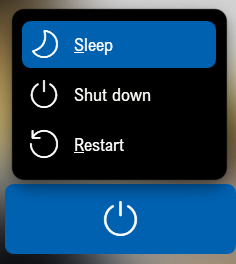
Here's what I get. Windows 11 Pro - 26200.7628;   Start11v2 - 2.6.0.2

Using the windows pro style w/o Registry edit:

Using the windows pro style with Registry edit:

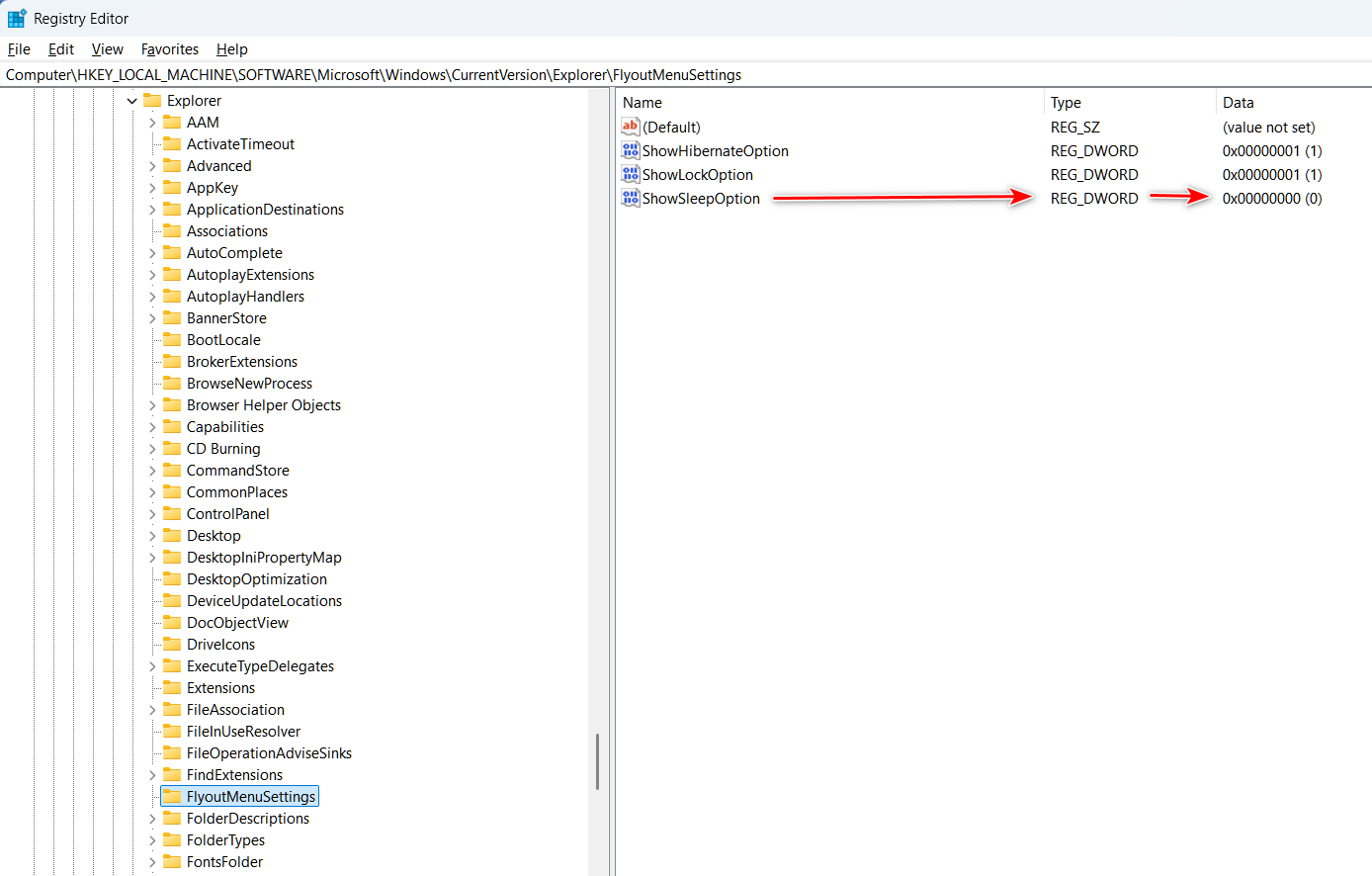
If you want to get rid of the Sleep option, go to:

Computer\HKEY_LOCAL_MACHINE\SOFTWARE\Microsoft\Windows\CurrentVersion\Explorer\FlyoutMenuSettings

and change the "ShowSleepOption" value to "0"

Reply #14 Top

Success! So it looks like upgrading to the official 2.6 release did the trick. And because I already had the registry key active with a "1" value (or perhaps because the update did that anyway), all my sign-in options disappeared. And I didn't have to do anything to get rid of sleep, as I already had that disabled in Windows pre-install of Start11. So that's great, thanks for all the help!

One more follow-up question. I still don't see an option to change these settings in the actual configure/settings menu of the interface. Is this now (and always going to be) a registry edit only?

+1 Loading…
Reply #15 Top

Quoting Ed_McMahon, reply 14

One more follow-up question. I still don't see an option to change these settings in the actual configure/settings menu of the interface. Is this now (and always going to be) a registry edit only?

Time will tell. It’s certainly possible if it’s popular with users.

Didn’t realize you hadn’t installed the latest update to Start11. Glad you figured it out.

Reply #16 Top

Fair enough. I don't mind the registry edit manually, just curious. But everything is exactly as I want it for now, so very happy. Thanks!