Start12 v2,56
Menu often not displaying properly
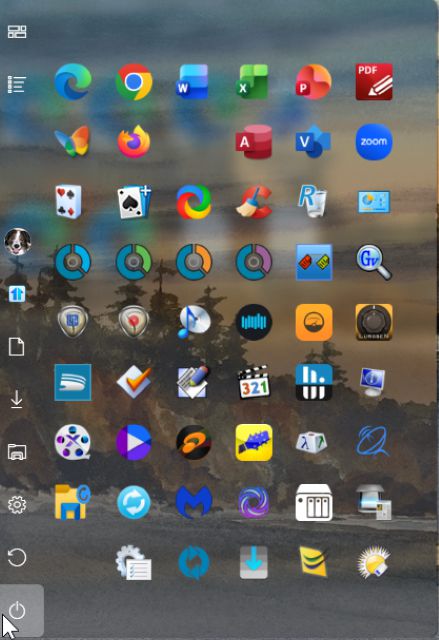
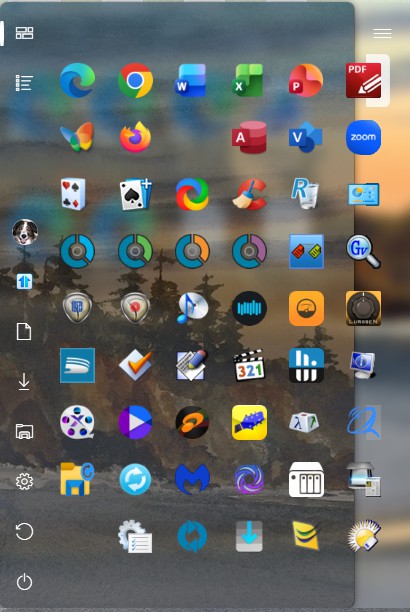
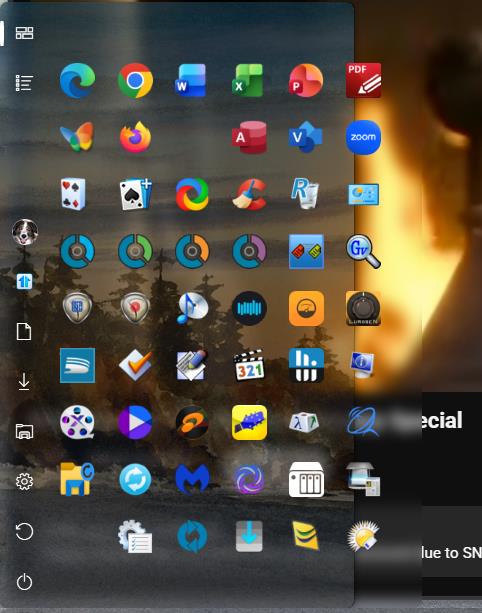
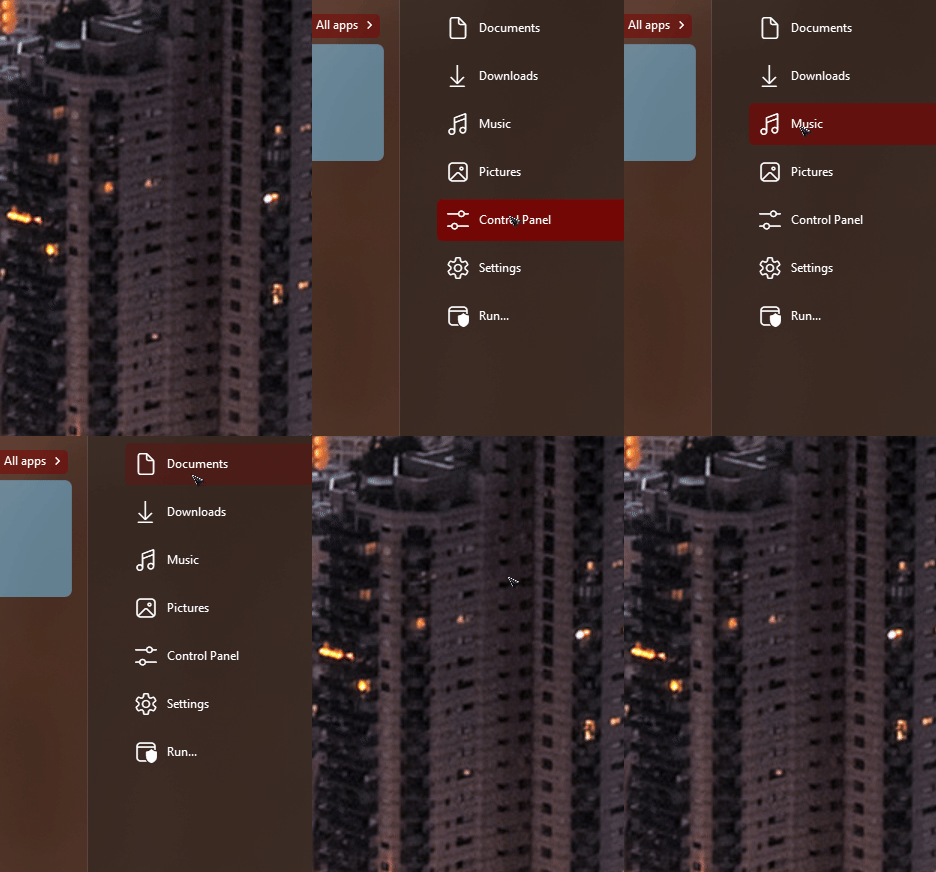
Noticed that the right side 10% of the menu often (but not always) doesn't completely render showing a white vertical area instead of the menu icons. The left side 90% of the menu renders correctly.
Menu often not displaying properly
Noticed that the right side 10% of the menu often (but not always) doesn't completely render showing a white vertical area instead of the menu icons. The left side 90% of the menu renders correctly.
Hello,
Sorry to hear you are having issues. Would be great if you could post a screenshot of this one. Also, post more details.
Thank you,
Basj,
Stardock Community Assistant.
I've tried to attach two images (correct & incorrect) but it never completes uploading. I will try again in another separate post .
The one of the left is how it should appear. The one on the right is not drawn correctly.


Please try, uninstall Start11, reboot immediately (important), download latest version available in your account product download page: https://store.stardock.com/myaccount/products. Install it, reboot immediately again. Retest it and report back.
Thank you,
Basj,
Stardock Community Assistant
I did that. The problem has not as yet resurfaced. Thanks.
Great, really glad to hear that.
Thank you,
Basj,
Stardock Community Assistant
Well it came back this morning. 
Look like something else is causing it. Please try Clean boot: https://support.stardock.com/space/SHC/1334935592/Start11+Clean+Boot. Do note that Clean boot need to be done with care. Try it and report back.
Thank you,
Basj,
Stardock Community Assistant
I have not added any new services or processes or software since the last time I did the reinstall and the problem didn't resurface until the 26th. (That's about 3 and 1/2 days before it resurfaced.)
You're asking me to do a typical Windows clean boot where I would have to turn off all non-Microsoft services and reboot, and then see if the problem resurfaces, by attempting to restart all those services one at a time.
I'm happy to help, I don't have the time available to do all that. The problem is sporadic and is not easily repeatable,
Note that I have 23 different non-Microsoft services that are enabled and running and 12 more that are disabled (and not running). No new hardware or software components have been added, and only a one or two software apps (such as Edge, Chrome, Malwarebytes, and PDF Exchange editor) have been updated.
The menu has a background .jpg image and that is set at about 30% transparency. I think the problem lies directly with Start 11's drawing of the menu background image. As you can see by the samples that drawing of the background image shows on the left side for about 80% of the way (left to right) with no background menu image continuing onto (under?) the remaining 20% to the right. The transparency is working on both left and right sides.
Hello again,
I am sorry, I am not really sure I understand what you mean here. Few questions and request.
added: Have you tried turning this option on?

Thank you,
Basj,
Stardock Community Assistant
Do you ever change scaling factor on your PC or attach / detach other monitors?
I am referring to the custom menu background image that is applied to the menu.
If I turn off the custom menu background image, I wouldn't see the problem, as it's with the background image that the partial rendering or redrawing in the menu occurs.
While the custom menu background image renders most of the time, but as indicated in my previous messages and attached images, sporadically, the background does not completely render. I've tried different image sizes, but the current image is 8 bit, .jpg, 52.4 kb, 614 pixels x 368 pixels.
I use laptops docked to an external monitor with a resolution of 1920x1200. The laptop's internal display monitor on the lid is not used -- (the lid is closed while docked). The laptop internal monitor is not used unless I take the laptop somewhere other than when it's docked.
I have a 110% scaling set to help with viewing some of the smaller rendered apps.
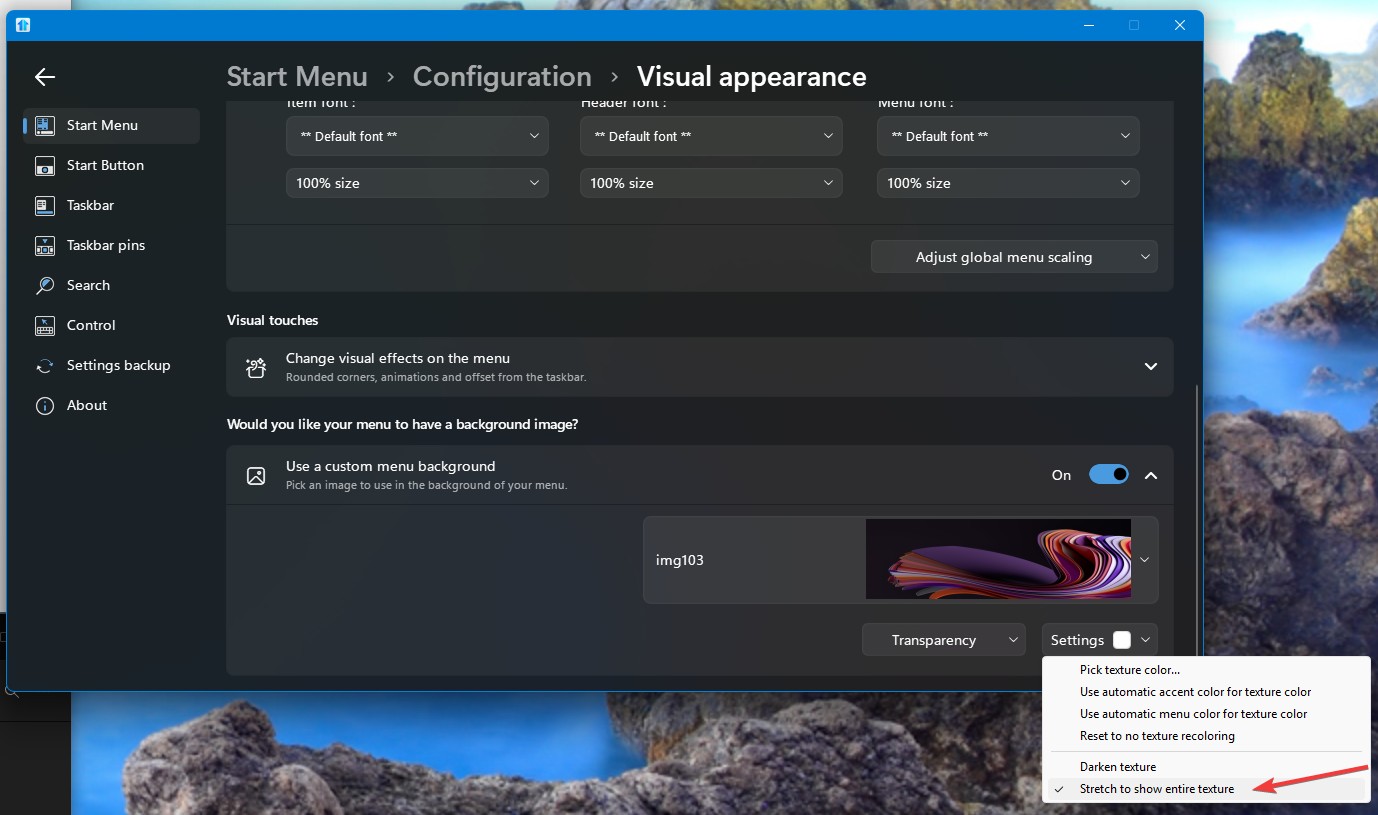
Did you turn on "Stretch the entire texture" option?
I can not reproduce your issue. Here is what I get on my system. Mouse over work properly for me.

Thank you,
Basj,
Stardock Community Assistant
Hi Basj, I'm not having any mouse or mouse over problems with the menu, only that the background image is not fully rendering on a sporadic basis. (Please see earlier notes.) I've turned on the stretch the entire texture option, but that doesn't seem to actually do anything with the background menu image. I'll leave it in the stretch mode and do a couple of reboots. Don
p.s. I have updated to 2.5.6.3
I guess it's 2.6.0.2 (sorry)
Sorry, perhaps, I was wrongly replying to issue from another user. I am still trying to reproduce your issue on my system. Perhaps there is specifics steps need to be done to reproduce the issue that you can share that I can try it. I recreate a 8 bit jpg with same dimension as you mentioned above. With Windows 10 style .
Thank you,
Basj,
Stardock Community Assistant
Welcome Guest! Please take the time to register with us.