Start 11 Default Windows 11 Right-Click menu?

I got Start11 mainly to reposition the taskbar at the top of the screen, but it seems the Start11 default right-click behaviour on pinned menu items is more about the Start11 customisations than replicating the default Windows right-click.

I use a wide range of programs, and default Win right-click allows you to 'pin' recent files to each start-menu icon that ONLY relate to that program for quick access. This is separate to the general 'recent files' panel in the start menu itself.

Is there a setting/option so that on the Start11 menu this default Windows right-click behaviour will remain or otherwise override the Start11 right-click menu? I could not find a menu option or forum post to do this.
681 views 4 replies
Reply #1 Top

Hello,
Sorry to hear you are having issues. From what i know, if you disable "Enhance taskbar" in Start11, the taskbar is basically untouched by Start11. So the right click menu on pinned taskbar button should show the same as default Windows 11 default right click menu. 

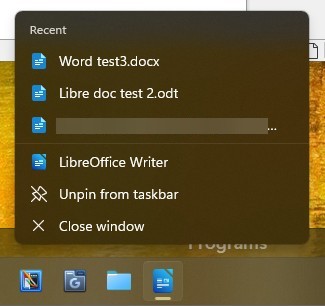
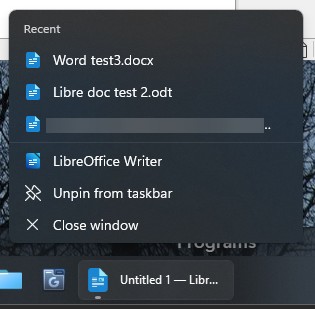
  • Here is what I get on Windows 11 pinned taskbar button right click menu with Start11 unloaded.

  • This is what I get with Start11 loaded and enhance taskbar turn on.

It the menu appear the same. Perhaps, you're looking at different thing? Post some screenshots with and without Start11 loaded from your system, that will help us understand your issue better.

Thank you,
Basj,
Stardock Community Assistant.

Reply #2 Top

Hi, thanks for the quick reply. This is not to do with the taskbar but the start menu itself. 

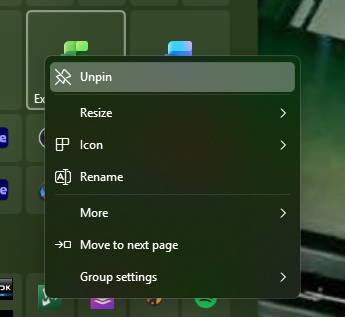
I have the start menu in Start11 as Win10 style, and when I right-click on the program icon (Excel here) I see:

This is the same whether the "Enhance taskbar" is turned on or off.

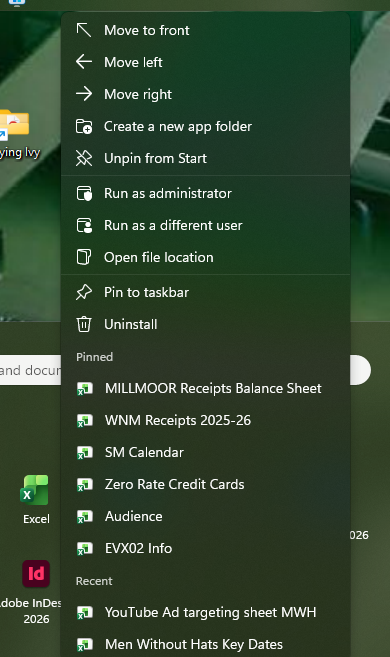
If I use the 'Windows menu' default Start menu and right-click on Excel, I get:

It has Recent files and my 'Pinned' files that I use frequently.

This is the same behaviour on any icon. Is there a way to default to this Windows menu functionality in the Start11 style start menu?

It is a very useful feature that I use all the time, saves a few steps for quick access, and to re-open recent files for re-editing. 

I have seen you can pin these to the taskbar instead of using the start menu, but then the taskbar begins to fill up with programs as I use this feature in about 10-15 different applications (Word, Excel, Photoshop, Indesign, Illustrator, Premiere, Aftereffects, Cubase, Wavelab, RX, etc. etc. etc!) which takes up quite a bit of space!

-erik

Reply #3 Top

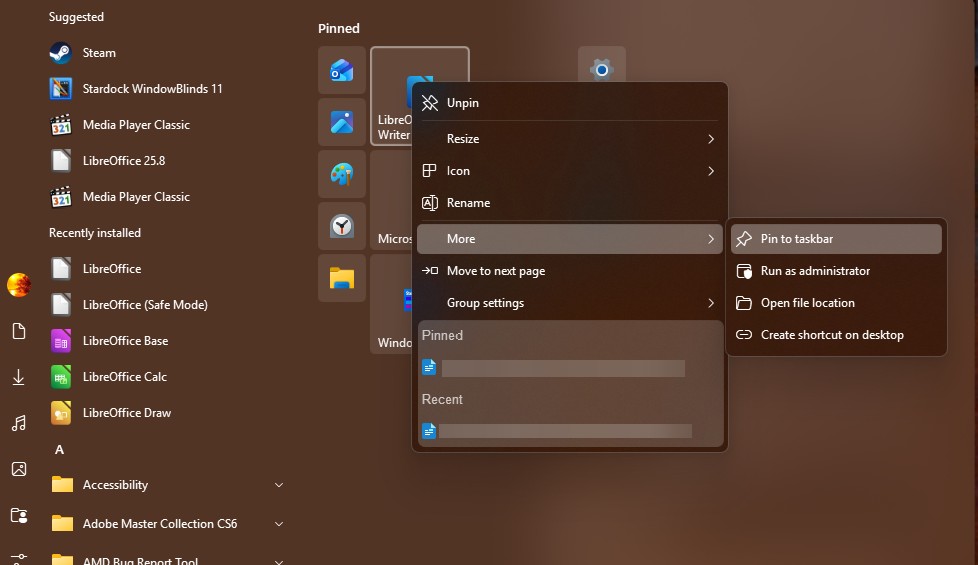
Here is what I get with my Start11 Windows 10 style start panel. Except for the 3 top move options, Create a new app folder option and uninstall option. The rest of that option do appear.

However, I have forwarded your request to the Stardock Support Team for their review and recommendations. Please keep an eye on this thread for any updates. We really do appreciate your feedback, Thanks

Thank you,

Basj,
Stardock Community Assistant


Reply #4 Top

I think I have solved the issue, so I will share with you the result.

The 'new' Start11 menu used the same program pins as the existing 'old' start menu, so I did not have to add/pin any new items to it. 

HOWEVER - I decided to un-pin Excel then re-pin it, and suddenly the full menu now appears on right-click!

I have tried this with all the other applications, and now the full context menu is appearing as expected. It seems there is some behaviour with 'importing' the start menu on install perhaps? Maybe re-pinning it re-links registry entries or some other variable?

In any case, thank you for your replies, at least it has shown me it is possible, so I tried different approaches until I found a solution. 

Best,

-erik

+1 Loading…