Start 11 v2

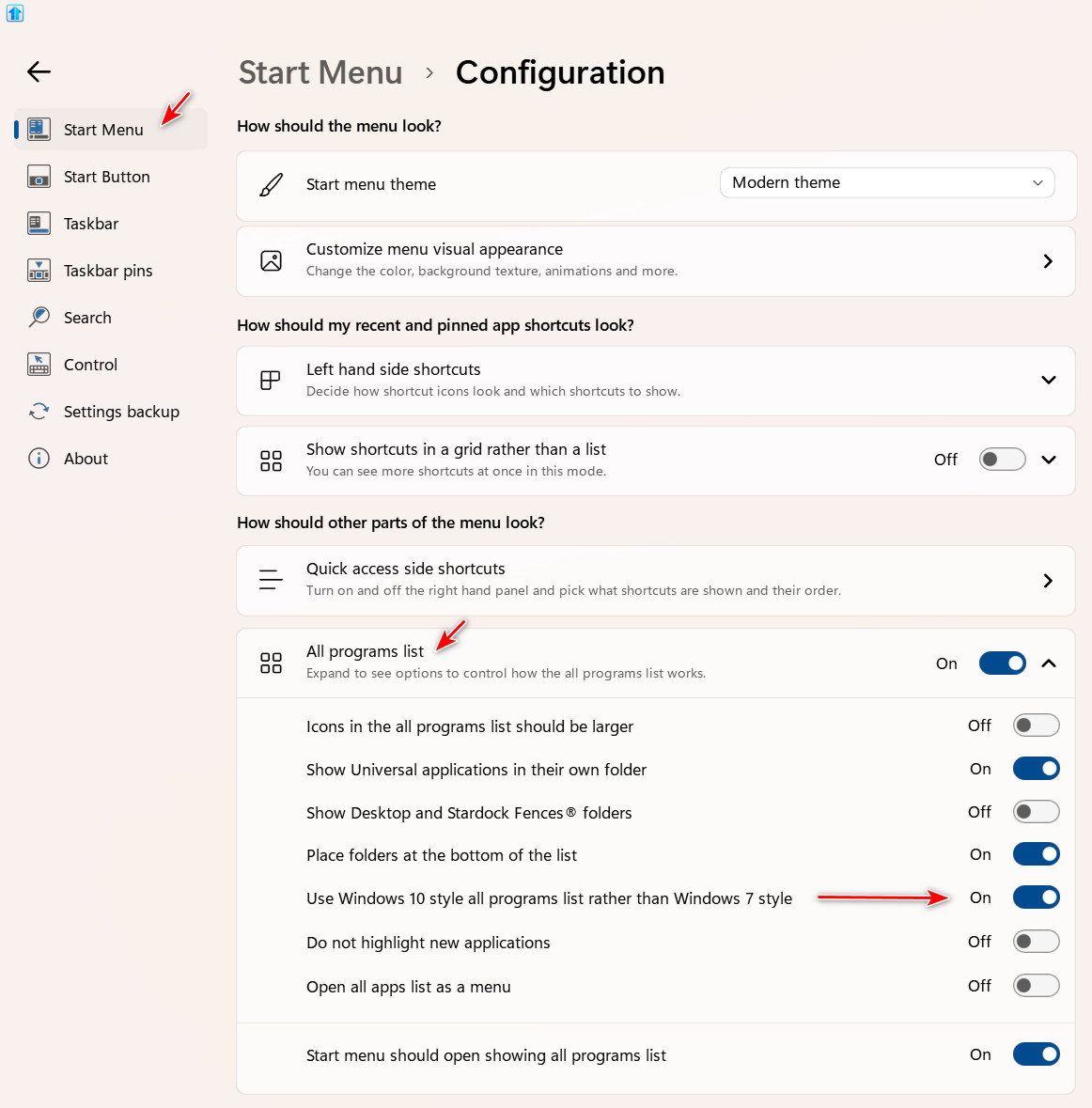
Two things that I can't see how to do

There used to be an option to have the Control panel appear as a list rather than a link. Where did that go?

How do you add folders to the All Programs list to consolidate that menu?

391 views 4 replies
Reply #1 Top

Hello,
Sorry to hear you are having issues. 

  • Try this setting: 


  • Which Start11v2 menu style you're using?

Thank you,
Basj,
Stardock Community Assistant.

Reply #2 Top

Thank you for pointing out where to make Start11v2 show control Panel as a Link.

I am using the Modern style.

I'd still like to learn how to create folders in the All Programs menu.

Reply #3 Top

Quoting philht, reply 2

I'd still like to learn how to create folders in the All Programs menu.

Start11 does not provide a way to achieve what you want. Theoretically there is a way to do this, but it will end up getting you into trouble down the line, especially when apps get updated.

Your best bet is to use the Windows 10 style All Apps which provides the rolodex system like in Windows 10. You can also make All APPs open as a menu.