Broken themes on WB11
from  Stardock Forums
Stardock Forums
Hi.
How can I fix this style? so that it isn't grayish blue? And why are so many themes in WB11 so broken?
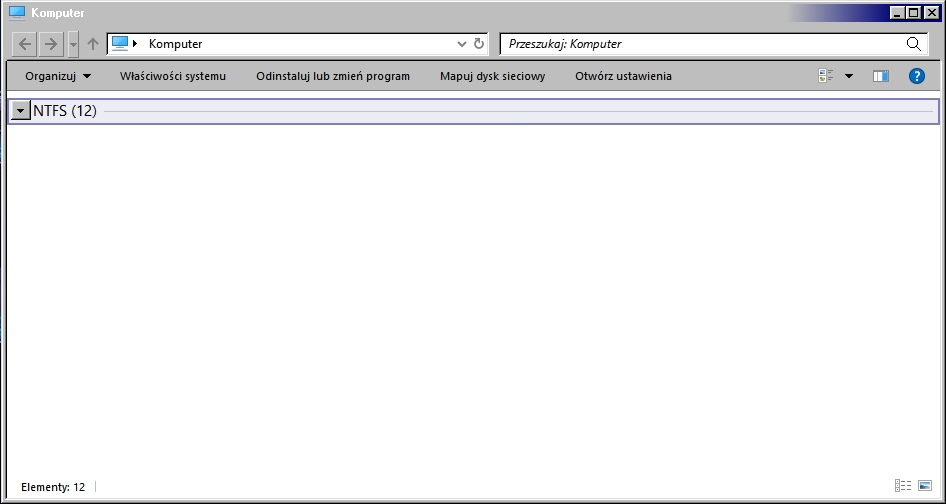


 Stardock Forums
Hi.
How can I fix this style? so that it isn't grayish blue? And why are so many themes in WB11 so broken?
Stardock Forums
Top
Hello,
Sorry to hear you are having issues. It would be best if you could provide few more details.
Thank you,
Basj,
Stardock Community Assistant.
Stardock Forums
Top
Windows 10 but Windows Server 2022 have the same bugs.
WindowBlinds 11 trial.
OpenSheell.
Lot's of my skins have some bugs in WB11 like gray explorer bar, too small Start Button, Firefox freezing. WB10 works correct on W10 and Server 2022.
 Stardock Forums
Top
Stardock Forums
Top
If you run without OpenShell does the issue appear?
Thank you,
Basj,
Stardock Community Assistant
Stardock Forums
Top
I am not seeing a bug here?
That is exactly what the skin author intended I believe.
Stardock Forums
Top
I am not seeing a bug here?
That is exactly what the skin author intended I believe.
So the author is lying, and it's not Windows Classic?
Some other skins from Windows 7 era works correct on WB10 but not in WB11.
Curtains 1.19.1 works correct with WB10 and Windows 10/Server 2019/2022 abut not work with WB11 and W10/Server.
Stardock Forums
Top
Windows 98 is 'classic'
Stardock Forums
Top
You will need to mentioned which skin you're referring to and post some pictures so we can understand it better. Do know that there are limitations in Windows 11 that make some parts of it can not be skin properly.
Curtains is not compatible with Windows 11.
Thank you,
Basj,
Stardock Community Assistant
Stardock Forums
Top
You will need to mentioned which skin you're referring to and post some pictures so we can understand it better. Do know that there are limitations in Windows 11 that make some parts of it can not be skin properly.
Curtains is not compatible with Windows 11.
Thank you,
Basj,
Stardock Community Assistant
I don't use Windows 11. I use Windows 10 and Server 2022 and Curtains 1.19.1 works correct with WB10 but not with WB11.
Stardock Forums
Top
Curtains and Windowblinds11 work independently, if you start Curtains and apply a theme, Windowblinds will unload itself. Same way the other way around. What issue do you get when you trying to load Curtains theme while Windowblinds theme is loaded?
Thank you,
Basj,
Stardock Community Assistant
Welcome Guest! Please take the time to register with us.