Going NUTS with activation expiration pop up.

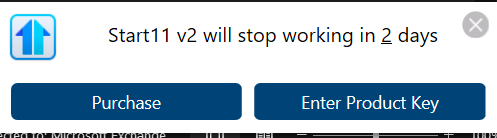
G'day. Been a long time subscriber with Stardock and more specifically all of the Start 8 to Start11 ver 2 products. I made a stupid (apparently) mistake trying the free new Connection Explorer beta. I liked it, but when looking to subscribe to it found out that one had to buy ALL products, which included what I already had. No thanks. But when the demo expired, all of my 5 PCs went into Start11 activation hell with pop-ups saying Start11 had expired and to get new subscriptions. However, I have a license for 5 PC's and it is a lifetime (well, until they bring out a new version - which they have done several times already). If I go to look the Stardock products section, I am told I can get annual or lifetime subscriptions for what I already have. However, it clearly states in my product list section at Stardock, that indeed I do have lifetime already.......If I then follow from the running expired product on one of my PCs, and I enter my keycode, it fails with message that that keycode is is being used on another device...... If I go back again to my Stardock account setting, it does tell me that I do have 5 devices licensed, and the one I am trying to reactivate, is on that list. So, it looks like I am losing my lifetime subscription forever on all of my PCs.

1,430 views 13 replies
Reply #1 Top

Hello,
Sorry to hear you are having issues. Need to clarify few things.

  1. You have lifetime license for which Start11? Start11 v1 or Start11 v2?
  2. You're trying to activate Start11 v1 or v2?

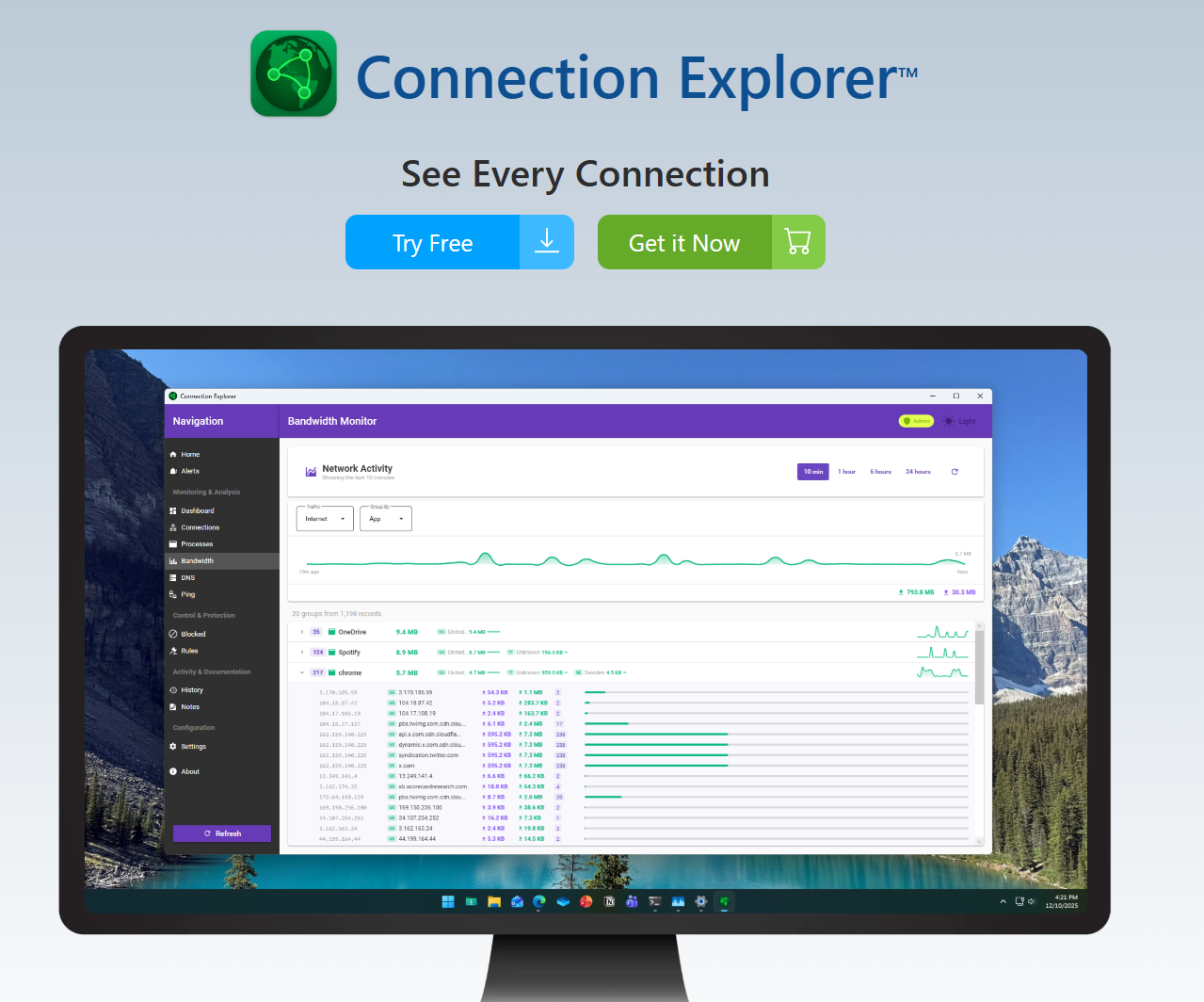
As for Connection Explorer, currently its under beta which only available under Object Desktop. I believe it will be available for all to purchase as individual product once it move to official release version.

Thank you,
Basj,
Stardock Community Assistant.

Reply #2 Top

Basj,

I have licenses for all versions of Start, but the only one I am currently using, on all of my PCs, and the ones I am getting expiration notices for, is Start 11 ver 2. I had purchased a lifetime license and which shows on the Stardock site under my account, as ver2, with its license key and it also shows the 5 PCs that are licensed. I feel that the trigger for this problem may have been downloading the free beta of Connection Explorer, which Stardock then registered me for Object Desktop (without my knowledge) which then expired 15Dec25 and which then told their system that all of my Start 11 licenses had also expired - as Start 11 ver 2 is a module of Object Desktop. But, what can I do about this is the solution I am looking for? Cheers, Jan

Reply #4 Top

Do know that each product has its own activation keys if purchase as stand alone. What you can do is review and manage your activation for Start11 using this guide: https://support.stardock.com/space/SHC/1260191763/How+to+review+and+manage+your+current+activations 

If all fail, perhaps there is confusion on your account. And, since, I can not check on your account. Please raise support ticket using the link below, use the "Ask a Question" option. Include all information details. Remember to record down the ticket number for future reference if needed. Do not raise multiple ticket, that will make your ticket back to the end of the line. Send once and wait. Ticket will be answer by the order they send in.

Don't forget to include link to this thread with your report for reference by Support.

https://stardock.atlassian.net/servicedesk/customer/portal/4/group/13 

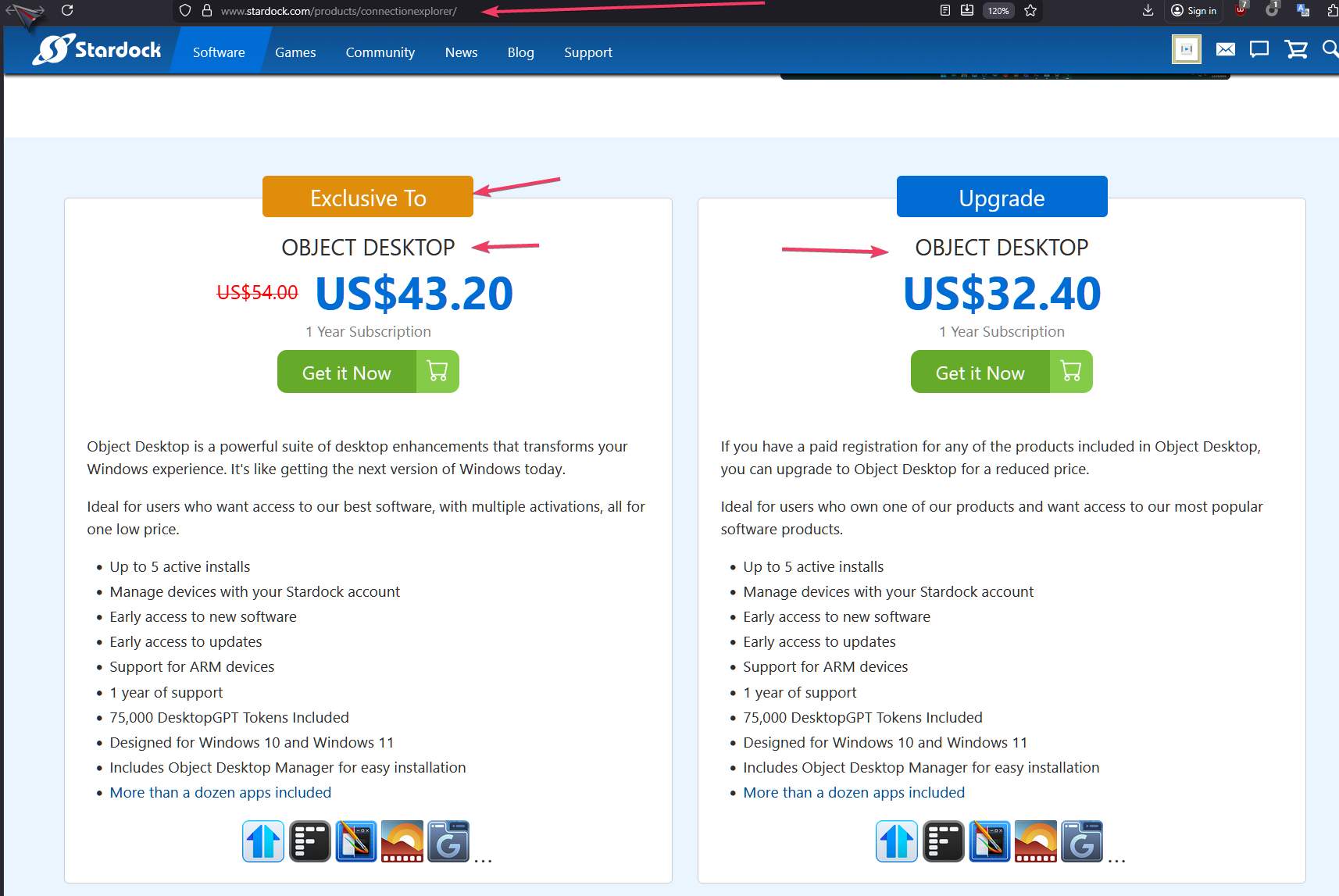
For Connection Explorer Beta, refer my screenshot below, as I mentioned above, currently its exclusive to Object Desktop subscribers. It should change to have an option for Standalone purchase, once it is release as full release version or early release version.

Thanks
Basj,
Stardock Community Assistant

Reply #6 Top

Quoting scheeren, reply 5


And when you click Enter product key button, does the box to enter your activation key appear? If it does appear, what happen when you enter your Start11v2 permanent license activation key?

Thank you,

Basj,
Stardock Community Assistant

Reply #7 Top

It says that another device is already activated with that key. My license and key is for 5 devices and is lifetime and that same PC is the one I am trying to fix. The list under that license includes this same PC.


Reply #8 Top

Quoting scheeren, reply 7

Do know that each product has its own activation keys if purchase as stand alone. What you can do is review and manage your activation for Start11 using this guide: https://support.stardock.com/space/SHC/1260191763/How+to+review+and+manage+your+current+activations

Have you tried these steps and remove those activation from the same system you're trying to reactivate? Remove it first, than try reactivate it again.

Thank you,

Basj,
Stardock Community Assistant

Reply #9 Top

Quoting scheeren, reply 7

It says that another device is already activated with that key. My license and key is for 5 devices and is lifetime and that same PC is the one I am trying to fix. The list under that license includes this same PC.


Will you DM your license key and I can look at your account.

Reply #11 Top

For anybody that is interested I solved the problem myself. This was obviously a development problem at Stardock in their way of offering trials of Connection Explorer, which actually signs you to Object Desktop (which includes Start11) for that demo. Unfortunately, if you do not want all of Object Desktop at end of Connection Explorer demo, Stardock now assumes on that device that you no longer have a license for Start11, but also does not allow you to reenter the key you aleady have for Start11.....

My solution was to export the configuration first, then uninstall Start11 completely, including its settings, then reinstall and importing the settings. 

Reply #12 Top

Quoting scheeren, reply 11

For anybody that is interested I solved the problem myself. This was obviously a development problem at Stardock in their way of offering trials of Connection Explorer, which actually signs you to Object Desktop (which includes Start11) for that demo. Unfortunately, if you do not want all of Object Desktop at end of Connection Explorer demo, Stardock now assumes on that device that you no longer have a license for Start11, but also does not allow you to reenter the key you aleady have for Start11.....

My solution was to export the configuration first, then uninstall Start11 completely, including its settings, then reinstall and importing the settings. 

Interesting, but, have you tried deactivate Start11 from your account. Restart Start11, it should ask for activation again, when this happen, use the email address and the license key for your Start11 not the one what come with Object Desktop trial.

Thank you,

Basj,
Stardock Community Assistant

Reply #13 Top

Basj,

My Stardock account has a license for 5 Start11 ver2 devices. As it turns out, the message saying Start11 was not activated anymore and would stop working was only on one of those - the PC that did the demo for Object Desktop. It was much easier to do what I did and seemed much less risky, as nobody at Stardock could actually tell me why I had this problem.