I want to try this out, but I don't seem to have the option in my Insider section to download and install it. I see nothing in my settings to turn on/off insider. Other programs, like fences and curtains do show up in Insider.
Hello,
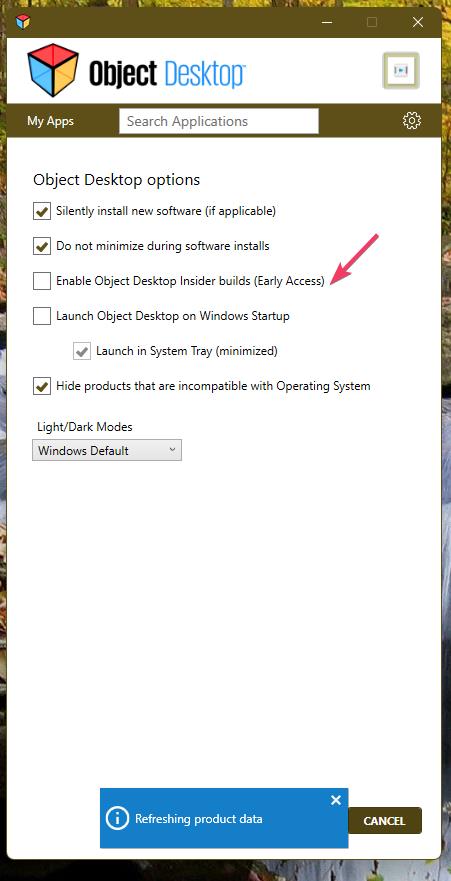
Sorry to hear you are having issues. You can turn this option off to hide the Desktop Insider build.
Many programs don't show in object desktop insider. Several programs that were bought before installing object desktop only show but you can't start them or configure them, you have to goto the individual program to start. You can't even do a FORCE update in object desktop only automatically by setting time & day. Sorry but my PC is not on 24/7.
Only application that are listed under Object Desktop will appear under the Object Desktop Insider list. Usually only application that have Beta or early release version show up in the OD Insider list. And sometimes newly full release also appear in there.
Also, from what understand, only products listed under OD Insider work on System with ARM base CPU.
Hope this clarify things.
Thank you,
Basj,
Stardock Community Assistant.


 Stardock Forums
