Waiting for access

No reaction on Object Dock

What I found on W10 64 is that it refused to react after a folder was closed. (Also right after closing an app)

It took about 30 sec on v2 to come back, so I thought this would disappear in v3 - its still delaying, but a little shorter, now its 15-20 sec before it reacts.

Maybe they are too packed, but they were even more filled on XP and it never had this issue before. But yes, only with 2 docks, but now I use 3 docks.

Too much?

Is there a setting I should try?

Thanks

Moved to ObjectDock area

1,637 views 5 replies
Reply #1 Top

Hello,
Sorry to hear you are having issues. Need to know few more details.

  1. Which Stardock's Software was you referring to?
  2. Windows 10 full version and OS Build number. Please use Winver.exe.
  3. Full version of the Software you're referring to.
  4. Post a video showing us the issue will help us understand the issue better.

Thank you,
Basj,
Stardock Community Assistant.

Reply #2 Top

Oh, thought I was in the Object Dock section of the forum, sorry

Object Dock

V 2 and v 3

Windows 10 version 22H2 build 19045.6466.

Again, I just closed the winver window, then it took like 5 seconds for OD to react.

Then I closed Microsoft Edge and here OD was not reacting for about 20 seconds. The same appears after I close a folder window.


Reply #3 Top

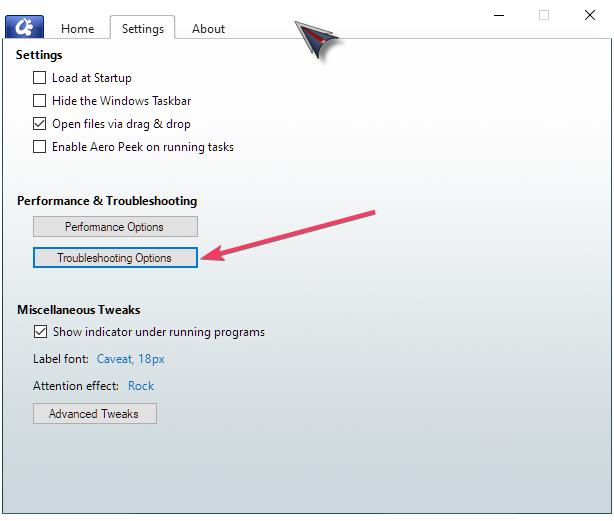
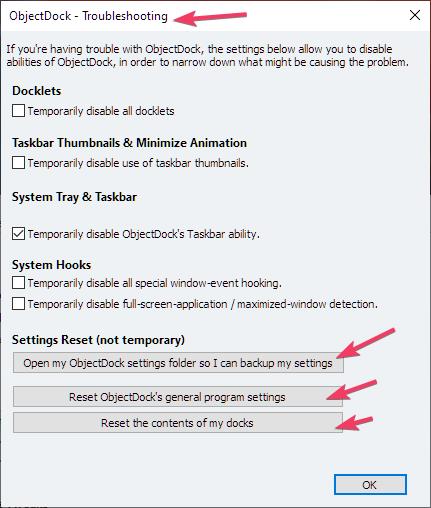
Perhaps, there is something in your setup no longer compatible with ObjectDock v2/v3 on current Windows 10. Try these, do the ObjectDock setting back up. Than do General ObjectDock reset. Refer screenshots below. Reboot and retest. 


Thank you,

Basj,
Stardock Community Assistant

Reply #4 Top

Okay thanks 

Unfortunately I lost my docks, so I cannot verify, but I assume it's good now.

I also used "reset the content of my docks" as of the arrow in your screenshot. That was mistaken.

I replaced the new settings with my backup setting files in the folder, rebooted, but I thought the docks were restored too.

Well, they were there for many years..

:(

PS: I used to drag folders into the quick launch dock, but it doesn't work. 

I can just add shortcuts or docklet's but not drag and drop a folder (this has been appeared before but now that I have to restore it manually I get in trouble.)

What's the trick?

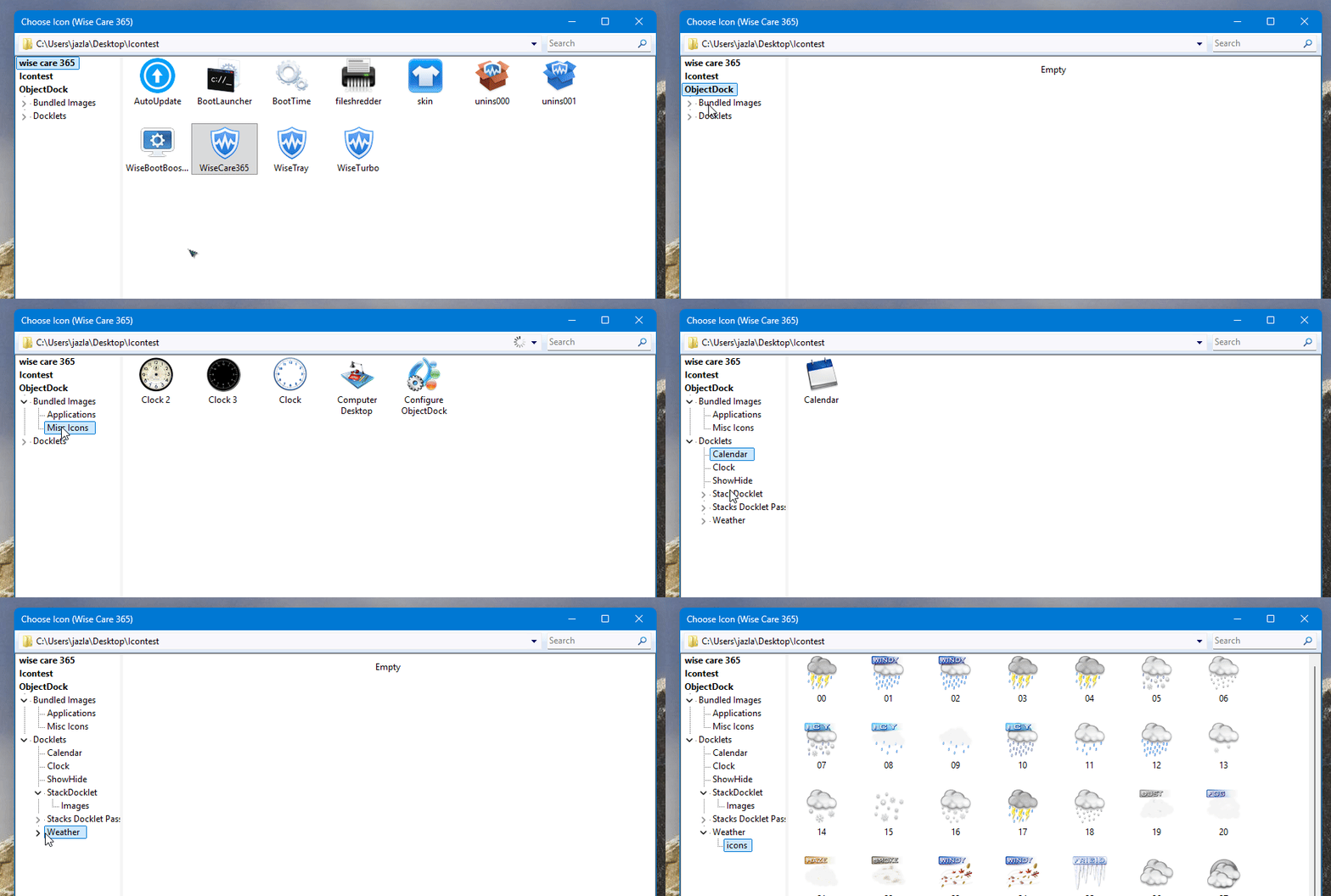
PS 2: another issue is when I want to change an icon, the folder with my icons opens, but no icon is showed in any of the icon folders (the files actually reside there thou)

Also when I want to set the quick launch dock to auto hide, it says it would not be available on a second monitor (which I have).

I never saw this before since decades. (Also not with version 3)

Should I go back to version 2 ?

Or what would be the disadvantage to go back?

Thanks again


Reply #5 Top

Hello,

Quoting tobiez, reply 4

PS: I used to drag folders into the quick launch dock, but it doesn't work.

I can just add shortcuts or docklet's but not drag and drop a folder (this has been appeared before but now that I have to restore it manually I get in trouble.)

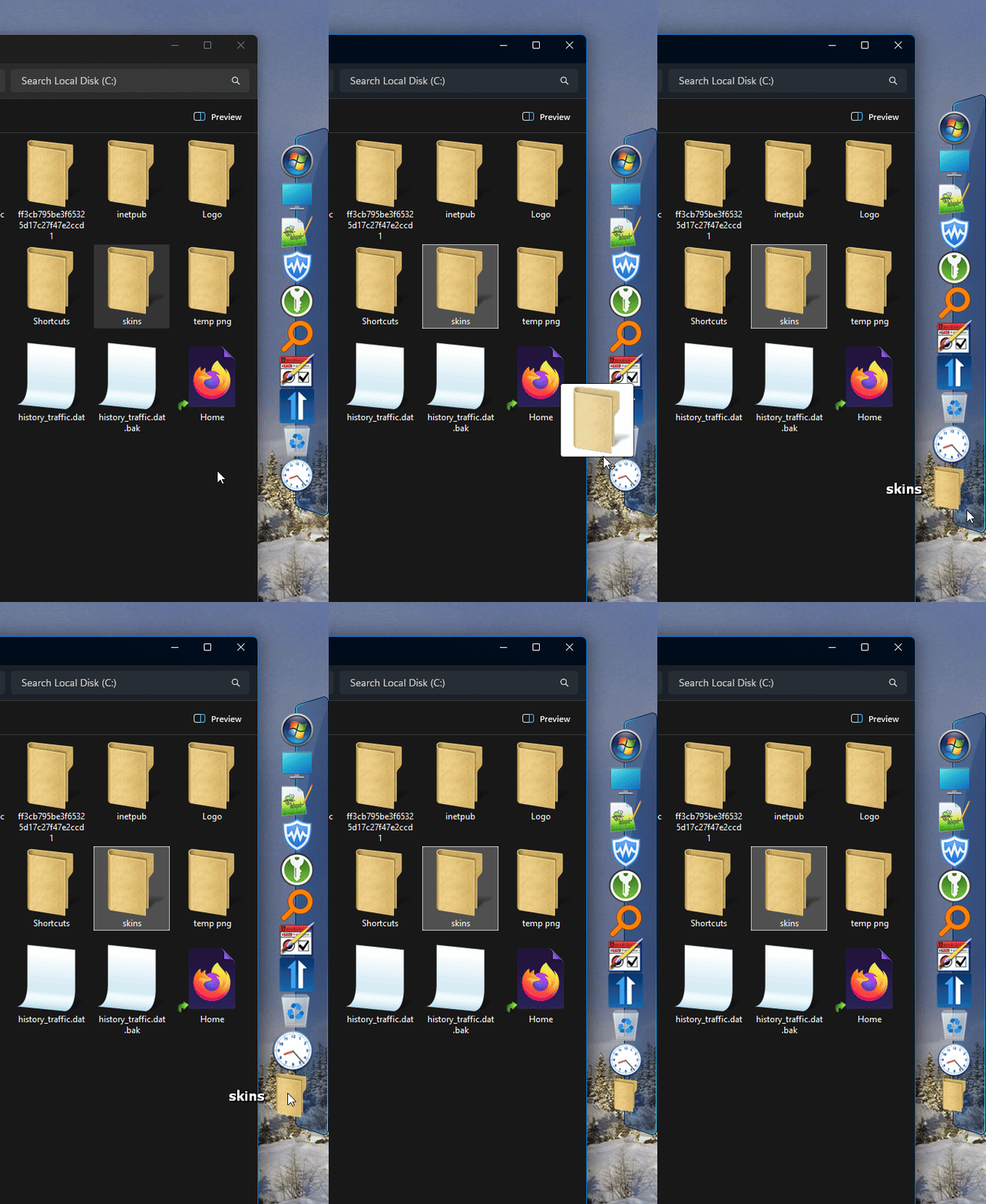
I can not reproduce your issue it work for me. Refer my short video below.

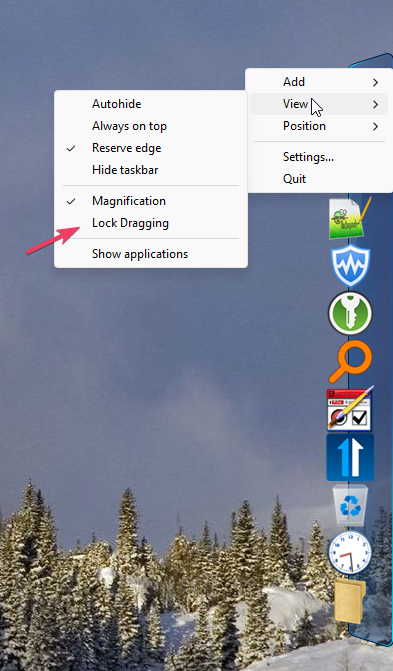
Perhaps, see if you accidentally lock dragging?

Quoting tobiez, reply 4

PS 2: another issue is when I want to change an icon, the folder with my icons opens, but no icon is showed in any of the icon folders (the files actually reside there thou)

Please post a video showing us on this one.

This is what I see when I try to customize an icon.

Quoting tobiez, reply 4

Also when I want to set the quick launch dock to auto hide, it says it would not be available on a second monitor (which I have).

Yes, auto-hide no longer supported on multi-monitor system. It is by design, to ensure compatibility with current Windows versions.

Quoting tobiez, reply 4

I never saw this before since decades. (Also not with version 3)

Well, you also never use this current Windows version before. There is lot of things changed in Windows that make lot of legacy function on 3rd party software, that work on older Windows system, no longer work in current Windows.

Thank you,

Basj,
Stardock Community Assistant