UIS/per-pixel/skin studo, and tile/steetch question

For skins in W11 which skin type should I use? UIS2 or per-pixel?

Also in per-pixel there is an option for tiled top left bottom margins, and stretch center horizontal region, but if I use it, it still stretches the top and bottom margin content.


Also the skin studio preview always shows the skin that was loaded when I chose to create a new skin, and never updates the with graphics I add. I have to reapply the skin wip to see how it looks.

Thanks

1,239 views 5 replies
Reply #1 Top

Hello,
Sorry to hear you are having issues. Let me try to answer your questions.

For skins in W11 which skin type should I use? UIS2 or per-pixel?

  • By default, WB11 will use perpixel skin if its available, unless you set it to force not to use perpixel frames in Windowblinds 11 Config-> Settings -> tick "Do not use per pixel frames....."


Also in per-pixel there is an option for tiled top left bottom margins, and stretch center horizontal region, but if I use it, it still stretches the top and bottom margin content.

  • This is known bug, but since most of Skin designers know about it, we, most of us, just leave with it. As long it look right at the preview, it should also look right on the preview, it should look the same when applied.


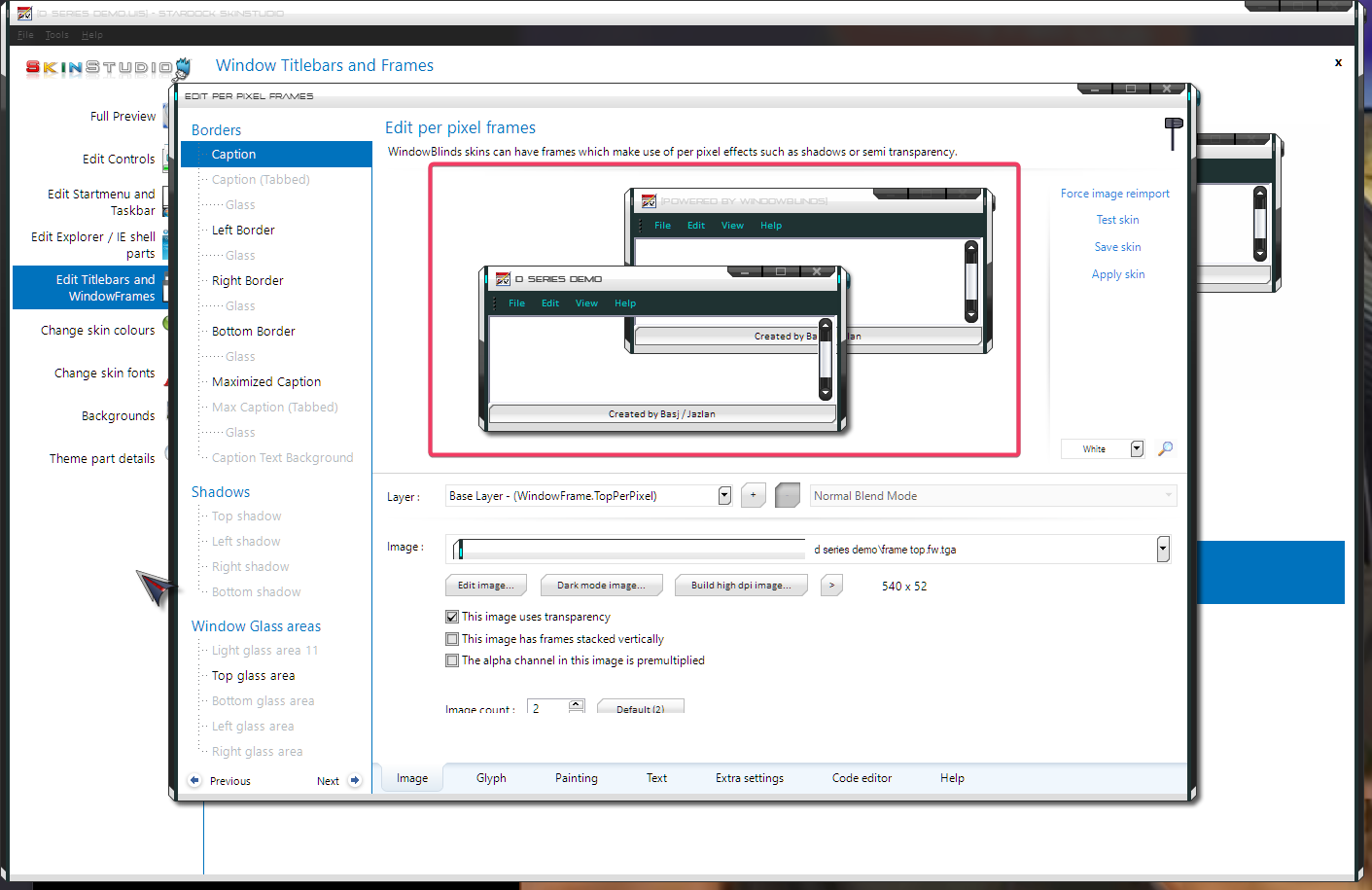
Also the skin studio preview always shows the skin that was loaded when I chose to create a new skin, and never updates the with graphics I add. I have to reapply the skin wip to see how it looks.

  • The preview should change as you work, for example. If you working on the Windows frame, the preview should change as you edit the skin. Don't need to apply to see its effect. Something like my screenshot below. 

Thank you,
Basj,
Stardock Community Assistant.

Reply #2 Top

Thanks Basj,

is there a manual workaround? I am comfortable editing files directly - I'd like to tile all margin borders and stretch the center.

I have identified another bug possibly. 

Explorer appears to use 'per pixel frames' (as I can see the image change when I change in studio and apply)

But it always (no matter what settings I choose for image count or frame stacking, tiles and margins) seems to assume the graphic is a side by side (as when active it shows the image from the left portion, and when inactive shows the image from the right portion), and is applying a fixed left margin (or something to that effect).

It only appears to be an issue with the top image paint - the side elements seem to obey the rules just fine.


Reply #3 Top

Perhaps someone else which actively creating WB skin can come in and share some tips. Also, if you have not yet, you can refer for tutorial here: https://support.stardock.com/space/SHC/1326186552/How+do+I+make+skins+for+WindowBlinds%3F.

Thank you,

Basj,
Stardock Community Assistant


Reply #4 Top

I found that whilst it was reading the image from the caption settings, the margins etc. are from the Caption (tabbed) setting.

Reply #5 Top

I have experimented with layers, and found I can combine image transparency and multiple layers to reuse the same image on two layers. The top image I tile as desired with the middle unpainted, the lower image I stretch. The combined effect is what I was looking for.

Pretty fun - even if just needing to knowledge crawl this a bit more.