stardock start11 V1
stardock start11 right click
Hi,
After installed stardock start11 V1 the right click in mouse didn't work in taskbar icon
Moved to Start Menu Products area
stardock start11 right click
Hi,
After installed stardock start11 V1 the right click in mouse didn't work in taskbar icon
Moved to Start Menu Products area
Hello,
Sorry to hear you are having issues. Please try, uninstall Start11v1, reboot immediately (important), download latest version available in your account product download page: https://store.stardock.com/myaccount/products. Install it, reboot immediately again. Retest it and report back.
If the issue still there, we need to know few more information.
Thank you,
Basj,
Stardock Community Assistant.
Hello,
I already did that .
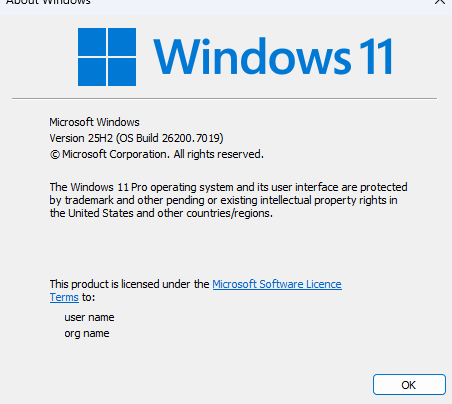
Windows 11 25H2
Need full OS Build number, please use Winver.exe to get these numbers.
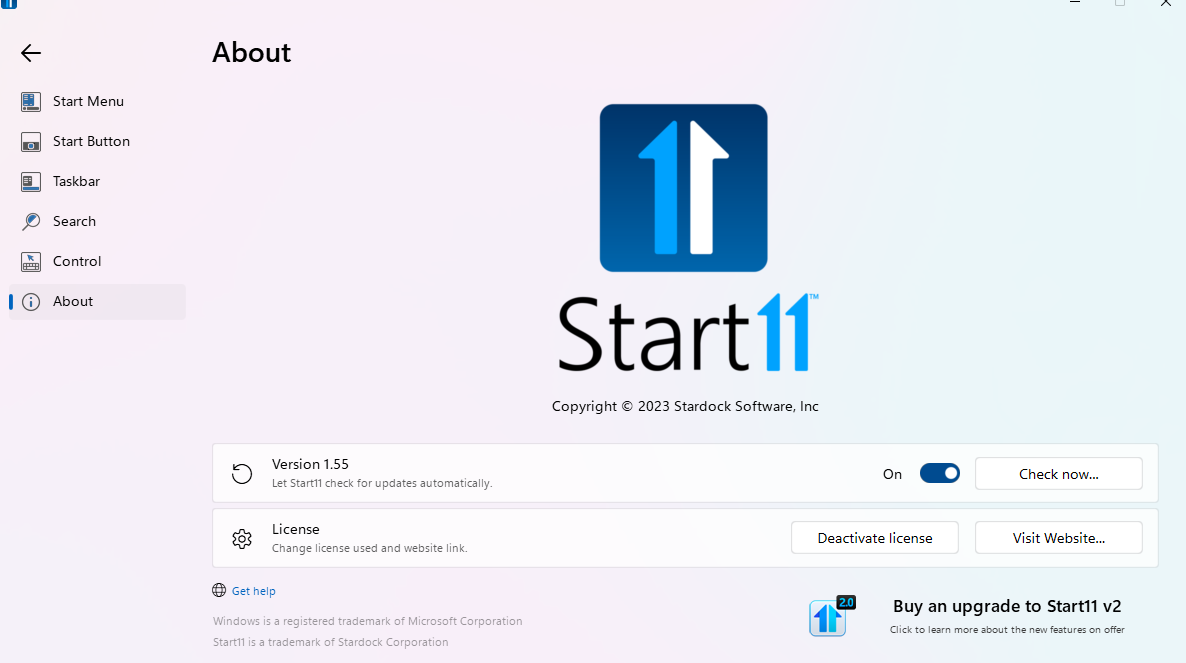
Also, Start11v1.55?
Thank you,
Basj,
Stardock Community Assistant

Start11 v1 isn't designed for Windows 25H2, it was replaced with Start11 v2 two years ago which could be a factor here depending on features in use. Are you using enhanced taskbar?
Unfortunately, I can not reproduce your issue on my system. Refer my short video below.

Perhaps, it is conflict with other 3rd party application. Do you have any other software running in the background or previously installed that change how your taskbar/Explorer work? Application such as DisplayFusion, StartAllBack, ExplorerPatcher etc.
Thank you,
Basj,
Stardock Community Assistant
this is Stardock V1 or V2
As you can see in my short video the test is with Start11 v1.55.
Thank you,
Basj,
Stardock Community Assistant
Still the same issue after install new windows

Perhaps it is time to move on to Start11 v2.
Thank you,
Basj,
Stardock Community Assistant
Welcome Guest! Please take the time to register with us.