Too Many Files
My dock has way too many tiles. How do I get rid of them? Soorry about the size of the insert.
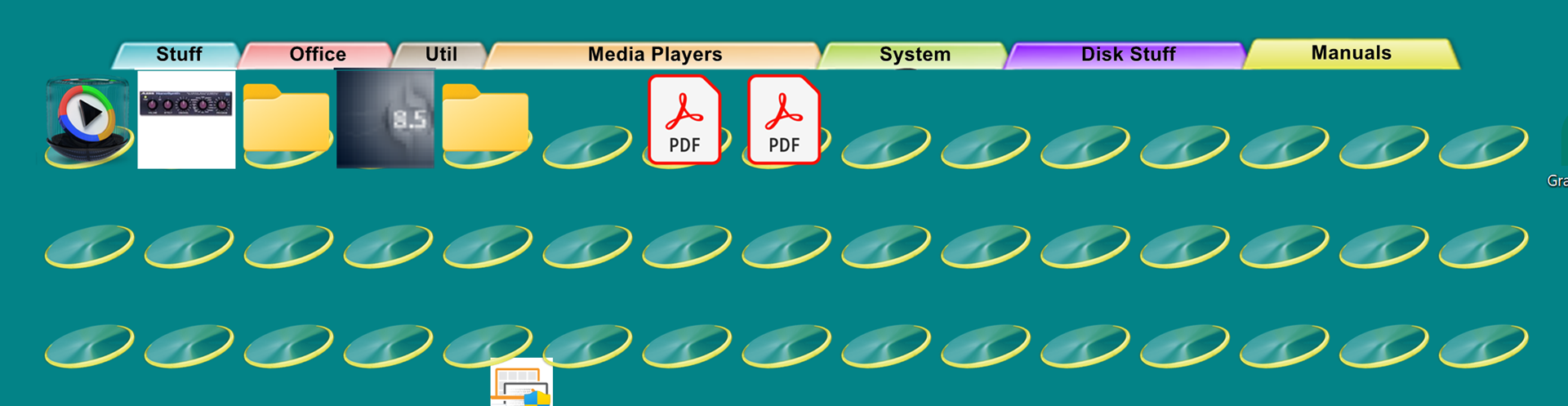
Moved to ObjectDock area
My dock has way too many tiles. How do I get rid of them? Soorry about the size of the insert.

Moved to ObjectDock area
Hello,
Sorry to hear you are having issues. Usually just click those unwanted one, one at a time and drag it away from your dock.
Thank you,
Basj,
Stardock Community Assistant.
That doesn't work. If I click and drag, it drags the whole thing to a new position. I also tried clicking twice and dragging, but the same thing happens.
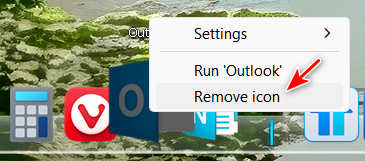
Try right-click and Remove icon.

The "Remove Icon" prompt only appears if the tile is at the beginning. It doesn't work when the empty tiles follow the full tiles. I suppose I could move all the full tiles to the end and then remove the empty tiles in front of them, but that seems like a very tedious approach. There's got to be a better way.
How did you end up with so many tiles in this tab?
Are all the other tabs having this issue?
Did you download this background from WinCustomize? If so, please provide a link to it.
One question, how do you set Quicklaunch dock/tiles graphic on tabs style dock? That might cause issue. Try use the normal tab style theme and see if you still see the same issue. Normal tab style mean, those style that come by default upon installing ObjectDock.
Thank you,
Basj,
Stardock Community Assistant
Welcome Guest! Please take the time to register with us.