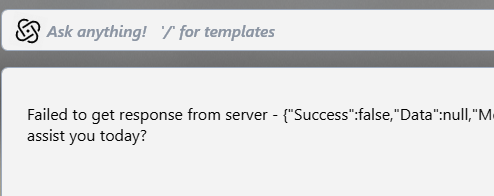
Always getting "Failed to get response from server

Purchased additional tokens but no help

Always getting "Failed to get response from server - {"Success":false,"Data":null,"Messages":null,"StatusCode":400,"DataType":"ChatCompletionResponse"}"

When I first installed this product, it worked well and I tested a lot of things using up all of my tokens on one of my accounts.

Recently, all I get is "Failed to get response from server" regardless of which account I use and which model  I choose.  

What can I do to correct this?

8,051 views 19 replies
Reply #1 Top

Hello,
I have forwarded your problem/question to Stardock Support Team for their assistance. Please keep an eye on this thread for any updates. We appreciate your feedback and patience. Thank you.

Basj,
Stardock Community Assistant

Reply #2 Top

Token Usage & Information also does not respond although it shows that I have over 245,000 tokens available.

I tried uninstalling and reinstalling.

Reply #3 Top

Hi FocusWiz,

Thanks for posting.  I've seen this error before.  In my case, logging out of the Object Desktop Manager itself and back in seemed to help.  Can you try that?  If necessary, you might also try using your Stardock Account method in the activation window.  If this doesn't work, you could alternatively try your Object Desktop key and email address specifically.  

Please let us know if these suggestions help.

Best regards,

Adam McGuinness
Stardock Support Specialist

Reply #4 Top

Try turning off your firewall temporarily or killing any VPN connection you may have active. 

There is also uninstalling \ reboot \ reinstall. 

Sean Drohan
Stardock Product Lifecycle Manager

Reply #5 Top

Yes, Sean's suggestion above could also help to identify and resolve the issue, as the error indicates a possible connection issue. 

Please try each of the suggestions above.  If you still encounter any trouble, it's possible something we can look into your account to help with.  You can sign in to review your account and product licenses here:

Support requests for account questions can be addressed here:

Thanks again,

Adam McGuinness
Stardock Support Specialist


Reply #6 Top

Thanks.  Still trying.  Logging out and logging back in did not work.  Got the same error message.

I don't expect logging in using my account to work well (because I have multiple Object Desktop licenses on my account), but I tried that anyway and got this:

will continue trying other suggestions.

Reply #7 Top

I turned off the BitDefender Firewall (which had been on when I burned through all of the initial tokens without any issue).  Then, since Windows turns on the Defender Firewall when I do that, I disabled that as well.

Still:  

Reply #8 Top

Both licenses are good until some time in mid 2026.

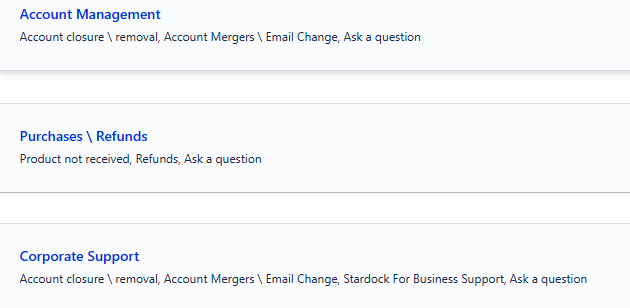
Not trying to be a jerk, but according to that site, the issues it supports are these:

I am not trying to manage my account.  Those issues are in the past.  I am not trying to purchase anything nor get a refund (yet) and I am not trying to close any account, merge any account, change my email or anything else "corporate"

I am likely misinterpreting what I should do, but this seemed to be where one of the links brought me when I first started trying to get it resolved.

Reply #9 Top

Sean,

I am not using a VPN and I have no issues connecting to StarDock for any other purpose from this machine.  Upgrades go smoothly and without any warnings or issues and without disabling any antimalware tools.

Reply #10 Top

I have never attempted to use Desktop GPT on my other machine (which has its own license) but just tried it and got the same error, which leads me to a possible reason for this.

The suggestion to log in by account may have been a clue since it asks for my email address but not the license key.

In the past, one of my complaints has always been that Stardock does not handle users with multiple licenses well.  They seem to believe that one person means one email means one computer means one license.  It was not until relatively recently that your products made it easy to see which license was on which computer.

I just checked my account information on the machine I never used with Desktop GPT and expected it to have the default tokens that come with the purchase (which it had since the beginning).  Instead, it is showing the number I just bought (without the intial amount that it used to have).

Is this a problem having two installations of Object Desktop with a single email address?

Thanks.

Reply #11 Top

As an aside, I have no issues connecting to or from either computer to any and all things from shopping sites to Google docs to running requestss against weather APIs to running Power Query to download data or even to sites like FanDuel and Reddit.  I have no problem updating Stardock apps nor downloading DeskScapes backgrounds.  

I think my internet connections, though secure, are likely not the issue unless DesktopGPT is using a port I am not allowing.

Reply #12 Top

Quoting FocusWiz, reply 10

Is this a problem having two installations of Object Desktop with a single email address?

That seems possible.  When you sign into ODM with your Stardock account, it has to rely on one of your active licenses.  To test if that's the issue, first make sure you completely exit the DesktopGPT application (right click it from your system tray to fully exit).

Then, log out of the Object Desktop Manager.  When you log back in, input one of your specific Object Desktop product keys with your email instead of the account/password method.  Open DesktopGPT again, give it a little time to update with the account info, and see if it works.

If this doesn't work, try the other Object Desktop product key.  Make sure you completely exit the DesktopGPT application (from your system tray) with each attempt and give the application a bit of time to update.  

Best regards,

Adam McGuinness
Stardock Support Specialist

Reply #13 Top

Adam,

We have fixed this.  

While I always log in to this machine with my License Key, the other machine had a license from 2023 and this one has a license from 2024.

On that one, I had logged in with my email address.  On this one I had logged in with my License Key.

When I went to check that I had the right License Key on my other machine, it did not seem to know what it was.  

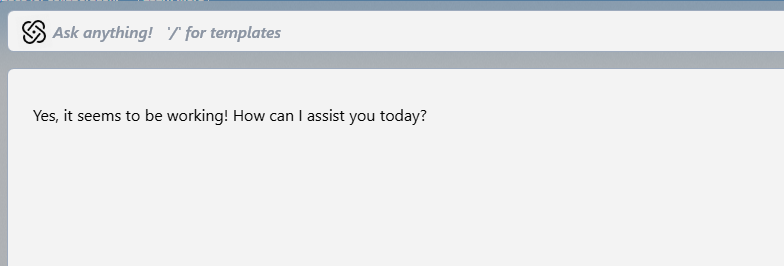
I logged out of that machine.  Rebooted it and logged into Object Desktop with the License Key and then came back to this machine to see if that fixed anything.  It did:

Now, each machine is running with its own License Key as originally intended.  Apparently, at some point, the other machine "forgot" which License Key it was using but was still properly logged in.  Probably happened when I upgraded from Windows 11 23H2 to 25H2.


Thank you and the rest for sticking with me to resolve this.

+1 Loading…
Reply #14 Top

Well, partly so....

I went to the other machine that now shows this:  

Also the Object Desktop License info screen had the License blanked out when I went to look at it.

It seems that while Object Desktop understands that I have separate licenses, Desktop GPT gets confused because it looks at the email address for tokens.

I could be mistaken, but this seems to still be broken.


Reply #15 Top

Anyway, even though it is only half solved, it is at least working on one machine and the one machine it is working on is the one I wanted to use it on.

This definitely needs to be less flakey.

Reply #16 Top

Quoting FocusWiz, reply 14

It seems that while Object Desktop understands that I have separate licenses, DesktopGPT gets confused because it looks at the email address for tokens.

I could be mistaken, but this seems to still be broken.

Could you try the same method as before?  This time with the DesktopGPT application, activating with each of your account's Object Desktop keys?

On the About page of DGPT you can click "Manage License" -> "Update Product Key":
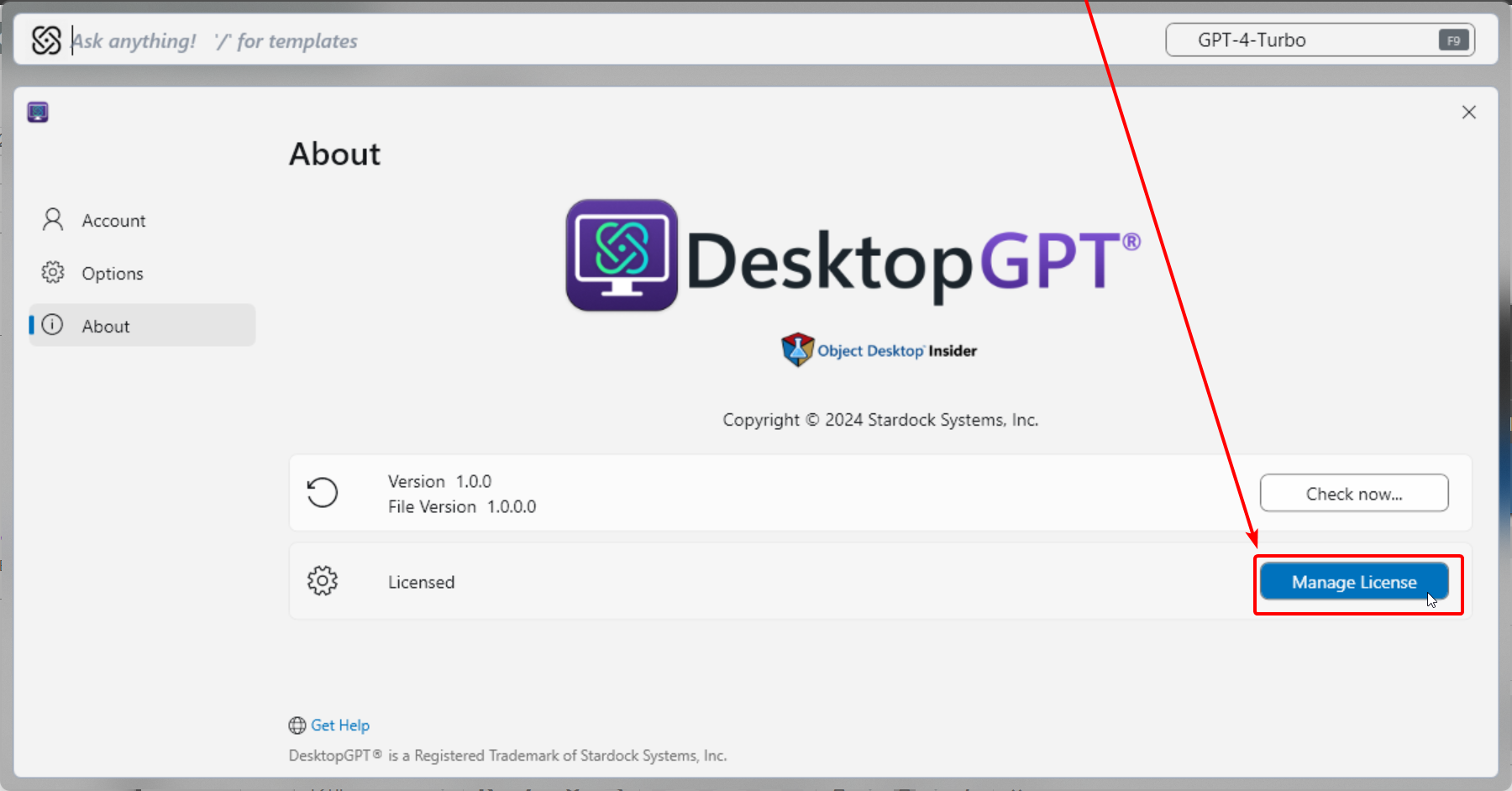
Please let us know if this helps.

Best regards,

Adam McGuinness
Stardock Support Specialist

Reply #17 Top

I give up.

I got the one I want to use working and then did the update you suggested via the Desktop GPT About box.  It already had my email address, so I entered the license key and verified it was still working

Then I went to the other machine and tried the same thing.  It did not know my email address, so I entered both.  It was still not working so I exited Desktop GPT on that machine, started it up again and entered both the license key and the email address.  I tried it and it was working.

Then I came back to the machine I want to use it on and even though it still had a working response from before I "fixed" the other machine, it now gives me this:

I really don't know what is wrong but it is not related to my antimalware nor anything else.  


I have other work to do, so if I can get it to work on this machine again, I will leave it alone (possibly forever).

Thanks.

Like I indicated.  Less flakey would be nicer.

Reply #18 Top

Got it working again on this machine just by re-entering the License Key information in the About box.

In case you didn't know, here is what it said may cause DesktopGPT to keep breaking:

There could be several reasons why DesktopGPT or similar applications might experience issues or "break." Here are some common factors that could contribute to such problems:

  1. Software Bugs: Like any software, DesktopGPT may have bugs or glitches that can cause it to malfunction. Regular updates and patches are typically released to fix these issues.

  2. Compatibility Issues: The application may not be fully compatible with certain operating systems, hardware configurations, or other software running on the machine.

  3. Resource Limitations: If the computer running DesktopGPT has insufficient memory (RAM) or processing power (CPU), it may struggle to run the application smoothly.

  4. Network Connectivity: If DesktopGPT relies on internet access to function (for example, to connect to a server for processing), any network issues could cause it to break or function poorly.

  5. User Errors: Sometimes, issues may arise from user input or incorrect usage of the application, leading to unexpected behavior.

  6. Configuration Changes: Changes in system settings, such as firewall configurations or security software updates, might interfere with the application's ability to function correctly.

  7. Updates and Maintenance: If the application is undergoing updates or maintenance, it might experience temporary issues.

If you're experiencing consistent problems with DesktopGPT, it might be helpful to check for updates, consult the support documentation, or reach out to the developers for assistance.

---------------------------------

I suspect a combination of #1 and #5

Reply #19 Top

Quoting Abisnabidam, reply 16


Quoting FocusWiz,

It seems that while Object Desktop understands that I have separate licenses, DesktopGPT gets confused because it looks at the email address for tokens.

I could be mistaken, but this seems to still be broken.


Could you try the same method as before?  This time with the DesktopGPT application, activating with each of your account's Object Desktop keys?

On the About page of DGPT you can click "Manage License" -> "Update Product Key":


Please let us know if this helps.

Best regards,

Adam McGuinness
Stardock Support Specialist

You had it, but for one slight change.

The issue we've been facing is this:  The software is licensed per user per machine.  However, the tokens are owned by the account.  I have one account and two licenses.  Desktop GPT draws tokens from my one account regardless of where it is drawing from.  (I think, but it must be close to this).

Therefore, while I need to assign an individual license to each Object Desktop installation, when setting up Desktop GPT, I should use my email and password to associate it with my account.

Not sure why it makes sense to me now but it makes a little sense.

I do not know how it was counting tokens originally, since I was supposed to get a certain number of tokens per install.  Instead, I got a certain number of tokens for my account.  Even if I had 100 licenses, I would have only gotten one serving of tokens across all of them.

In other words, I probably got cheated a bit but by 2027, none of us will know how many AI tokens we've used.


TLDR:  I logged into each install with the individual license then I logged into each Desktop GPT with my email and password.  Now it works on both machines.