No mouse pointer on secondary computer

Hi,


I am struggling with Multiplicity 4 Pro. FYI, this problem never happened on Multiplicity 3  KVM.


The mouse pointer (without a mice plugged in the secondary computer) will not appear, I have to close the window and re-open the KVM connection again for it to appear.


The "Enable fake pointer" option is on but it still does the same thing.


Both pc's are on Windows 11 pro 25H2 (it did the same thing on 24H2).


Steps I took to try to fix the problem.


-Uninstalled Multiplicity on both pc's and reinstalled.

-Used Revo uninstaller pro to uninstall both

-Used the Purge Multiplicity Tool after both uninstalls.


Is there anything else I can do to try to fix this? It is really annoying to have to fetch the top screen to close it without seing the pointer, it's a cat and mousse game every time.


Thanks

3,487 views 15 replies
Reply #1 Top

Hello,
Sorry to hear you are having issues. I have forwarded your problem/question to Stardock Support Team for their assistance. Please keep an eye on this thread for any updates. We appreciate your feedback and patience. Thank you.

Basj,
Stardock Community Assistant

Reply #2 Top


The "Enable fake pointer" option is on but it still does the same thing.

If that is off, but you still have a legit wired mouse plugged into the remote Secondary, does it work then?

Sean Drohan
Stardock Product Lifecycle Manager

Reply #3 Top

Quoting sdRohan, reply 2


The "Enable fake pointer" option is on but it still does the same thing.


If that is off, but you still have a legit wired mouse plugged into the remote Secondary, does it work then?

Sean Drohan
Stardock Product Lifecycle Manager


Yes, with a mouse plugged in everything is ok.

Reply #4 Top

Quoting Madspec, reply 3

Yes, with a mouse plugged in everything is ok.

Is the Secondary a laptop or a desktop?  I ask as if Windows does not see input devices (or sound output, speakers), it powers things off to preserve power efficiency. 

That said, for now, is this a workable solution for you, to have a mouse plugged into the Secondary?

Sean Drohan
Stardock Product Lifecycle Manager

Reply #5 Top

The secondary computer is an Asus NUC 15 Pro (Desktop). I could let a mouse plugged in but the point of the software is to be able to control my secondary computer without keyboard and mouse. 

Reply #6 Top

Quoting Madspec, reply 5

The secondary computer is an Asus NUC 15 Pro (Desktop). I could let a mouse plugged in but the point of the software is to be able to control my secondary computer without keyboard and mouse. 

And of course you dont need to use them (the Secondary M\KB) but for some reason your PC is not registering the fake pointer without it plugged in.

Sean Drohan
Stardock Product Lifecycle Manager.


Reply #7 Top

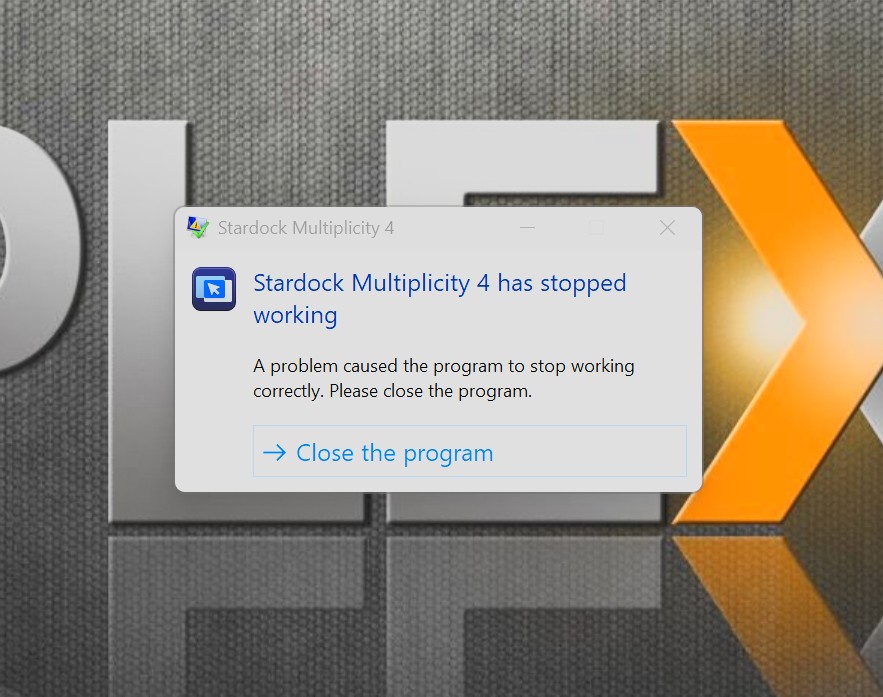
And I'm getting this error often also when I try to get in, The mouse cursor goes sluggish and I get this.

Reply #9 Top

Quoting dplautatstardock, reply 8

Stardock, please update this document:

Multiplicity Support FAQ » Forum Post by Island Dog

re: checking the Fake pointer setting.

While we have some gaps in updates, the official support section is what should be considered scripture

https://support.stardock.com/space/SHC/1381007451/Secondary+Control+Menu

Sean Drohan
Stardock Product Lifecycle Manager

Reply #10 Top

Quoting Madspec, reply 7

And I'm getting this error often also when I try to get in, The mouse cursor goes sluggish and I get this.

Get into what and on the Secondary or Primary?  If the Secondary, do you also have it on the exact same version?

Is there anything in your event log that shows MP crashing?

Sean Drohan
Stardock Product Lifecycle Manager

Reply #11 Top

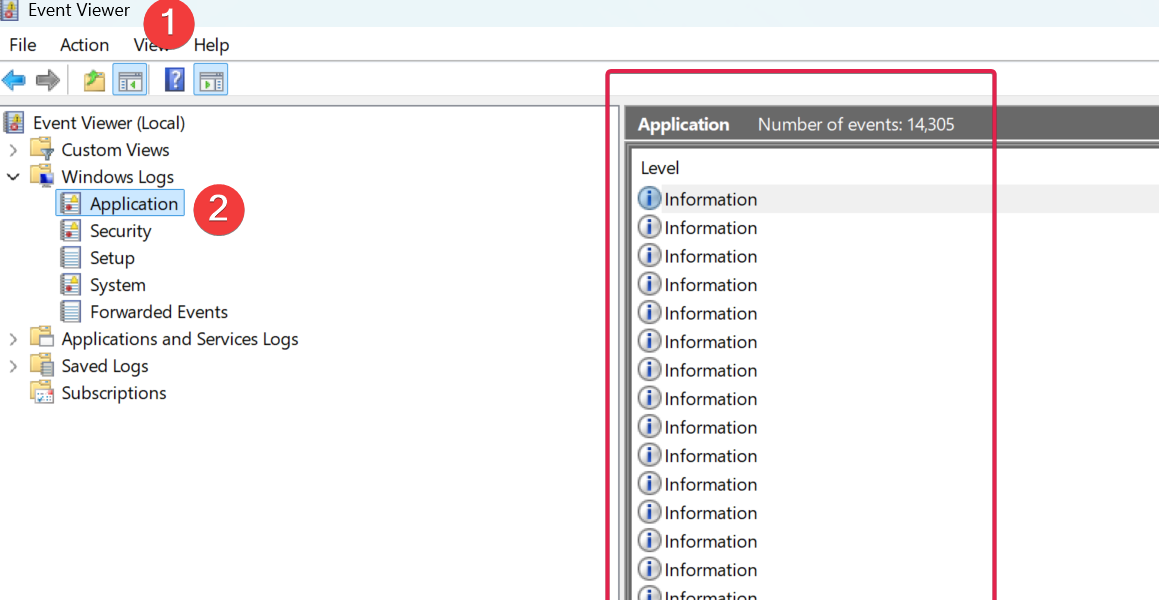
It does it on my primary computer and in the event log I have this;


Reply #12 Top

This is a bit of a process but the best way to find the cause is to capture a dump.

https://support.stardock.com/space/SHC/2122055681/Manually+Collecting+Multiplicity+Crash+Dumps

As noted, the file will be LARGE. So uploading it to a Cloud drive service (OneDrive, GoogleDrive, etc) and pasting a shared link here would be helpful.

Sean Drohan
Stardock Product Lifecycle Manager

Reply #13 Top

Now I am getting this ...


Reply #14 Top

Quoting Madspec, reply 13

Now I am getting this ...


Hmmmm, are you running MP (and WInDBG) on a non-Admin account?

As a test, create a new local admin account and see if you still get the MP error

https://support.microsoft.com/en-us/windows/manage-user-accounts-in-windows-104dc19f-6430-4b49-6a2b-e4dbd1dcdf32

...and if WinDBG still gives you the same message if it does...


Reply #15 Top

Thanks for trying, really. But I'm done, I uninstalled it and reinstalled Multiplicity 3 and it works like a charm, no problems at all, like it should. Ill try to get a refund but I won't get my hopes up...


Thanks again for the help.