Stardock Taskbar folder looks like and has same panes as File Explorer window.
Change Icon does not work on Folder icon.
 Stardock Forums
Version is 2.51, just updated today.
On my main computer I have a Stardock Taskbar folder that opens up with two panes showing a list of frequently used programs. When one of the names is clicked upon, the associated program opens on the desktop. It is very handy; I used to use it several times a day. Now my main computer is down, and it will be several days before it works again.
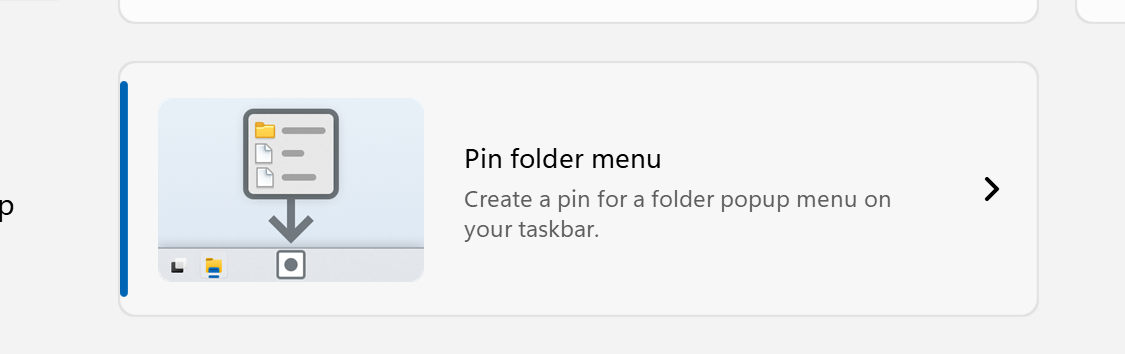
I tried to create the same mechanism on my backup computer by right-clicking the Taskbar, clicking Configure Start 11 on the resulting popup window, clicking Taskbar pins on that popup window, selecting and clicking on "Pin folder" in the Taskbar pins display. The resulting display said "Browse for Computer" (???) "Please select a folder to pin" and presented a list of Desktop folders, which allowed me to create the folder "C:\Users\UserName\Documents\Oft_Used". I then moved most of the Desktop icons to Oft_Used, which put the associated shortcuts there. Then when I clicked on the Taskbar icon Stardock had put there for the new folder, an Explorer window opened showing the names of the shortcuts I put in Oft_Used. Clicking on one of the names does launch the program. I would like the Taskbar folder Stardock created to look like a program menu, just like it used to do.
I tried to change the icon StarDock put on the Taskbar for the new folder by right-clicking on it, selecting Oft_Used, then selecting Properties, then clicking on Change Icon, then selecting a new icon from %SystemRoot%\System32\shell32.dll. The new icon selected does appear on the properties page of the Oft_Used icon on the Taskbar, but not on the Taskbar itself.
The forgot password, change password mechanism did not work for me until I typed the new password into Notepad, added special characters to the front, middle, and end of my new password, and then pasted it into the new password and confirm password boxes. I spent over an hour on this, typing, and typing, and typing, and typing.