Double Start button

Hey all,

Ever since the last update, the Start button on my secondary appears double.

They both seem to function normally on the left-click. The right-click doesn't work at all.

Has anyone seen this before?

2,286 views 5 replies
Reply #1 Top

Hello,
Sorry to hear you are having issues. Please try, uninstall Start11, reboot immediately (important), download latest version available in your account product download page: https://store.stardock.com/myaccount/products. Install it, reboot immediately again. Retest it and report back.

Also, if the issue still appear. Please include these information on your next post.

  1. Windows 10 or 11? Need its full version and OS Build numbers. Please use Winver.exe to get those numbers.
  2. Start11 full version number.
  3. Do you have any other applications that change how your Start panel/Taskbar/Explorer work?

Thank you,
Basj,
Stardock Community Assistant.

Reply #2 Top

I'm having similar problems. The issue typically occurs when using a custom start logo and having "enhance the taskbar" enabled. I usually restart my pc and it goes away for some time. I usually notice the problem returning after waking up from hibernation or sometimes after exiting fullscreen games. I've followed the steps above, and I've reinstalled windows twice and noticed the same problem on my other computer.


EDIT: I've noticed the problem happening more on my dual-monitor setup. Only the main monitor has the double-start menu issue, whereas the second monitor has never experienced it.  On a single monitor, the issue usually occurs after every other wakeup from hibernation. 

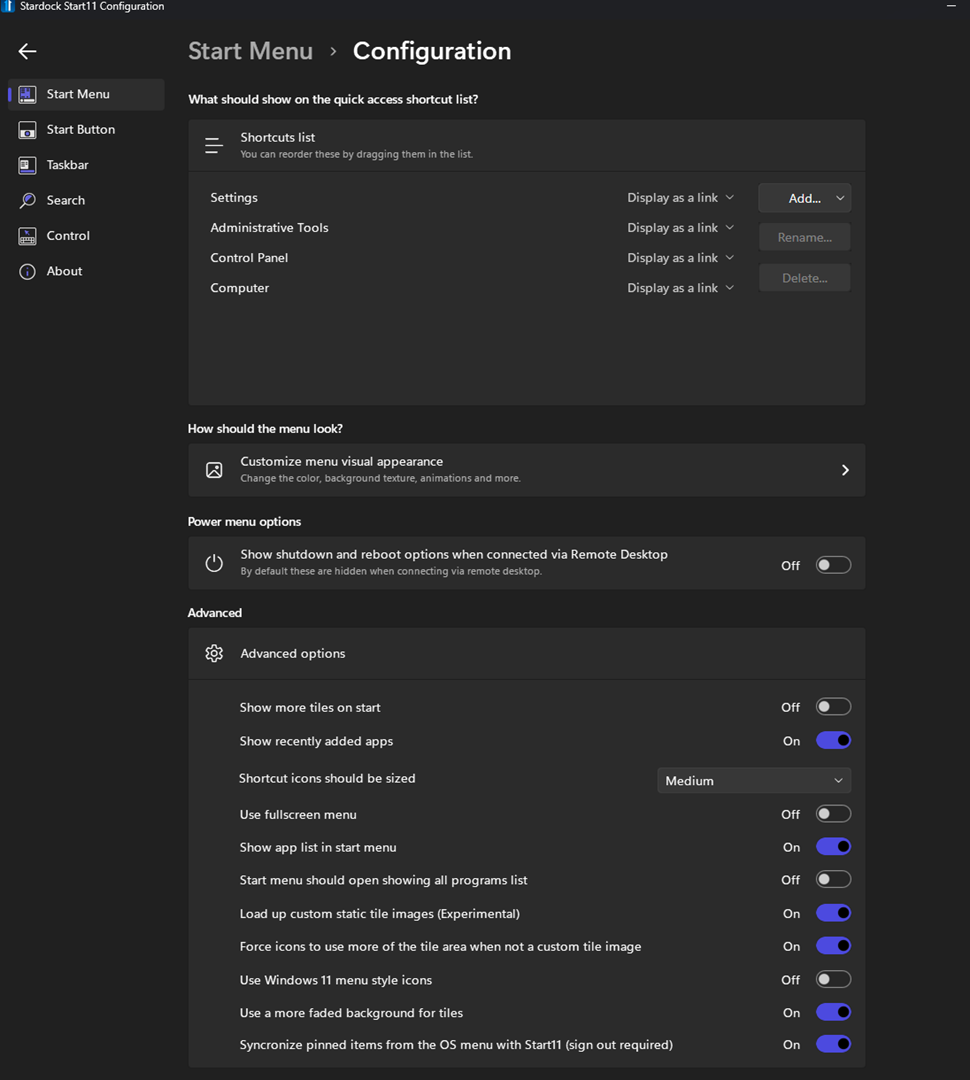
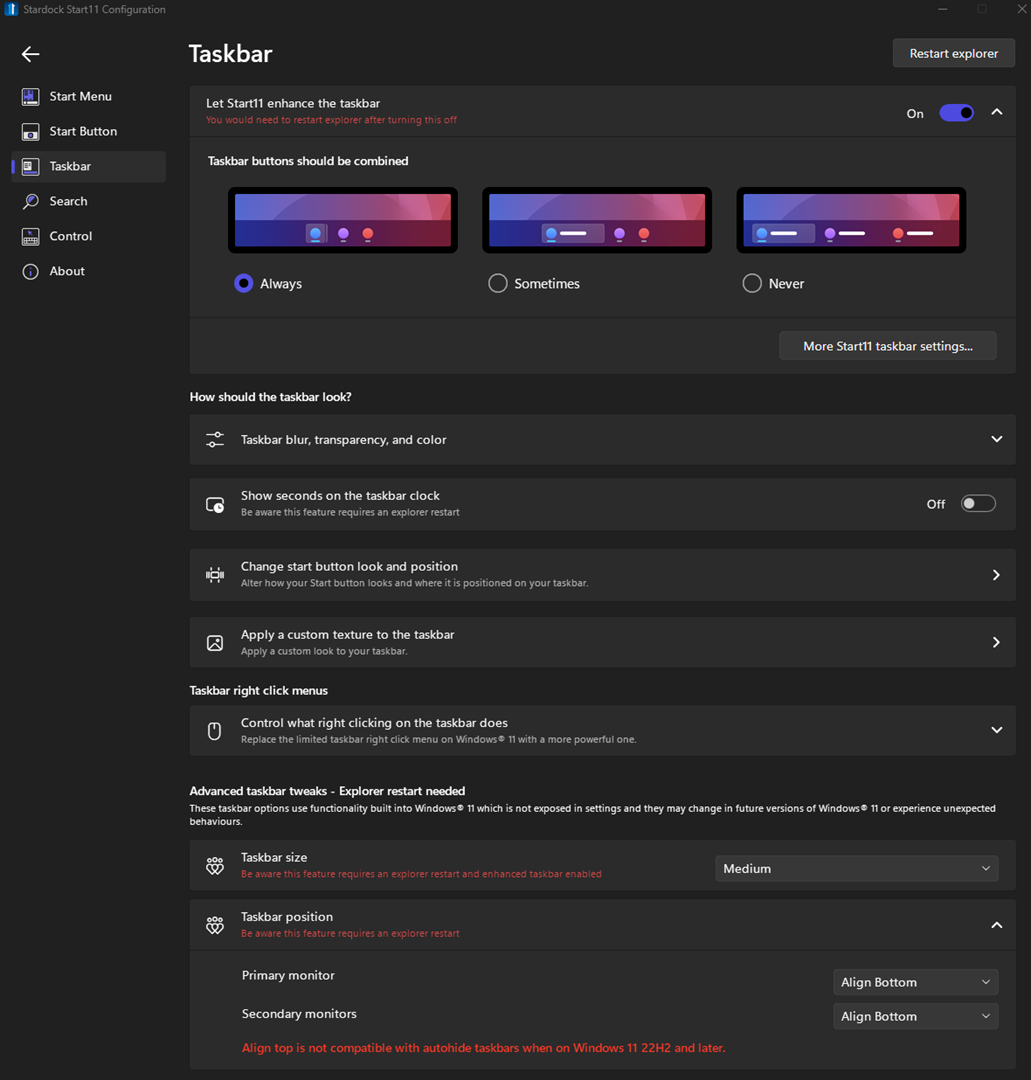
These are my settings:

Reply #3 Top

Quoting SetrocV, reply 2

I'm having similar problems. The issue typically occurs when using a custom start logo and having "enhance the taskbar" enabled. I usually restart my pc and it goes away for some time. I usually notice the problem returning after waking up from hibernation or sometimes after exiting fullscreen games. I've followed the steps above, and I've reinstalled windows twice and noticed the same problem on my other computer.

EDIT: I've noticed the problem happening more on my dual-monitor setup. Only the main monitor has the double-start menu issue, whereas the second monitor has never experienced it.  On a single monitor, the issue usually occurs after every other wakeup from hibernation. 

These are my settings:

Hello,
Sorry to hear you are having issues. Have you tried the uninstall, reboot, redownload, reinstall and reboot again steps mentioned above?

Thank you,
Basj,
Stardock Community Assistant.

Reply #4 Top

I've tried that a few times. I've done it on fresh installs of windows 11 at least 3 times, and the problem eventually happens. 

An easy way for me to replicate the problem was to have a dual-monitor setup and to mess around and activate/deactivate the following settings a few times:


- "Let Start11 enhance the taskbar."
- Use a custom start button image
-restart explorer


After a few times, my taskbar buttons are no longer combined. It will sometimes reactivate the custom start button when it was previously disabled after restarting the explorer. But I will see a double start menu after 2-3 toggles.  Typically, when this problem arises and a reboot does not resolve it, I deactivate the enhanced taskbar, restart the explorer, restart the PC, reactivate the enhanced taskbar, and reboot again; this procedure usually resolves the issue of the double start menu for some time. It's just frustrating that this problem has been happening for a few months now. 

As for my single monitor setup, the problem is rare, but restating the PC usually resolves the issue for me 

Reply #5 Top

Quoting SetrocV, reply 4

restating the PC usually resolves the issue for me

Perhaps trying "Explorer.exe" restart should also help. 

Reference: How to Restart Explorer.exe: https://www.howtogeek.com/198815/use-this-secret-trick-to-close-and-restart-explorerexe-in-windows/ 

Thank you,

Basj,
Stardock Community Assistant