Hi, I encountered some bugs in WindowsBlinds11 with Start11.

First I installed WindowBlinds 11 and restarted the file explorer and everything normal ok:yes:  

Second, I installed WindowBlinds 11 + Start11 and restarted file explorer and got an error. X

WindowBlinds 11.04 + Start 11 v2.5.1.3

- Then also another error in Start 11
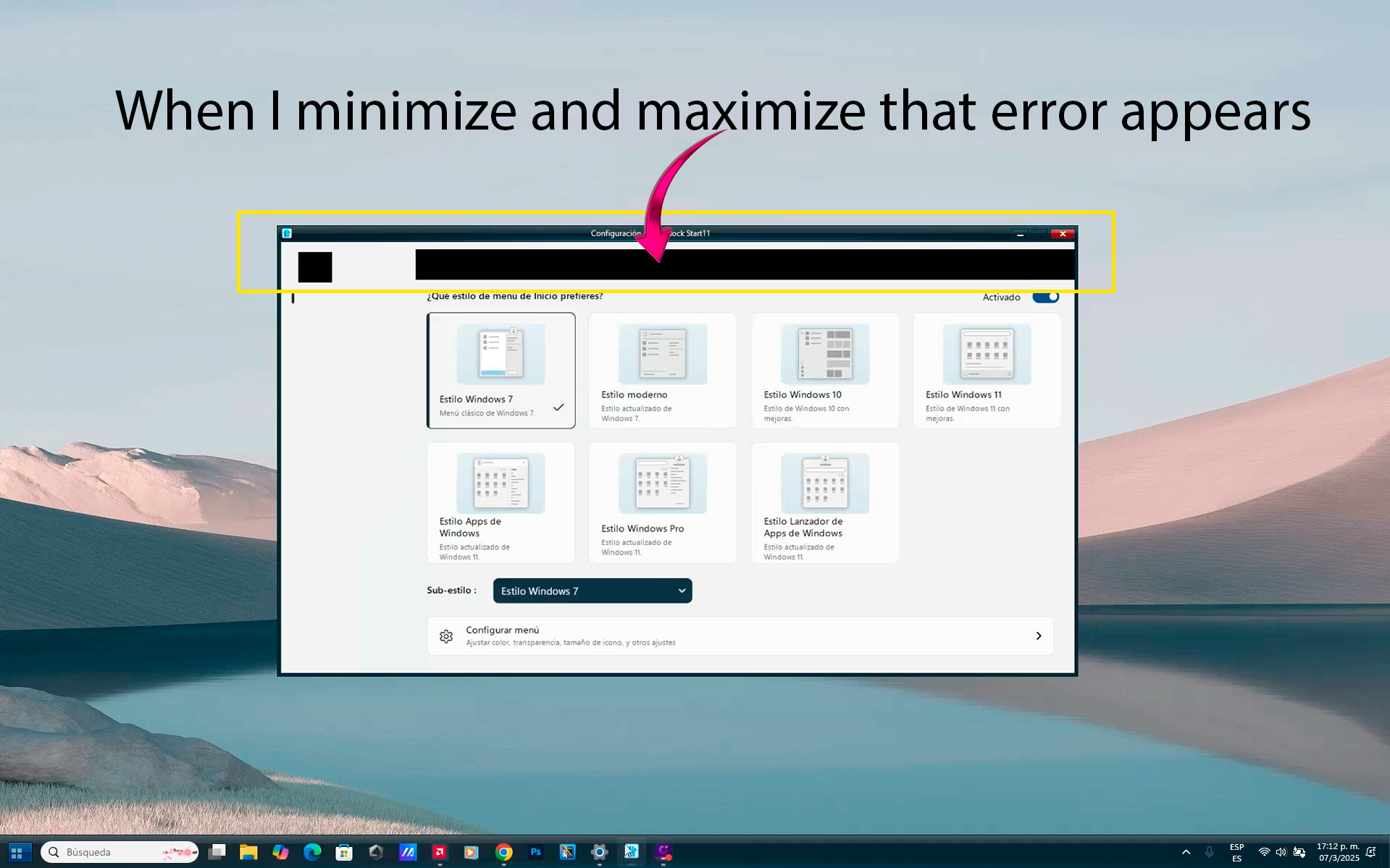
I tried this on two different computers and I get the same error. 

Please, thank you. Could you please fix this in a future update?

3,070 views 5 replies
Reply #1 Top

Hello,
Sorry to hear you are having issues. Need to know few things.

  1. Windows 10 or 11? Also need it full version and OS Build number. Please use Winver.exe
  2. Is the issue happen on any theme?
  3. Does the issue still appear if you restart Explorer.exe.
  4. Do you have any other application running that also change how your taskbar work? Maybe it just me, there is something I never saw on typical taskbar clock with 24H format with p.m. at its end.

Thank you,
Basj,
Stardock Community Assistant.

Reply #2 Top

1. It's Windows 11 24H2 

2. Yes, the problem occurs with any theme.

3. Yes, the problem persists for many seconds and then goes back to normal, sometimes it freezes with that error and I have to restart it again.

4. No, I don't have any other application that modifies the taskbar. I changed it to 12 hour format and it's still the same...

Reply #3 Top

Please try purge and reinstall steps as mention here : [Link]. Just make sure to redownload the latest version from your account page. Reboot after the purge. Reinstall and reboot again after the installation. Retest and report back here.

Thank you,
Basj,
Stardock Community Assistant.

Reply #4 Top

When I reinstalled and restarted File Explorer, it still has the same error with Start 11 and Windowsblinds 11, but now it is back to normal in less time.

The problem is rather Start11, it needs to be optimized to fit with windowsblinds11.

Reply #5 Top

I think something is causing WB not working properly in your system. Please try this, if you have Windows Pro version, please try test install on Windows Sandbox: https://support.stardock.com/space/SHC/1416396827/Testing+WindowBlinds+in+Sandbox. Also, please install Start11v2 while in there. Test it and report back.

Thank you,

Basj,
Stardock Community Assistant